Releases: fisherjoey/tt-save-editor
Release list
v1.0.1 — Utility Belt fix + purple studs

A save editor for LEGO Batman: Legacy of the Dark Knight that runs entirely in your browser. Open the editor →
A patch release fixing two reported bugs from the Nexus comments.
🦇 Utility Belt challenge now completes
The v1.0.0 challenge catalogue shipped stale — it was generated from an earlier save and silently dropped three gameplay challenges (Utility Belt, Computer Wiz, Ninja), so they could never be added or completed, leaving saves stuck below 100%. Regenerated from a real 100% save → 44 challenges, Utility Belt included. The vs-100%-save test now derives the expected set from the fixture so the catalogue can't silently go stale again. (Thanks @GenWashington.)
💜 Purple studs are now addable (all 84)
Purple studs weren't catalogued, so you could only toggle the ones already in your save — and saves are sparse (an uncollected purple stud leaves no entry), so the missing ones were unreachable. Extracted the full 84-tag universe straight from the game's PROG_PurpleStuds definition asset and folded it in as a counter, so the existing add / "Max out everything" / "Unlock everything" machinery now fills them in. (Thanks @tiggychan — the in-game total is 84, not 85.)
Both flow through the normal collectibles UI (Collectibles panel, completion overview, one-click max-out) and are marked not confirmed in-game like the other non-gold-brick categories — safe to add, reports welcome.
→ Open the editor · MIT · not affiliated with WB / TT Games
Contributors

Assets 3
v0.3.0 — change summary, human-readable names & clarity overhaul
A save editor for LEGO Batman: Legacy of the Dark Knight that runs entirely in your browser — drop in your .sav, it's decrypted, edited, and re-encrypted on your machine. Nothing is uploaded. Open the editor →
v0.3.0 is a big readability-and-trust pass: a plain-language summary of everything you changed, real human names for every mission, objective and collectible (no more raw tag paths), duplicates grouped instead of repeated, and clearer, safer wording everywhere — driven by a multi-agent UX audit of every button, label and setting.
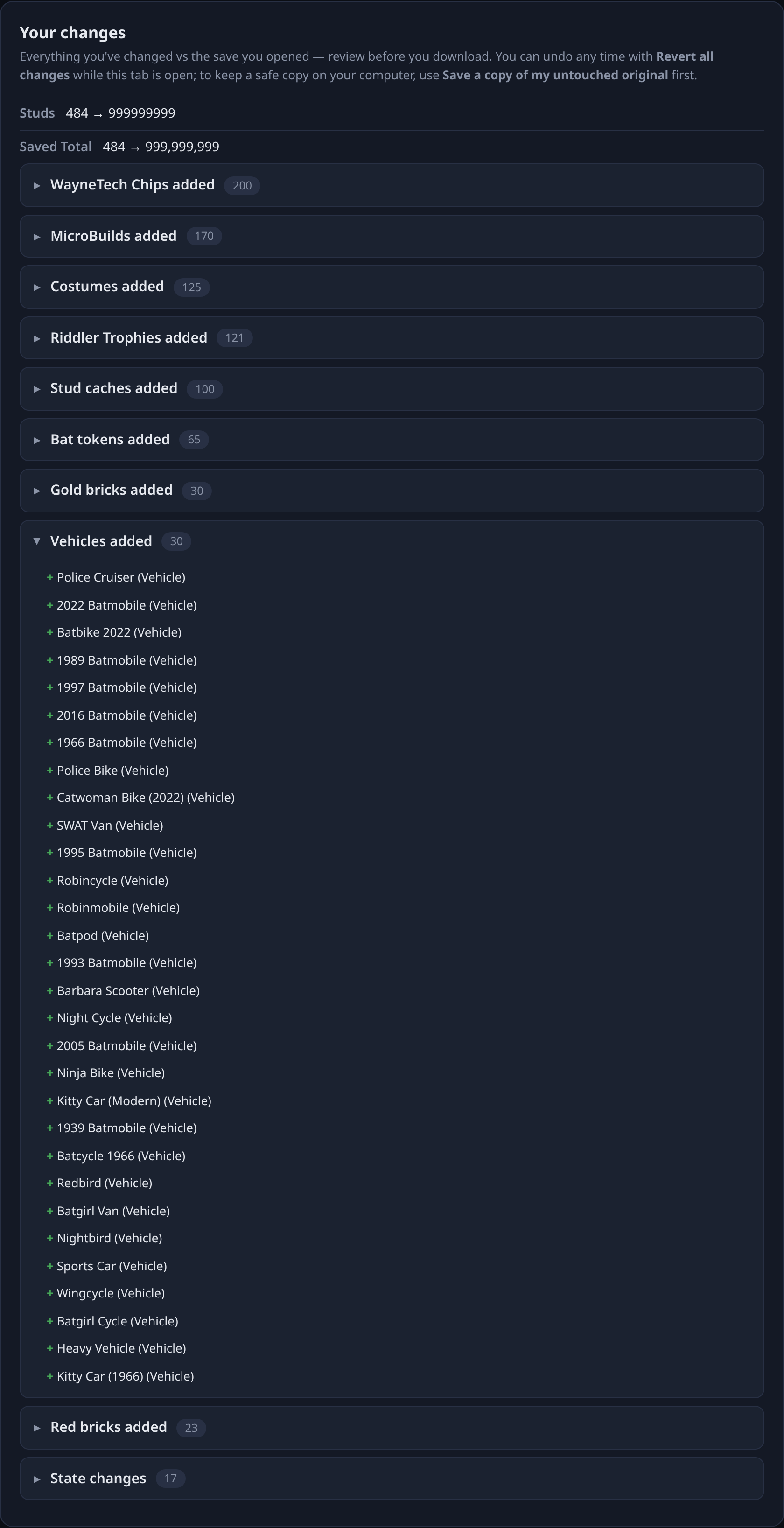
🆕 Your changes — a receipt before you download
A new "Your changes" panel sits above the download button and lists, in plain language, exactly what you altered versus the save you opened — collectibles added (by category, with real names), missions/objectives flipped, studs and playtime set. Review it before you commit. You can Revert all changes any time while the tab is open, and Save a copy of my untouched original to keep a safe copy on disk.
🔤 Everything reads like English now
The headline of this release. Previously a lot of the deep content showed raw internal data; now:
- Missions & objectives that aren't individually named fall back to clean labels —
Objective 2 (part C),Story mission 0-4, district codes decoded — instead ofActivities › Instances › CI › GVRP › Croc › 00 › OBJ01. - Settings & states read
Done / Started / Available / Gold medalinstead ofComplete / InProgress / CompletedGold. - Collectible categories match their items: Riddler Trophies, MicroBuilds, WayneTech Chips; raw district codes in item names decoded to real district names (e.g. Old Gotham South — Red Brick #1).
- Six progress groups (shops, upgrades, characters, purple studs, collectibles, minigames) that used to hide under System with garbled names now show properly under Progress.
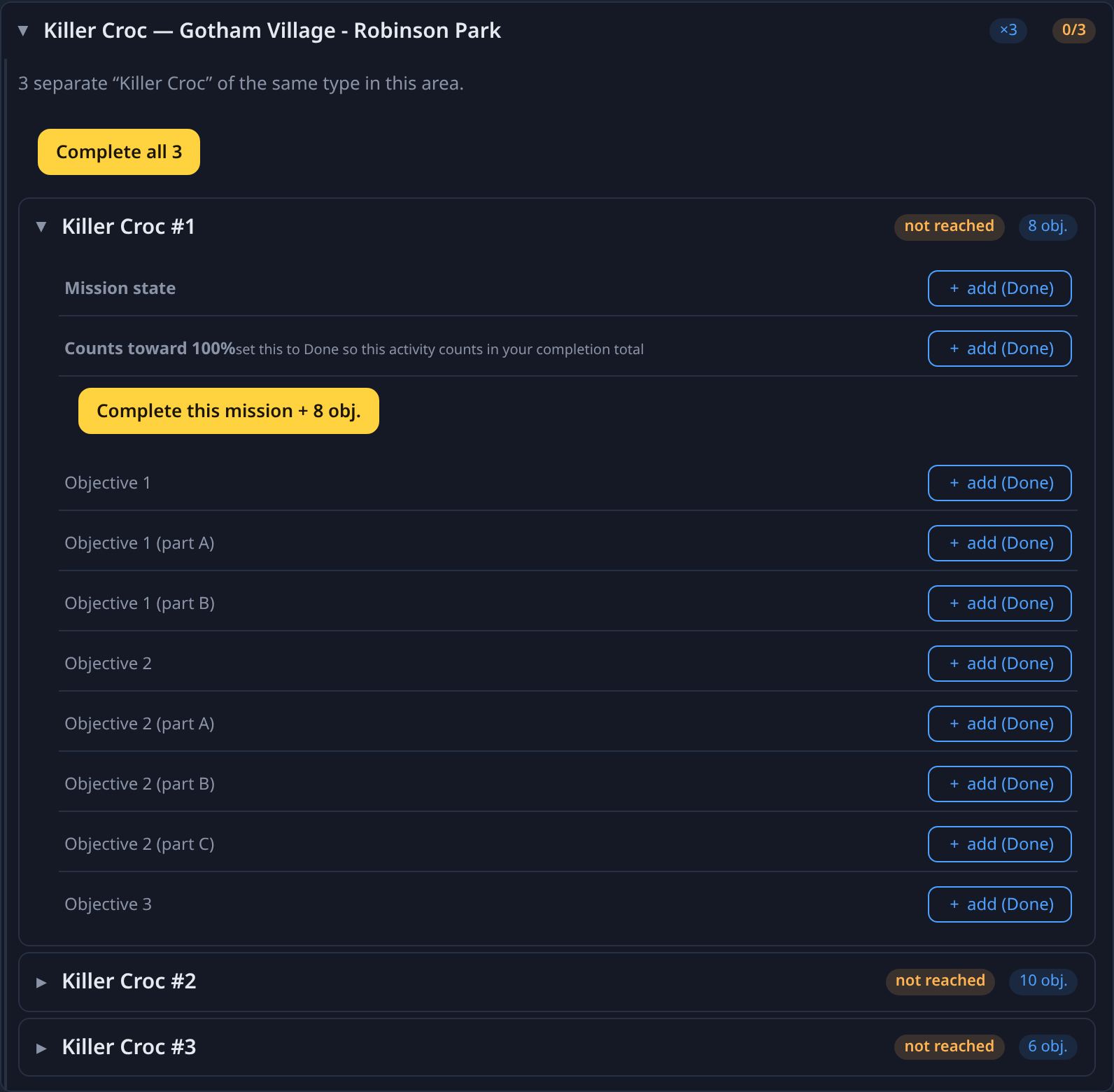
🧱 Duplicates grouped, badges folded in
The game tracks many activities as several identically-named instances (six "Killer Croc — Gotham Village", etc.), each with a separate completion badge. These now collapse into one expandable group with a Complete all N button, and each activity's 100%-completion badge folds in as a "Counts toward 100%" row instead of a confusing duplicate sibling.
⏩ Skip ahead, safely
- Mark this mission and all earlier story missions done — recover a corrupted playthrough to a chosen point without clicking every item.
- Destructive bulk actions now confirm; bad numeric input shows an inline error instead of silently vanishing; the raw-field view carries a clear caution.
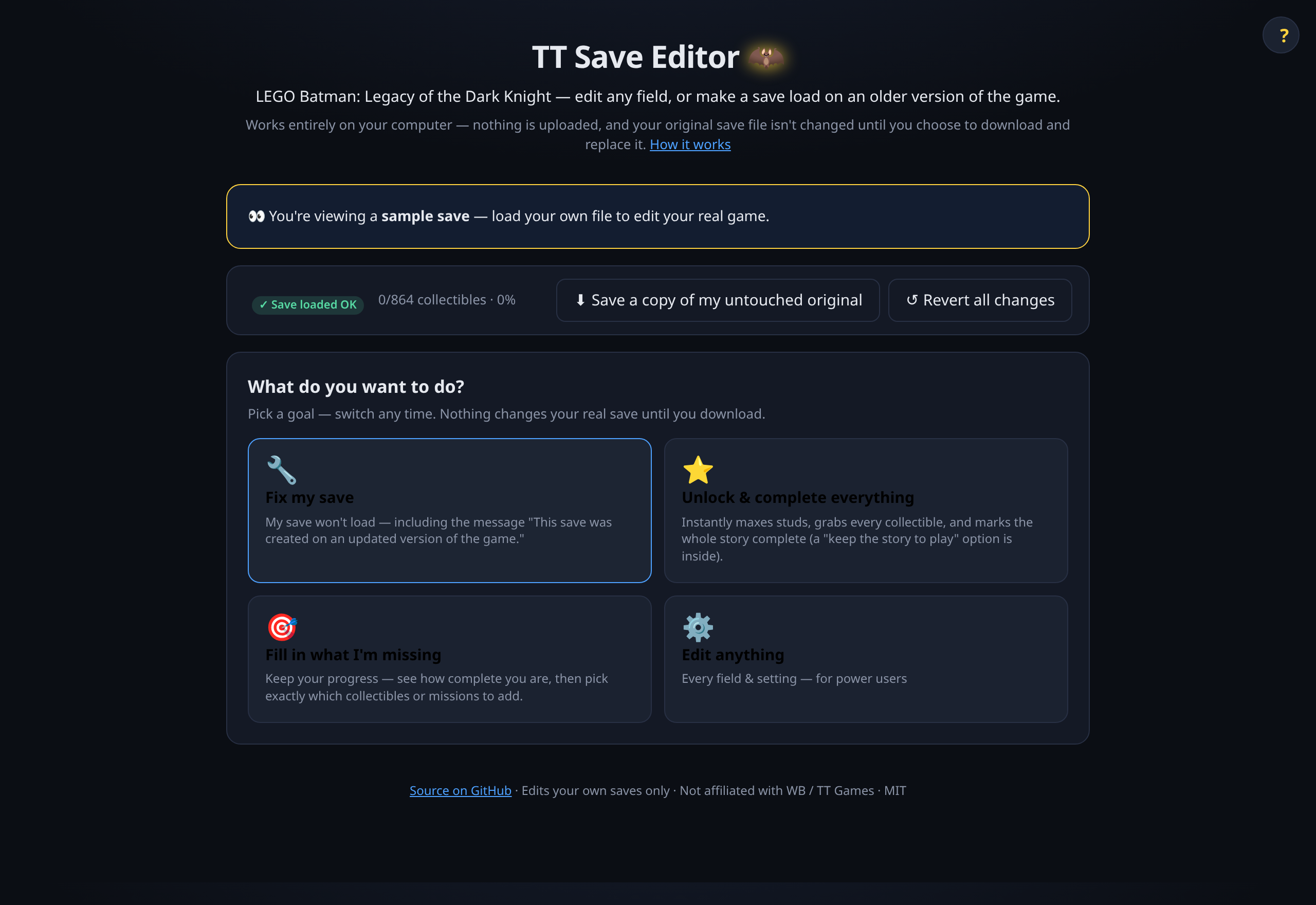
🔧 Still does the original job
- Fix my save — rolls the version stamp back so an older build accepts a save from a newer patch (fixes "This save was created on an updated version of the game"). Type the number or read it from a working save. The "Where do I find my save?" guide (Steam / Epic / Proton) is now on the landing page, not buried.
- Unlock & complete everything (with a keep-the-story-to-play option), Fill in what I'm missing, and the full Edit anything power-user surface.
⚠️ Honest about what's verified
Gold bricks are confirmed to move their counter in-game. The other categories use the identical mechanism and are marked not confirmed — safe to add, but the counter may not move. Adding missions you haven't reached can confuse story tracking, so back up first. Every edit is reversible while the tab is open.
The save body is preserved byte-for-byte except your changes, with a round-trip self-check that refuses to emit a save it can't reproduce. Save cipher credit: @RealDarkCraft.
→ Open the editor · MIT · not affiliated with WB / TT Games
v0.2.0 — task-oriented redesign, full collectibles & missions
A save editor for LEGO Batman: Legacy of the Dark Knight that runs entirely in your browser — drop in your .sav, it's decrypted, edited, and re-encrypted on your machine. Nothing is uploaded. Open the editor →
This release reworks the whole experience around what you actually came to do — and massively expands what you can edit.
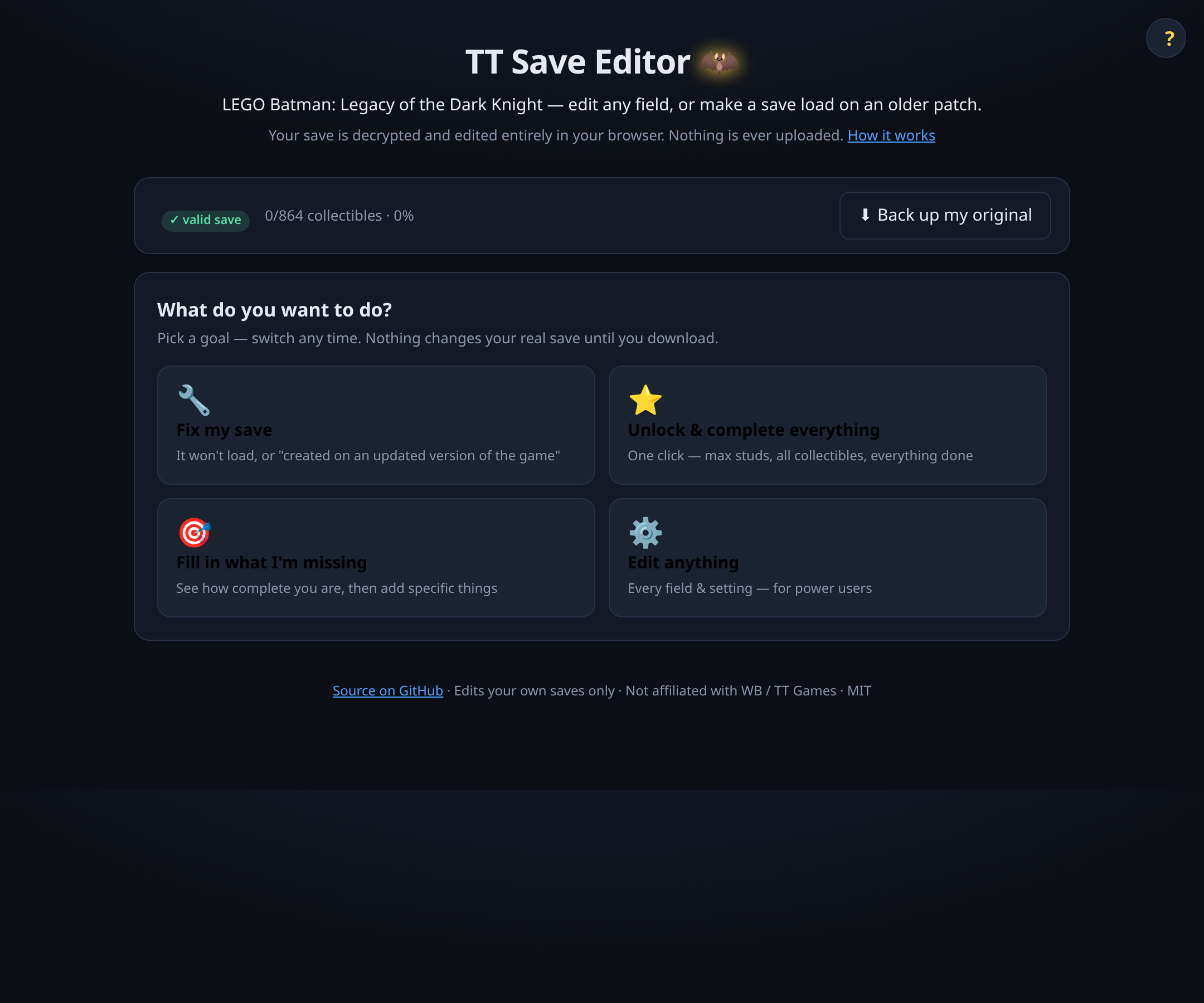
✨ Pick a goal, not a panel
After your save loads, choose what you're here for:
- 🔧 Fix my save — the original reason this tool exists. Fixes the "This save was created on an updated version of the game" error after a game update by rolling the build-version stamp back (type the build number, or read it from a save made on the older build). Plain-language help for where saves live (Steam / Epic / Proton) and the
SaveSlot_…+BackupCopy_…file pair. - ⭐ Unlock & complete everything — one click: max studs, add every collectible, and complete your progress.
- 🎯 Fill in what I'm missing — a per-category completion overview, then add specific collectibles or missions.
- ⚙️ Edit anything — the full power-user surface: studs, playtime, every enum setting, and an Advanced view of every value in the save.
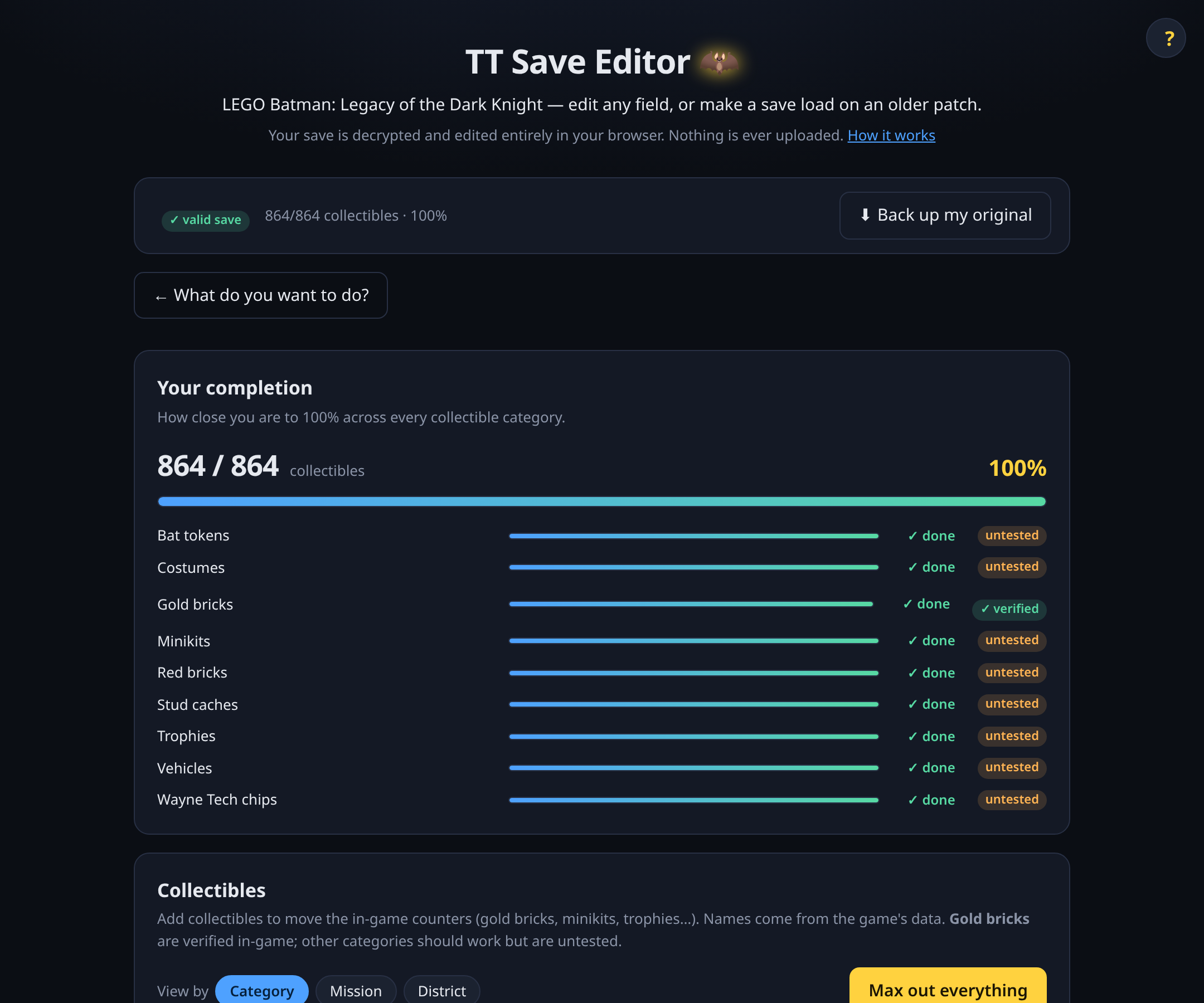
A status bar always shows ✓ your save is valid (it passed a byte-exact round-trip check on load), your collectible completion %, and a one-click back up my original.
🧱 Collectibles
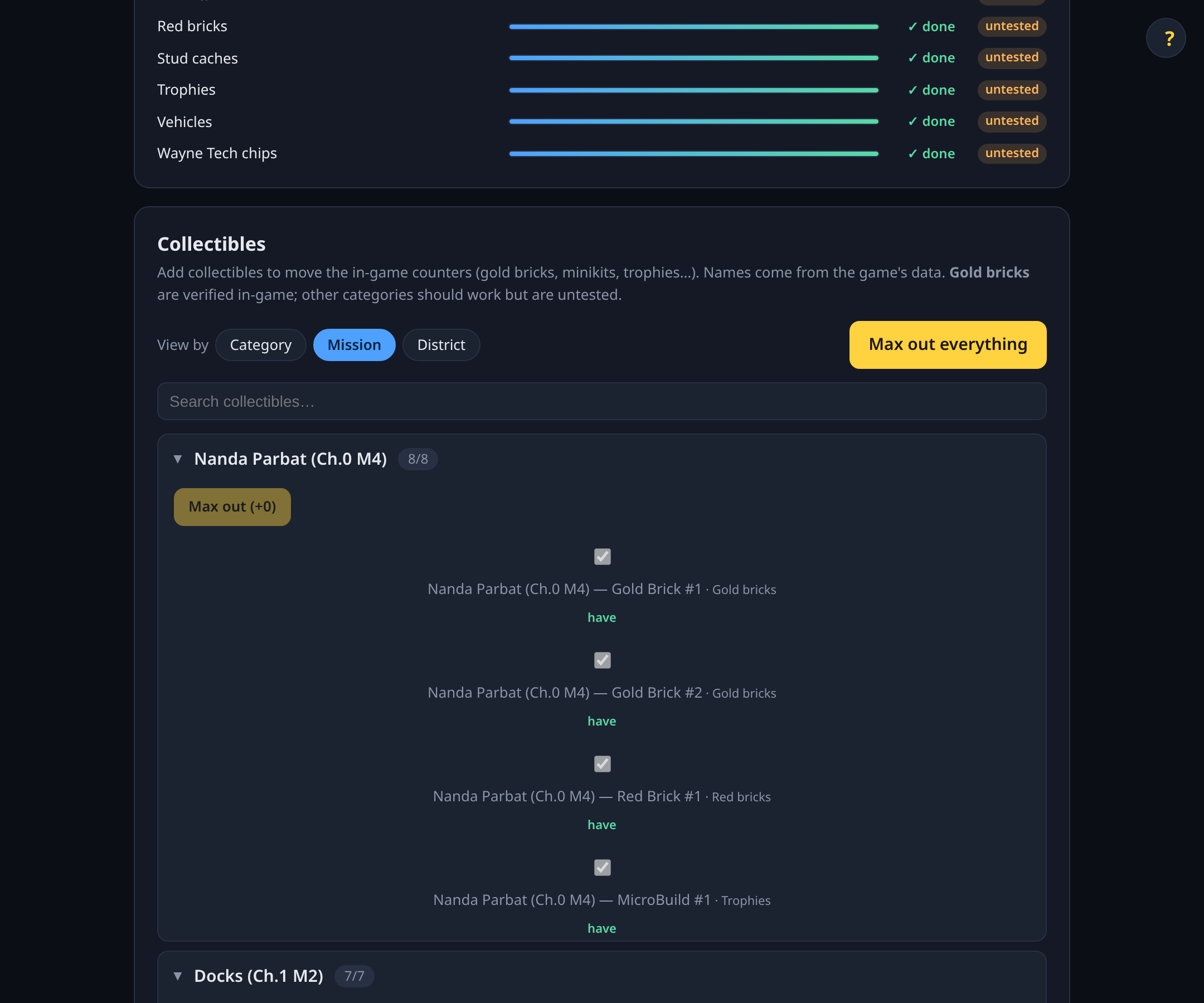
Add collectibles and watch the in-game counters actually move — browse by Category / Mission / District, or "max out" a whole category. Every entry shows its real in-game name (e.g. Iceberg Lounge (Ch.1 M5) — Gold Brick #1), extracted from the game's own data files.
🦇 Missions & objectives
Every mission and objective in the game — not just the ones in your save — with objectives nested under their mission. Edit the ones you have; add the ones you haven't reached.
⚠️ Honest about what's verified
Gold bricks are confirmed to move their counter in-game. The other collectible categories use the identical mechanism and are marked untested. Adding missions/objectives you haven't reached is advanced and can affect story progression — and your original is always backed up.
The save body is preserved byte-for-byte except your changes, with a round-trip self-check that refuses to emit a save it can't reproduce. Save cipher credit: @RealDarkCraft.
→ Open the editor · MIT · not affiliated with WB / TT Games
v0.1.3 — Playtime quick-edit
New: Playtime quick-edit
Set your playtime in minutes from a labelled input box. The editor reads and writes the TotalPlaytime Timespan field directly (UE stores it as Int64 100ns ticks; the UI just handles minutes). Asked for by @Ruxxtin.
Still works
- Studs box from v0.1.1 (writes
StudsCollected+ bothSaved_Totalfields in sync) - The v0.1.2 corruption-safety fix (length-changing enum edits don't reset adjacent state)
- All previous features (downgrade, friendly enum dropdowns, advanced field view)
Still open (v0.1.4)
In-game collectible counters — gold bricks, trophies, Wayne Tech, etc. — are computed at runtime from how many enum entries exist in your save, not what state they're in. Confirmed via exhaustive structural search: no scalar wallet field for Wayne Tech, no TtCurrencySaveData struct in the body, and the load-screen summary struct (FrontEndLoadSaveSlotData) only contains studs/playtime/percentage, no other counters.
To actually move those numbers, the editor needs to insert new enum entries into the right Array/Map containers (then bump parent container sizes — the v0.1.2 mechanism). That's the v0.1.4 work.
Use online
https://tt-save-editor.vercel.app
Or download
tt-save-editor-v0.1.3-8b956de-offline.zip below — a single self-contained index.html.
Credit
RC4 cipher from @RealDarkCraft.
Contributors

Assets 3
v0.1.2 — corruption-safety + UE 5.5+ structural parser
What this fixes
Save corruption when editing enums of different byte lengths (BlackcatXII's report). Behind the scenes: we wrote a full recursive GVAS structure walker that handles the UE 5.5+ StructProperty tag format (TopLevelAssetPath and friends). When you change a value's byte length, it now updates every parent container's Size field along the way.
The v0.1.1 "dropdown options restricted to same byte length" workaround is lifted.
Honest caveat
Editing an enum's state (e.g. Locked → Collected) updates the file correctly, but the in-game collectible counters (gold bricks, trophies, minikits, etc.) don't move. Those counters are derived from how many enum entries are present in your save, not what state they're in. To actually move the count, we'd need to insert a new entry — that's the v0.1.3 work.
State changes may still affect other things (story-state gating, mission replay, in-world visuals). We haven't fully verified what.
Studs
Still works the same way as v0.1.1 — writes StudsCollected and both Saved_Total fields in sync.
Use online
https://tt-save-editor.vercel.app
Or download
tt-save-editor-v0.1.2-e4033f9-offline.zip below — a single self-contained index.html.
Credit
RC4 cipher from @RealDarkCraft.
v0.1.1 — studs fix + enum safety
Studs box actually works now
The Studs box was writing only StudsCollected (the lifetime counter), but the game reads the wallet from Saved_Total and ignores StudsCollected on load. v0.1.1 writes both (and any duplicates) in sync, which is what the game expects. Thanks to @ManOfX305, @SoggyNoodlez, and @microchiral for the reports.
Enum dropdowns temporarily restricted to same-length swaps
Editing an enum value to one with a different byte length shifts subsequent bytes; the containing Array/Map's outer Size field then becomes stale, which causes the game to misread the rest of the section and reset neighbouring state. That matches @BlackCatXII's "edit Batcave platform → other progress resets" report.
Temporary fix in v0.1.1: the dropdown only shows members of the same byte length as the current value. Unlocked → Rewarded still works; Locked → Collected is blocked for now. Full container-size tracking is the v0.1.2 work.
Use online
https://tt-save-editor.vercel.app
Or download
tt-save-editor-v0.1.1-1e7559b-offline.zip below — a single self-contained index.html.
Credit
RC4 cipher from @RealDarkCraft.
Contributors


Assets 3
v0.1.0 — first release
First public release.
Use online (no install): https://tt-save-editor.vercel.app
Or download tt-save-editor-*-offline.zip below — a single index.html that runs locally in your browser, no install or server needed. Double-click and go.
What's in:
- Studs box, 🏆 Complete everything, downgrade-to-older-patch
- Friendly dropdowns for every progress flag (collectibles, challenges, missions, objectives, etc.) with gameplay-tag labels so duplicates are tellable apart
- Advanced view exposing every field in the save by name
- Round-trip safety net: 20 tests, byte-identical edits
Cipher credit: @RealDarkCraft — RC4 key reverse-engineered from the game executable.