Creating guidance
There are 14 themes that represent the most common topics addressed in data management plans (e.g., Data format, Metadata & documentation, Data repository). Themes work like tags to associate questions and guidance. Questions within a template can be tagged with one or more themes (see the inventory of Funder template themes). Administrators can then create guidance by theme to apply their advice over all templates at once. This alleviates the need to update guidance each time a new version of a template is released.
For example, most funder templates include a question about data sharing. In the screenshot below, the DMPonline-tutorials guidance with the theme "Data sharing" would appear next to every question across all templates tagged with this theme.
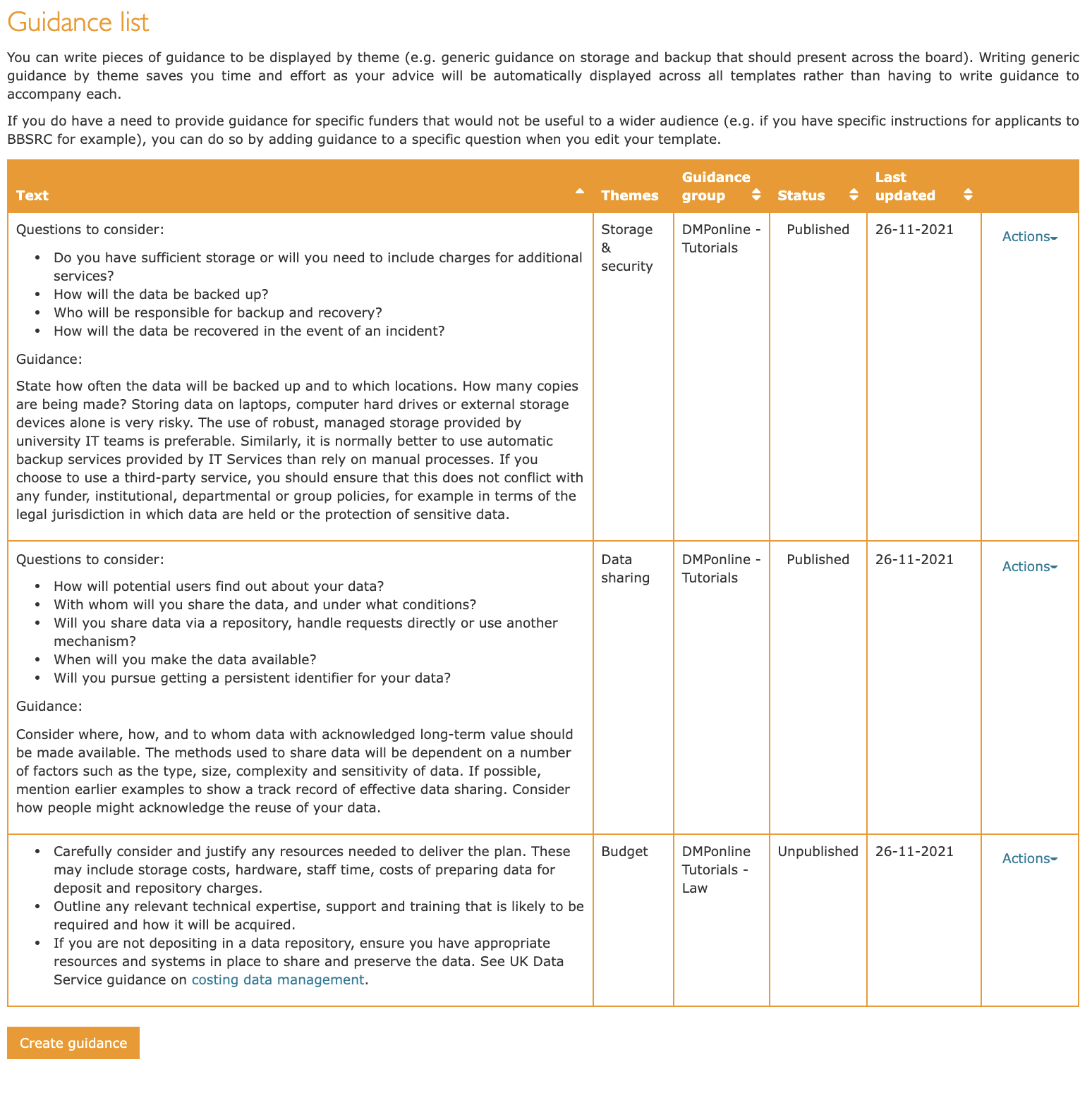
There are 3 basic steps to creating themed guidance:
- Create a guidance group
- Create guidance
- Publish the guidance
Create a guidance group
Click to "Create a guidance group" (if needed). You will already have a default guidance group for your organisation; it is optional to create additional groups or subgroups, for example, for a specific department. Enter a name: this will be used in the tabs on the front-end to explain where the guidance has come from. If you are creating guidance for a sub-group (i.e. a department, research group or other entity which doesn't apply to all users from your organisation) check the box for sub-group. Guidance groups need to be published for guidance to display to end users.
Create guidance
Click to "Create guidance" and fill in the form below. Enter your guidance in the text box and choose one or more themes. Your guidance will display to end users whenever a question in a funder or institutional template is tagged with the corresponding theme(s). Select the guidance group to which this guidance pertains and check the box to publish it when you are ready to go live.

Publish guidance
You can publish and unpublish individual pieces of guidance and entire guidance groups. This gives you the flexibility to draft and edit guidance before making it public.
Guidance for your organisation will be presented to users whenever they have selected your organisation from the dropdown list in the ‘create plan’ wizard. Users can choose to switch on/off guidance and change selections to add other institutions or guidance groups via the "Project details" page as they draft their plan.
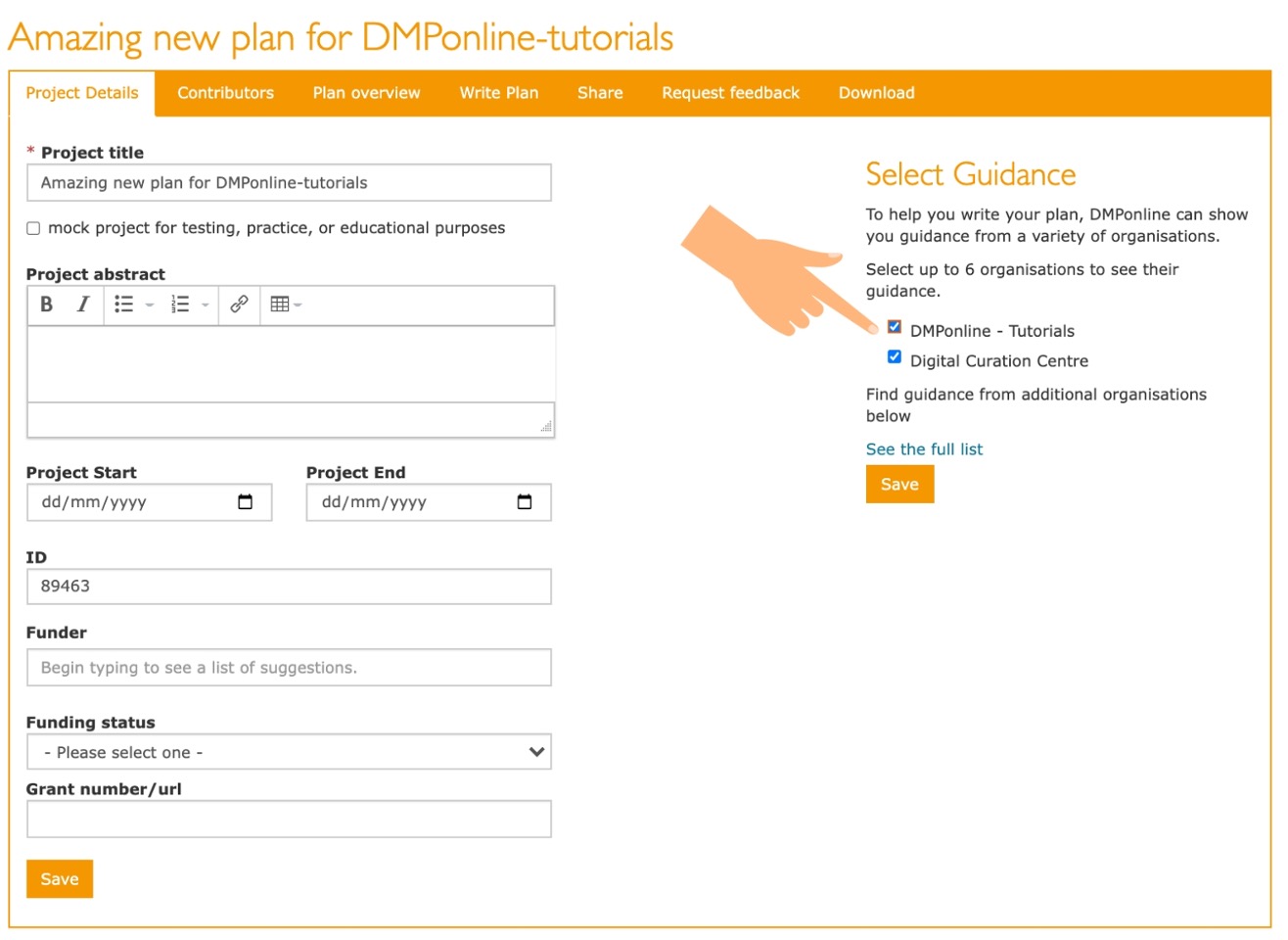
Guidance can also be provided for a specific question. If you create your own template, you can add guidance to accompany each question as you create the template.

Guidance can also be provided for specific funder questions. This can be useful where the guidance will only be relevant in one context e.g. in response to MRC's question about local policies. Guidance can be added when customising funder templates. Please bear in mind that you will need to check and update these annotations each time funder templates change.
