Table of Contents
I have been an avid user of Evernote since July 2008 and have amassed over 53,000 notes. Over those 16 years, I have seen many changes to both Evernote the company and the client itself. The recent purchase by Bending Spoons had the potential to make or break the company but has, in my opinion, been overwhelmingly positive for Evernote (despite what the naysayers on Reddit say!).
One feature I have wanted Evernote to have is some form of automation that manipulates notes based on rules - very similar to the rules available in Outlook. After 16 years of waiting for Evernote to implement this, I got fed up with waiting and wrote it myself.
While I have tried to make it very simple it still requires a bit of setup and hosting by you. As part of the simplicity it has no database, few external libraries (simple.css, smarty, and, of course, the Evernote SDK amongst others), and crucially, has no security, I recommend that you use Cloudflare Zero Trust to secure it. If you can live with all of that read on.
One final word of warning - this comes with absolutely no warranty whatsoever. Here be dragons!

As implied above there are a few hoops that you have to jump through to get this working including relying on Evernote to provide you with some necessary access.
The code uses the Evernote SDK for PHP to manipulate your Evernote notes and to access that you need to request an API Key. You will returned within a few days both a key and secret, which you’ll use below.
When thinking about implementing the functionality I could have periodically scanned a notebook looking for changes but this would have been hugely inefficient and Evernote asks you not to do this. Instead, you are asked to use webhooks which whenever there are any changes in a specified notebook Evernote sends a notification to a URL you provide.
Register your webhook by following the instructions here. You will need to provide Evernote with your API Key obtained above, the notebook(s) that you want to monitor and the URL the webhooks should be forwarded to. This will be as follows:
https://<your domain>/webhook
The Evernote FAQ on webhooks suggests that “your Webhook will be activated, typically within 5 business days” – I found that it was a lot longer than that so be prepared for a wait.
As I said at the beginning this requires your own API and webhook details you also have to host it yourself. As the webhook needs to accessible on the public internet you’ll need it to be hosted on a public webserver somewhere. It is written in PHP, tested on version 8.1.13, requires no database and has been tested on Linux running Apache. Other configurations should work but may need some adjustment.
If you take a look at the Evernote SDK you will notice that it hasn’t been updated in a very long time. The most recent commit was five years ago and most of it is nine years old. A lot has happened in that time – versions of PHP have been released, Evernote has moved from the legacy client to V10, there’s a new note database and, of course, the company has been bought.
I can understand why Bending Spoons have prioritised the client over the SDK but not making any changes to it means that you will run into issues such as this:

Fortunately, some kindly soul has posted a fix to this particular issue which you can find here. You MUST patch the Evernote SDK with this fix before Evernote Rules will work.
It is, of course, entirely possible that you will run into other issues that I didn’t encounter. If you do let me know by raising an issue here and I will endeavour to fix them.
Requirements are very simple, it requires the following:
- PHP (I tested on v8.1.13)
- composer
Here are some basic instructions to help you get up-and running:
-
download the code/clone the repository:
-
install composer
-
add the Evernote SDK (evernote-cloud-sdk-php) and smarty templating engine
composer.phar require evernote/evernote-cloud-sdk-php
composer.phar require smarty/smarty
-
update the SDK using the details here
-
create a cache folder for the Smarty templates (templates_c) and give the web server process to write to it
-
rename config_dummy.php to config.php and give the web server process to write to it
-
create two empty files: rules.db, logs.db and give them appropriate permissions
On my LAMP server I achieve this as follows:
php composer.phar require smarty/smarty
php composer.phar require evernote/evernote-cloud-sdk-php
sudo mkdir templates_c
sudo chown apache:apache templates_c -R
sudo chcon -R -t httpd_sys_rw_content_t templates_c
sudo mv config_dummy.php config.php
sudo touch rules.db
sudo touch logs.db
sudo chown apache:apache *.db
sudo chown apache:apache *.log
sudo chcon -R -t httpd_sys_rw_content_t *.db
sudo chown apache:apache config.php
sudo chcon -R -t httpd_sys_rw_content_t config.phpNow that you have the app installed you can configure it. Change the settings in config.php as necessary but leave the OAUTH blank as it will be completed for you when you connect to Evernote.
<?php

    // Callback URL for OAuth (no trailing slash)
    define("CALLBACK_URL", "https://yourdomin.com");

    // Your Evernote api keys
    define("KEY", "<your api comsumer key>");
    define("SECRET", "<your api consumer secret>");

    // Pushover keys - leave blank if not using
    define("PUSHOVER_TOKEN", "");
    define("PUSHOVER_USER", "");

    // Log calls
    define("DEBUG", TRUE);

    // Your oAuth token - do not enter anything here!
    define("OAUTH","");

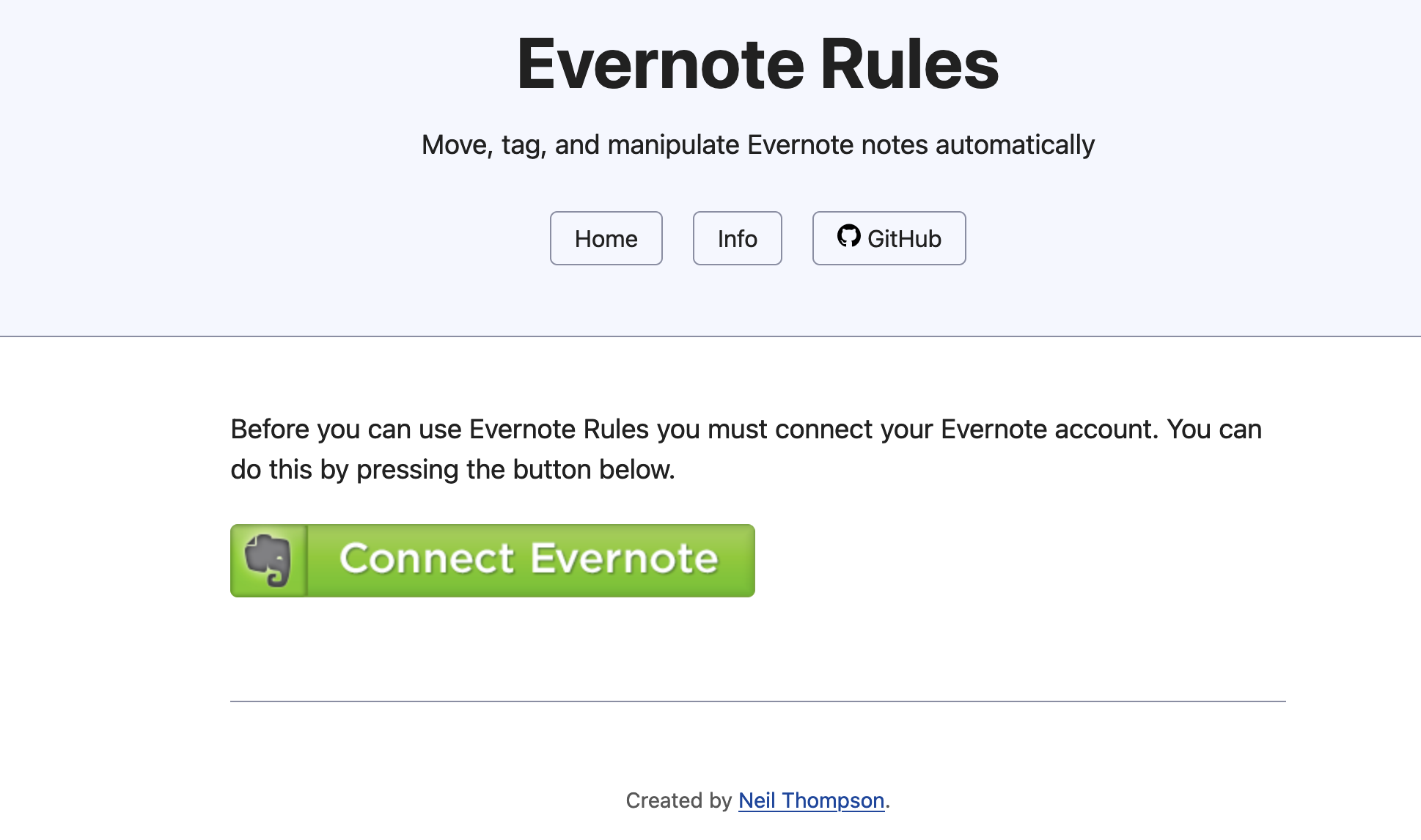
?>The first time you load Evernote Rules you will see the following page allowing you to give it access to your Evernote account. Click the "Connect Evernote" button to get started.
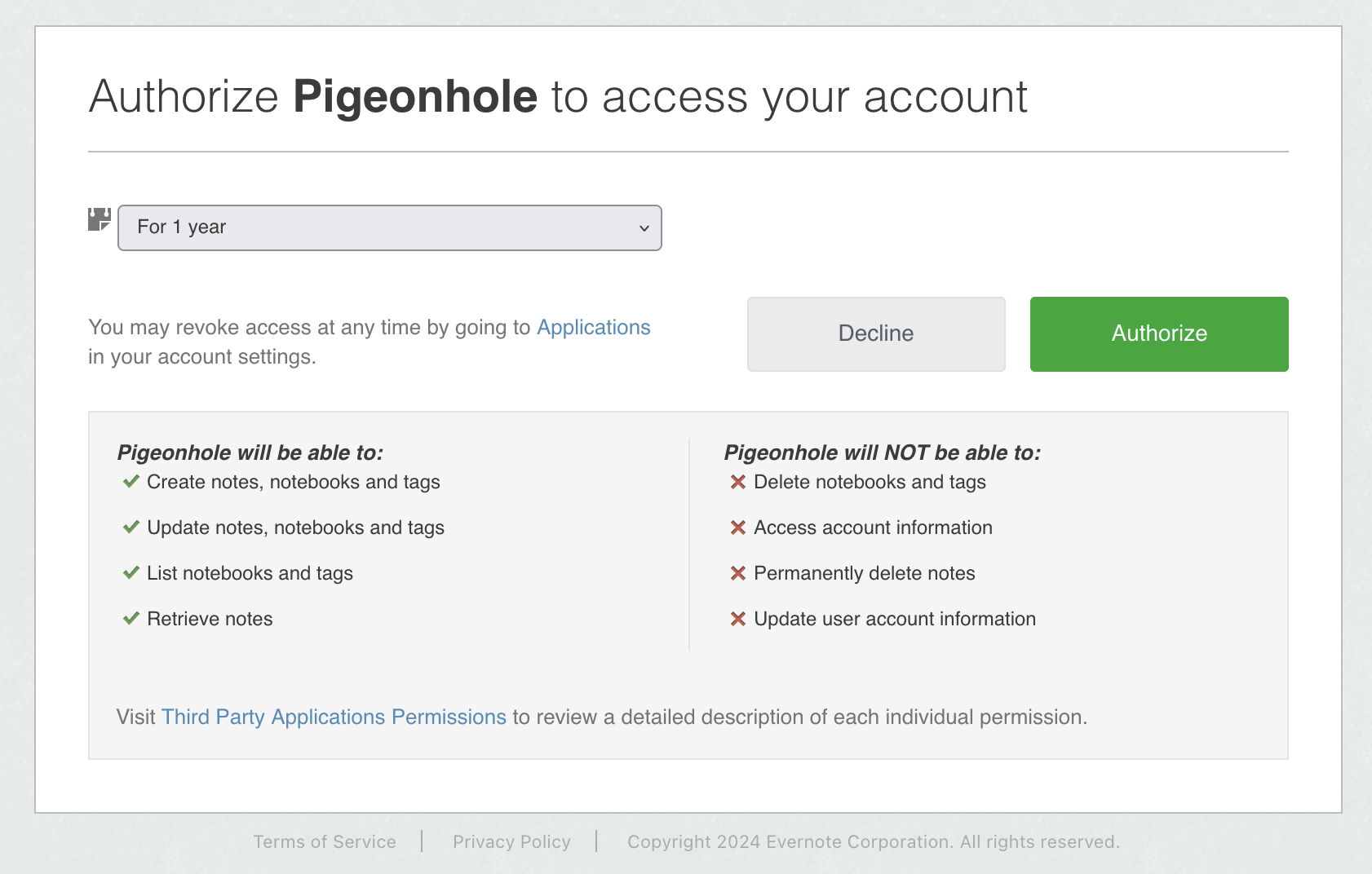
You will be taken to Evernote to authorise the access. You will see the (probably) familiar page below. Note that Pigeonhole is what I called the app when I applied for my API keys so your page will display whatever you called it. Click Authorize to grant access.
If however, you see the following Evernote error instead:
Missing required oauth parameter "oauth_token"
Then there is a possibility that the Evernote SDK is returning a 403 Forbidden code. It is not obvious from the output and I had to add tracing to the SDK to discover this. To sort this I needed to contact Evernote dev support to get them to unblock my IP address.
When you load up Evernote Rules, if you have authorised Evernote, it will try and get your list of Notebooks and cache these so it will take a few seconds to load. If you find later that Notebooks are missing then try clearing the cache - see the debug section below.
Evernote Rules is now configured and you can begin to create the rules and actions that will be carried out.
Every time a note is created or updated in a notebook that is being monitored and you have registered for webhooks, Evernote Rules will get notified. This note will then be checked against the rules that you have created and if they match the actions you created will be applied.
When you click the Add a new rule button you will be taken to the following page where you can choose the rules.
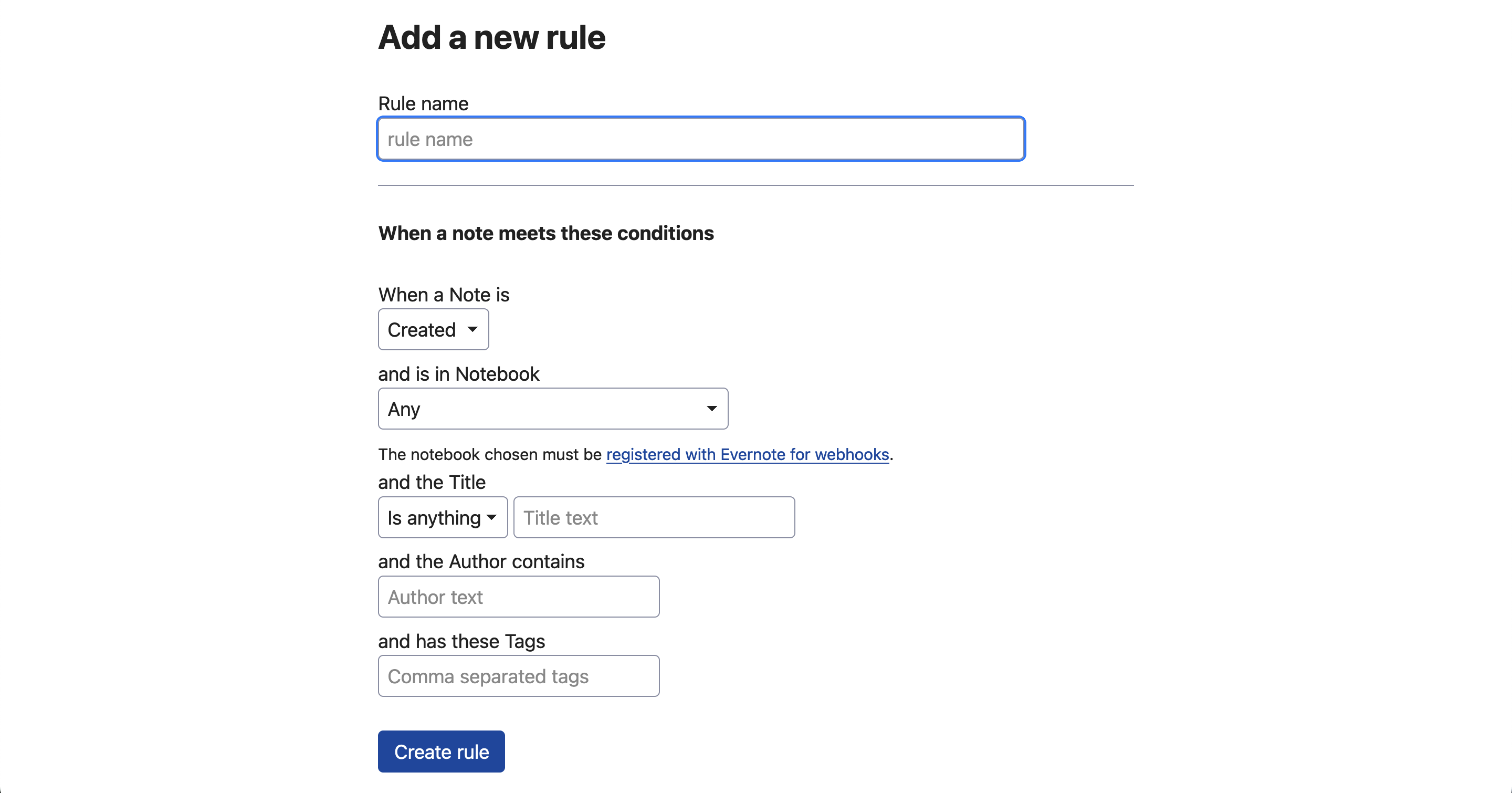
Give your rule a name and then choose when you want the rule to apply: when the Note is created, updated or either.
Next, choose what Notebook you want this to apply to. Here you will see a list of all your Notebooks but keep in mind that Evernote Rules will only receive a notification for Notebooks you have registered for webooks.
Next, you can check whether the Title contains a piece of text and where that has to appear.
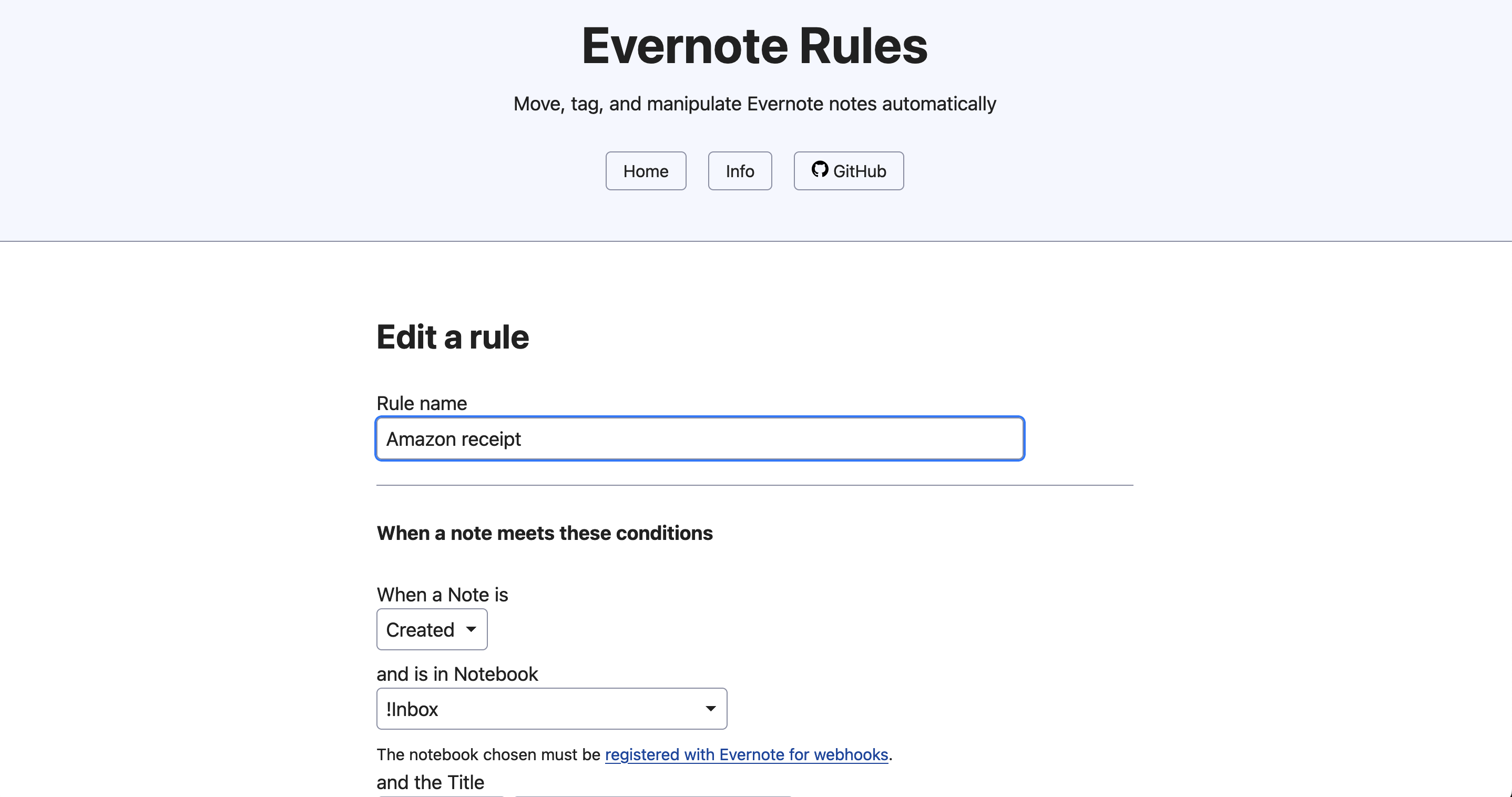
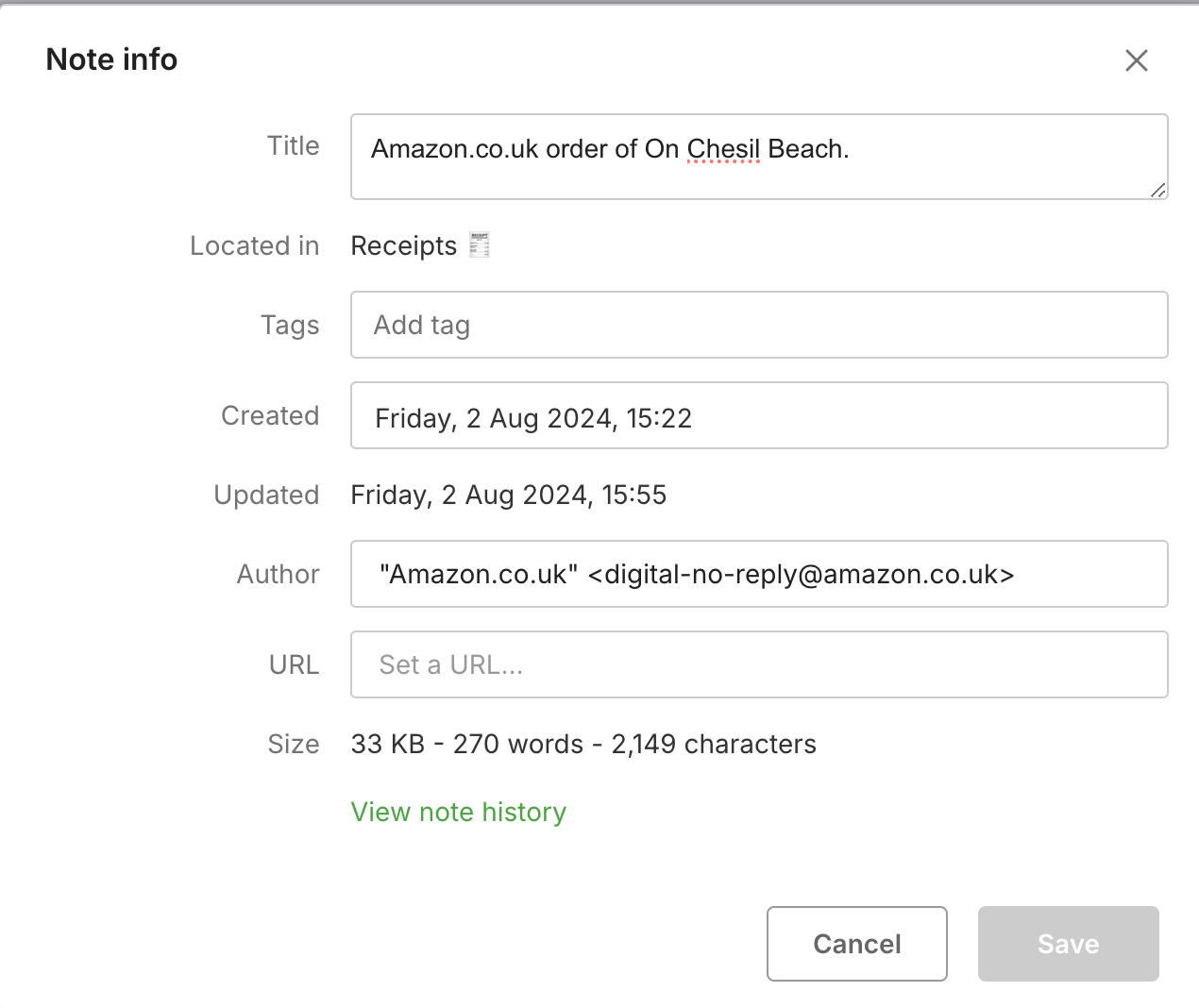
The Author in the majority of cases with be your name and not much use but if you email in notes then the Author will be the sender of the email. For example, I automatically email in receipts from places such as Amazon. In this case, the author has more useful information which you can use in a rule. I use this to then automatically move the note to a Receipts Notebook.
Finally, you can match on any Tags that the note might have. Obviously, this is more likely to apply to updated notes than newly created ones. The Tags entered here must be comma separated and are case sensitive so Neil is different to neil.
Remember that ALL of these rules need to match for the actions to be executed.
If all your rules have matched then the actions that you defined will be applied. With the exception of Delete the Note It doesn’t matter what order you apply the actions.
Will move the note from its current notebook to a new one. If you delete the notebook after creating the action then the action will silently fail and if you have logging turned on you will get notification there.
This is a simple string find and replace so you could, for example, remove “FW: ” from notes that have been emailed in. If you want to make multiple changes then create separate actions for each one.
If this proves too restrictive then I might look at implementing something grep based in future.
This is probably the most interesting action as it allows not only static tags to be added, for example: “Amazon”, “Neil” or “Invoice” but also there are a series of dynamic tags as follows:
| Tag | Description |
|---|---|
| {year} | Adds the current year in the format YYYY (2004, 2024 etc.) |
| {month} | The current month name in full (January, February etc.) |
| {day} | The day number (1-31) |
| {dow} | The current day of the week in full (Monday, Tuesday etc.) |
| {date} | The full date in YYYY-MM-DD format (2024-08-13) |
| {dayord} | The same as {day} only with the appropriate ordinal (1st, 2nd etc.) |
To use this action create a comma separated list of tags that you want adding, for example:
Amazon,Receipt,{year},{month}
Fairly obviously this deletes the note.
This is the only action that has no effect on your note. Instead this sends a notification to you via the Pushover service when a rule has been triggered. This will come through with the following text:
Rule <your rule name> has just been triggered
If you are wondering why Pushover was chosen and not, say, email or text then that’s because I could implement it without any additional libraries. To send emails reliably, for example, you really need to use something like PHPMailer with an SMTP server which requires more setup.
For more information, please refer to the this blog post
Because of the newness of Evernote Rules there is quite a bit of logging included which you can turn on by setting DEBUG in the config file. Setting it to 1 or TRUE will give you basic information and setting it to 2 will give you lots of detail. See this blog post for more information on this and viewing the logs.
The other quirk is in how Evernote now works. It used to be the case that you'd only get webhooks when you moved away from creating or editing a note. Now you get a webhook multiple times, even every keystroke.
If you have the note open in the Evernote client that you want Evernote Rules to update then you will receive this message in the debug log Attempt updateNote where RTE room has already been open for note. You can only have one process editing the note at once and effectively the Evernote client has it locked for updates.
See the open issues for a full list of proposed features (and known issues).
Contributions are what make the open source community such an amazing place to learn, inspire, and create. Any contributions you make are greatly appreciated.
If you have a suggestion that would make this better, please fork the repo and create a pull request. You can also simply open an issue with the tag "enhancement". Don't forget to give the project a star! Thanks again!
- Fork the Project
- Create your Feature Branch (
git checkout -b feature/AmazingFeature) - Commit your Changes (
git commit -m 'Add some AmazingFeature') - Push to the Branch (
git push origin feature/AmazingFeature) - Open a Pull Request
Distributed under the GNU General Public License v3.0. See LICENSE for more information.
Bluesky - @spokenlikeageek.com
Mastodon - @spokenlikeageek
X - @spokenlikeageek
Website - Contact
Project Link: https://spokenlikeageek.com
- None