导出MySQL数据到Excel
- MySQ 流式读取数据,支持海量数据读取而不影响MySQL,默认每读取1W条休眠1秒钟进一步降低MySQL压力
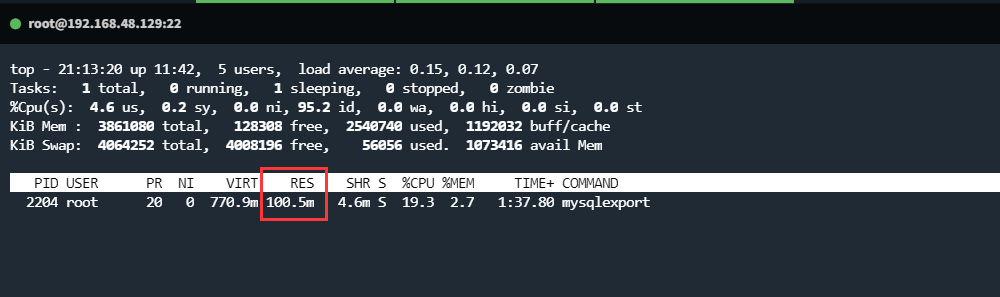
- Excel 流式写入数据,程序占用内存最大在100M左右
- 支持Excel简单样式,包括但不限于行高、列宽、对齐方式等
- 支持Excel添加密码,提供基本的安全机制
- 支持Excel多工作簿,默认所有数据写入到一个工作簿中
- 支持Excel多工作表,默认每100W条数据会自动新建一个工作表
- SQL语句只允许SELECT开头,为了更加安全一点,聊胜于无?
编译安装
# 要求Go 1.20+
go install github.com/vvfock3r/mysqlexport@latest
直接下载二进制
# Linux
wget https://github.com/vvfock3r/mysqlexport/releases/download/v1.1.0/mysqlexport-v1.1.0-linux-amd64 \
    -O /usr/local/bin/mysqlexport &&
chmod 755 /usr/local/bin/mysqlexport

# Mac
wget https://github.com/vvfock3r/mysqlexport/releases/download/v1.1.0/mysqlexport-v1.1.0-darwin-amd64 \
    -O /usr/local/bin/mysqlexport &&
chmod 755 /usr/local/bin/mysqlexport[root@localhost ~]# ./mysqlexport --help
Export mysql to excel
For details, please refer to https://github.com/vvfock3r/mysqlexport
Usage:
mysqlexport [flags]
General Flags:
-v, --version version message
--help displays the help message for the program
Log Flags:
--log-level string specifies the level of logging (default "info")
--log-format string specifies the log format (default "console")
--log-output string specifies the log output destination (default "stdout")
MySQL Flags:
-h, --host string specifies the MySQL host (default "127.0.0.1")
-P, --port string specifies the MySQL port (default "3306")
-u, --user string specifies the MySQL user (default "root")
-p, --password string specifies the MySQL password
-d, --database string specifies the MySQL database
-e, --execute string specifies the SQL command to be executed
--charset string specifies the MySQL charset (default "utf8mb4")
--collation string specifies the MySQL collation (default "utf8mb4_general_ci")
--connect-timeout string specifies the MySQL connection timeout (default "5s")
--read-timeout string specifies the MySQL read timeout (default "30s")
--write-timeout string specifies the MySQL write timeout (default "30s")
--max-allowed-packet string specifies the MySQL maximum allowed packet (default "16MB")
--batch-size int specifies the batch size to use when executing SQL commands (default 10000)
--delay-time string specifies the time to delay between batches when executing SQL (default "1s")
Excel Flags:
-o, --output string specifies the name of the output Excel file
--setup-password string specifies the password for the Excel file
--sheet-name string specifies the name of the sheet in the Excel file
--workbook-line int specifies the maximum number of lines all sheet in the Excel file (default -1)
--sheet-line int specifies the maximum number of lines per sheet in the Excel file (default 1000000)
--row-height string specifies the row height in the Excel file
--row-bg-color string specifies the row background color in the Excel file
--row-font-color string specifies the row font color in the Excel file
--row-font-size string specifies the row font size in the Excel file
--col-width string specifies the column width in the Excel file
--col-align string specifies the column alignment in the Excel file
--col-bg-color string specifies the column background color in the Excel file
--col-font-color string specifies the column font color in the Excel file
--col-font-size string specifies the column font size in the Excel file测试环境
- Windows 10 WPS
- Linux CentOS 7
注意事项
- Excel文件过大时使用
sz下载会损坏,请考虑其他办法,比如SFTP、WinSCP、FTP等 - Excel文件过大时会导致系统占用资源过多,甚至会使Excel软件崩溃,可以指定
--workbook-line生成多个Excel文件
基本用法
./mysqlexport \
	-h192.168.48.129 \
	-p"QiNqg[l.%;H>>rO9" \
	--database demo \
	-e "select * from users limit 200" \
	-o 测试.xlsx
表格拆分
./mysqlexport \
	-h192.168.48.129 \
	-p"QiNqg[l.%;H>>rO9" \
	--database demo \
	-e "select * from users limit 200" \
	-o 测试.xlsx \
	--sheet-name="工作表" \
	--workbook-line=-1 \
	--sheet-line=1000000

# 说明
# --workbook-line=-1
#     指定一个工作簿最多可包含多少行数据,超过后会自动创建新的工作簿
#     默认值-1代表不限制数据行数
# --sheet-line=1000000
#     指定一个工作表最多可包含多少行数据,超过后会自动创建新的工作表
#     默认为100万
#
# 行数说明
#     以上指定的行数都是真实的数据行数,表头所占的行数不计入在内
#
# 命名说明
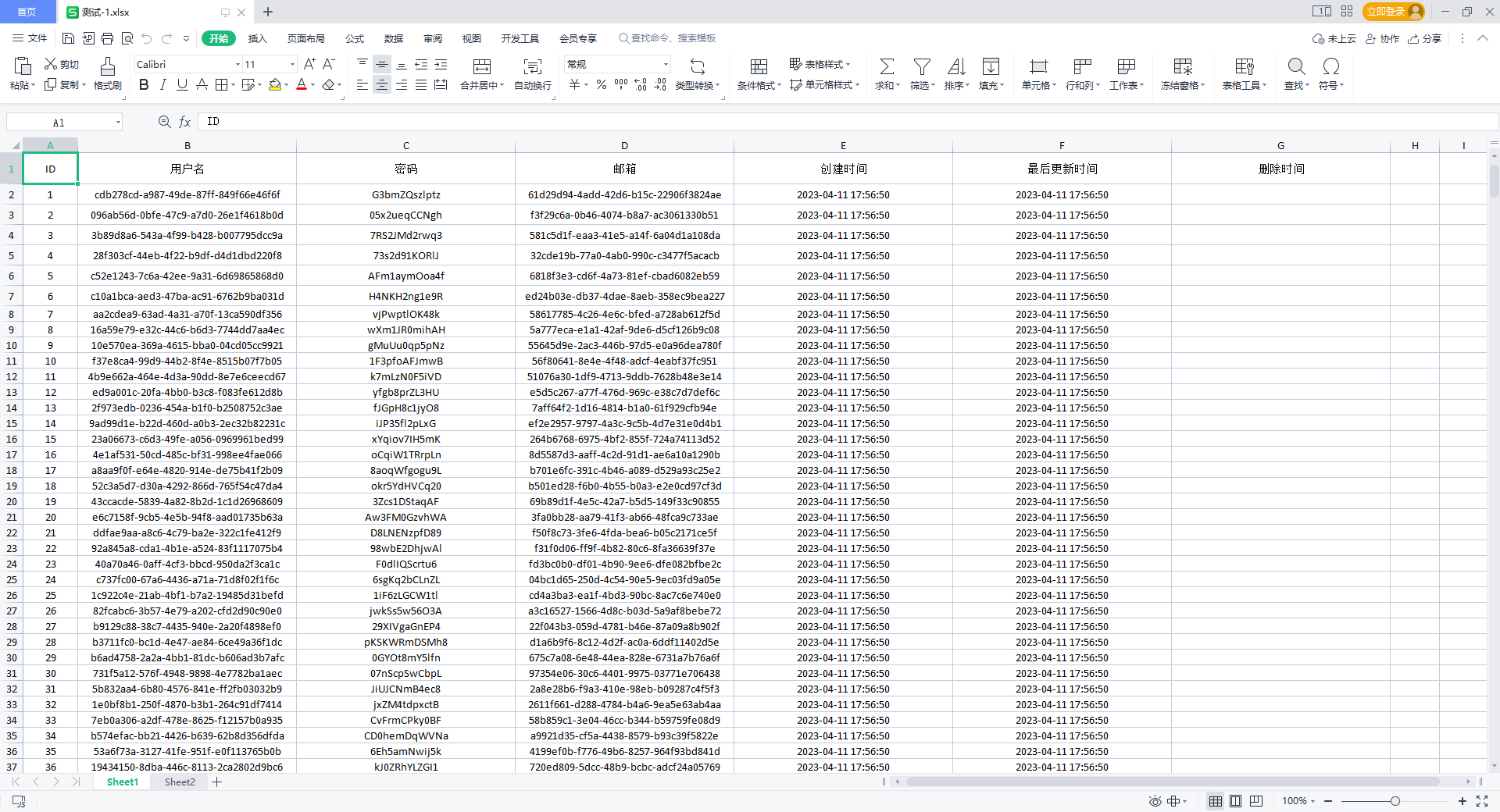
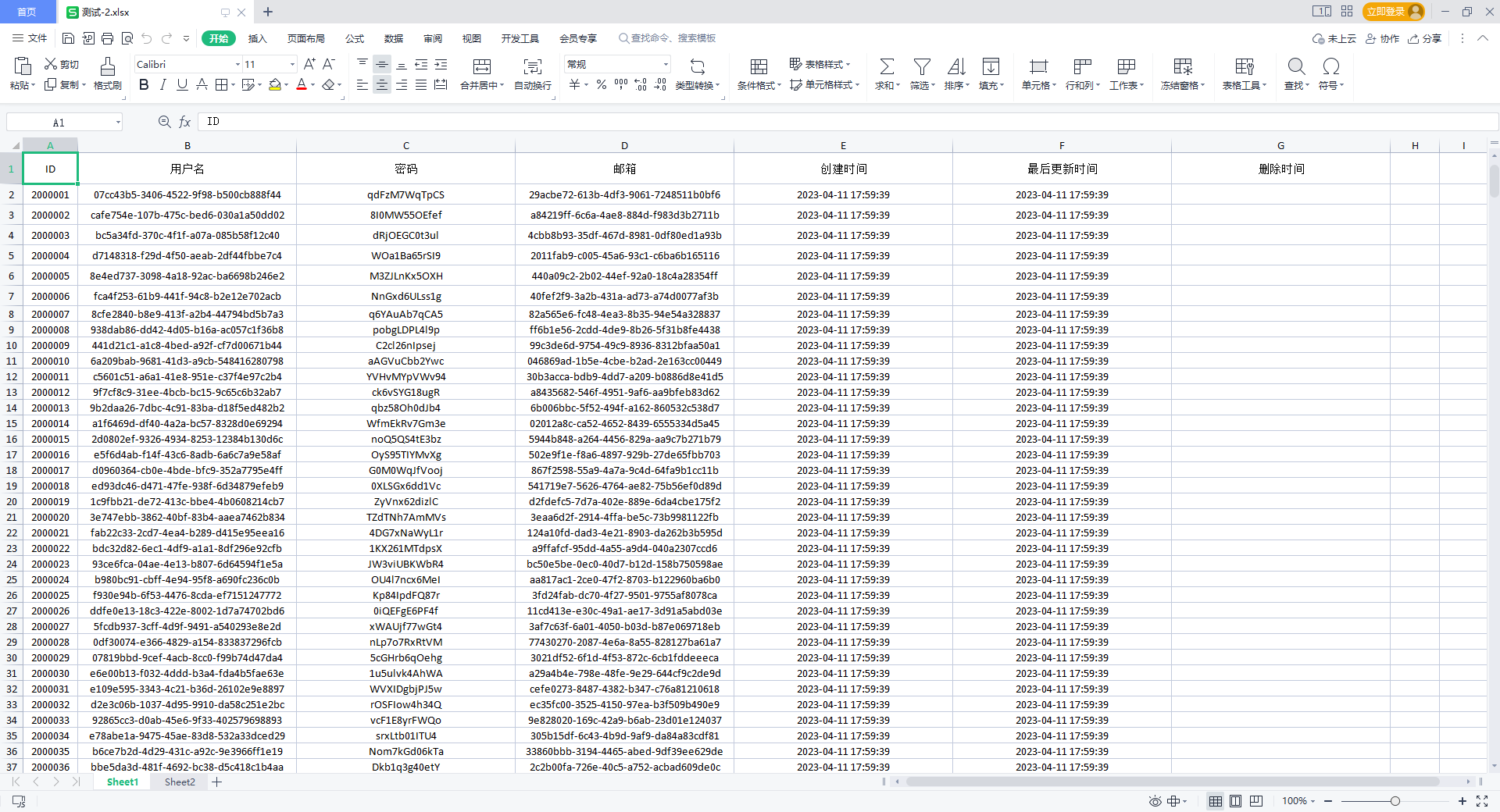
#     当需要新建工作簿时,工作簿命名规则为: 测试-1.xlsx、测试-2.xlsx、...
#     当只有一个工作簿时,工作簿命名规则为:-o指定的命名
#
#     单工作簿下,当需要新建工作表时,工作簿命名规则为: 工作表-1、工作表-2、...
#     单工作簿下,当只有一个工作表时,工作簿命名规则为:--sheet-name指定的命名
#
#     多工作簿下,每个工作簿包含多个工作表时时命名规则索引从新计算
#     与单工作簿+多工作表一致,这一点在将来可能会发生改变
调整样式
./mysqlexport \
	-h192.168.48.129 \
	-p"QiNqg[l.%;H>>rO9" \
	--database demo \
	-e "select * from users limit 200" \
	-o 测试.xlsx \
	--col-width="1:10,2-7:50" \
	--col-align="1-7:center" \
	--row-height="1:30,2-7:20" \
	--row-bg-color="1:#5B9BD5" \
	--row-font-color="1:#FF0000" \
	--row-font-size="1:15"

# 说明
# 1、row代表行,col代表列
# 2、--col-width="1:10,2-7:40"            设置第一列宽度为10像素,第2-7列宽度为40像素
# 3、--col-align="1-7:center"             设置1-7列水平居中
# 4、--row-height="1:30,2-7:20"           设置第一行行高为30像素,第2-7行行高为20像素,单元格默认垂直居中,暂不支持自动调整
# 5、--row-bg-colo / --col-bg-colo        指定行和列背景颜色
# 6、--row-font-color / --col-font-color  指定行和列字体颜色
# 7、--row-font-size / --col-font-size    指定行和列字体大小

# 备注
# 若行和列的样式有冲突,以行样式为准
其他选项
# 设置Excel密码为123456
--setup-password=123456

# 每从MySQL中读取1W条数据程序休眠1秒,用于降低MySQL使用率,但会延长程序执行时间
--batch-size int              specifies the batch size to use when executing SQL commands (default 10000)
--delay-time string specifies the time to delay between batches when executing SQL (default "1s")测试一千万条数据
MySQL CPU使用率

程序最高占用内存
程序运行时间,总计约26分钟
- 休眠占用 1千万数据/1W条每秒 = 1000秒 =~ 16分钟
- 程序实际处理10分钟
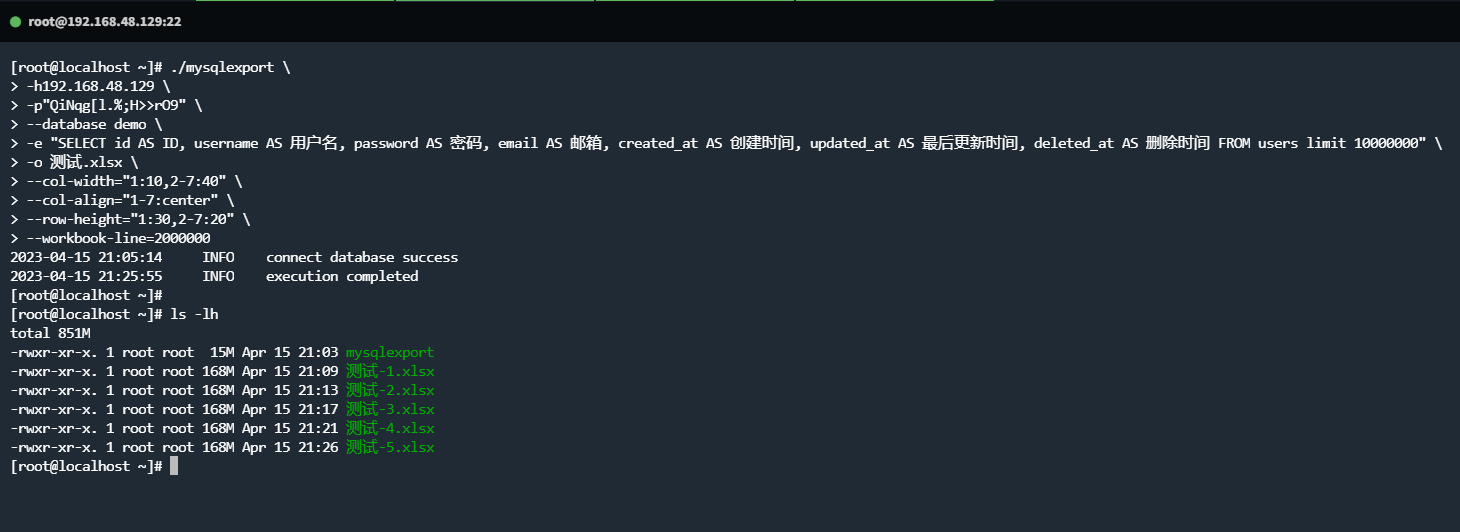
生成的工作簿