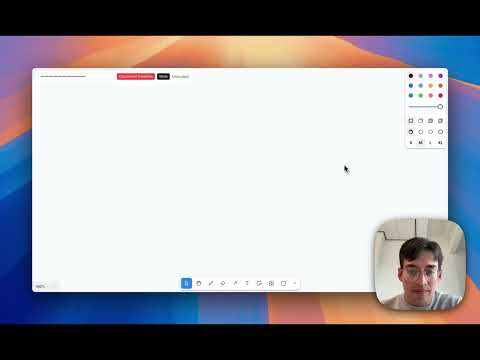
A browser-based whiteboard that turns spoken architecture descriptions into editable diagrams in realtime using the OpenAI Realtime API and tldraw.
Speak naturally about a system design, and the app draws components, labels, and connections directly onto an interactive canvas. For example: "Draw a server connected both ways to a frontend, with a database behind it."
- Direct browser connection to the OpenAI Realtime API over WebRTC
- Custom tldraw shape utilities for infrastructure components
- Tool-calling interface for drawing, connecting, deleting, and labeling shapes
- Optional architecture analysis that suggests additional components after the diagram changes
- API keys are entered locally at runtime and are not committed to the repository
-
Clone the repository
git clone https://github.com/theCampel/realtime-whiteboard.git cd realtime-whiteboard -
Install dependencies
cd frontend npm install -
Run the application
npm run dev
-
Open your browser
- Navigate to
http://localhost:3000 - Click "Get Started" on the landing page
- A popup will appear asking for your OpenAI API key (get one here!).
- Paste your
sk-proj-...key and click "Connect". - Allow microphone access when prompted.
- Navigate to
-
Start speaking your architecture Try mentioning "Draw a server connected to a frontend!".
The model can call a constrained set of tools: draw_item, connect, delete_item, and add_text. Each tool call maps to a tldraw canvas update. Shapes are created with UUIDs and custom shape utilities, then sticky arrows connect to calculated edge points instead of defaulting to shape centers.
The current implementation uses a fixed set of supported component types. That constraint keeps the drawing behavior predictable and makes the realtime voice loop easier to debug.
This is a browser-only application that connects directly to OpenAI's Realtime API:
User Speech
    ↓
OpenAI Realtime API (WebRTC connection)
    ↓
Tool Calls (draw_item, connect, delete_item, add_text)
    ↓
tldraw Canvas Updates (shapes and arrows rendered)
    ↓
(Async)Architecture Analysis (GPT-5-mini via Chat Completions API)
    ↓
AI Suggestions Popup (optional enhancements)
Key Technologies:
- Frontend: React + TypeScript
- Whiteboard: tldraw SDK
- Voice AI: OpenAI Realtime API (direct browser connection)
- Suggestions: OpenAI API (GPT-5-mini)
/whiteboard
├── frontend/                   # React application
│   ├── src/
│   │   ├── App.tsx            # Router with landing page
│   │   ├── Whiteboard.tsx     # Main whiteboard component
│   │   ├── hooks/
│   │   │   ├── useOpenAIRealtime.ts      # Voice control via OpenAI Realtime API
│   │   │   └── useArchitectureAnalysis.ts # AI-powered suggestions
│   │   ├── components/
│   │   │   ├── SuggestionsPopup.tsx      # Architecture suggestions UI
│   │   │   └── ui/                       # Custom shape components
│   │   │       ├── DatabaseShape.tsx
│   │   │       ├── ServerShape.tsx
│   │   │       ├── UserShape.tsx
│   │   │       ├── LLMShape.tsx
│   │   │       ├── FrontendShape.tsx
│   │   │       └── GPTRealtimeShape.tsx
│   │   ├── index.css          # Global styles + shape color variables
│   │   └── main.tsx           # Application entry point
│   ├── token.ts               # Ephemeral token generator script
│   ├── package.json           # Dependencies
│   └── vite.config.ts         # Vite configuration
└── README.md                  # This file
The AI agent understands natural language. Here are some example phrases:
Drawing Components:
- "Draw a database at the top right"
- "Connect the Database with GPT-5 - ensure it's a two-way connection"
- "Draw a frontend at the bottom left"
Managing Shapes:
- "Delete the database"
- "Remove the server"
Adding Text:
- "Add the following text at the bottom right..."
After you add components via voice:
- The system automatically analyzes your diagram (after 11 seconds)
- Suggestions appear in the popup on the right
- Click "Add to Diagram" to accept a suggestion
- The component and its connections are added automatically
- A new analysis runs after adding suggested components
-
Create a new shape utility in
frontend/src/components/ui/:import { BaseBoxShapeUtil, HTMLContainer, TLBaseShape } from 'tldraw' export type MyShape = TLBaseShape<'myshape', { w: number; h: number; color: string }> export class MyShapeUtil extends BaseBoxShapeUtil<MyShape> { static override type = 'myshape' as const getDefaultProps() { return { w: 100, h: 100, color: 'blue' } } component(shape: MyShape) { /* SVG rendering */ } indicator(shape: MyShape) { /* Selection indicator */ } }
-
Register in Whiteboard.tsx:
import { MyShapeUtil } from './components/ui/MyShape'

<Tldraw shapeUtils={[..., MyShapeUtil]} />
-
Add to useOpenAIRealtime.ts tool definition:
- Update the
item_typeenum indrawItemtool - Add mapping in
shapeTypeMap - Define dimensions and color
- Update the
-
Add CSS variables in
index.css:--myshape-primary: 200 70% 50%;
Edit the SYSTEM_PROMPT in frontend/src/hooks/useOpenAIRealtime.ts to change:
- Agent personality and behavior
- Available item types
- Instruction style
- Response patterns
Modify useArchitectureAnalysis.ts to:
- Change the analysis prompt
- Adjust suggestion frequency
- Add new component types
- Modify the GPT-5-mini model or parameters
-
Ephemeral tokens are short-lived (60 seconds) and provide temporary access
-
API keys should never be committed to version control
-
The
.envfile is gitignored by default -
Tokens are entered by users at runtime, not hardcoded
When you say "Draw a database at 100, 200":
drawItem.execute({
  item_type: 'database',
  x: 100,
  y: 200
})
This creates:
{
  id: 'shape:uuid-here',
  type: 'database',
  x: 100,
  y: 200,
  props: { w: 160, h: 200, color: 'green' }
}The system uses smart edge point calculation:
- Rectangular shapes (server, gpt_realtime): Uses
edgePointRect()for precise edge connections - Elliptical shapes (database, user, llm, frontend): Uses
edgePointEllipse()for curved edge connections - Arrows automatically bind to shapes and follow them when moved
This is a hackathon/demo project. Use as you see fit! It's under the MIT License. It's obviously a plus if you give me some credit / reach out and invite me to chat about it - it's such a fun project!