Better fonts and font size for writing macros and debugging code. Not only for font nerds!
The addon lets you set the font and font size for the edit box (text entry field) of:
- Blizz Macro UI: Edit box
- M6: Edit box
- OPie: The edit box to write a macro for a button
- WowLua: Output and edit box
- ScriptLibrary: Edit box
- BugSack: Error frame text (not an edit box, but your bugs deserve readability too!)
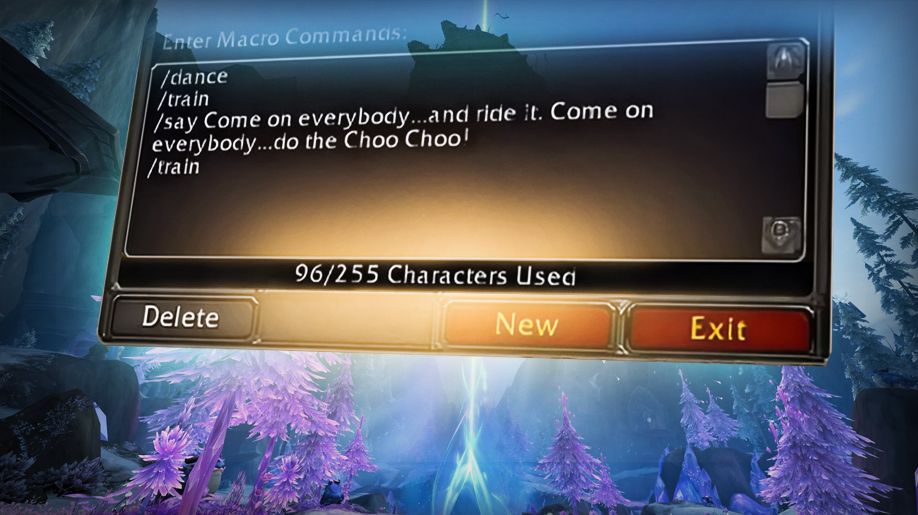
Let’s make sure these edit and code boxes have a clean, monospaced font (and a proper text size!), instead of Friz Quadrata, Arial Narrow, or anything else that’s not quite right.
(WowLua is an exception, as it already comes with a suitable font (Vera Mono); this is great, but EFI lets you switch it out if you want something different.)
Note that this is not an addon to globally change the WoW UI font! (To do this, you simply put your fonts into World of Warcraft/retail/Fonts and name them like the default font files.)
EFI’s objective is to provide nice coding fonts for edit boxes (and BugSack), without affecting the rest of your UI.
If you’re using an addon that isn’t covered by EFI, but you believe its edit box would benefit from a more suitable font and/or font size, feel free to suggest it on the Issues page!
_If you’re having trouble reading this description on CurseForge, you might want to try switching to the Repo Page. You’ll find the exact same text there, but it’s much easier to read and free from CurseForge’s rendering errors.
Huge revamp with version 3, forget everything about the old EFI!
The most important changes:
- You can no longer add your own font paths to the SavedVariables file (may be added back later).
- Instead, EFI now comes with quite a few preinstalled fonts you can choose from.
- Everything can now be set/done via the console UI.
Before we go into the details, here a compilation of all commands:
Base command: /efi or /ebfi or /editboxfontimprover. We’ll use /efi in this description.
Subcommands/arguments:
/efi <number> : Select a font by index. Example: \efi 5.
/efi s <number> : Set font size. Example: \efi s 16. Default: 12
/efi s : Show status, info, settings, fonts. Synonyms: /efi status, /efi info
/efi f : Show the complete list of installed fonts (the status display only shows a part). Synonyms: /efi fonts
/efi unisize : Use EFI’s font size also for addons that have their own size setting.
/efi ownsize : Do not override the font size setting of addons that come with their own size setting (this is the default).
/efi r : Refresh setup. Use this if a target has lost the correct font, or something went wrong with the setup at login.
/efi h : Show the help text with all commands and arguments explained. Synonyms: /efi help
You can choose from more than 70 different fonts and weights.
Some highlights:
- PT Mono
- Fira Mono
- JetBrains Mono
- Hack
- Ubuntu Mono
- B612 Mono
- Code New Roman
- IBM Plex Mono
- Cascadia Mono
- Courier Prime
- Inconsolata
and many more!
For a full list in-game, enter /efi fonts or /efi f.
Font selection is simple: You enter /efi font <index> or shorter /efi f <index>, or just /efi <index>, where index corresponds to the index as shown with the /efi f command.
Example: /efi f 1 sets PT Mono as your editbox font.
You can change the font size with the command
/efi s <number>
For example /efi s 14.
This affects only the addons that are set to use EFI’s size setting, which are the addons that do not have their own font size setting (currently Blizz Macro UI, M6, OPie). WowLua, ScriptLibrary, and BugSack have their own font size setting, and EFI by default will not override it.
However you can enforce EFI’s font size for these addons with the /efi unisize command. Revert back with /efi ownsize.
Note that even with unisize you can still use the respective addon’s font size setting. The size will just be reset at login/reload, or when you use the slash command to change the size or to switch to another font.
By default, the addon changes the font of all the above listed 3rd-party and Blizz addons. If you really want to deactivate the font replacement for a specific addon, you can simply toggle it with /efi <addonname>, where <addonname> can be any of the following [long form | short form]:
misceditors|mewowlua|wlscriptlibrary|slbugsack|bs
The misceditors argument affects Blizz Macro UI, M6, OPie. The other addons can be toggled individually.
After installing EFI, you certainly want to check out the different fonts and see what they look like in your frames.
To quickly browse through all installed fonts, you can increment (and decrement) the index instead of entering an index number. For this, use the commands /efi + and /efi -. This is designed to be used in conjunction with the chat command history.
So, to find the font you like the best:
- Open a frame where you can see the applied font, for example the BugSack window with some error code in it, or the macro editor.
- Enter
/efi +--> the font changes to the next in the list, and is applied to your BugSack text. The current font name is printed to the chat. - Press your chat key (usually
/or Return) to re-open the chat editbox. - Press Alt-UpArrow to bring back the last command (or just UpArrow, if you have Chattynator).
- Press Return --> the next font is applied.
- Repeat from step 3.
For your convenience, instead of -/+ you can also press -/=. For even more convenience you can also use the , and . (comma and period) keys.
The same works for the font size: Just use /efi s + in step 2.
Feel free to share your suggestions or report issues on the GitHub Issues page of the repository.
Please avoid posting suggestions or issues in the comments on Curseforge.
Addons by me:
- PetWalker: Never lose your pet again (…or randomly summon a new one).
- Auto Quest Tracker Mk III: Continuation of the one and only original. Up to date and tons of new features.
- Goyita: Your Black Market assistant. Know when BMAH auctions will end. Tracking, notifications, history, info.
- Move 'em All: Mass move items/stacks from your bags to wherever. Works also fine with most bag addons.
- Auto Discount Repair: Automatically repair your gear – where it’s cheap.
- Auto-Confirm Equip: Less (or no) confirmation prompts for BoE and BtW gear.
- Slip Frames: Unit frame transparency and click-through on demand – for Player, Pet, Target, and Focus frame.
- Action Bar Button Growth Direction: Fix the button growth direction of multi-row action bars to what is was before Dragonflight (top --> bottom).
- EditBox Font Improver: Better fonts and font size for the macro/script edit boxes of many addons, incl. Blizz's. Comes with 70+ preinstalled monospaced fonts.