


Quota, usage, and token visibility for OpenCode and CLI.




npx @slkiser/opencode-quota initImportant
OpenCode >= 1.4.3 and Node.js >= 20 are required.
- Restart OpenCode.
- Run
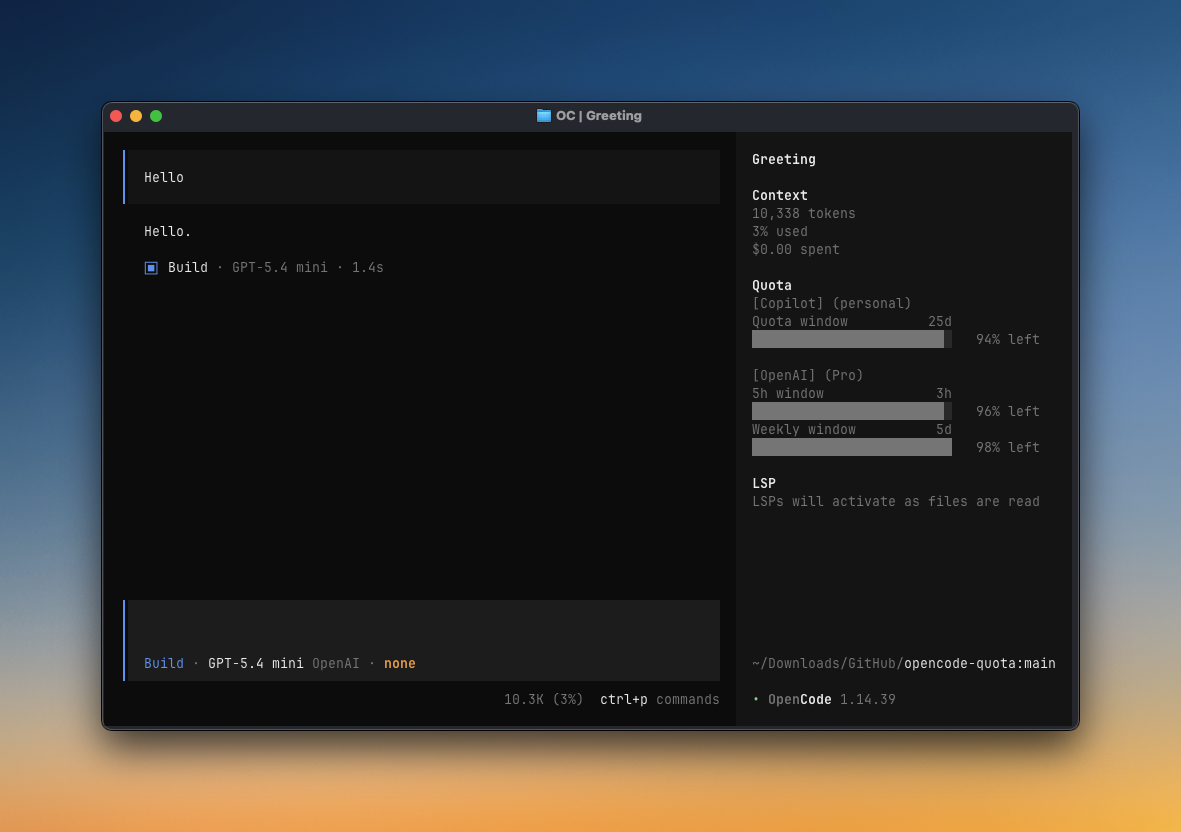
/quotain OpenCode, or useopencode-quota showfrom your terminal. - If you enabled the Sidebar panel, open the session sidebar and look for
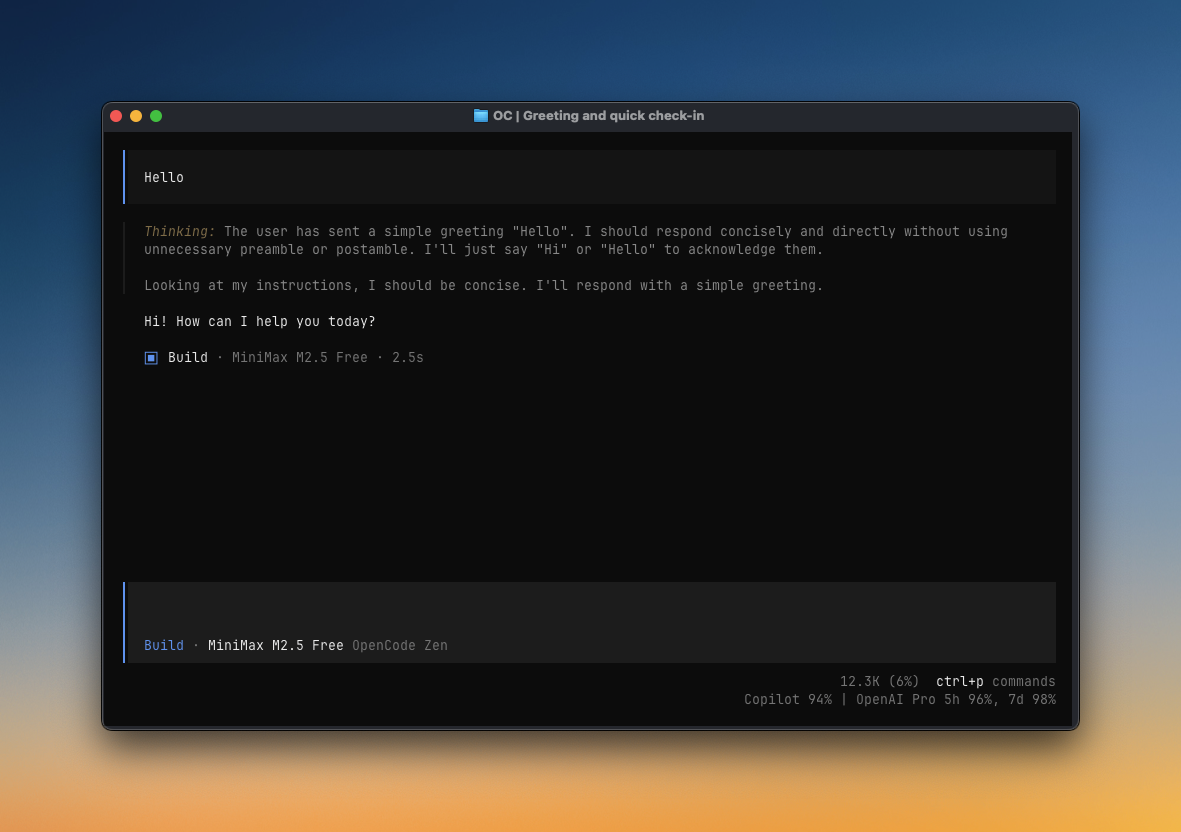
Quota. - If you enabled Compact status line, look for the home-bottom quota line and the chat/session prompt quota line.
- If something looks wrong, run
/quota_statusin OpenCode or see Troubleshooting.
|
|
| Sidebar panel A full quota view in OpenCode's session sidebar. |
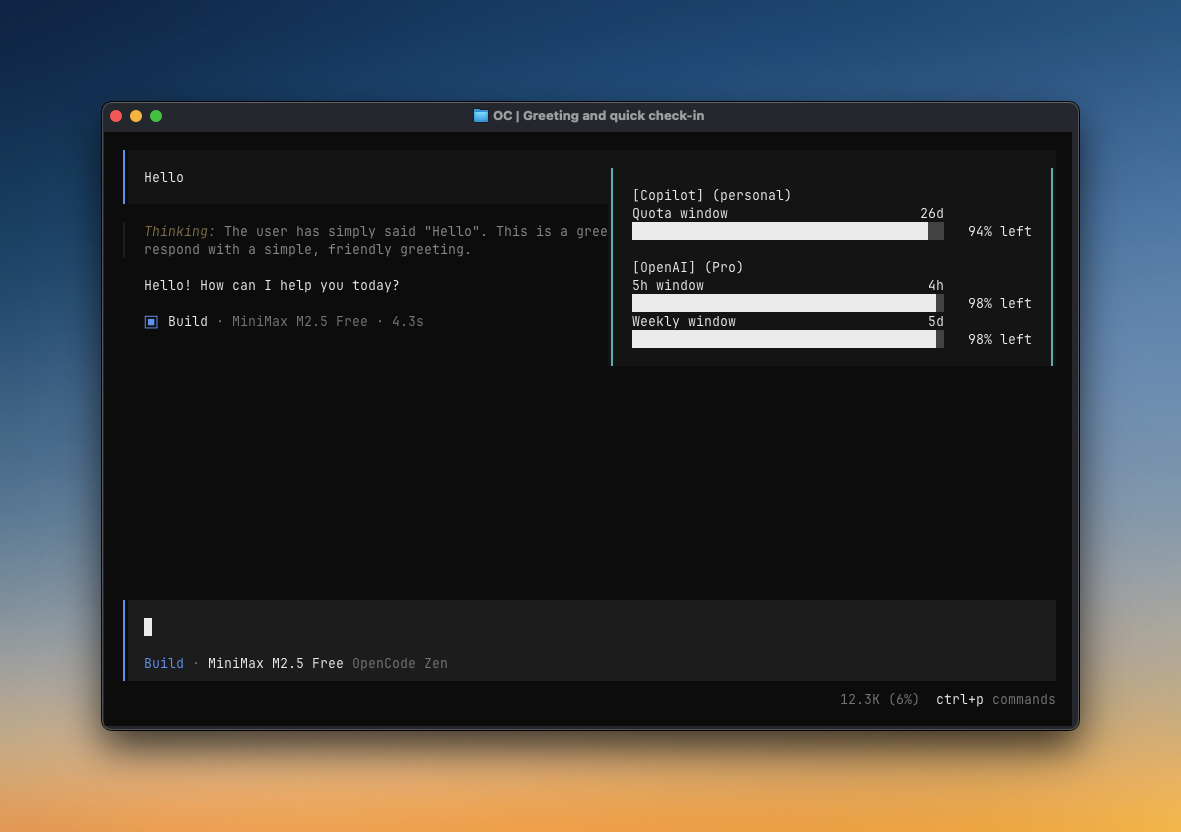
Toast Popup quota checks after idle, question, or compact events. |
|
|
| Compact status line Short quota text on home and chat/session prompt surfaces. |
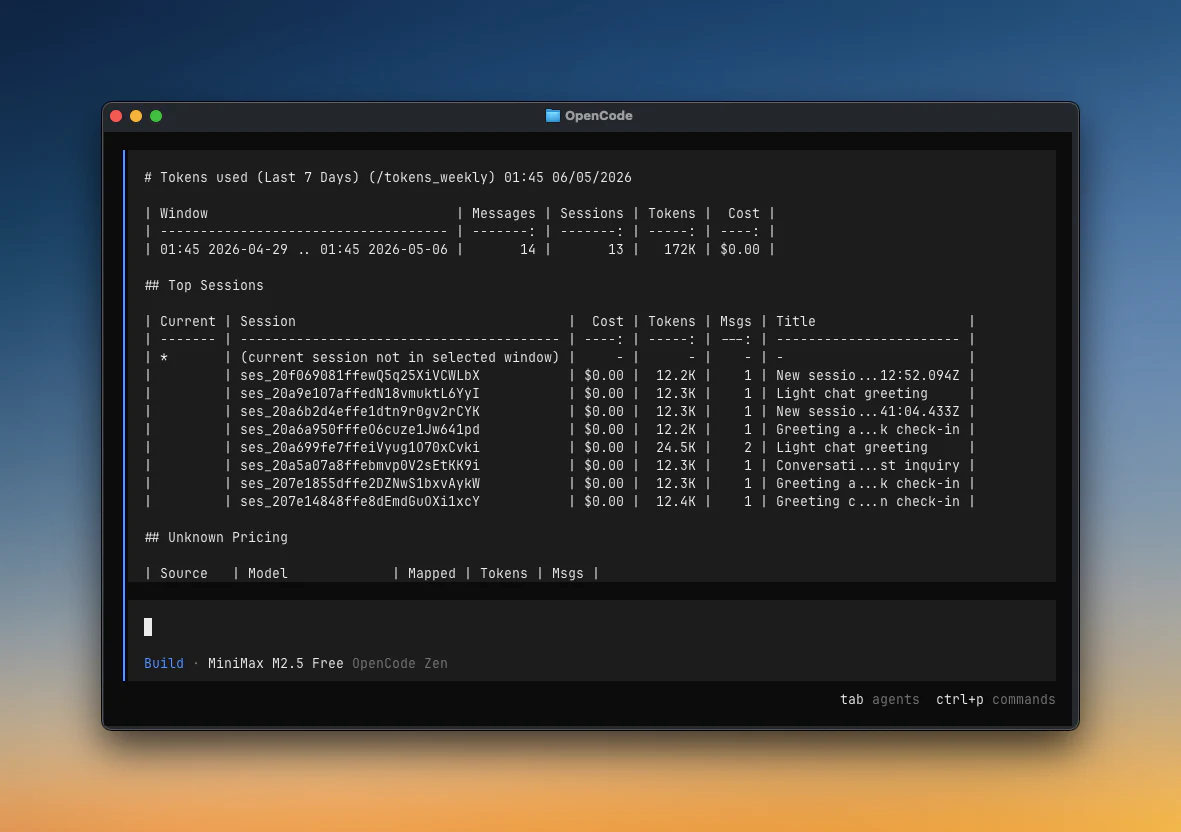
Token reports/tokens_today, /tokens_weekly, session reports, and more. |
More ways to use it:
- Terminal checks with
opencode-quota showbefore or without opening OpenCode - JSON output for scripts, status bars, CI checks, and external tools
- Local TUI dialogs for slash commands when the TUI plugin is installed
- Provider diagnostics for auth, quota sources, pricing, and bundled maintainer announcements
See Configuration for UI options and Manual install for setup details.
| Command | Use when |
|---|---|
/quota |
Show your quota and usage details |
/quota_status |
Diagnose setup, auth, provider detection, pricing, and announcements |
/quota_announcements |
Read active bundled maintainer notices |
/pricing_refresh |
Refresh local runtime pricing from models.dev |
/tokens_today |
Show tokens used today |
/tokens_daily |
Show tokens used in the last 24 hours |
/tokens_weekly |
Show tokens used in the last 7 days |
/tokens_monthly |
Show tokens used in the last 30 days, including pricing |
/tokens_all |
Show tokens used across all local history |
/tokens_session |
Show tokens used in the current session |
/tokens_session_all |
Show current session plus descendant sessions |
/tokens_between YYYY-MM-DD YYYY-MM-DD |
Show tokens used between two dates |
| Command | Use when |
|---|---|
opencode-quota show |
Check quota from your terminal |
opencode-quota show --provider <id> |
Check one provider only, such as copilot or openai |
opencode-quota show --json |
Print JSON for scripts, status bars, and other tools |
opencode-quota show --json --threshold <pct> |
Fail the command when cached quota drops below your chosen percentage |
Most providers work automatically. If a provider has a “Needs setup” link, open that setup note only if you use that provider.
| Provider | Auth/setup | Source | Reports |
|---|---|---|---|
| Anthropic (Claude) | Needs setup | Local CLI/OAuth | Usage/quota |
| GitHub Copilot | OpenCode OAuth or PAT | Remote API | Quota/usage |
| OpenAI | Automatic | Remote API | Usage/quota |
| Cursor | Needs setup | Local estimate | Estimated quota |
| Qwen Code | Needs setup | Local estimate | Estimated quota |
| Alibaba Coding Plan | OpenCode config | Local estimate | Estimated quota |
| MiniMax Coding Plan | OpenCode config | Remote API | Usage/quota |
| MiniMax Coding Plan (CN) | OpenCode config | Remote API | Usage/quota |
| Kimi Code | OpenCode config | Remote API | Usage/quota |
| Chutes AI | API key/config | Remote API | Usage/quota |
| Synthetic | Automatic | Remote API | Quota |
| Google Antigravity | Needs setup | Remote API | Usage/quota |
| Google AGY | Needs setup | Remote API | Usage/quota |
| Gemini CLI | Needs setup | Remote API | Usage/quota |
| Z.ai Coding Plan | OpenCode config | Remote API | Usage/quota |
| Zhipu Coding Plan | OpenCode config | Remote API | Usage/quota |
| NanoGPT | API key/config | Remote API | Usage + balance |
| DeepSeek | API key/config | Remote API | Balance/status |
| Ollama Cloud | Needs setup | Dashboard scraping | Dashboard usage |
| OpenCode Go | Needs setup | Dashboard scraping | Dashboard usage |
Setup details live in the Provider setup guide.
Start here when quota or token data looks wrong:
- Run
/quota_status, or start withopencode-quota showfor a terminal quota summary. - Confirm the expected provider appears in the detected provider list.
- Confirm companion auth plugins are before
@slkiser/opencode-quotainopencode.json. - If token reports are empty, start OpenCode once so it creates
opencode.db, then run a session with model usage. - Check Troubleshooting for common symptoms and provider-specific fixes.
Thanks to everyone who has contributed to OpenCode Quota.
MIT
OpenCode Quota is not built by the OpenCode team and is not affiliated with OpenCode or any provider listed above.