SCI (UART)
The TMS570 has capability for two different SCI (Serial Communication Interface) modules. (Note that SCI is the same concept as UART.) One is a normal SCI module, SCI1, the other is a LIN module which can be used as SCI, called SCI2.
The launchpad uses SCI2 for serial communications with the PC. The VCU uses SCI1 for serial communications with the PC. The BMS Master (same circuit board the VCU uses) of course also uses SCI1 for serial communication with the PC, but also uses SCI2 for serial communications with the BMS slaves.
-
Create a new project with the TMS570LS1227PGE.
-
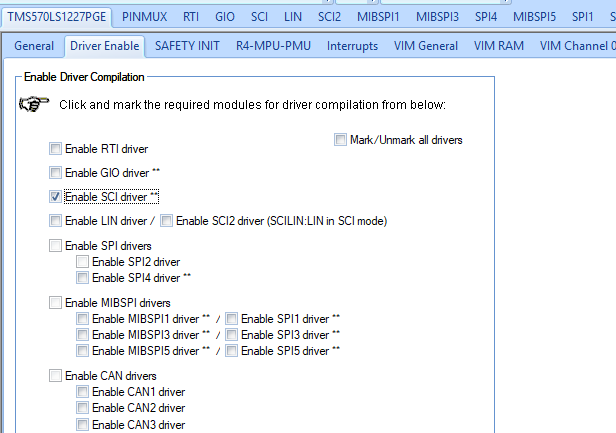
Once created, go to the Driver Enable tab and select 'Enable SCI Driver'. (Note that for the launchpad, you would select SCI2 driver, SCILIN:LIN in SCI mode)
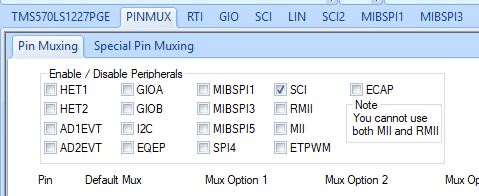
- In the PINMUX tab, select SCI.
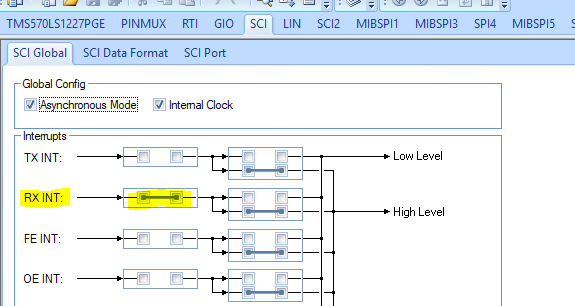
- In the SCI tab, make sure the RX INT is selected.
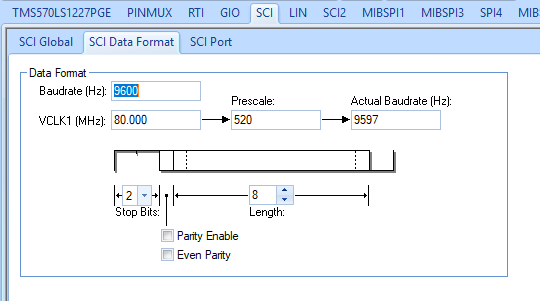
- Set the data format as shown below, baudrate 9600, 8 bit length, 2 stop bits, no parity.
- In the VIM, make sure SCI Level 0 Interrupt is selected.

The Halcogen should now be ready. Click generate code and proceed to Code Composer.
-
Create a new project. Select the TMS570LS1227 as the Target and the SEGGER J-Link Emulator as the Connection.
-
Make sure to select an Empty Project. Do not select one with a main.c file as Halcogen generates sys_main.c for you already.
-
Set the project name to be the same as the Halcogen project you just created.
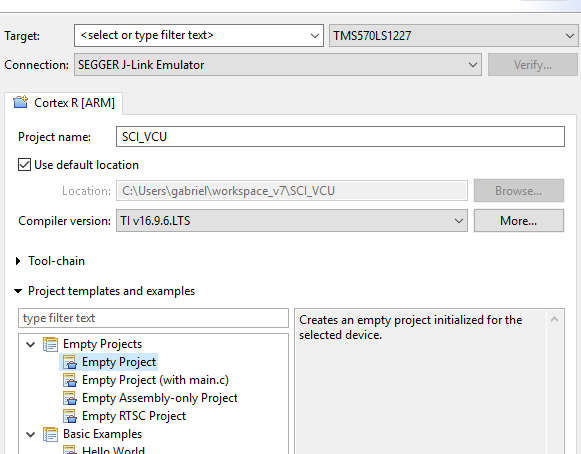
-
Create the project.
-
Include the 'include' folder in the file search path. Right click your project and select 'properties'.
-
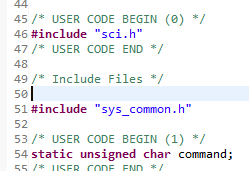
In sys_main.c include the sci.h header file and create a char "command". This will hold the received characters from the serial terminal.
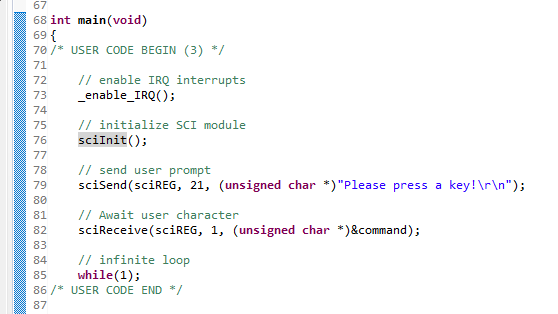
- Fill out the code below. Note that it is identical to the launchpad SCI, except that we use sciREG instead of scilinREG.
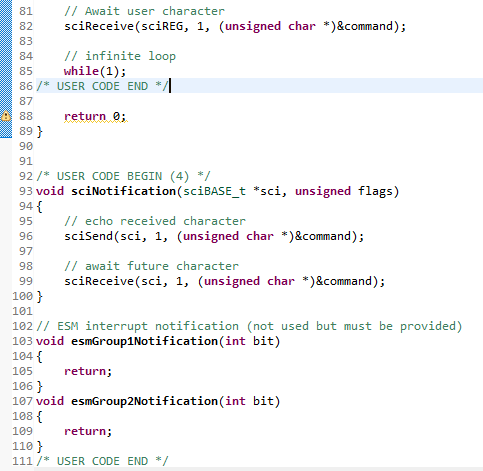
- Make sure you have these notification functions at the bottom of sys_main.c. sciNotification is the ISR (interrupt service routine) for that SCI Level 0 interrupt we initialized. The interrupt fires whenever the user enters a character into the terminal. The function itself will echo back that character so you can actually see it show up in the terminal, and waits to receive the next one.
- Run the code, open up a terminal and see if it works! You should also see some LEDs light up on the VCU whenever you are typing things into your terminal.