Open Prompts is an open-source platform for discovering, sharing, and reusing AI image prompt templates. Browse a curated gallery, open any template in a focused generation studio, and produce images with pluggable providers—without leaving one workflow.
Repository: github.com/rudy2steiner/open-prompts
Licensed under the Apache License, Version 2.0.
Languages: English · 简体中文 · 日本語
Live demo: open-prompts.com
Most teams collect prompts in docs, threads, or spreadsheets. Open Prompts turns them into structured templates with preview images, tags, models, and visibility (public, private, or draft). Users can:
- Explore community and catalog prompts in a gallery
- Generate from a template in one click
- Submit new public prompts for review, or create private templates from the account dashboard
- Sign in with GitHub, Google, or email (admin credentials for operators)
The app is built with Next.js, next-intl (English, Chinese, Japanese), NextAuth, and Postgres (e.g. Supabase). Image generation is routed through server APIs with Atlas Cloud today (Replicate is planned, not yet supported), plus a test mode for development without paid API calls.
| Area | What you get |
|---|---|
| Gallery | Search and filter templates by model and tags; open detail view and jump to Create with the prompt pre-filled. |
| Create studio | Template carousel, prompt editor, aspect ratio / quality / batch controls, provider selection, and session history (browser localStorage). |
| Submit flow | Single-page wizard to publish prompts to the gallery (public → review queue) or save private templates via ?visibility=private. |
| Account dashboard | My templates, admin review queue (approve / reject), credits and subscription placeholders. |
| Auth | GitHub & Google OAuth; email/password for configured admin users; no public self-registration UI. |
| Admin moderation | Review queue over all templates; status and visibility aligned with gallery rules. |
| X import | Paste a public tweet URL on Submit to pre-fill title, description, prompt, and images. |
| i18n | Locale routes: / (en), /zh, /ja for main pages; shared site header and footer. |
| Self-host | Apache 2.0; env-driven providers and database; deploy to Cloudflare Workers or any Node host. |
A few templates from the built-in gallery (community / X). Try them on open-prompts.com or run locally and click Generate in the gallery.

K-pop group fashion album cover

A high-end fashion editorial featuring a young woman in an urban setting, seamlessly blended with iconic cartoon characters and vibrant graphic doodles.

帮我做一个身临其境的360度全景图,场景四周环绕不同性格类型 装束的 年轻 性感 或 知性 小姐姐,给我递过水果、伸手牵手等
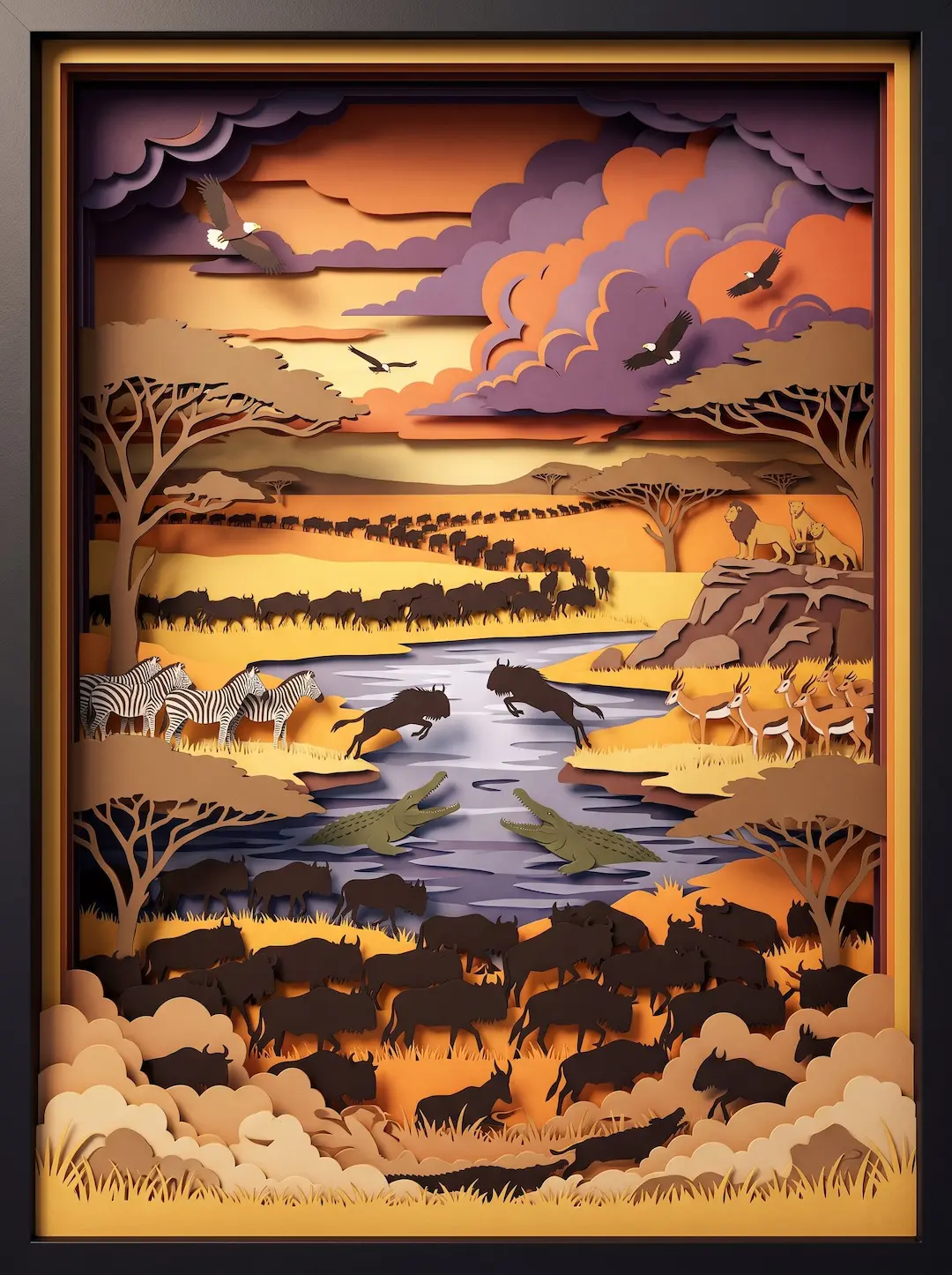
Eye-level straight-on view, 3D layered paper cut-out diorama. Vermillion red, lapis lazuli blue, ochre gold. Flying apsaras with ribbon silk scarves, blooming lotus, swirling auspicious clouds, ornate medallion patterns. Deep drop shadows, matte paper texture, octane render, 8k --ar 3:4


A casual and confident social media style selfie featuring a woman in an oversized knit sweater within a soft-lit bedroom setting.
- Node.js 18+ (20 LTS recommended)
- npm (or pnpm/yarn)
- Postgres database (Supabase works well)
- Optional: Atlas Cloud API key for real generations
git clone https://github.com/rudy2steiner/open-prompts.git
cd open-prompts
npm installcp .env.example .env.localFill at least:
| Variable | Purpose |
|---|---|
DATABASE_URL |
Postgres connection string (Supabase Session pooler on port 5432 is recommended for migrations and admin queries) |
NEXTAUTH_URL |
http://localhost:3000 |
NEXTAUTH_SECRET |
openssl rand -base64 32 |
NEXT_PUBLIC_SITE_URL |
Same as NEXTAUTH_URL for local SEO links |
For sign-in and admin:
| Variable | Purpose |
|---|---|
GITHUB_ID / GITHUB_SECRET |
GitHub OAuth app |
GOOGLE_CLIENT_ID / GOOGLE_CLIENT_SECRET |
Google OAuth client |
ADMIN_EMAIL |
Comma-separated admin emails (must match login email exactly) |
ADMIN_PASSWORD |
Min 8 characters; synced to DB on boot / admin login |
For image generation (Atlas Cloud or test mode):
| Variable | Purpose |
|---|---|
DEFAULT_IMAGE_PROVIDER |
atlascloud (Replicate is not supported yet) |
ATLASCLOUD_API_KEY |
Atlas Cloud API key |
USE_TEST_MODE |
true to skip real API calls |
TEST_IMAGE_URL |
Image URL returned in test mode |
See .env.example for credits limits and optional OpenAI settings.
Apply migrations (Supabase SQL editor or psql), then seed prompts if needed:
# Optional: push schema via Drizzle
npm run db:push

# Seed gallery prompts from bundled dataset
npm run seed:prompts

# Ensure admin user password in DB (if login fails)
npm run seed:admin
Migration SQL also lives under supabase/migrations/ and scripts/apply-owner-visibility-migration.sql.
npm run devOpen http://localhost:3000 (default port 3000).
This app uses @opennextjs/cloudflare to run Next.js on Cloudflare Workers.
Prerequisites: Cloudflare account, Wrangler CLI (included as a dev dependency), and the same Postgres + OAuth setup as local dev.
-
Log in to Cloudflare:
npx wrangler login -
Copy env vars for local preview:
cp .dev.vars.example .dev.varsand fill in secrets (same keys as.env.local). -
Preview locally on Workers runtime:
npm run preview→ http://localhost:8787 -
Set production secrets on Cloudflare (repeat for each key, or use
wrangler secret bulk):npx wrangler secret put DATABASE_URL npx wrangler secret put NEXTAUTH_SECRET npx wrangler secret put NEXTAUTH_URL # …plus ATLASCLOUD_API_KEY, GITHUB_*, GOOGLE_*, ADMIN_*, etc. -
Set
NEXT_PUBLIC_SITE_URLat build time (Worker deploy reads.env.productionor your CI env). Example:NEXT_PUBLIC_SITE_URL=https://your-domain.com npm run deploy
-
Run
supabase/migrations/on your Supabase DB, thennpm run seed:promptsandnpm run seed:adminlocally with thatDATABASE_URL. -
Register OAuth callbacks:
…/api/auth/callback/githuband…/api/auth/callback/googleon your production domain. -
Deploy:
npm run deploy
Notes:
- Admin bootstrap does not run on Worker cold start (no
instrumentation.tshook). Runnpm run seed:adminagainst productionDATABASE_URLif admin login fails. - Postgres connections are per-request on Workers (
src/db/client.ts); use Supabase's transaction pooler (?pgbouncer=true, port 6543). - Redeploy after env changes.
| Provider | Status | Configuration |
|---|---|---|
| Atlas Cloud | Supported | ATLASCLOUD_API_KEY, ATLASCLOUD_BASE_URL |
| Replicate | Planned (not supported) | Env keys exist in .env.example for future use; do not set DEFAULT_IMAGE_PROVIDER=replicate yet |
| Test mode | Dev / demo | USE_TEST_MODE=true, TEST_IMAGE_URL |
On the Create page, users can optionally override the API key in the browser (localStorage); prefer server-side keys in production.
- Next.js 15 (App Router) on Cloudflare Workers via OpenNext
- next-intl · NextAuth.js
- Drizzle ORM + Postgres
- Tailwind CSS · daisyUI
Issues and pull requests are welcome. For large changes, open an issue first to discuss direction.
Open Prompts is meant to be a practical hub for reusable image prompts: discover what works in the gallery, generate with your chosen model, and contribute templates back to the community—while keeping private drafts and a moderation path for public listings. Fork it, deploy on Cloudflare Workers with Supabase, wire your preferred image API, and adapt the workflow to your team under Apache 2.0.
If this project helps your workflow, consider starring the repo and sharing feedback in GitHub Issues.