



Note
This package uses simplified shape data so it is not entirely accurate around the border.
- Released documentation: docs.rs/tzf-rs
- Latest documentation(not released yet): ringsaturn.github.io/tzf-rs
- Try it online: tzf-web
By default, the binary is built as well. If you don't want/need it, you can omit the default features and build like this:
cargo build --no-default-featuresOr add in the below way:
cargo add tzf-rs --no-default-featuresIt's expensive to init tzf-rs's Finder/FuzzyFinder/DefaultFinder, so
please consider reusing instances or creating one as a global variable. Below is
a global variable example:
use lazy_static::lazy_static;
use tzf_rs::DefaultFinder;

lazy_static! {
    static ref FINDER: DefaultFinder = DefaultFinder::new();
}

fn main() {
    // Please note coords are lng-lat.
    print!("{:?}\n", FINDER.get_tz_name(116.3883, 39.9289));
    print!("{:?}\n", FINDER.get_tz_names(116.3883, 39.9289));
}
For reuse,
racemap/rust-tz-service provides
a good example.
A Redis protocol demo could be used here:
ringsaturn/redizone.
By default, tzf-rs uses a simplified shape data. If you need 100% accurate lookup, you can use the following code to setup.
- Download full data set, about 90MB.
- Use the following code to setup.
use tzf_rs::Finder;
use tzf_rs::pbgen::tzf::v1::Timezones;

pub fn load_full() -> Vec<u8> {
    include_bytes!("./combined-with-oceans.bin").to_vec()
}

fn main() {
    println!("Hello, world!");
    let file_bytes: Vec<u8> = load_full();

    let finder = Finder::from_pb(Timezones::try_from(file_bytes).unwrap_or_default());
    let tz_name = finder.get_tz_name(139.767125, 35.681236);
    println!("tz_name: {}", tz_name);
}
A full example can be found here.
Note
This feature is introduced v1.2.0 and is enabled by default, since the
build time is not significantly increased, but the query time is significantly
decreased. If you want to disable it, please use FinderOptions::NoIndex
explicitly. Below is the code example to disable it:
use tzf_rs::{DefaultFinder, FinderOptions};

fn main() {
    let default_finder = DefaultFinder::new_with_options(FinderOptions::no_index());
    println!("{}", default_finder.get_tz_name(139.767125, 35.681236));
}
YStripes needs more time and memory than NoIndex, below is data from my machine
to build the DefaultFinder with currently supported index modes:
| Index mode | Build time (ms) | Memory usage (MiB) |
|---|---|---|
| No index | ~40 | ~70 |
| YStripes only | ~50 | ~110 |
For the performance comparison of different index modes, please see the Performance section below.
Note
This feature is designed for data visualization purposes and I can't guarantee the performance when using it in high-performance scenarios. Please do proper performance tests and necessary optimizations before using it in high performace production, for example caching the exported GeoJSON data or push to CDN.
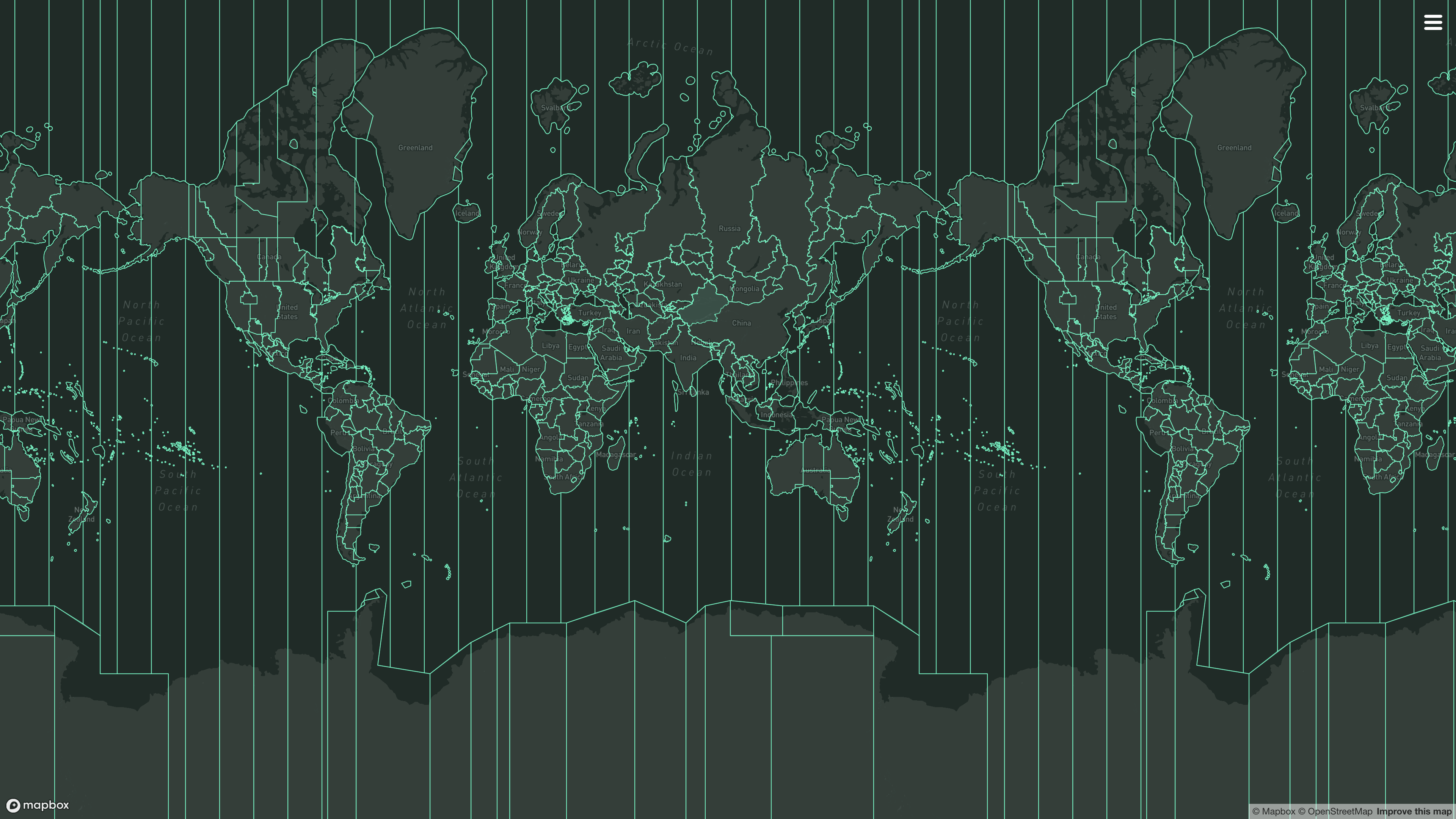
It's a common use case make some visualization of timezone boundaries. For this purpose, tzf-rs provides methods to export the preindex tile data or specific timezone polygons as GeoJSON format.
To enable this feature, you need to build tzf-rs with export-geojson feature:
# Please note that >= 1.1.1 is required to have full GeoJSON functionality.
tzf-rs = { version = "{version}", features = ["export-geojson"]}
Then you can use the following methods:
// examples/query_tokyo.rs
use tzf_rs::DefaultFinder;

fn main() {
    let default_finder = DefaultFinder::new();
    let lng = 139.6917;
    let lat = 35.6895;

    let tz_name = default_finder.get_tz_name(lng, lat).to_owned();
    println!(
        "The timezone at longitude {}, latitude {} is: {}",
        lng, lat, tz_name
    );

    // Get the Polygon boundary for the timezone
    if let Some(boundary_file) = default_finder.finder.get_tz_geojson(&tz_name) {
        // It's GeoJSON Feature Collection, and the features contains "MultiPolygon" geometry for the timezone.
        println!("Found GeoJSON feature for timezone: {}", tz_name);
        let mut polygons: usize = 0;
        for feature in boundary_file.features {
            polygons += feature.geometry.coordinates.len();
        }
        println!(
            "Total number of polygons in feature collection: {}",
            polygons
        );
    }

    // Get the Index polygon boundary for the timezone
    if let Some(index_boundary_file) = default_finder.fuzzy_finder.get_tz_geojson(&tz_name) {
        // It's GeoJSON Feature, and the geometry contains "MultiPolygon" for the timezone index.
        // But the Polygons are actually map tiles.
        println!("Found Index GeoJSON feature for timezone: {}", tz_name);
        let mut polygons: usize = 0;
        for polygon in index_boundary_file.geometry.coordinates {
            polygons += polygon.len();
        }
        println!(
            "Total number of tile polygons in index feature: {}",
            polygons
        );
    }
}
cargo run --example query_tokyo --features export-geojsonThe timezone at longitude 139.6917, latitude 35.6895 is: Asia/Tokyo
Found GeoJSON feature for timezone: Asia/Tokyo
Total number of polygons in feature collection: 24
Found Index GeoJSON feature for timezone: Asia/TokyoFor now, tzf-rs' binding in Wasm, named tzf-wasm, has exported this feature and it has been deployed to the tzf-web for online usage.
The tzf-rs package is intended for high-performance geospatial query services, such as weather forecasting APIs. Most queries can be returned within a very short time, averaging around 1,500 nanoseconds.
Here is what has been done to improve performance:
- Using pre-indexing to handle most queries takes approximately 500 nanoseconds.
- Using a finely-tuned Ray Casting algorithm package
ringsaturn/geometry-rsto verify whether a polygon contains a point.- Using YStripes to accerate polygon queries. This polygon index works when the pre-indexing missing, especially for queries around the border.
That's all. There are no black magic tricks inside the tzf-rs.
Below is a benchmark run on my MacBook Pro with Apple M3 Max:
make bench
cat benchmark_report.md| Target | Scenario | Median estimate (µs) | Approx throughput (ops/s) | Avg peak RSS (MiB) |
|---|---|---|---|---|
| Finder | YStripes only | 2.4286 | 411,760 | 89.75 |
| Finder | No index | 6.0933 | 164,115 | 53.03 |
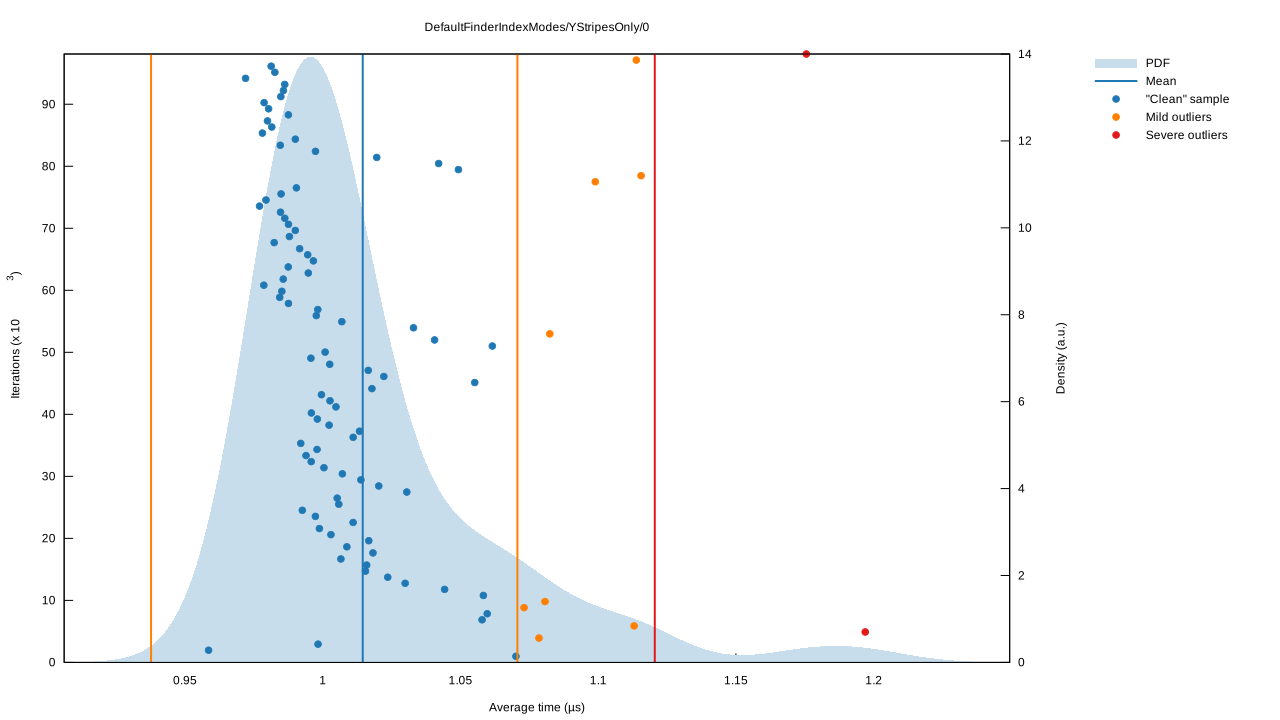
| DefaultFinder | YStripes only | 0.9726 | 1,028,172 | 111.58 |
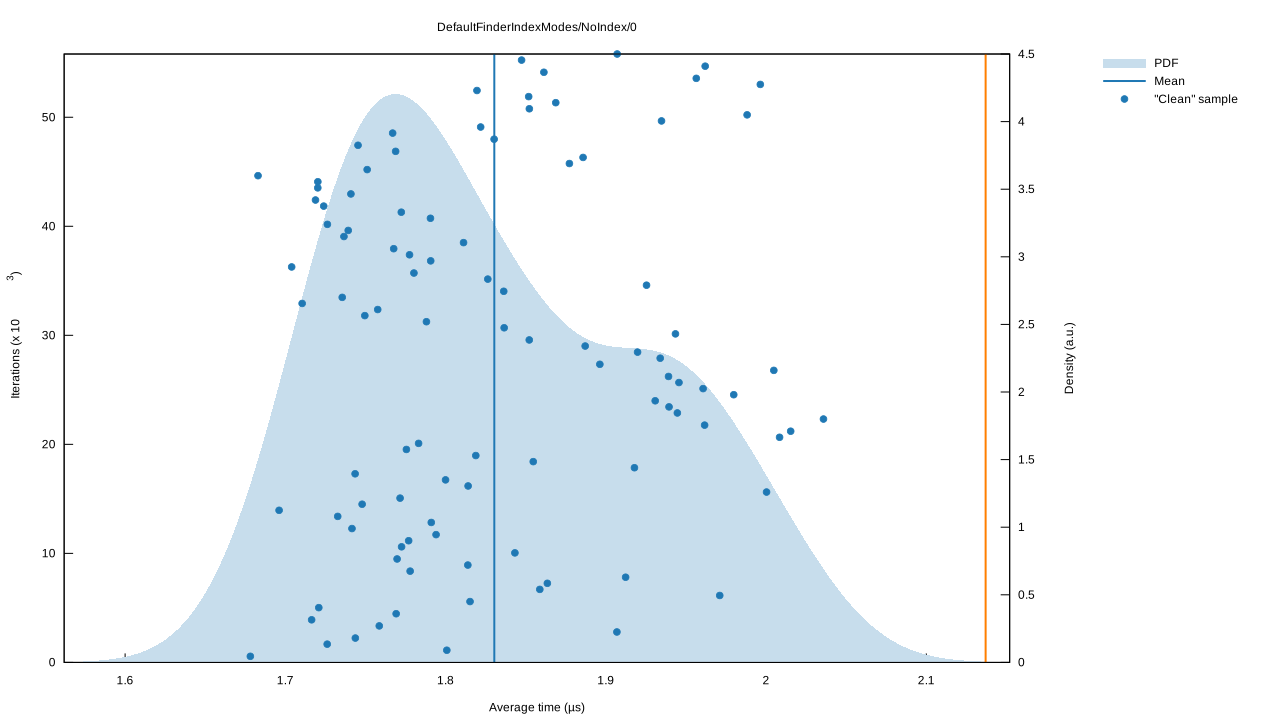
| DefaultFinder | No index | 1.8955 | 527,565 | 74.01 |
The FuzzyFinder is not included in the benchmark, since it's query time is
consistent.
DefaultFinder's Benchmark charts (click to expand)
Violin plot:

No Index:
YStripes only:
You can view more details from latest benchmark from GitHub Actions logs.
I have written an article about the history of tzf, its Rust port, and its
Rust port's Python binding; you can view it
here.
- Original Go repo:
ringsaturn/tzf - Binary timezone data:
ringsaturn/tzf-rel - Geometry: use
ringsaturn/geometry-rswhich istidwall/geometry's Rust port. - Continuous Benchmark compared with other packages:
ringsaturn/tz-benchmark
- Ruby, see
HarlemSquirrel/tzf-rb - Python, see
ringsaturn/tzfpy - Wasm, see
ringsaturn/tzf-wasm - PostgreSQL extension, see
ringsaturn/pg-tzf
The binary helps in debugging tzf-rs and using it in (scripting) languages without bindings. Either specify the coordinates as parameters to get a single time zone, or to look up multiple coordinates efficiently specify the ordering and pipe them to the binary one pair of coordinates per line.
tzf --lng 116.3883 --lat 39.9289
echo -e "116.3883 39.9289\n116.3883, 39.9289" | tzf --stdin-order lng-lat
If you are using Nixpkgs, you can install the tzf command line tool, please
see more in
Nixpkgs.
This project is licensed under the MIT license and
Anti CSDN License1. The data is licensed
under the
ODbL license, same as
evansiroky/timezone-boundary-builder
Footnotes
-
This license is to prevent the use of this project by CSDN, has no effect on other use cases. ↩