


Warning
After many years of development, I have decided to discontinue MentionBB.
This project has been an important part of my journey, teaching me far more than I could have imagined when I first started it. Over the years, it has evolved alongside me, and I am grateful for everything I learned throughout the process.
As my interests and goals have shifted, I have moved away from PHP and am now focusing on native software development. Because of this, I believe it is the right time to bring MentionBB to a close.
I would like to sincerely thank everyone who supported the project, contributed to it, reported issues, shared ideas, or simply followed its progress. Your support has meant a great deal to me.
The GitHub repository will remain available as an archive of the project. However, no new features will be added, and it will no longer be updated or adapted for future PHP versions.
Thank you for being part of this journey.


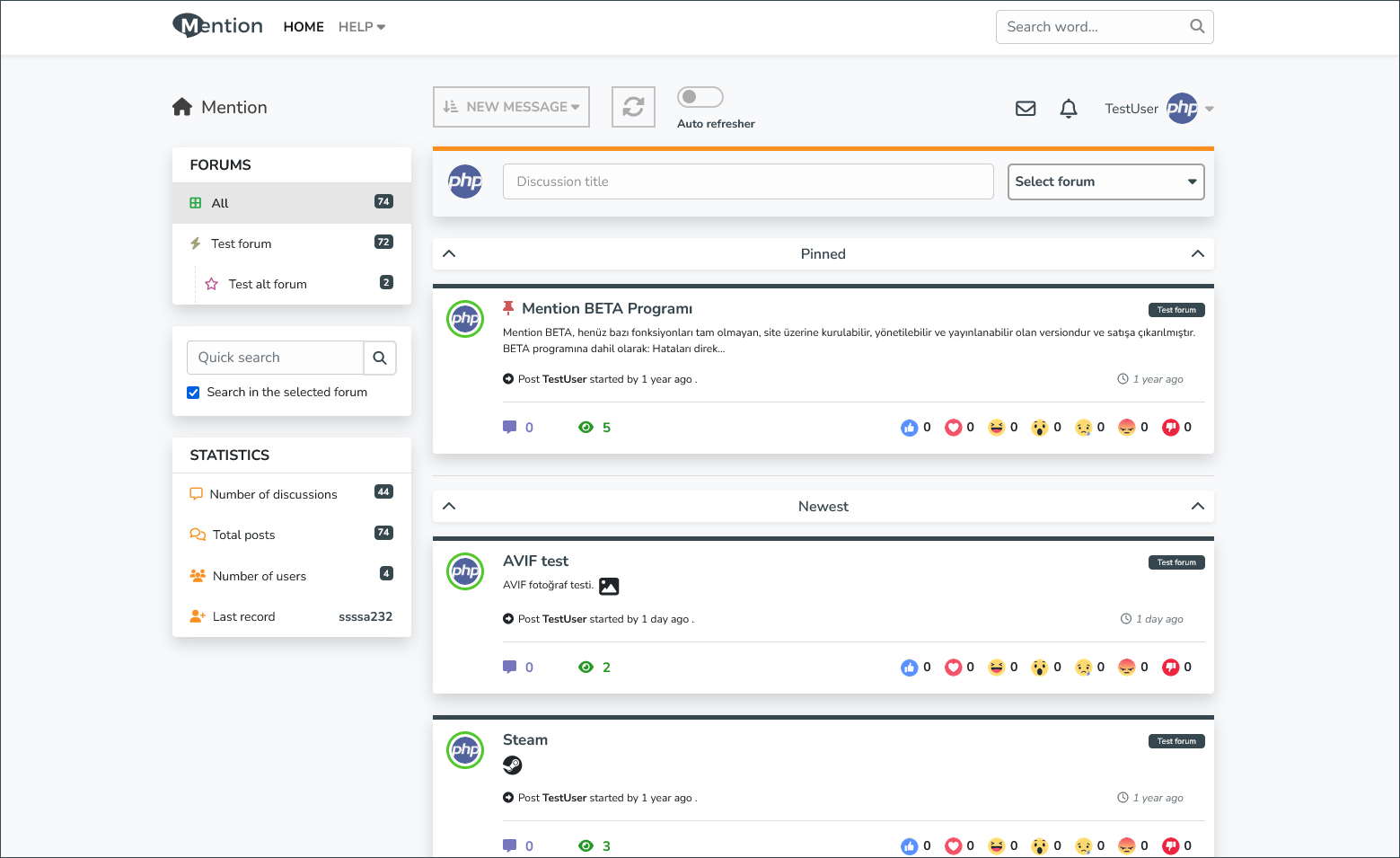
MentionBB is an advanced forum community software. It is based on the balance between the classic forum software and the new generation ones. In this context, it has made it essential to add revolutionary innovations with developing technologies.
-
Flexible and fast. Despite using advanced algorithms, Mention is a very lightweight software thanks to its caching technologies. On the other hand, it contains highly complex and previously unseen components.
-
Addons and modular support. Mention uses a unique plugin system. There is a system where you can add an add-on to almost every part of it without difficulty. Plugin system works via HTML/CSS marker. In addition, with its advanced infrastructure and modular structure, you will never have any difficulties in your projects. Want a Portal? You can add. Blog? You can add.
-
Languages! It was developed for you to adapt it to absolutely any language you want. Adding language is easy and simple, language files are very simple and you can also convert them to any sentence from the admin panel.
-
It's a nice theme but you can change it. The default theme is responsive and built with many new technologies, but you can customize this theme or replace it completely.
-
Advanced template system. Mention uses an improved Twig 3.0 engine. You can use this engine in plugins and various everywhere. There is quite a detailed area for editing templates in the admin panel.
And much much more.
MentionBB has been in active development for over 3 years. The project you see on GitHub is developed in parallel and in real-time. Goal is to create a new generation forum that complies with completely new standards. You can install and use it on your site in its current status.
The installer is not ready yet, so installation is currently manual. Choose one of the methods below.
- Docker Engine or Docker Desktop
PHP, required PHP extensions, and Composer are already included in the Docker setup.
- Download the latest release
Download and extract the latest release archive: https://github.com/mentionbb/mentionbb/releases/latest
- Start the containers
The provided Docker Compose file is designed for Nginx Proxy Manager, but it can also run without it.
If you are not using Nginx Proxy Manager, use the alternative Compose file and start the stack with:
docker compose -f docker-compose-without-npm.yml up -dWith Nginx Proxy Manager
docker compose up -d-
Nginx Proxy Manager settings
- Add Proxy Host >
- Scheme: http
- Forward hostname: svc.mentionbb_nginx
- Forward Port: 80
- Add Proxy Host >
-
Install PHP dependencies (Composer)
docker exec -it mention_dockerized-svc.mentionbb_php-1 composer installIf you are installing on Plesk, follow the dedicated setup guide:
https://github.com/mentionbb/mentionbb-plesk-setup
- PHP 8.4+
- Composer
- Git (optional)
- pdo
- pdo_mysql
- zip
- xsl
- gd
- intl
- opcache
- exif
- mbstring
- webp, avif (optional)
- Download the latest release
https://github.com/mentionbb/mentionbb/releases/latest
- Install Composer
Linux / macOS: https://getcomposer.org/doc/00-intro.md#installation-linux-unix-macos
Windows: https://getcomposer.org/doc/00-intro.md#installation-windows
- Install dependencies
Run this command in the project root:
composer installIf you cannot run Composer, download the prebuilt vendor archive and extract it into the src directory:
https://github.com/mentionbb/mentionbb/raw/master/www/src/vendor.tar.gz
- Nginx example template
server {
    listen 80;
    server_name example.com;
    root /workspace/www/public;

    index index.php index.html;

    location / {
        try_files $uri /index.php$is_args$args;
    }

    location ~ ^/index\.php(/|$) {
        fastcgi_pass php:9000;
        fastcgi_split_path_info ^(.+\.php)(/.*)$;
        include fastcgi_params;
        fastcgi_param SCRIPT_FILENAME $realpath_root$fastcgi_script_name;
        fastcgi_param DOCUMENT_ROOT $realpath_root;

        fastcgi_param HTTPS $https;
        fastcgi_param HTTP_X_FORWARDED_PROTO $scheme;

        internal;
    }

    location ~ \.php$ {
        return 404;
    }

    location = /favicon.ico {
        log_not_found off;
        access_log off;
    }

    include /workspace/www/.nginx.conf;

    access_log /var/log/nginx/access.log;
    error_log /var/log/nginx/error.log warn;
}
After that, you need to set the database.
- Create an empty database and import the
db.sqlfile located in the main directory.
The column you need to change is:
settings > site_url
Enter the full address of your site in this column.
php bin/console mention:install-db [--dbadapter DBADAPTER] [--user USER] [--password PASSWORD] [--dbname DBNAME] [--dbhost DBHOST]*Excluding square brackets
OR Rename:
.env.exampleto.env
Make your database settings in this file.
You should set the file according to the database driver(adapter) you want to run on your server. All instructions are in the file. By default, pdo_mysql is selected, and the PDO plugin must be installed to use it.
After that, your site will be up and running.
Default user:pass
TestUser:123456.,
Admin Panel for more settings.
MentionBB requires some directories to be writable by the web server. Otherwise, some functions (such as caching or file uploads) may not work.
# Set directories writable by the web server
sudo chmod -R 770 www/src/Cache
sudo chmod -R 770 www/src/Logs
sudo chmod -R 770 www/public/ui/uploads
sudo chmod -R 770 www/public/ui/editor

# Set ownership of the project root directory (If necessary) (replace www with your project folder)
sudo chown -R www-data:www-data www

# Set global directory permissions (If necessary) to 755 and file permissions to 644
sudo find www -type d -exec chmod 755 {} \;
sudo find www -type f -exec chmod 644 {} \;- www-data is the web server username (Apache/Nginx) on Ubuntu/Debian systems. It may vary on different systems.
- Directories: 755 → readable and executable by the web server.
- Files: 644 → readable by the web server.
- Writable directories: 770 → readable and writable only by the owner and the web server.
We recommend that you turn this setting off. Because with template changes, your files are backed up, but not when Dev Mode is on.
\App\App::$devpublic static $dev = [
'_devMode' => false,
];MentionBB has been developed under an custom application framework called Par2. I have also used it in my previous projects, but this is a much improved version.
In general, Symfony Components are used.
- Symfony/Routing
- Symfony/HttpFoundation
- Symfony/Yaml
- Doctrine/Dbal
- Twig/Twig
- Masterminds/Html5
- Symfony/Serializer
- Symfony/DomCrawler
- Nesbot/Carbon
- Laminas/Escaper
- Guzzle/Guzzle
- Bootstrap 4
- Font Awesome 6
- TinyMCE 5
- Monaco Editor
- jQuery
These are the main packages that have been used. We used a lot of things to create Mention. Thank you for all.
Mention is a open-source project and licensed under the MIT License(MIT). Please read the license file.