




The GitHub profile michele-tn is a technical environment in continuous evolution, conceived as a personal laboratory of ideas, notes, and conscious experimentation.
It is not simply a collection of repositories, but an ecosystem of applied engineering thinking, where theoretical concepts, real-world problems, and technical curiosity converge and evolve into:
📦 Working projects focused on concrete problem solving
🛠️ Automation scripts designed to optimize processes and daily operations
📚 Technical documentation that is clear, reusable, and constantly refined
Every contribution is the result of analysis, study, and experimentation, with a single objective: transforming knowledge into operational value.
This space does not only show what is being built, but above all how and why: an engineering, critical, and pragmatic approach in which code becomes a tool for understanding, not merely execution.
- Bash & PowerShell automation scripts
- DNS testing utilities
- System and workflow optimizations
- RustDesk client management utilities
Markdown guides covering:
- System configurations
- Networking fundamentals and troubleshooting
- Server deployment strategies
- SSH security and hardening
- Database normalization
- Cryptography fundamentals
- Software engineering concepts
Concise technical notes, experiments, and ready-to-use solutions.
Code is not just execution.
Code is understanding.
This repository space is a living technical notebook — a place where learning, testing, documenting, and sharing coexist as part of a single continuous process.
Each project represents:
- analysis
- experimentation
- refinement
- documentation
Learning is never archived.
It is continuously engineered.
Here, every project is both a result and a step forward.
| 🔥 GISTs/Projects | 🚀 URLs |
|---|---|
| 🔎 WhoIS T35T |  |
| ⚡ DNS Speed Test Script |  |
| 🧩 DNS Configuration for IONOS VPS (Ubuntu Server) |  |
| 📦 Setup DNS IONOS Script | |


| Gist | Description |
|---|---|
| XZ9-COMPRESSOR | Bash utility designed for maximum compression and cryptographic integrity verification using XZ and SHA-256 |
| SSH TUNNELS | Generic notes collected from the web about SSH tunnels |
| v2rayN + Shadowsocks + TUN (Sing-box) | VPN tunneling and proxy management using Sing-box |
= — — — — — — — — — — — — — — — — — — — — — =

|
|

|

|
%20%2B%20manage_fail2ban.sh%20(Version%203!)-D14836?style=for-the-badge&logo=github)
|
|
-2E3440?style=for-the-badge&logo=linux&logoColor=white)
|
|
= — — — — — — — — — — — — — — — — — — — — — =

-0A66C2?style=for-the-badge&logo=github)
-f28b20?style=for-the-badge)
𝑮𝙞𝒕𝙃𝒖𝙗 𝙂𝒊𝙨𝒕 — Bash script for RustDesk server connection management.
kill_hbbs_hbbr_connections.shis a Bash script designed to terminate active network connections on specific RustDesk server ports without stopping or killing the RustDesk server processes (hbbs and hbbr).

• • • • • • • • • • • • • • • • • • • • • • • • • •


• • • • • • • • • • • • • • • • • • • • • • • • • •


The MVVM (Model-View-ViewModel) design pattern enforces a clear separation of concerns by decoupling the user interface (View) from the underlying business logic and data (Model), with the ViewModel acting as a mediator. This structure enhances code clarity, testability, and long-term maintainability.
+-------------+       +----------------+       +--------+
|   View      | <---> |  ViewModel     | <---> | Model  |
+-------------+ +----------------+ +--------+- Represents the data and business logic.
- Responsible for retrieving, storing, and managing application data (e.g., via APIs, databases). Not aware of the View or ViewModel.
- The UI layer that the user interacts with.
- Displays data from the ViewModel.
- Uses data binding to reflect updates from the ViewModel automatically.
- Has no direct logic for handling business rules.
- Acts as a bridge between the View and the Model.
- Holds presentation logic, and commands (e.g., button click logic).
- Exposes data and commands to the View, usually via observables (e.g., INotifyPropertyChanged in C#, LiveData in Android).
- Communicates with the Model to fetch/update data.
- Two-way data binding (View <-> ViewModel)
- Loose coupling between UI and business logic
- Testability: ViewModel and Model can be tested independently of the UI
- Code reuse and maintainability

|


|
|
|
|
|


|
| Resource | Link |
|---|---|
| Mastering Regular Expressions – O'Reilly (PDF) | Download PDF |
| Advanced RegEx Guide – RexEgg | Visit Website |
| Regular Expressions Cookbook (Official site) | Visit Website |
| RegEx Comparison Across Languages (PDF) | Download PDF |
| RegexBuddy Tool | Visit Website |
| The Regex Coach Tool | Visit Website |


A curated list of reverse engineering tools, courses, and resources 🧠🔍
| 🔗 Resource | 📄 Description |
|---|---|
 |
🌐 Personal blog with reversing content |
 |
🛠️ PE explorer/debugger |
 |
🔧 Advanced open-source debugger |
 |
📚 General RE resources |
 |
🧑🏫 RE for absolute beginners |
 |
🎓 Free RE course by 0xZ0F |
 |
🧰 Official NSA RE suite |
 |
📖 Comprehensive RE reading list |
 |
🧵 Swiss army knife for RE |
 |
🌟 Curated list of RE resources |
 |
✂️ Reverse engineering GUI |
 |
📄 Google search for practical RE PDFs |

This  SQL  script  modifies  the [dbo].[WhereUsed]
stored  procedure within  the [YOUR_DB]  database.
The  procedure  is   designed  to  analyze   table
relationships  and  dependencies  by   identifying
where a  specified column  is used  within various
database objects,  such as  tables, views,  stored
procedures, and functions.
➢ 🔗 link GITHUB - SQL WHERE USED
- (gpedit.msc) Enable Group Policy Editor in Windows 11 Home edition
🔗 gist.github link - (UAC DISABLER/ENABLER) How do I turn off the User Account Control (UAC) dialog in Windows?
🔗 gist.github link
shadowsocks / shadowsocks-libev
➤ 🔗 link shadowsocks-libev FORK
Bug-fix-only libev port of  shadowsocks.
Future development moved to shadowsocks-
rust
➤ 🔗 Shadowsocks - C with libev
shadowsocks-libev is  a lightweight  and
full featured port for embedded  devices
and  low  end  boxes.  It's  a  pure   C
implementation  and  has  a  very  small
footprint   (several   megabytes)    for
thousands of  connections. This  port is
maintained by @madeye.
➤ 🔗 (shadowsocks-libev) Installing Self-Hosted Shadowsocks ServerUsing a 𝐬𝐞𝐥𝐟-𝐡𝐨𝐬𝐭𝐞𝐝 𝐒𝐡𝐚𝐝𝐨𝐰𝐬𝐨𝐜𝐤𝐬 𝐬𝐞𝐫𝐯𝐞𝐫 𝐜𝐨𝐧𝐟𝐢𝐠𝐮𝐫𝐚𝐭𝐢𝐨𝐧 offers numerous advantages over public proxy servers. Below is a detailed breakdown of its benefits:
- Advanced Encryption: Your traffic is encrypted, protecting data from interception and censorship.
- Full Control: No reliance on third-party services, reducing the risk of logging and surveillance.
- No Logging: Configure the server to prevent storing any user activity, unlike public proxies.
- Dedicated Bandwidth: Eliminates traffic congestion found in shared proxy services.
- Faster Speeds: Stable and unrestricted connections.
- Low Latency: Host the server near your location for quicker response times.
- Tailored Configuration: Adjust protocols, ports, and security settings to fit your needs.
- User Management: Control access to prevent unauthorized usage.
- Multi-Device Compatibility: Integrate with VPNs, routers, and various operating systems.
- Bypass Geoblocking: Access restricted content and services worldwide.
- Evade Censorship: Shadowsocks effectively bypasses national and corporate firewalls.
- Stealth Mode: Harder to detect compared to standard proxies or VPNs.
- No Subscription Fees: Eliminates recurring costs of paid proxy services.
- Scalability: Expand your server's capacity as needed.
- Total Independence: Avoid policies and sudden restrictions imposed by third-party providers.
Setting up a self-hosted Shadowsocks server is an investment in security, privacy, and long-term flexibility.
(RUSTDESK SELF-HOSTED) Set Up Your Own RUSTDESK SELF-HOSTED Server
➤ 🔗 link RUSTDESK.COM - /self-host/
➤ 🔗 link RUSTDESK.COM - /rustdesk-server-oss/install
➤ 🔗 link GITHUB - techahold
➤ 🔗 link GITHUB - /rustdesk/rustdesk-server
- [C#] Downloads the latest version of RUSTDESK (Nightly or Latest) using the GitHub API web service, configures application by setting the IP and keys of your self-hosted server.
🔗 gist.github link - [POWERSHELL SCRIPT] Downloads the latest version of RUSTDESK (Nightly or Latest) using the GitHub API web service, configures application by setting the IP and keys of your self-hosted server.
🔗 gist.github link - (MULTIPLE TCP TUNNELING) Connecting and Loading SSH private keys automatically on plink
🔗 gist.github link - [POWERSHELL SCRIPT] V2RayN — Checks the release version, downloads it, configures it in English and runs it.
🔗 Link ps code - (2dust/v2rayN) A GUI client for Windows, Linux and macOS, support Xray and sing-box and others
🔗 link GITHUB - v2rayN
https://github.com/webmin/webmin

Cockpit is an intuitive, web-based interface designed to simplify the management of Linux servers. It provides users with real-time diagnostics, system monitoring, and administrative tools, enabling both beginners and experienced administrators to efficiently manage their systems. Cockpit supports tasks such as storage configuration, network setup, performance tracking, and more, all through a graphical interface accessible via a browser. Its modular design allows for extensibility, making it adaptable to diverse server environments.
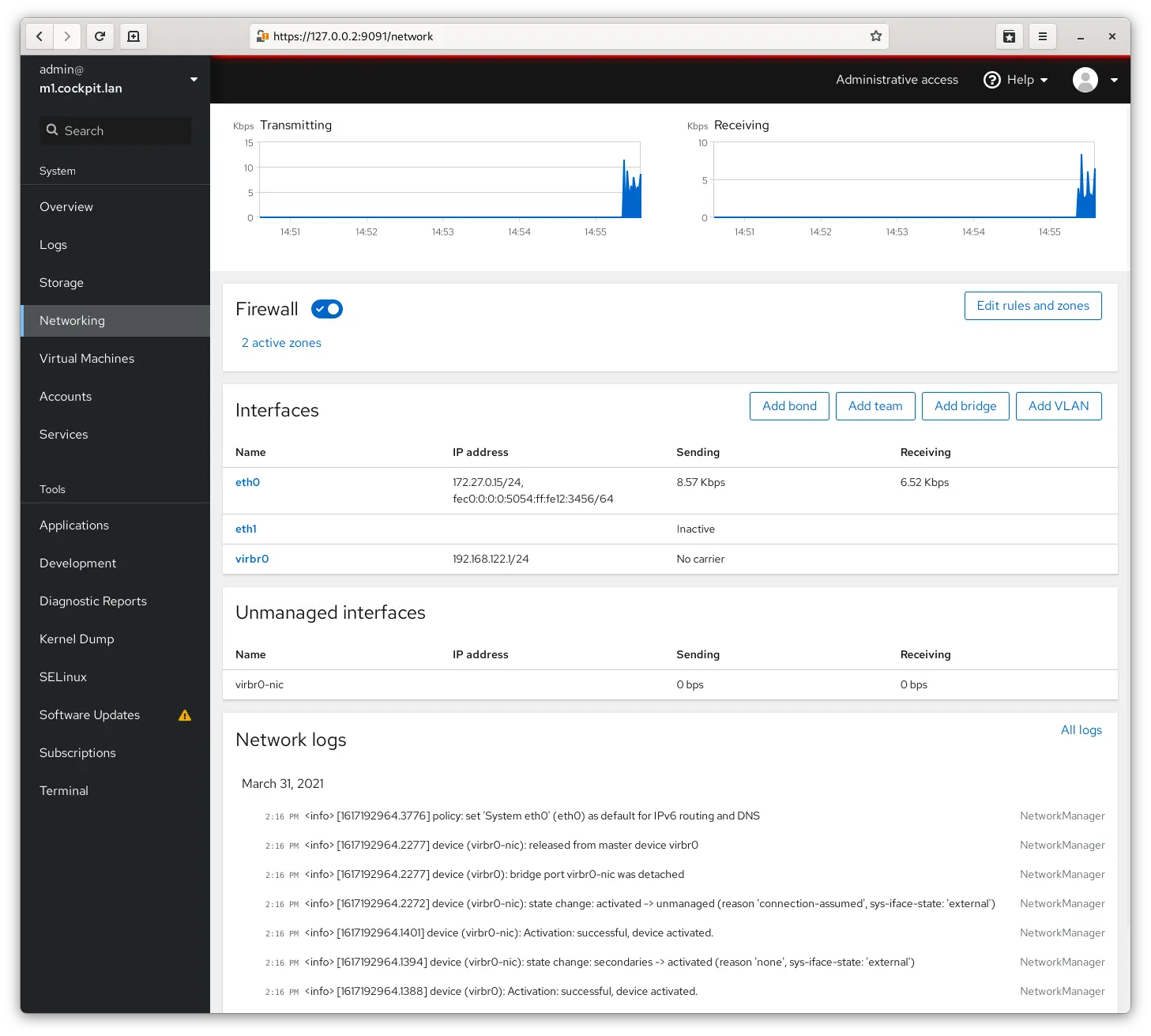
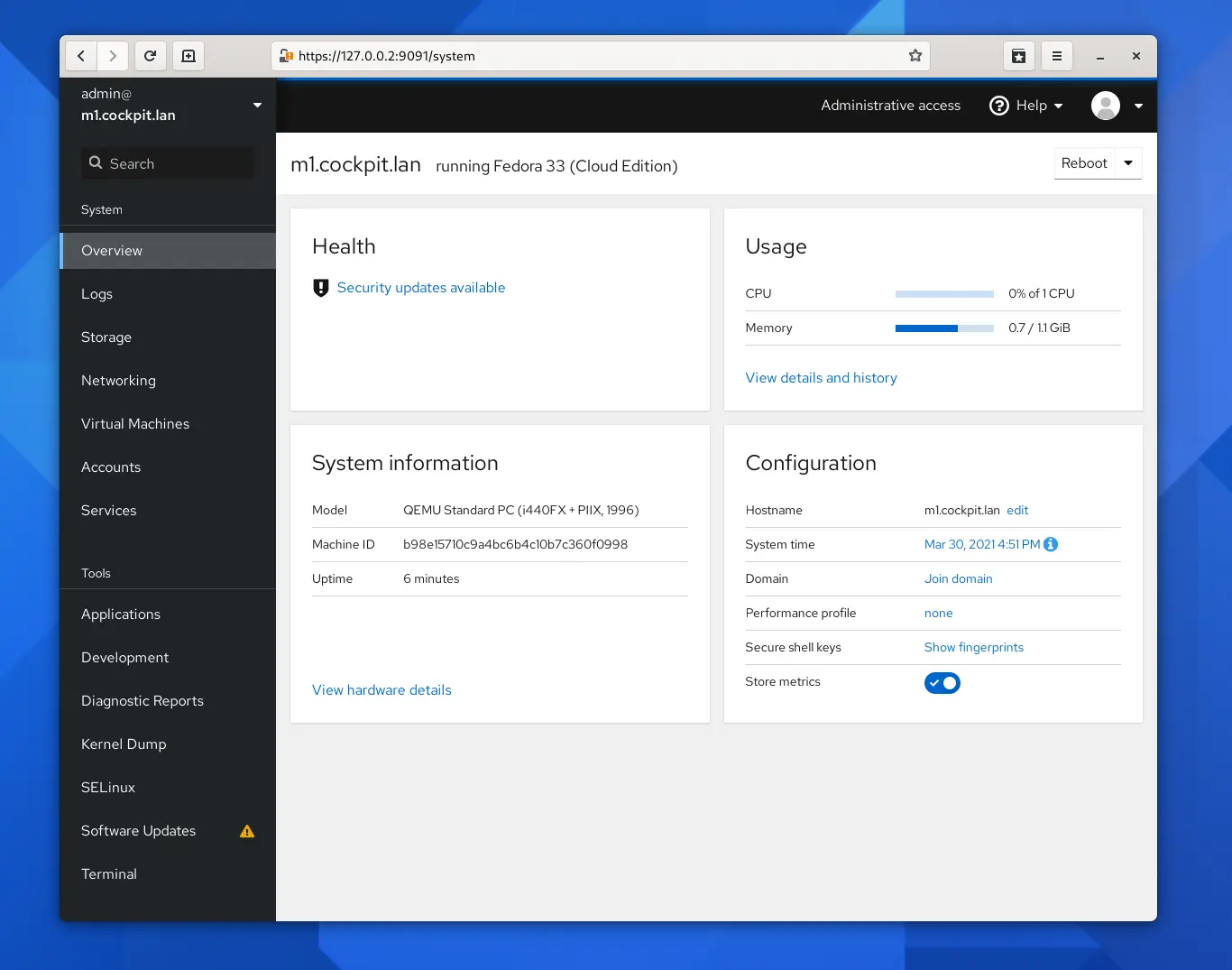
NtopNG is a network traffic probe that provides 360° Network visibility, with its ability to gather traffic information from traffic mirrors, NetFlow exporters, SNMP devices, Firewall logs, Intrusion Detection systems.
https://www.ntop.org/
https://packages.ntop.org/apt/


Awesome-tunneling — List of ngrok/Cloudflare Tunnel alternatives and other tunneling software and services. Focus on self-hosting.
https://github.com/anderspitman/awesome-tunneling
-> https://github.com/tailscale
-> https://github.com/zerotier
https://github.com/sebaxakerhtc/rdpwrap

Chris Titus Tech's Windows Utility — This utility is a compilation of Windows tasks I perform on each Windows system I use. It is meant to streamline installs, debloat with tweaks, troubleshoot with config, and fix Windows updates. I am extremely picky about any contributions to keep this project clean and efficient.
https://github.com/ChrisTitusTech/winutil

HFS — HFS is a web file server to run on your computer. Share folders or even a single file thanks to the virtual file system.
https://github.com/rejetto/hfs

Systeminformer — A free, powerful, multi-purpose tool that helps you monitor system resources, debug software and detect malware.
https://github.com/winsiderss/systeminformer/

Openmediavault — openmediavault is the next generation network attached storage (NAS) solution based on Debian Linux. Thanks to the modular design of the framework it can be enhanced via plugins. openmediavault is primarily designed to be used in home environments or small home offices.
https://github.com/openmediavault/openmediavault

https://github.com/dylanaraps/neofetch

https://github.com/dylanaraps/pfetch
https://explainshell.com/explain/1/tcptrack
https://github.com/aristocratos/bpytop

https://github.com/bleachbit/bleachbit

https://oguzhaninan.github.io/Stacer-Web/
https://github.com/oguzhaninan/Stacer

MobaXterm — Enhanced terminal for Windows with X11 server, tabbed SSH client, network tools and much more
https://mobaxterm.mobatek.net/


