-
MyMuseumApp helps a visitor photograph a museum exhibit so that others can see it virtually.
-
This app was created to farmiliarize me with Flutter, its state patterns, widgets, & functionality.
Purpose:
-
Often people see a piece of art that speaks to them, but they don't write down the title. It might not be immediatley obvious to them that they have connected with a piece. Upon returning home, they see the piece again and again in their minds. It naggs at them. But, they lack the detailed information necessary to research it later. Example here
-
Artworks displayed in a gallery exhibit always have an informational plauque. I call it 'Information' inside the code. It displays artist name, title of the piece, date created, and medium.
This app can assist in storing that information for later reference.
- Artworks are conventially displayed and documented with the following information: 1.) A photo of the entire work; 2.) A close up photo of an area of interest (known as a 'detail'); 3.) A summary of information about the work (title of the piece, artist name, medium, and date of creation); and 4.) A written description of the work prepared by the curator.
These items are referred to in my code as Photo, Detail, Information, and Description. (See figure 1)
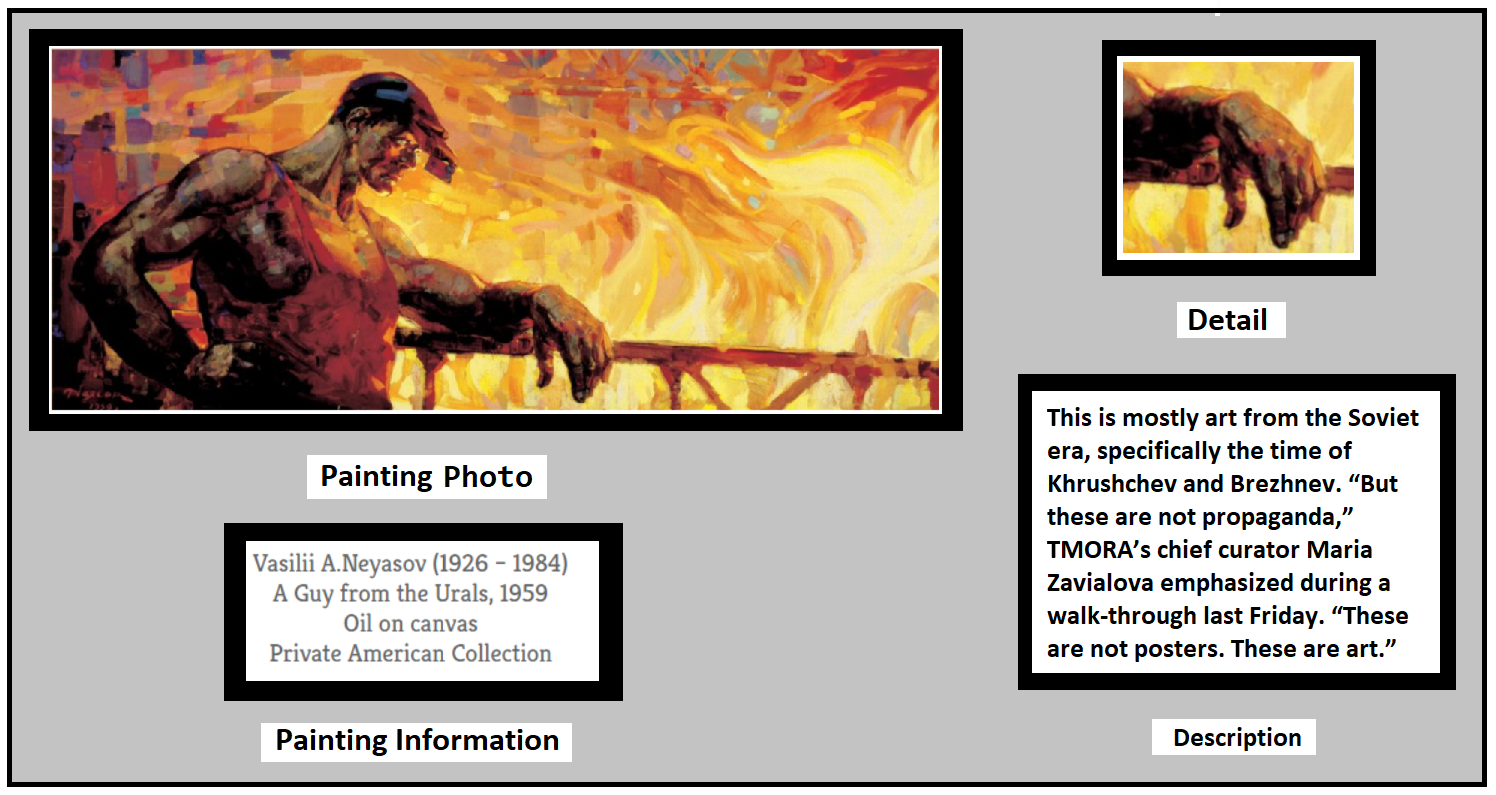
Figure 1. Conventional documentation of a piece of art
- Database
A database is not the most appropriate implementation to store art pieces within this app. A List that that changes size dynamically and would provide flexibility for a user to take as many photos as desired. However, since I hope to familiarize myself with Flutter's database methods, I propose the following DB. It holds a maximum of 4 photos to correspond with the art piece attributes pictured in figure 1.
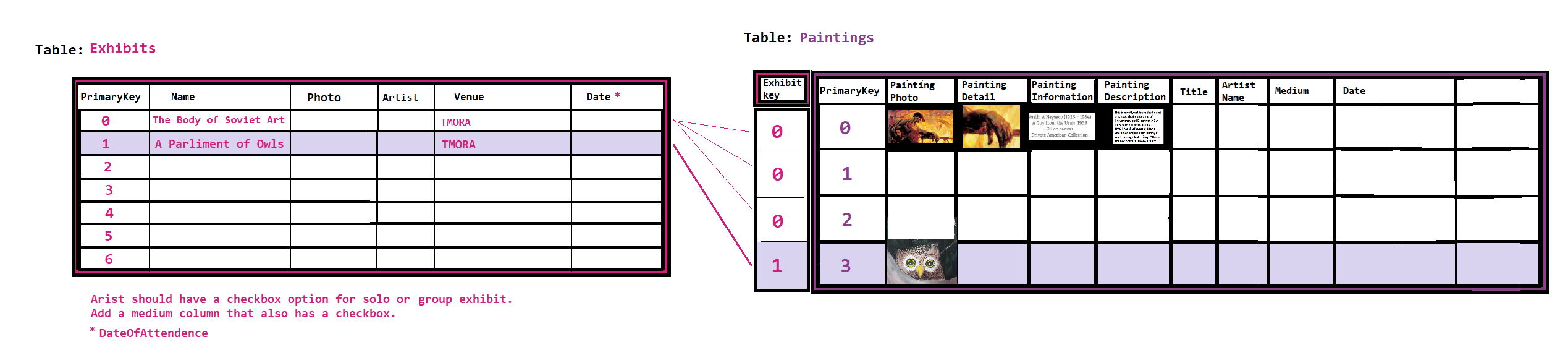
Figure 2. Sketch of a database to hold paintings shown in an exhibit
- Where can I apply Block pattern to control state? (Maybe need some other state patterns for other things, like the button).
- Draw a picture of all the different local and global states so I can see how state patterns might operate in unison.
Picture HERE
-
Make a new branch on Git so that I can revert back when I break this thing again.
-
Investigate yaml file to learn why 2nd image has never displayed. Posted question on Stack overflow. Image displays.
-
Look at maps and tile widgets. Can I hold all the exhibit images in a map at the top level? This might make state simpler.
-
Start looking at how to access camera function.
- The bottomNavigationBar has 3 buttons - Home, Exhibits, and Add an Exhibit.
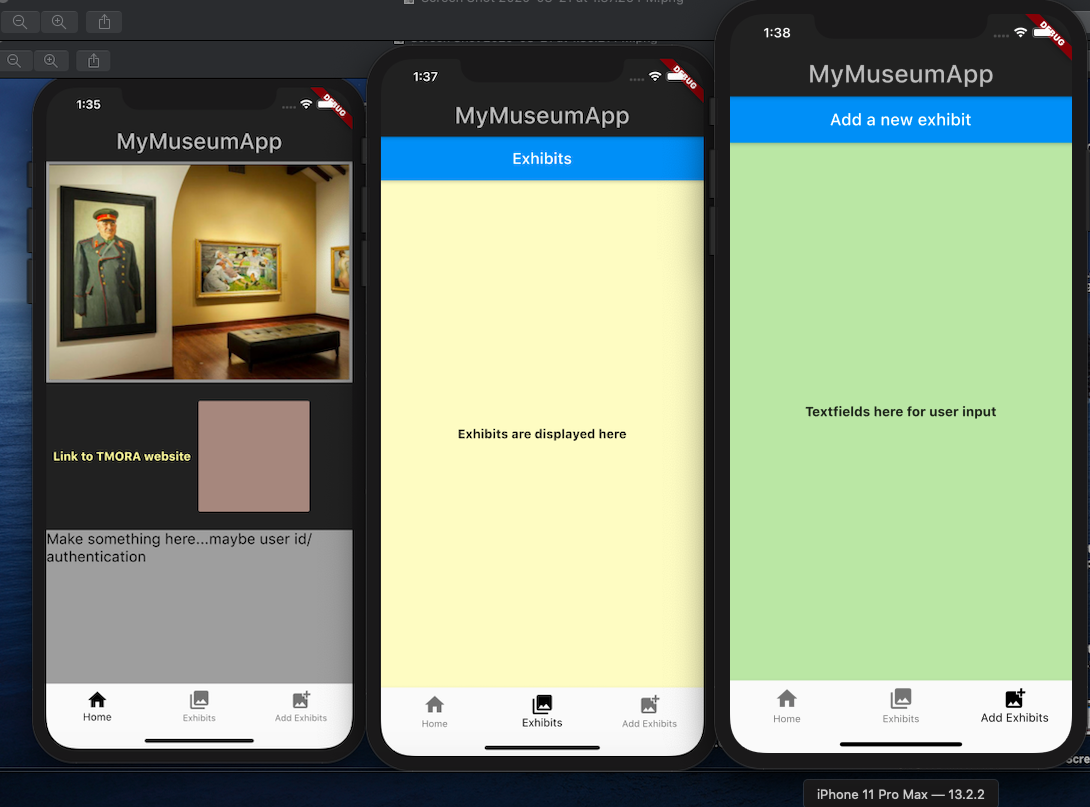
- Both images display on the screen.
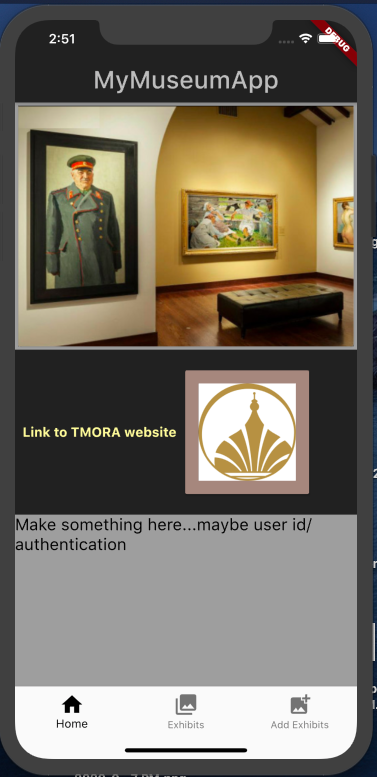
Figure 3. Current implemetaion of the museum app
A PAINTING object holds detailed information about the artwork. An EXHIBIT objecct holds all the artworks displayed together in a gallery as a museum exhibit.
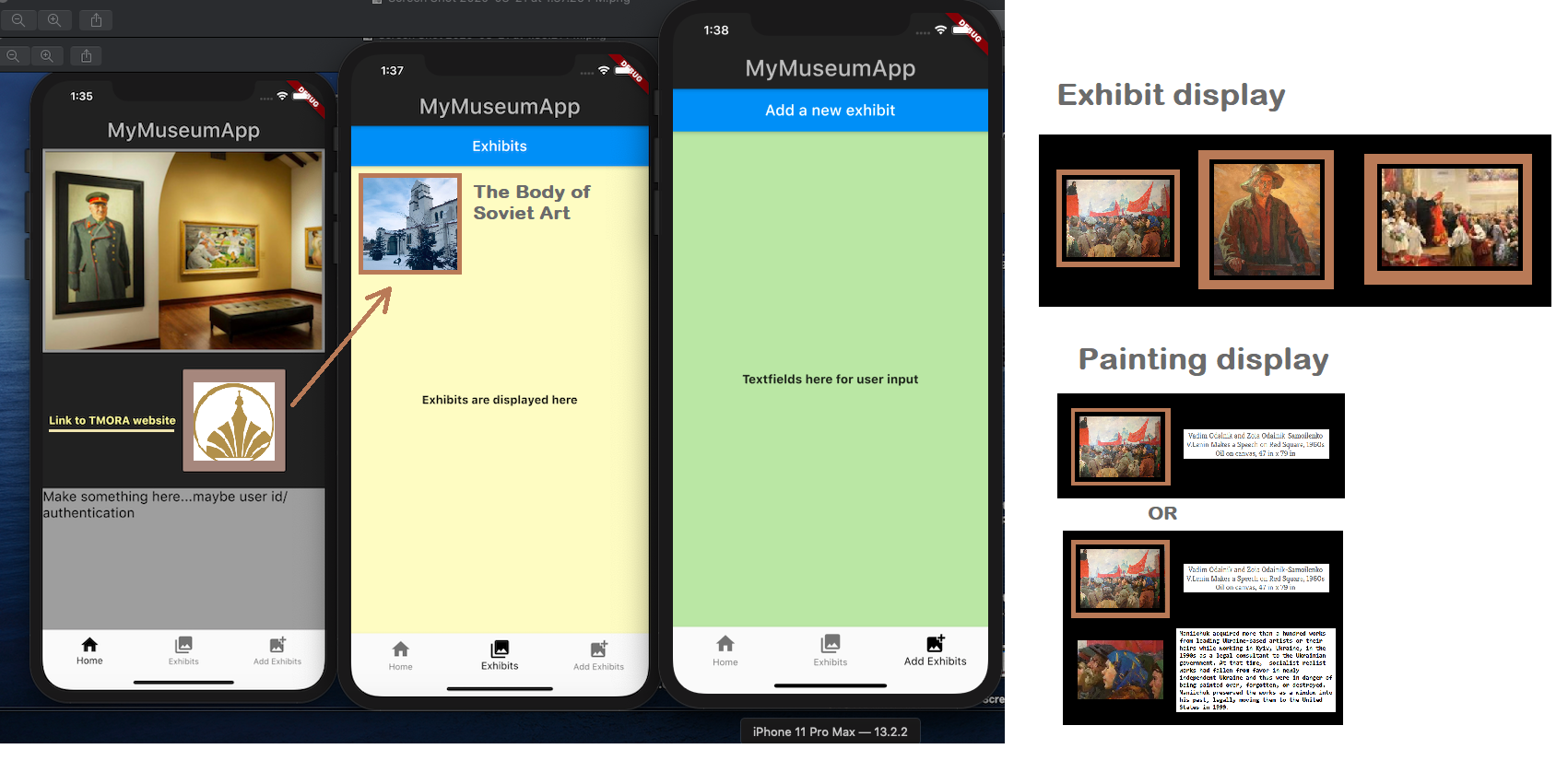
Figure 4 Design
- TMORA Link
- List of Exhibits display page
- List of Paintings display page
- Add new exhibit page
- Add new painting page
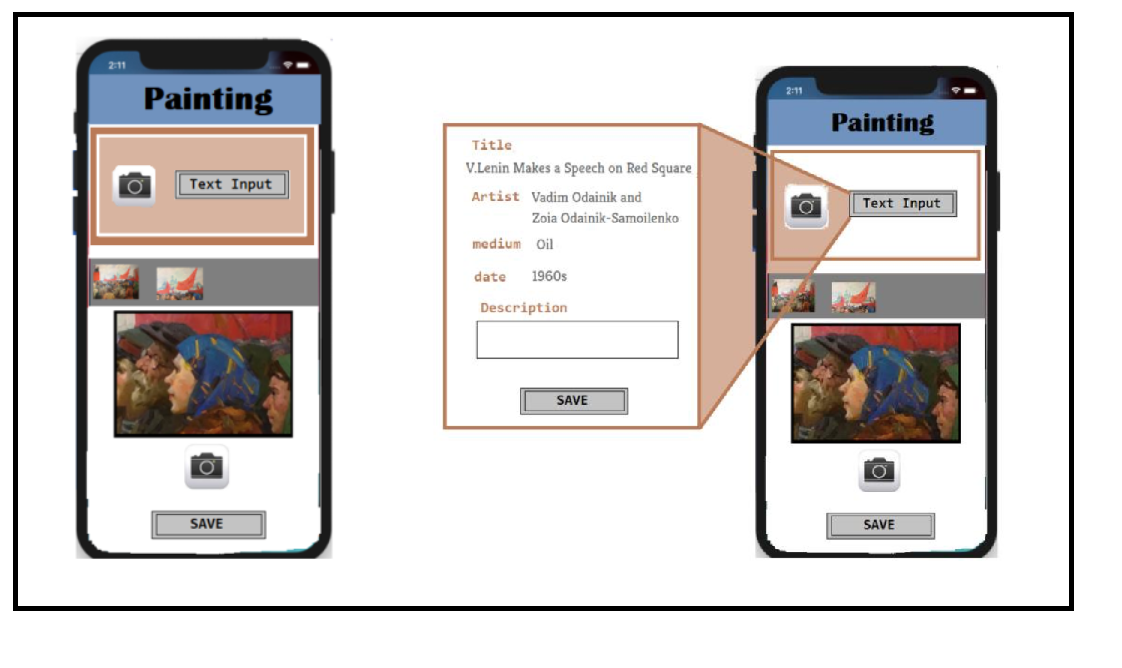
Figure 5. Sketch of a possible 'Add a new painting page'
-
In Flutter, it makes sense to keep the state above the widgets that use it. Source: Stateful Widgets: https://flutter.dev/docs/development/data-and-backend/state-mgmt/simple Push state up to the top of the widget tree. Then, it can be passed down through constructors.
-
The app holds a list of exhibits. Each exhibits holds an unlimited number of pieces of artwork, alongside their detailed information.
-
A user can photograph each painting's information from the plague hanging next to it on the gallery wall, or they can input that information into a textbox as pictured in image 3.
- Flutter Tutorial for Beginners - Build iOS & Android Apps w/ Googles Flutter & Dart
- Circle Image View in Flutter
- Raised button
- Flutter Tutorial for Beginners #16 - Stateful Widgets
- Flutter State Management Guide
- Simple app state management
- Excellent video that performs login via a bunch of different patterns
- Keep it Simple, State: Architecture for Flutter Apps (DartConf 2018)
- Managing state in Flutter with Provider - Part 1
Coding with Curry:
- SQLite DB using bloc
- Save an image as a string in an SQLflite
- Google's Flutter Tutorial - Offline DB Storage From Service, SQLite CRUD Operations
- Flutter Routes & Navigation – Parameters, Named Routes, onGenerateRoute
- Flutter Sailor Navigation Tutorial – The Simplest Navigator Library?
- Flutter - Import Camera and Gallery Image | Best Ways
- Flutter Tutorial - 16.Capture image
- Flutter ImagePicker Widget | Use Camera, Gallery to Pick Images, Videos | Flutter Tutorial
- Flutter - Import Camera and Gallery Image | Best Ways
- Take a picture using the camera