

Formstep nodes for n8n. Send anyone a branded form made for them, prefilled with what you already know, pause the workflow until they answer, and carry on with validated answers keyed by stable field keys.
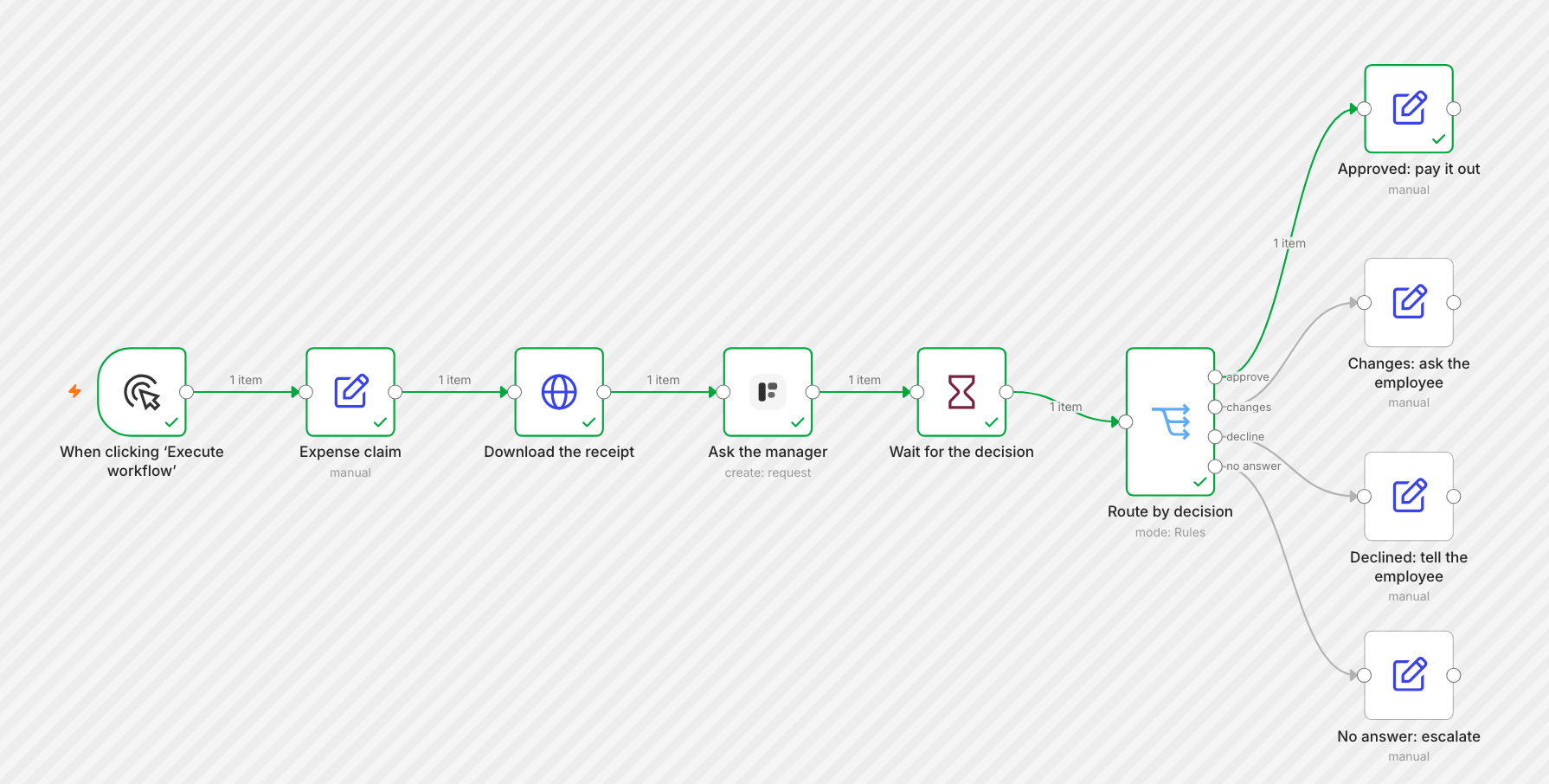
Each use case has a step-by-step guide and a workflow you can import from examples/.
| Use case | Guide | Workflow |
|---|---|---|
| A manager approves an expense, with the receipt attached | Get a manager's approval | formstep-expense-approval.json |
| AI reads an invoice PDF, the supplier confirms or corrects it | Read a PDF with AI and have the sender confirm it | formstep-invoice-ai-confirm.json |
| Ask for the documents each case needs, then file every upload | Collect the documents each case needs | formstep-claim-documents.json |
| An AI agent sends, checks and chases requests | Let an AI agent send requests | formstep-ai-agent-onboarding.json |
| Send a request and act on the outcome | Send a request, Act on the outcome | formstep-request-wait.json, formstep-request-new-form.json |
| Start a workflow when someone submits a form's public link | Public link submissions | formstep-submission.json |
Import one with Workflows › Import from File, then pick your credential and your form. The examples create test requests, so a first run emails nobody.
On self-hosted n8n, open Settings › Community Nodes, select Install and enter n8n-nodes-formstep. On n8n Cloud, the node can be installed once n8n has verified it.
You need n8n 2.30 or newer, and an n8n that Formstep can reach over HTTPS: set WEBHOOK_URL and N8N_EDITOR_BASE_URL to its public address. n8n 2.46 offers the node as an AI agent tool without further setup; if it does not show up as a tool on an older n8n, start n8n with N8N_COMMUNITY_PACKAGES_ALLOW_TOOL_USAGE=true. See Install the Formstep node in n8n.
Each node has an Authentication choice:
- API Key, the default, works on n8n Cloud and self-hosted n8n. In Formstep, open OAuth and API Keys, select Create token, set Expiration to No expiration and copy the key. In n8n, create a Formstep API credential and paste it. A key reaches one workspace. A key created with 30 or 90 days stops working on that date.
- OAuth2 works on self-hosted n8n only. Create a Formstep OAuth2 API credential, select Connect my account, sign in to Formstep and pick the workspace n8n may use. n8n registers itself with Formstep, and the connection refreshes itself while you use it at least once every 30 days.
Nodes saved before version 0.14.0 keep their OAuth2 credential. See Connect Formstep to n8n.
Formstep works on requests. A request asks one recipient to complete a form; the node is also usable as an AI agent tool.
| Operation | What it does |
|---|---|
| Create | Sends a request for a published form, or for a new form built from blocks in the same call. Prefills and locks fields, fills hidden context fields, attaches documents, emails the link, sets reminders and an expiry. Wait for the Outcome pauses the workflow until the recipient answers. |
| Get | Reads one request: status, outcome and, once completed, the answers. |
| Get Many | Lists the requests of a form or the workspace, filtered by status, outcome or External ID. |
| Cancel | Withdraws a pending request, with a reason. |
| Remind | Emails the recipient a reminder now. |
| Replay Callback | Sends the callback of a finished request again. |
Formstep Trigger starts a workflow on an event of one form: Request Completed, Request Expired, Request Canceled, and Public Link Submission Created, Updated or Abandoned. It registers its webhook with Formstep when you publish the workflow, removes it when you unpublish, and checks the X-Formstep-Signature of every delivery.
- Test Mode on Create sends nothing and keeps the request out of your lists. The request still opens and completes, and its callback still resumes a waiting workflow; request triggers ignore it.
- External ID is also the request's idempotency key: a retried execution gets the same request back with
deduplicated: trueinstead of a second one. - Answers arrive under their field keys, as
{{ $json.data.answers.company_name }}in a trigger and{{ $json.body.data.answers.company_name }}after a Wait node, with the readable text underdisplay. The outcome of a Decision question isdata.request.outcome:approve,changesordecline. See the webhooks reference. - Output on Get, Get Many, Cancel and Remind sets how much of the request comes back. Simplified, the default, returns at most ten fields with ISO 8601 dates, Raw the whole request with Unix-millisecond dates, and Selected Fields the request ID and the fields you pick, which keeps an AI agent's context small. Nodes saved with version 3 or 4 keep Simplify on Get and Get Many, and return the whole request from Cancel and Remind.
- A failed call stops the node with the Formstep code and message, such as
VALIDATION_ERROR: "email" is not a valid email address, with the reason and the field in the description. With Continue on Fail, the same text is in the item'serror. - Workflows saved with an older node version keep working unchanged. New Formstep nodes are version 5, which adds Output, and new triggers version 1.2, which picks the form from a searchable list or by ID.
- n8n guides
- Creating requests: prefill, locked fields, context, documents, test mode
- Create a form and a request in one call: every block of a new form
- Field keys and the REST API
What changed in each version is in the changelog. To build, test, run the node locally against Formstep or release a version, see CONTRIBUTING.md.