Repository navigation
1. Debug P2P Network
flowchain-sim (Flowchain Simulator) is a simple tool to watch the p2p network of Flowchain IoT nodes.
The flowchain-sim project is a conveient tool that you can debug flowchain-ledger by watching the activities of the underlying p2p networking. Please start the debug tool flowchain-sim, and use the DEBUGSERVER and DEBUGSERVER_PORT environment variables:
$ export HOST=192.168.1.2           ; Peer Node (My IP address)
$ export PORT=8001                  ; Peer Node (My listening port)
$ export PEER_ADDR=192.168.1.1      ; Boot Node (The node intend to join)
$ export PEER_PORT=8000             ; Boot Node (The node intend to join)
$ export DEBUGSERVER=192.168.1.100  ; The debug server IP address (Optional)
$ export DEBUGSERVER_PORT=9000 	    ; The debug server listening port number (Optional)
$ node peer.js                      ; Start the new peer node
$ git clone https://github.com/flowchain/flowchain-sim.git
$ cd flowchain-sim
$ npm i
Please open a terminal and start the debug server:
$ export HOST=192.168.124.4
$ export PORT=9009
$ node index.js
WoT/WebSocket server is listening at ws://192.168.124.4:9009
The environment variables:
-
HOST: the listening host -
PORT: the listening port
After starting the debug server, please modify dist/index.html by placing the debug server IP address and port number:
var client = new WebSocket( 'ws://192.168.124.4:9009/node/00000000/viewer' );
$ http-server dist/ -p 3000
Starting up http-server, serving dist/
Available on:
  http://127.0.0.1:3000
  http://192.168.124.4:3000
Hit CTRL-C to stop the server
You can install http-server by executing npm i http-server -g.
Open the debug application with your browser by the the url http://127.0.0.1:3000.
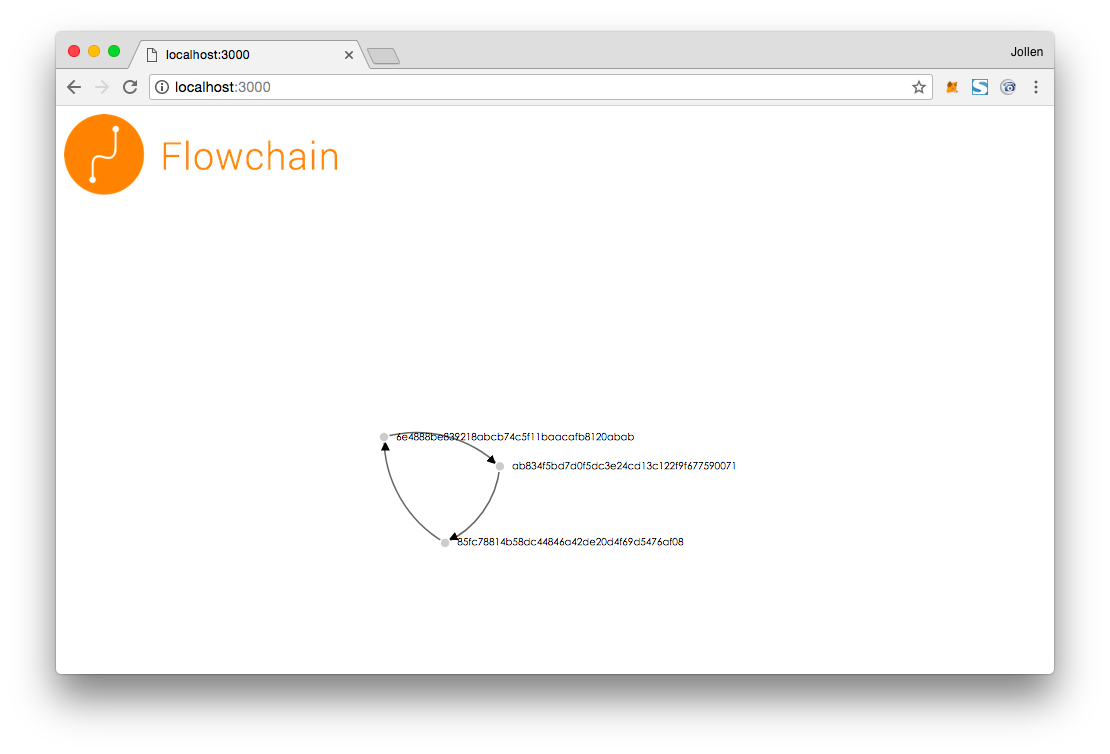
The Flowchain nodes will be self-organized as a p2p network in Ring topologic over Chord protocols.