

This repository provides my personal ready-to-use dev environment using Ansible and GNU Stow.
- Clone the repository in the home directory.
git clone [email protected]:edbzn/dotfiles.git ~/dotfiles- Install and configure the tools. (idempotent — safe to re-run anytime):
~/dotfiles/install.sh💡 Idempotent Installation: The setup process is designed to be completely safe to run multiple times. Whether you are setting up a fresh system or updating an existing one, the scripts will intelligently detect what's already installed and only make necessary changes.
~/dotfiles/tags.shThe update script provides idempotent updates - it only installs missing tools and updates outdated ones. For a complete reinstallation, use the --force-install flag.
# Update everything (idempotent - only installs what's missing)
~/dotfiles/update.sh

# Update specific roles
~/dotfiles/update.sh docker,node,dotfiles

# Or use --tags explicitly
~/dotfiles/update.sh --tags zsh,chrome

# Force reinstall everything regardless of current state
~/dotfiles/update.sh --force-install

# Force reinstall specific roles
~/dotfiles/update.sh --force-install --tags docker,node

# Test what would be changed (dry-run)
~/dotfiles/update.sh --check

# Update with detailed diff output
~/dotfiles/update.sh --check --diff --tags docker

# Verbose output for debugging
~/dotfiles/update.sh --verbose --tags slack
Options:
--force-install- Force reinstall everything regardless of current state--check- Run in dry-run mode without making changes--diff- Show differences when making changes--verbose- Enable verbose output--tags <tags>- Update only specific roles (comma-separated)
Easily preserve your command history across machines — encrypted and secret-filtered.
# Run the backup script and choose option 3 or 4
~/dotfiles/backup-secrets.sh

# Commit encrypted history
git add secrets/
git commit -m "Add encrypted shell history"Securely sync your SSH and GPG keys across machines using Ansible Vault encryption.
# 1. Create vault password (one-time setup)
echo "your-secure-password" > ~/dotfiles/.vault_password
chmod 600 ~/dotfiles/.vault_password

# 2. Backup and encrypt your keys
~/dotfiles/backup-secrets.sh

# 3. Commit encrypted keys
git add secrets/
git commit -m "Add encrypted SSH, GPG keys, and shell history"
git push# 1. Create the same vault password
echo "your-secure-password" > ~/dotfiles/.vault_password
chmod 600 ~/dotfiles/.vault_password
# 2. Run install - your keys are automatically restored!
~/dotfiles/install.sh📖 Full Documentation: See docs/SECRETS.md for complete guide, manual operations, and troubleshooting.
What's Encrypted:
- SSH private and public keys
- GPG private keys
- Shell history (with automatic secret filtering)
- Safe to commit - only you have the password! 🔒
The following tools are automatically installed and configured:
| Category | Tool | Logo | Description |
|---|---|---|---|
| Shell | Zsh + Oh My Zsh |  |
Enhanced shell with powerful features and themes |
| Shell Theme | Powerlevel10k | 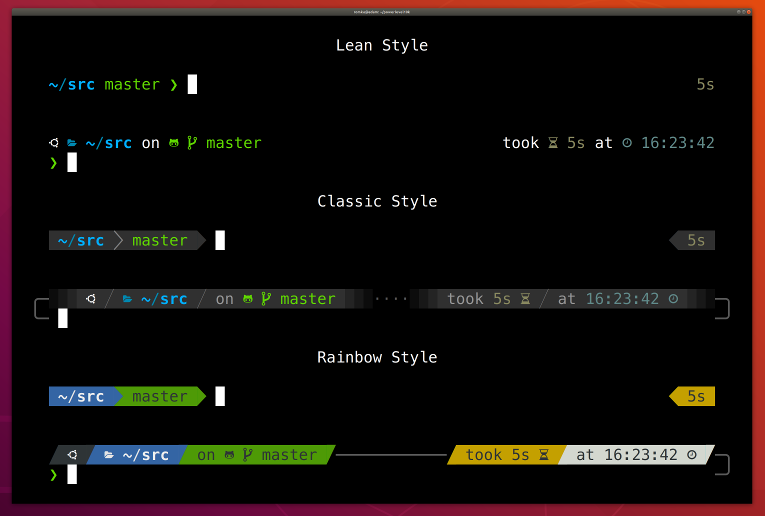 |
Fast and customizable prompt theme |
| Shell Plugin | zsh-syntax-highlighting | 🎨 | Syntax highlighting for Zsh commands |
| Shell Plugin | zsh-autosuggestions | 💡 | Fish-like autosuggestions for Zsh |
| Shell Plugin | zsh-completions | 📝 | Additional completion definitions for Zsh |
| Shell Plugin | you-should-use | 💬 | Reminds you to use aliases |
| Shell Plugin | nx-completion | 🔧 | Nx workspace autocompletion |
| Shell Tools | lsd | 📂 | Modern ls command with colors and icons |
| Shell Tools | fzf | 🔍 | Command-line fuzzy finder |
| Shell Tools | zoxide | 🚀 | Smarter cd command that learns your habits |
| Shell Tools | bat | 🦇 | Cat clone with syntax highlighting |
| Shell Tools | ripgrep | 🔎 | Fast search tool that respects gitignore |
| Shell Tools | fd | 🔦 | Simple, fast alternative to find |
| Terminal | Terminator |  |
Advanced terminal emulator with multiple panes |
| JavaScript | Node.js |  |
JavaScript runtime built on Chrome's V8 engine |
| JavaScript | Bun |  |
Fast all-in-one JavaScript runtime & toolkit |
| Package Manager | NPM |  |
Package manager for JavaScript |
| Node Version | n | 🔢 | Simple Node.js version management |
| Systems | Rust + Cargo |  |
Systems programming language with memory safety |
| Build Tools | Nx |  |
Smart monorepos build system |
| Framework | @angular/cli |  |
Angular development CLI |
| Development | http-server | 🌐 | Simple HTTP server for development |
| Containers | Docker CE |  |
Container platform for applications |
| Containers | Docker Compose | |
Multi-container Docker applications |
| Version Control | Git |  |
Distributed version control system |
| Git Enhancement | delta | ✨ | A syntax-highlighting pager for Git |
| Git CLI | GitHub CLI |  |
GitHub operations from command line |
| Editor | Visual Studio Code | Lightweight yet powerful code editor | |
| Editor | Vim |  |
Highly configurable text editor |
| Browser | Google Chrome |  |
Modern web browser |
| Communication | Slack | Team collaboration platform | |
| Font | JetBrains Mono |  |
Programming font with ligatures |
| Font | JetBrains Mono Nerd |  |
Programming font with extra glyphs |
| Network | cURL |  |
Command line tool for transferring data |
| System | htop | 📊 | Interactive process viewer |
| System | btop |  |
Resource monitor with modern UI |
| Files | GNU Stow | 📁 | Symlink farm manager for dotfiles |
| Screenshots | Flameshot |  |
Powerful screenshot tool |
| JSON | jq | 🔧 | Lightweight command-line JSON processor |
| System | gnome-tweaks | ⚙️ | Advanced GNOME configuration tool |
| Music | Spotify |  |
Music streaming platform |
| Streaming | OBS Studio |  |
Live streaming and screen recording |
| Gaming | Steam | Gaming platform and digital distribution | |
| Communication | Discord |  |
Voice, video and text communication |
| Infrastructure | Terraform | Infrastructure as Code tool | |
| Cloud | AWS CLI |  |
Amazon Web Services command line interface |
| AI | Claude CLI |  |
Anthropic Claude AI assistant CLI |
| Graphics | GIMP |  |
GNU Image Manipulation Program |
| Video Editing | Kdenlive |  |
Professional video editing software |
| Database | MongoDB Compass |  |
GUI for MongoDB database |
| Database | MongoDB CLI (mongosh) | |
MongoDB command line interface |
| Python | UV |  |
Ultra-fast Python package and project manager |
| Video | Zoom | Video conferencing platform |