




Open Overleaf (ShareLatex) projects in VSCode, with full collaboration support.
This is a forked version of the excellent Overleaf Workshop project that iamhyc started. The core difference is that this version has more robust conflict resolution to better suit my use-case. More specifically, it invokes the git and code CLIs for detecting merge conflicts and launching a 3-way merge editor respectively.
This is largely quick and dirty changes to get the functionality I need. TBD whether I'll revisit and refactor for best practices.
This extension relies on the code command for merge/edit helpers and deep-linking.
- Verify:
code --versionprints a version. - macOS: Open VS Code → Command Palette → Shell Command: Install 'code' command in PATH.
- Windows: In the VS Code installer, check “Add to PATH”. If needed, add:
- User install:
%LocalAppData%\Programs\Microsoft VS Code\bin - System install:
C:\Program Files\Microsoft VS Code\bin
- User install:
- Linux: Install via your package manager (e.g.,
apt,dnf,snap) so/usr/bin/code(or/snap/bin/code) exists.
git is used for diffing and must be on PATH.
- Verify:
git --version - Recommended: Git 2.25+ (modern diff flags and performance).
macOS
# Create temp dir and enter it
tmpdir="$(mktemp -d)"; pushd "$tmpdir"

# Download latest release asset + checksum
curl -L -O https://github.com/dyld-w/Overleaf-Workshop/releases/latest/download/overleaf-workshop-enhanced.vsix
curl -L -O https://github.com/dyld-w/Overleaf-Workshop/releases/latest/download/overleaf-workshop-enhanced.vsix.sha256

# Verify checksum (should print "OK")
shasum -a 256 -c overleaf-workshop-enhanced.vsix.sha256

# Install into VS Code
code --install-extension ./overleaf-workshop-enhanced.vsix --force

# Leave and remove temp dir
popd; rm -rf "$tmpdir"
Linux
# Create temp dir and enter it
tmpdir="$(mktemp -d)"; pushd "$tmpdir"

# Download latest release asset + checksum
curl -L -O https://github.com/dyld-w/Overleaf-Workshop/releases/latest/download/overleaf-workshop-enhanced.vsix
curl -L -O https://github.com/dyld-w/Overleaf-Workshop/releases/latest/download/overleaf-workshop-enhanced.vsix.sha256

# Verify checksum (should print "OK")
sha256sum -c overleaf-workshop-enhanced.vsix.sha256

# Install into VS Code
code --install-extension ./overleaf-workshop-enhanced.vsix --force

# Leave and remove temp dir
popd; rm -rf "$tmpdir"
Windows (PowerShell)
# Create temp dir and enter it
$tmp = Join-Path $env:TEMP ("overleaf-workshop-" + [guid]::NewGuid())
New-Item -ItemType Directory -Path $tmp | Out-Null
Push-Location $tmp

# Download latest release asset + checksum
Invoke-WebRequest -Uri "https://github.com/dyld-w/Overleaf-Workshop/releases/latest/download/overleaf-workshop-enhanced.vsix" -OutFile "overleaf-workshop-enhanced.vsix"
Invoke-WebRequest -Uri "https://github.com/dyld-w/Overleaf-Workshop/releases/latest/download/overleaf-workshop-enhanced.vsix.sha256" -OutFile "overleaf-workshop-enhanced.vsix.sha256"

# Verify checksum
$hash = (Get-FileHash .\overleaf-workshop-enhanced.vsix -Algorithm SHA256).Hash.ToLower()
$expected = (Get-Content .\overleaf-workshop-enhanced.vsix.sha256).Split()[0].ToLower()
if ($hash -ne $expected) { throw "Checksum MISMATCH! expected $expected got $hash" } else { "Checksum OK" }

# Install into VS Code
code --install-extension .\overleaf-workshop-enhanced.vsix --force

# Leave and remove temp dir
Pop-Location
Remove-Item $tmp -Recurse -Force
While most of the below is still accurate, I can't guarantee it'll all be accurate as documentation falls at much lower priority than functionality for my fork.
The full user guide is available at GitHub Wiki.
Note
For SSO login or captcha enabled servers like https://www.overleaf.com, please use "Login with Cookies" method.
For more details, please refer to How to Login with Cookies.
-
Login Server, Open Projects and Edit Files
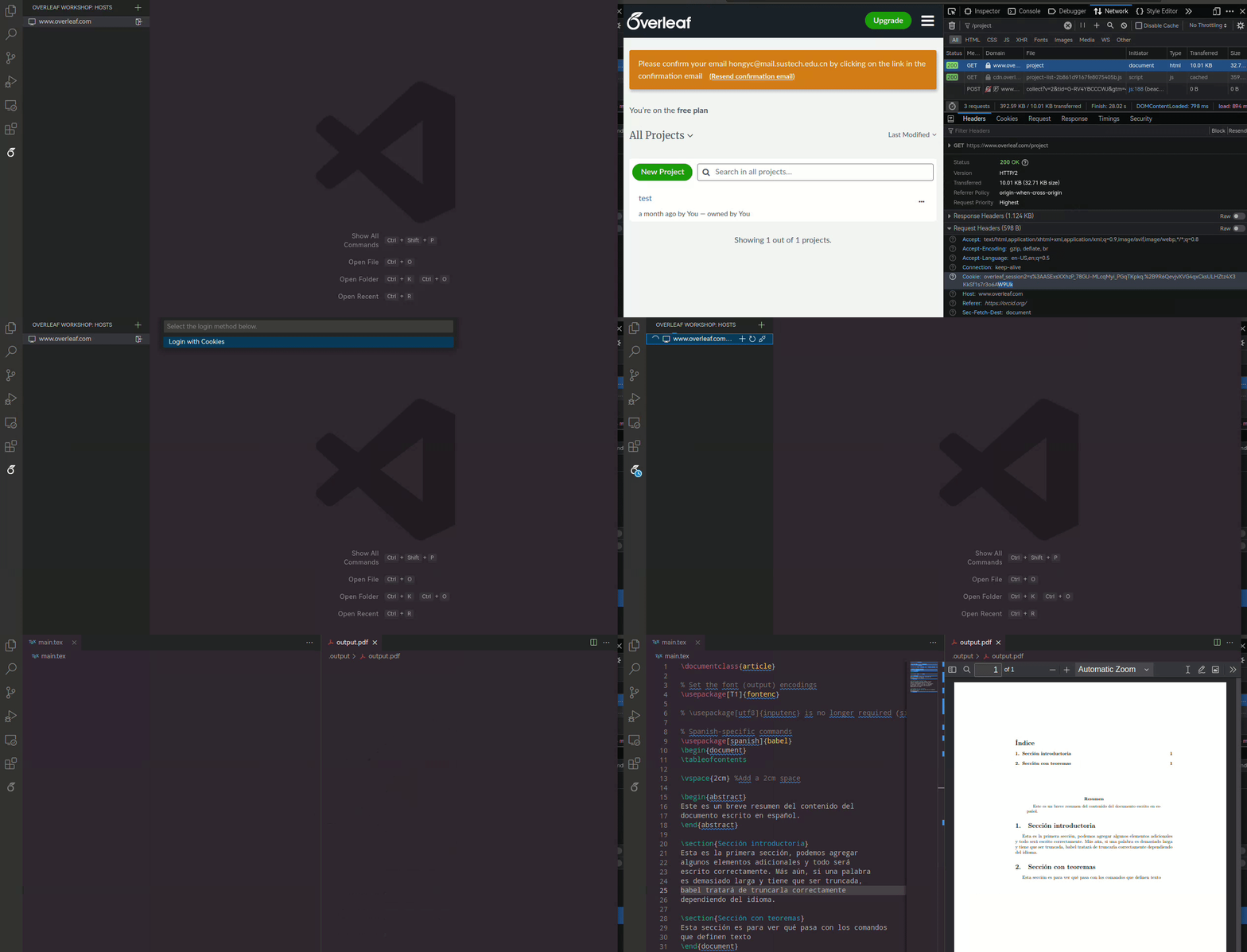
-
On-the-fly Compiling and Previewing
Ctrl+Alt+B to compile, Ctrl+Alt+V preview.
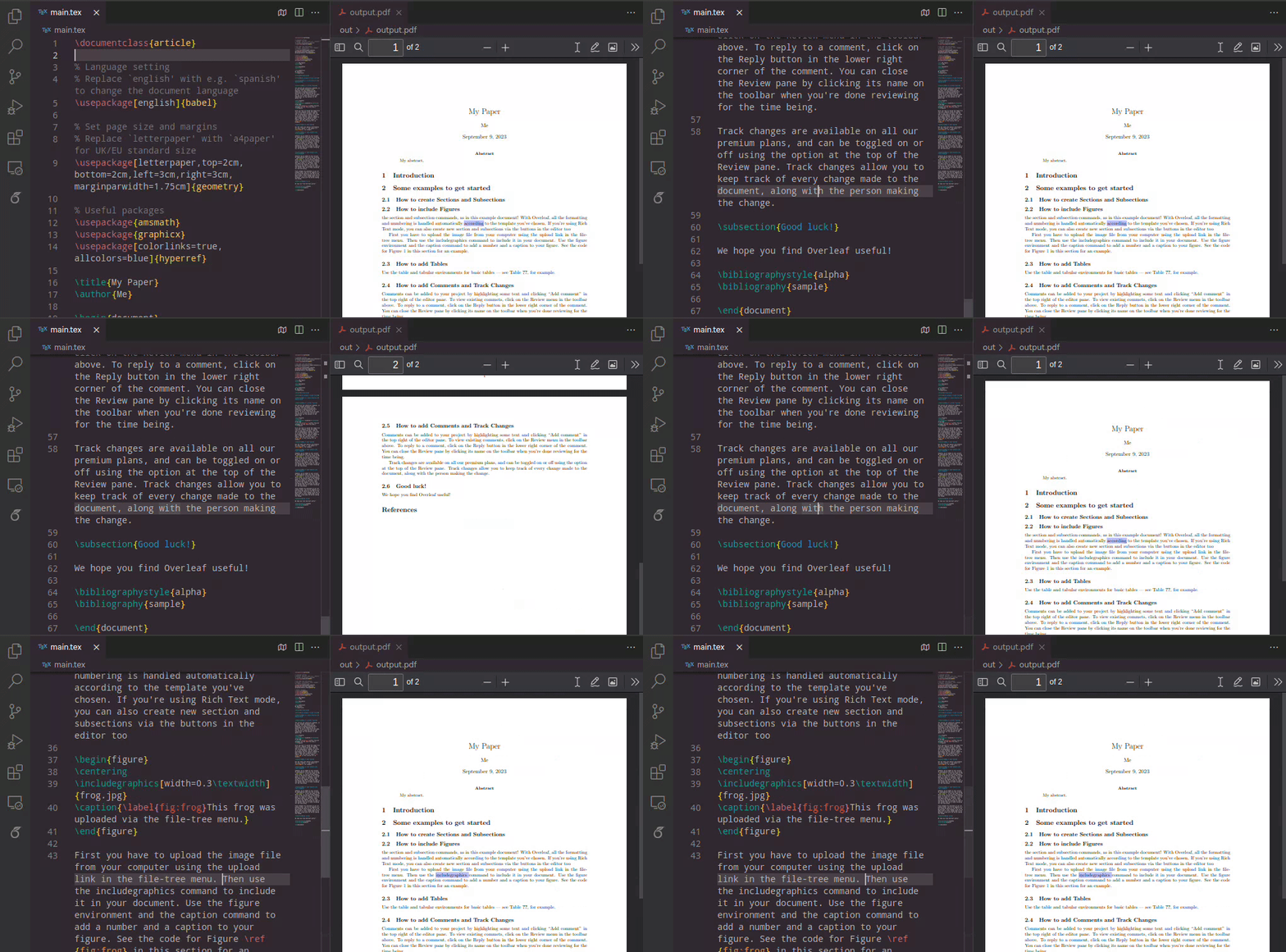
-
SyncTeX and Reverse SyncTeX
Ctrl+Alt+J to jump to PDF. Double click on PDF to jump to source code
-
Chat with Collaborators
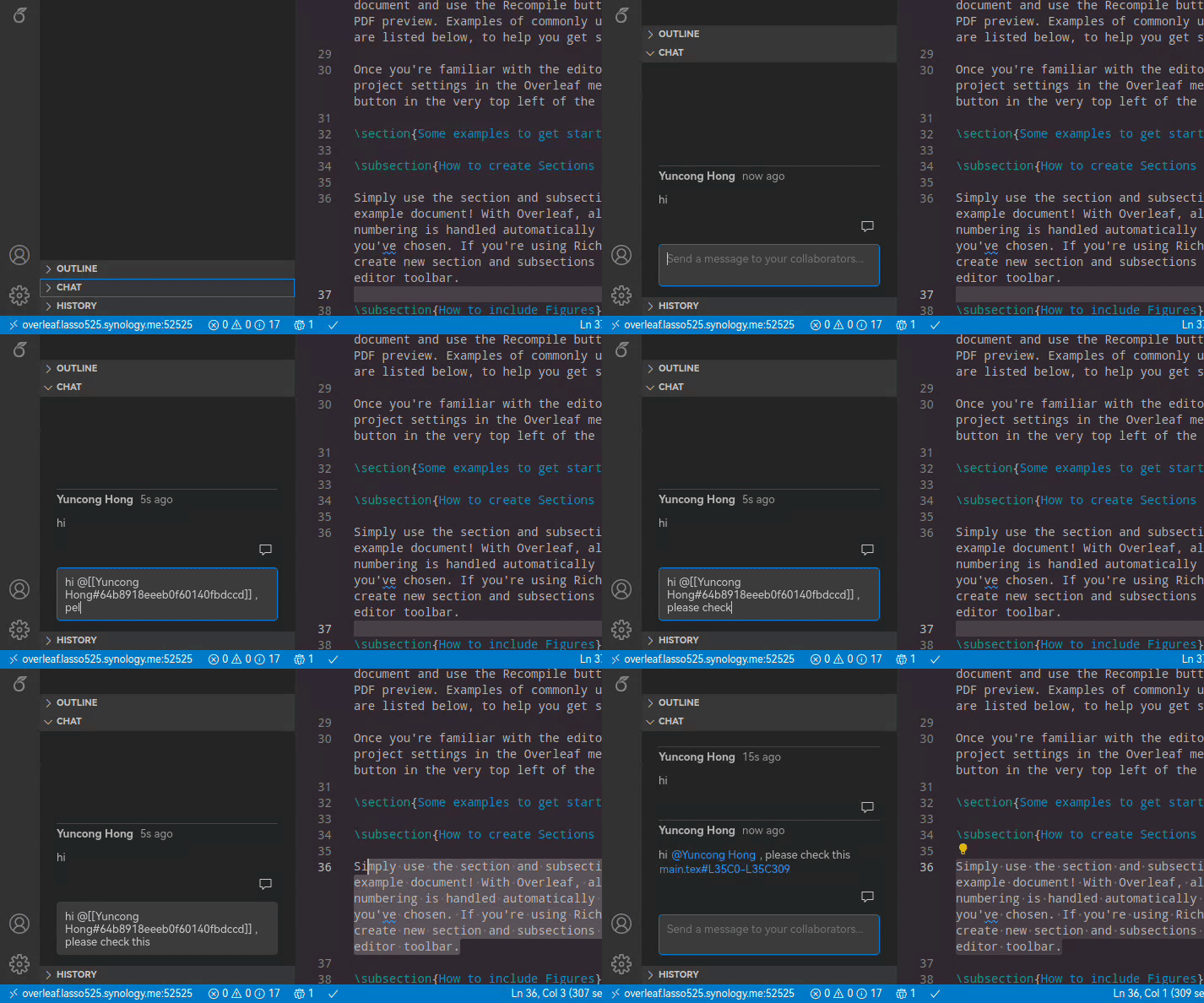
-
Open Project Locally, Compile/Preview with LaTeX-Workshop
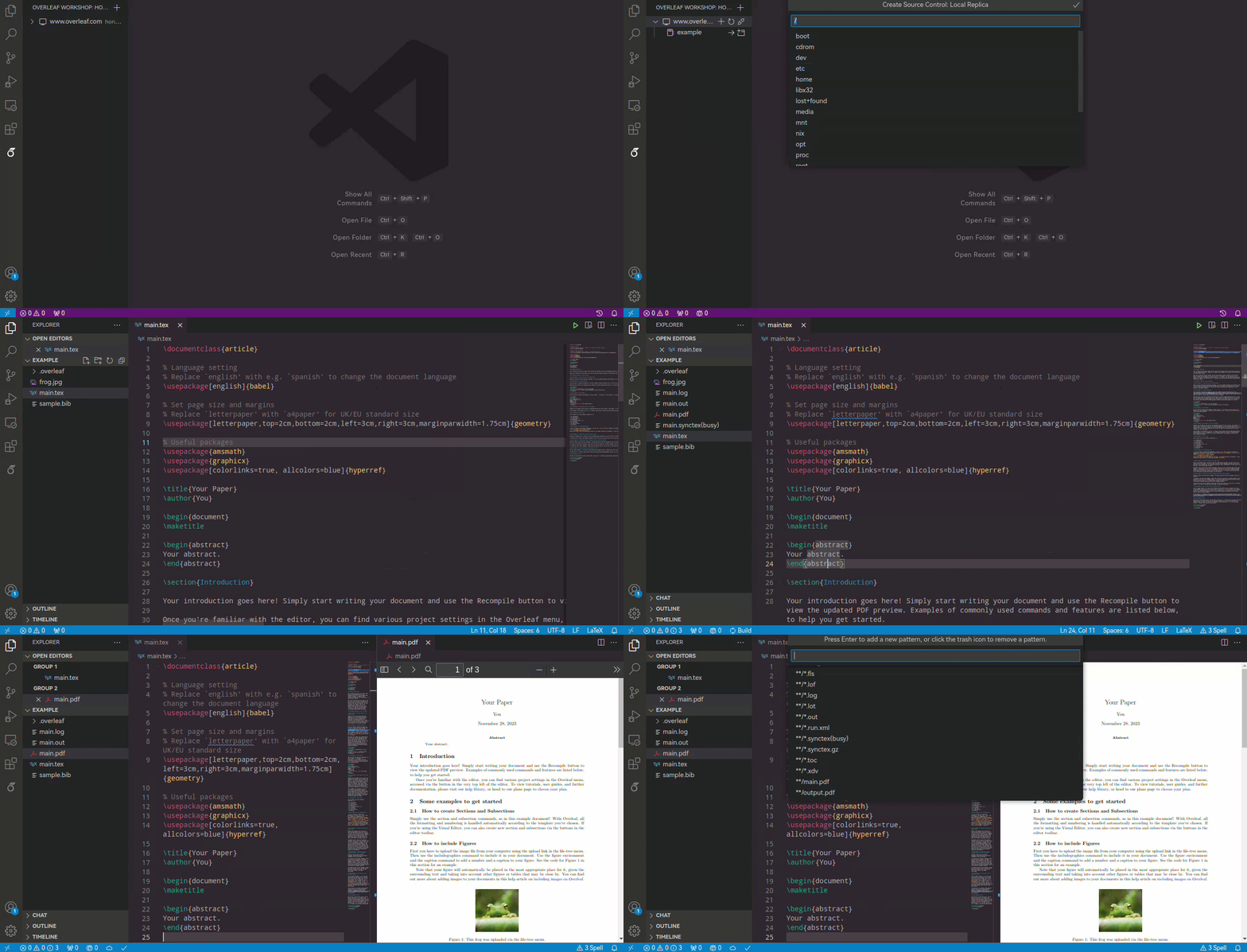
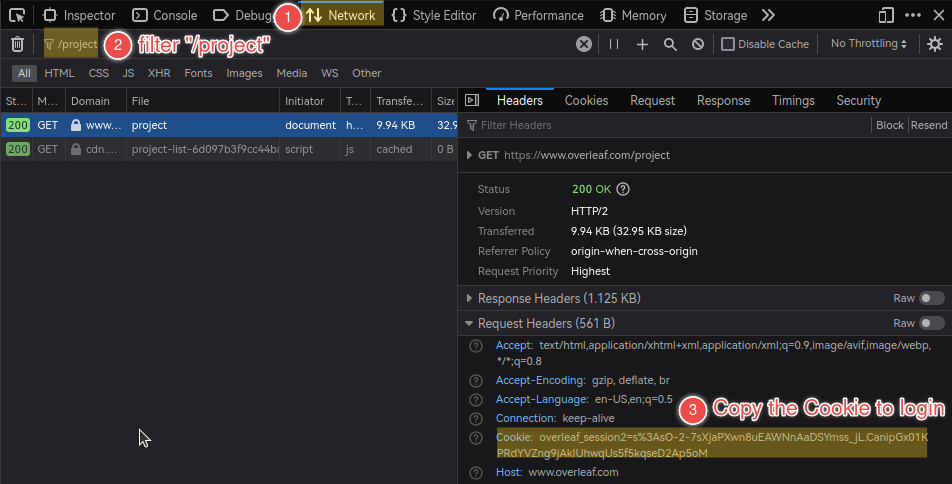
In an already logged-in browser (Firefox for example):
-
Open "Developer Tools" (usually by pressing F12) and switch to the "Network" tab;
Then, navigate to the Overleaf main page (e.g.,
https://www.overleaf.com) in the address bar. -
Filter the listed items with
/projectand select the exact match. -
Check the "Cookie" under "Request Headers" of the selected item and copy its value to login.
The format of the Cookie value would be like:
overleaf_session2=...orsharelatex.sid=...
The following Overleaf (ShareLatex) Community Edition docker images provided on Docker Hub have been tested and verified to be compatible with this extension.
-
sharelatex/sharelatex:5.0.4 (verified by @Mingbo-Lee)
-
sharelatex/sharelatex:4.1 (verified by @iamhyc)
-
sharelatex/sharelatex:3.5 (verified by @iamhyc)
Please refer to the development guidance in CONTRIBUTING.md