Turn my own everyday German sentences into N5/N4 Japanese listening practice — instead of arbitrary textbook examples.
Designed 2026-06-05 in a Workshop refinement session. This README is the v1 spec.
A real batch produced by this pipeline — the burned-in Sentence ID and shuffled play order (ADR-0001) are visible on screen:
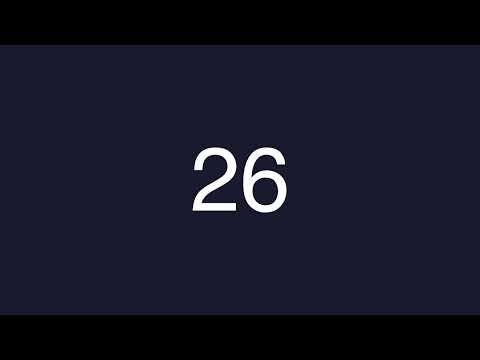
(From a YouTube video on sentence-based learning.) Collect sentences you would actually say — weekend stories, daily plans — translate them to your level, generate audio, and listen on repeat until they stick; later, speak along.
Google Sheet ──translate──▶ Japanese drafts ──review──▶ approved rows ──synth──▶ audio

The same batch 2 rows shown here become the shuffled audio batch in the video above.
| Col | Content |
|---|---|
| A | ID — permanent Sentence ID, an incrementing integer auto-assigned by translate/synth to any row that lacks one. Never reused: deletions leave gaps. Burned onto the video so a shuffled batch stays navigable back to this row (ADR-0001). |
| B | German sentence (captured via speech-to-text on the go) |
| C | Japanese translation |
| D | Reading — Japanese with furigana in full-width parentheses, e.g. 今日(きょう)は晴(は)れです。 Written by translate, used for the furigana caption track |
| E | Status — draft = machine-translated, unreviewed (blocks audio). Empty or ok = approved. |
| F | Batch ID — stamped after synthesis; empty = not yet in a batch |
Rules:
- Pre-translated rows (own translations, iTalki teacher material): paste B+C, leave E (Status) empty → eligible immediately.
- Japanese-first rows (trusted Japanese from a textbook/teacher): paste only C, leave B empty → the row is
needs-german(incomplete, not yet eligible) untiltranslatebackfills the German reference (col B) and a reading (col D). No review gate — the Japanese is trusted — so it becomes eligible as soon as the German is filled. A row is only eligible for audio with both German and Japanese present. - The script only ever blocks on the literal word
draftin E (Status). - Column A (ID) fills itself — leave it alone; never edit or reuse an ID.
- Access via Google Sheets API with a service account (read + write-back).
translate fills whatever each row is missing, in one batched claude -p call per direction (Claude Code CLI, uses existing subscription — no API key):
- German → Japanese (rows with C empty): translate to natural Japanese with grammar and vocabulary up to JLPT N4 (ceilings configurable at the top of
translate.py), one per line, each with a furigana reading (tab-separated). Write translation to C, reading to D, stamp E =draft. - Japanese → German (rows with C filled but B empty): translate to natural German (no JLPT cap — German is the reference, not the level practiced). Write to B only; Status untouched (German is the Anki front, never drilled, so no
draftgate). - Furigana annotation (rows with C filled but D empty): batched call that fills the reading (col D) without touching the status.
- Any row missing a Sentence ID (col A) is backfilled in the same write. Each direction is count-stable: wrong line count → write nothing for that phase, print the raw output, exit nonzero (B/C/D are never partially filled).
- I review/edit in the sheet, clear
draftor setok.
- Select rows: C filled, Status ≠
draft, Batch empty. A batch = everything eligible at run time. - Shuffle the play order once (ADR-0001): the sheet stays in capture order, but the audio order is randomized so a batch doesn't telegraph the sheet. Frozen once rendered; the on-screen ID (below) keeps it navigable.
- Per sentence: POST to local VoiceVox server → per-sentence WAV/MP3.
- Speaker: No.7, style ノーマル (id 29 — chosen by ear: clear/announcer-like; 剣崎雌雄 sounded tinny). Set via
VOICEVOX_SPEAKERinsynth.py.
- Speaker: No.7, style ノーマル (id 29 — chosen by ear: clear/announcer-like; 剣崎雌雄 sounded tinny). Set via
- Assemble per-batch track: per sentence, the block is
[Japanese] → short pause → [Japanese] → gap, blocks concatenated in play order. No German audio anywhere. - Outputs to
output/:batchNN.mp3— the practice trackbatchNN.mp4— cover image + audio (ffmpeg), with the Sentence ID burned center-screen, changing per sentence in play order, so you can always map what you hear back to the sheet. Ready for manual YouTube upload.batchNN.srt— Japanese text (kanji) per sentence block, upload as a toggleable YouTube caption trackbatchNN.furigana.srt— same cues with furigana readings from column D (upload on a second language slot, e.g. "Japanese (Japan)")- per-sentence audio files — kept as future Anki feedstock
- Stamp F = batch number on every included row (alongside any backfilled Sentence IDs).
- YouTube upload is manual (drag into YouTube Studio, unlisted, into playlist). The Data API's verification audit + quota isn't worth it for a weekly personal batch.
- Anki deck generation — later step. The per-sentence files + sheet (German front / Japanese+audio back) make it cheap to add.
- Slow-speed audio variants, fixed batch sizes — add only when actually missed.
If after ~4 batches I'm not actually listening to the tracks regularly, the pipeline dies — the method failed, not the script. (Inherited by the Workshop committed-stub.)
- Implementation: Python 3.12 (decided at scaffold time, per PRD §8) — gspread for Sheets, stdlib
urllibfor VoiceVox, ffmpeg via subprocess.pip install -r requirements.txt; for tests,pip install -r requirements-dev.txtthenpython3 -m pytest. - VoiceVox installed locally, exposes HTTP API (default
http://localhost:50021). Speaker/URL are constants at the top ofsynth.py. ffmpegon PATH.- Claude Code installed and authenticated (for
claude -p).
The pipeline reads and writes one Google Sheet through a service account. One-time setup:
- Create the sheet. New Google Sheet, columns A–F as in the table above (a header row in row 1; data starts at row 2). Capture German in B; the scripts fill the rest.
- Create a Google Cloud project at https://console.cloud.google.com (or reuse one).
- Enable the Google Sheets API for that project (APIs & Services → Library → "Google Sheets API" → Enable).
- Create a service account (APIs & Services → Credentials → Create credentials → Service account). No roles needed — access is granted per-sheet in step 6.
- Download a JSON key for that service account (its Keys tab → Add key → JSON) and save it as
service-account.jsonin the repo root. It's gitignored — never commit it. - Share the sheet with the service account's email (
...@...iam.gserviceaccount.com, found in the key file asclient_email), granting Editor so it can write translations and batch stamps back. - Point the pipeline at the sheet: copy
.env.exampleto.envand setSHEET_IDto the spreadsheet ID — the long token in the sheet URL (.../spreadsheets/d/<SHEET_ID>/edit)..envis gitignored; real shell env vars override it.
VoiceVox requires that published audio credit the voice library used (e.g. VOICEVOX:四国めたん). The synthesized tracks here are not committed (output/ is gitignored) and are uploaded to YouTube manually — add the credit there per VoiceVox's terms.
make            # help + usage docs
make status     # classify every row, print per-bucket counts
make translate  # machine-translate empty-B rows, stamp C=draft
make synth      # eligible rows -> output/batchNN.mp3 + .mp4, stamp D
make test       # run the test suite
(Targets wrap python3 pipeline.py <command> — the CLI works directly too.)
MIT. A personal Japanese-listening-practice tool, shared as-is — issues/PRD/ADR are kept in-repo as a record of how it was built.