






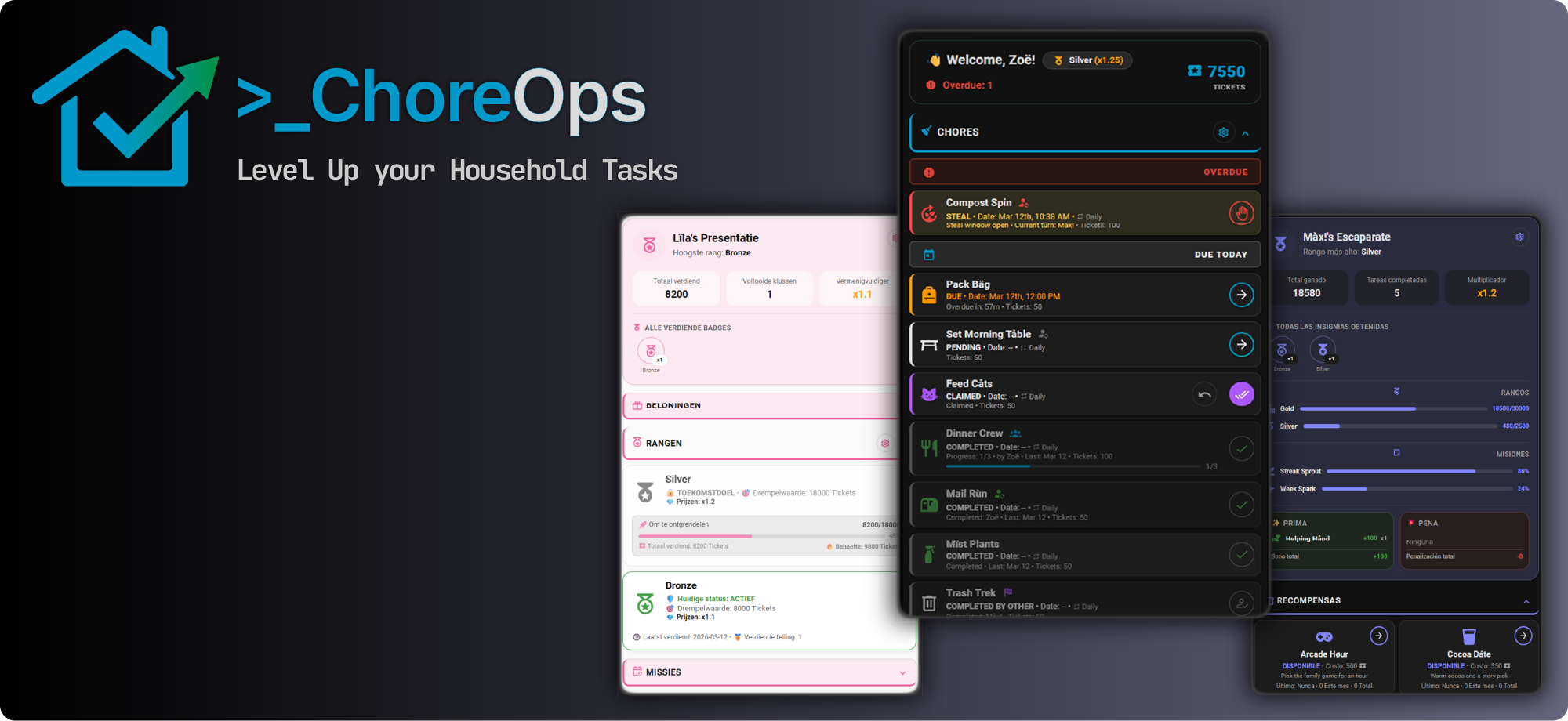
Whether you are staying on top of a busy lifestyle, sharing duties with a housemate, or trying to motivate your kids, ChoreOps fills a gap in the ecosystem. Users often need something more powerful than a simple to-do list, but more integrated and private than external cloud services.
Born from the popular KidsChores integration, ChoreOps evolves that foundation into a sophisticated Household Operations Platform. It recognizes that while the high-quality gamification at its core is a powerful motivator for many, others just want the trash taken out on time.
If ChoreOps helps keep your household running smoothly, there are a few ways you can fuel its development and prevent open-source burnout!
⭐ Star this repository! If you like this integration, the best (and free!) thing you can do is click the Star button at the top of this page. It helps other users discover the project and builds trust as we grow.


Whether you need a full XP/Reward economy for the kids, or a silent "Operations Center" for housemates, ChoreOps adapts to you.
- Lean into the native XP, Badges, Achievements, and Streaks. Turn household participation into an engaging loop that motivates everyone to chase high scores, level up through Ranks (cumulative badges), and complete Quests (periodic badges).
- Strip away the game layer entirely. Use the Advanced Scheduling and Rotation Logic to automate the mental load of household maintenance. Get actionable notifications for the trash, filters, and bills—without a single point or badge involved.
- The best of both worlds. Configure some profiles with full gamification to drive engagement, while keeping other profiles strictly utilitarian.
Note
Attribution & Legacy
ChoreOps is the official evolution of the KidsChores integration. While the original project is now deprecated, its foundation lives on in ChoreOps, designed to serve the entire Home Assistant community by expanding the scope from just "kids" to the whole household.
The original creator, @ad-ha, remains involved with this progression and continues to inspire the project's direction.
🔄 Coming from KidsChores? We have a direct migration path to move your data over. View the Migration Guide →
- ⚡ Native data access: rich state is exposed as Home Assistant sensors and actions are exposed as button entities, so you can build automations, scripts, and dashboards with standard HA tools—no lock-in custom app UI
- 🧠 Intelligent logic: sophisticated recurring schedules, first-come-first-served pools, per-assignee schedules, and complex rotation algorithms
- 🎨 Easy Dashboards: Quickly set up full featured dashboards for any user easily-no YAML required
- 🔔 Advanced notifications: actionable alerts with approval workflows and reminder controls
- 🎮 Optional gamification: robust progression systems you can enable or minimize as needed
- ⚡ Open control: tasks, statistics, and actions exposed as Home Assistant entities and services for full automation control
- 🌍 Global ready: multilingual support with 13+ languages
- Native by Design: No Docker, no external database, no cloud dependency—all built directly within Home Assistant.
- Platinum Quality: Built to Home Assistant Platinum quality standards prioritizing long-term stability and scale.
- First-Class Application: More than a collection of entities, it delivers the feature-rich app experience of a standalone app.
- Gamification with Purpose: Progression systems built as first-class capabilities, not tacked-on extras.
- Privacy First: Your household data remains 100% on your local instance. No external data sharing.
- Open by Default: Data rich entities + Service-level APIs for dashboards, scripts, and Node-RED.
- Profiles: flexible roles for every approver and doer in your household
- Chores: individual, shared, first-complete, and rotation models with advanced recurrence and overdue handling
- Points/XP: use any home assistant icon and any term to configure the currency in your household
- Rewards: claim-and-approve redemption workflows with automatic point accounting
- Badges: cumulative rank-style systems and periodic quest-style systems with streaks and multipliers
- Bonuses and penalties: transparent manual or automated adjustments
- Challenges and achievements: time-bound goals and milestone tracking
- Calendar visibility: scheduled chores and challenge windows in Home Assistant calendar contexts
- Statistics: daily/weekly/monthly/yearly/all-time period tracking and analytics sensors
- Weekly activity reports: generate detailed 7-day progress reports via service, copy as markdown, or deliver through Home Assistant notify/email services
Note
In kid-facing dashboard language, ChoreOps may refer to badge families as Ranks and Quests. In Home Assistant configuration screens and technical docs, the underlying setup terms remain Cumulative Badges and Periodic Badges.
ChoreOps ships with a functional dashboard starter experience, but it is designed to be open and extensible.
- Rich sensor data: granular attributes for dashboards and analytics
- Service-level control: automate create/claim/approve/redeem/adjust actions
- Automation-first architecture: integrate with scripts, automations, dashboards, voice, and Node-RED
- Multi-instance support: run multiple ChoreOps entries in the same Home Assistant instance
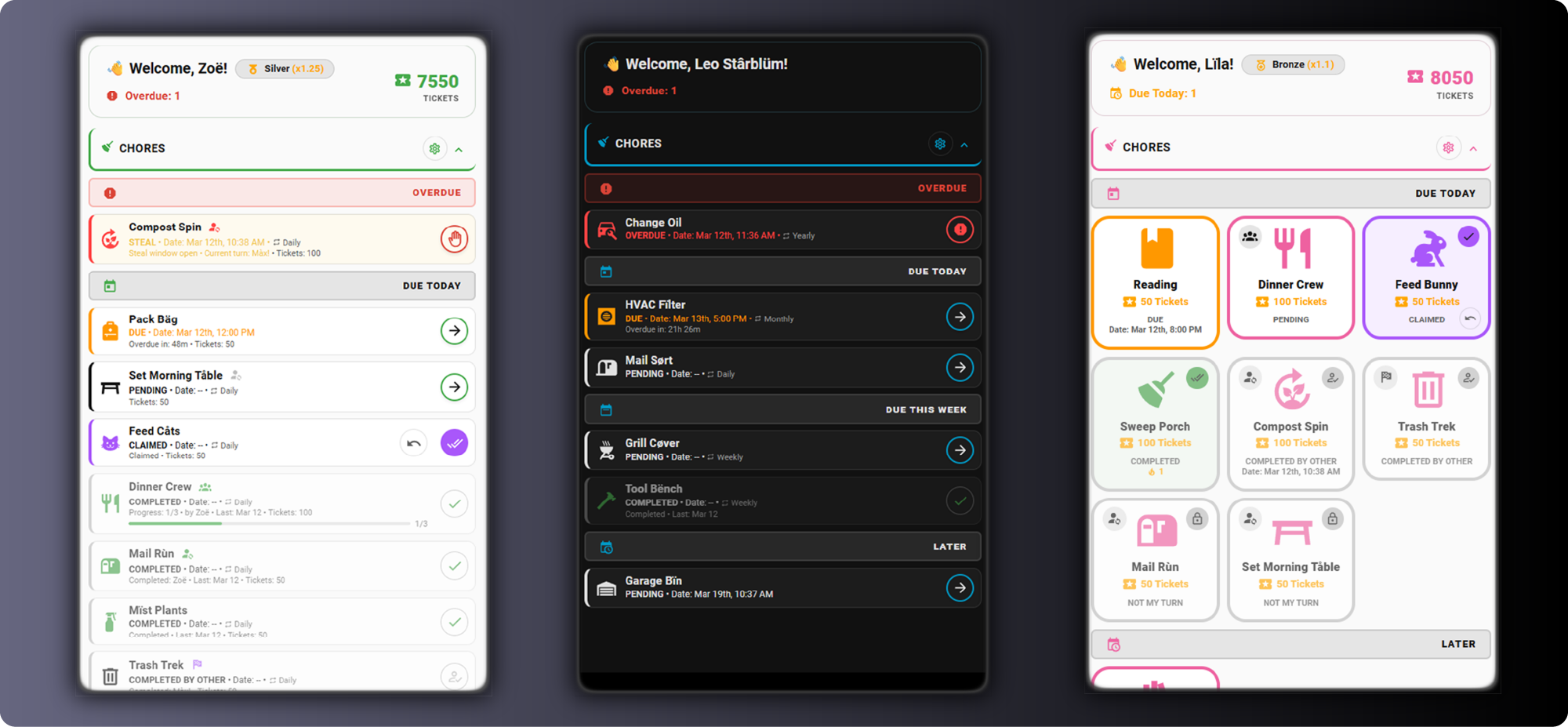
Smart rotations, shared/competitive chores, and precise due-time windows with actionable notifications.
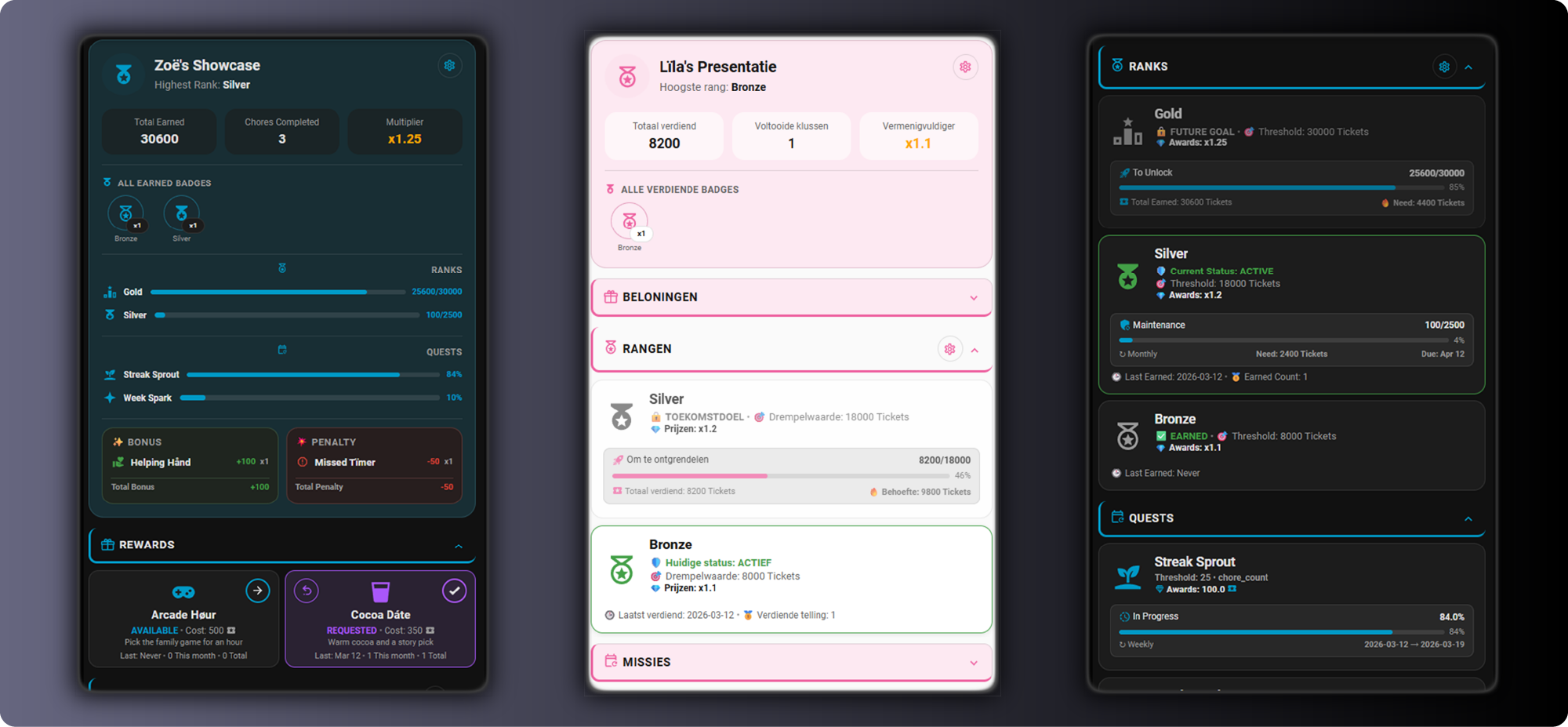
Earn tickets, track XP, unlock Bronze/Silver/Gold ranks, and spend points on custom household rewards.
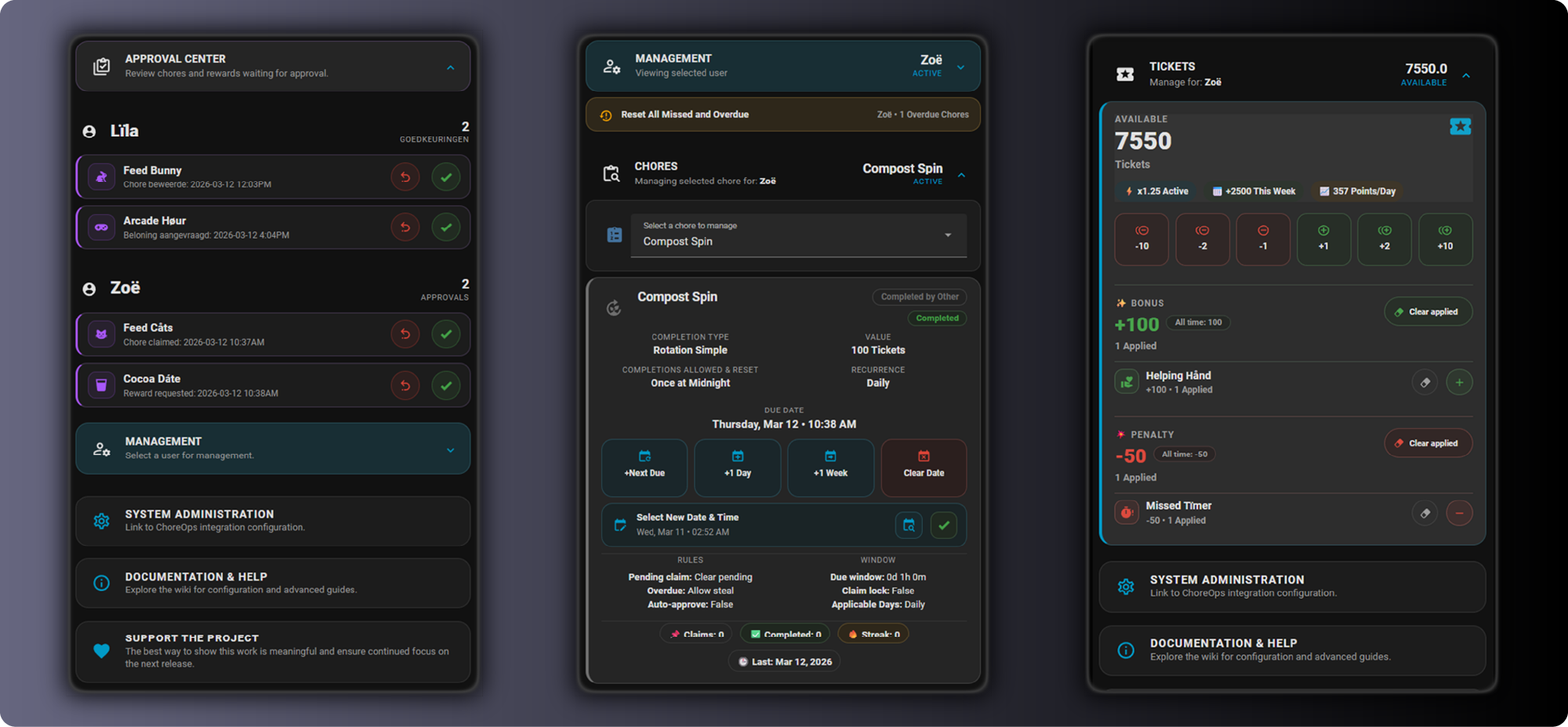
A unified management dashboard to quickly approve claims, manage due dates, and adjust points on the fly.
- 📚 Wiki Home: ChoreOps Wiki
- 🚀 Getting Started: Installation · Quick Start · Scenarios · Migration from KidsChores
- ⚙️ Configuration: Users · Chores
- 🏅 Gamification: Points · Rewards · Badges Overview · Achievements · Challenges
- 🔧 Operations: Services Reference · Weekly Activity Reports · Advanced Dashboard · Advanced Access Control
- 🧪 Technical: Entities & States · Dashboard Generation · Troubleshooting · FAQ

Prefer the guided steps? See the full Wiki installation guide.
- Ensure HACS is installed (HACS setup guide).
- In Home Assistant, open HACS → Integrations → Custom repositories.
- Add
https://github.com/ccpk1/choreopsas an Integration repository. - Search for ChoreOps, install it, then restart Home Assistant.
- Open Settings → Devices & Services → Add Integration, then configure ChoreOps.
- 🏠 Home Assistant Forum: ChoreOps Topic
- 💬 Community discussion: GitHub Discussions
- 🛠️ Issues and feature requests: GitHub Issues
- 🔀 Contribute: Pull requests
- Dashboard templates and registry assets are maintained in ChoreOps Dashboards.
- The integration repository remains the primary product repository for installation, runtime behavior, and user support.
- Use Issues for confirmed bugs, actionable feature requests, and tracked implementation work.
- Use Discussions for setup help, usage questions, idea exploration, and general feedback.
- If a discussion identifies a reproducible bug or concrete feature request, open a linked issue.
This project is licensed under the GPL-3.0 license. See NOTICE for project attribution and fork/modification notice.
This project is not affiliated with or endorsed by any official entity. Use at your own risk.


![@github-actions[bot]](https://avatars.githubusercontent.com/in/15368?s=64&v=4)

