
Foundry VTT v13 module to connect your world to the Archivist service. It provides a guided setup wizard, an Archivist Hub for managing campaign content, real‑time bidirectional sync for entities and links, and an in‑client "Ask Archivist" sidebar chat with RAG support.
- Guided World Setup (Wizard): Validate API key, select an Archivist campaign, and import existing Archivist content (Characters, Items, Locations, Factions, and Recaps).
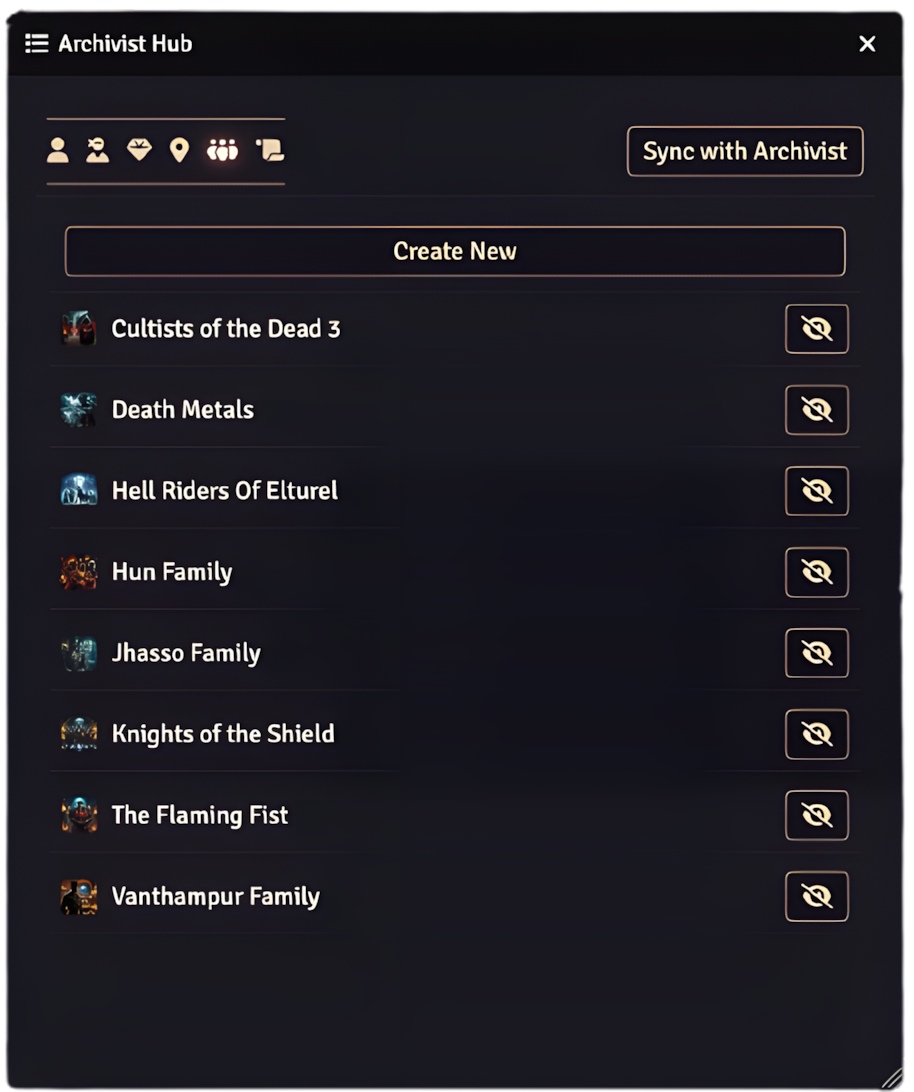
- Archivist Hub: A consolidated hub window with tabs for PCs, NPCs, Items, Locations, Factions, and Recaps, including quick open, permission toggle, and a "Sync with Archivist" button.
- Ask Archivist Chat (Sidebar): A streaming RAG chat tab appears in the Foundry sidebar once the world is configured and initialized.
- Real‑Time Sync (always on): GM clients automatically POST/PATCH/DELETE supported entities and links as you create/update/delete them in Foundry.
- Safe Markdown Handling: HTML from Foundry is normalized to Markdown for API writes; Markdown from Archivist is converted to sanitized HTML when writing back to Foundry.
- Journal Sheets & Linking: Custom journal sheets for Characters (PC/NPC), Items, Locations, Factions, and Recaps with drag‑and‑drop linking between sheets. Links are bidirectionally synchronized with Archivist. Location nesting is supported via parent/child and associative links. GM-only Notes tab on every sheet.
- Projection (optional): System‑agnostic projection of Archivist descriptions into core Actors/Items/Scenes using adapters and heuristics; falls back to a sidecar Journal page.
- Download this repository.
- Place it in your Foundry data folder at
Data/modules/archivist-sync/. - Restart Foundry and enable the module in your world’s Module Settings.
Use your repository’s release manifest URL (update the placeholder in module.json):
https://github.com/yourusername/archivist-sync/releases/latest/download/module.json
Tip: Also update the url, manifest, download, and bugs fields in module.json to point to your repo.
Want to try the latest features before they're officially released? Install the beta channel with automatic updates:
Beta Manifest URL (with auto-updates):
https://github.com/camrun91/archivist-sync/releases/download/beta-latest/module.json
Installation:
- In Foundry VTT, go to Add-on Modules
- Click Install Module
- Paste the beta manifest URL above
- Click Install
✨ Automatic Updates: Once installed, Foundry will automatically detect and prompt you to install new beta releases. No need to reinstall or change the manifest URL!
When you first load a world with the module enabled, the World Setup wizard will launch automatically. You can also launch it manually via Game Settings → Module Settings → Archivist Sync → "Run World Setup Again".
The wizard guides you through:
- API key validation (stored as a world setting, obfuscated in the UI)
- Loading your Archivist campaigns
- Selecting the campaign to link
- Importing existing Archivist content into Foundry (Characters, Items, Locations, Factions, and Recaps)
When you complete setup, the world is marked "initialized", which enables the sidebar chat and activates real-time sync for supported documents.
After initialization, an "Archivist Chat" tab appears in the Foundry sidebar. It streams responses as you type. Chat availability requires all of:
- API key configured
- An Archivist campaign selected
- World initialization completed via the setup wizard
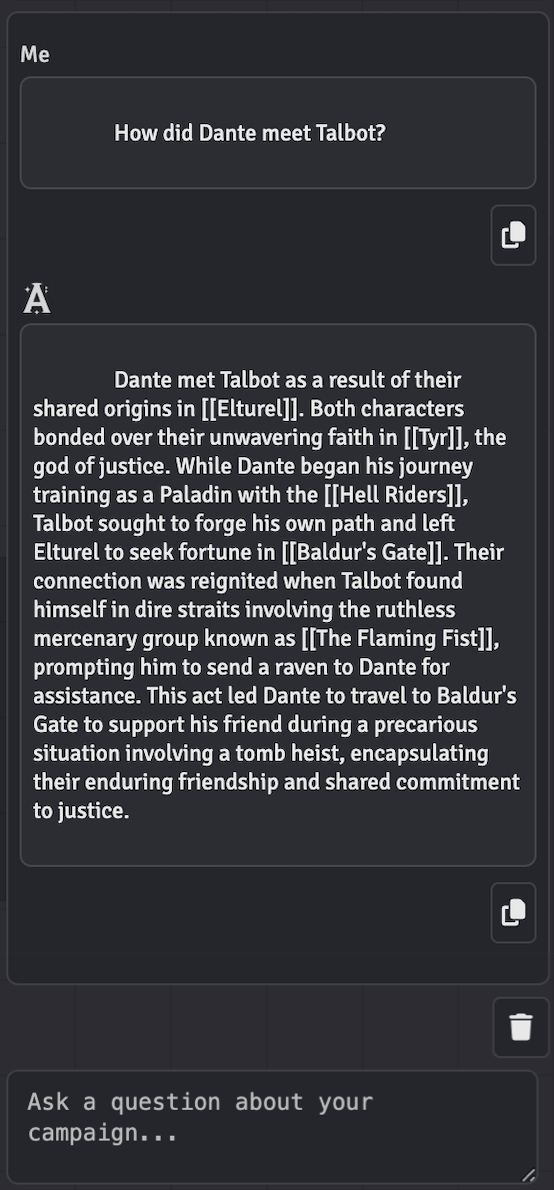
Open the Archivist Hub from Scene Controls or the Journal directory header button. The hub provides:
- Tabs for PCs, NPCs, Items, Locations, Factions, and Recaps
- Quick open and permission toggle for each entry
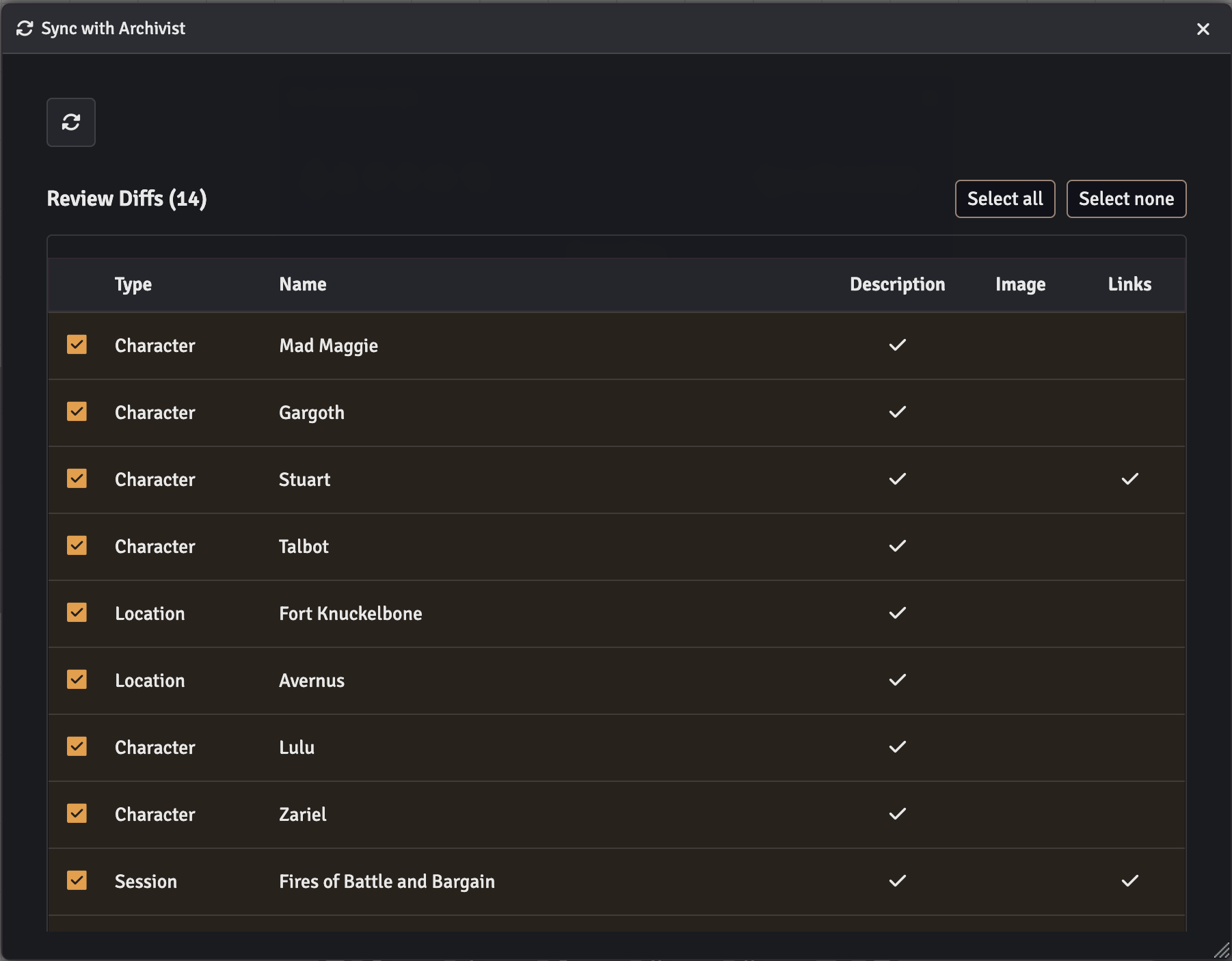
- "Sync with Archivist" button to reconcile your world:
- Create any missing Character (PC/NPC), Item, Location, Faction, and Recap sheets
- Update sheet titles and info when changed in Archivist
- Reconcile structural Location parent/child via
parent_id - Synchronize sheet‑to‑sheet links to match Archivist Links
The GM client automatically mirrors CRUD events and link changes to Archivist:
- Create/Update/Delete: Characters (PC/NPC), Items, Locations, Factions
- Link/Unlink: Bidirectional link synchronization when dragging sheets or unlinking
- Notes:
- Runs only for GMs and only when a campaign is selected
- Images are submitted only if the source is an https URL
- Recaps are read-only for create/delete operations
The module provides custom journal sheets to organize and link your campaign data:
- Character: PC/NPC overview sheet with linked Actor support (drop onto active Scene), character info, and relation tabs (PCs, NPCs, Factions, Items, Locations)
- Item: Item summary sheet with linked Item support and relation tabs
- Location: Supports structural nesting (parent_id), ancestor/descendant trees, associative Location↔Location links, and linked Scene support (toggle active Scene)
- Faction: Faction summary sheet with relation tabs
- Recap: Session summary page bound to an existing Game Session (edits apply through real-time sync - create/delete are local to Foundry and will not create/delete Game Sessions in Archivist)
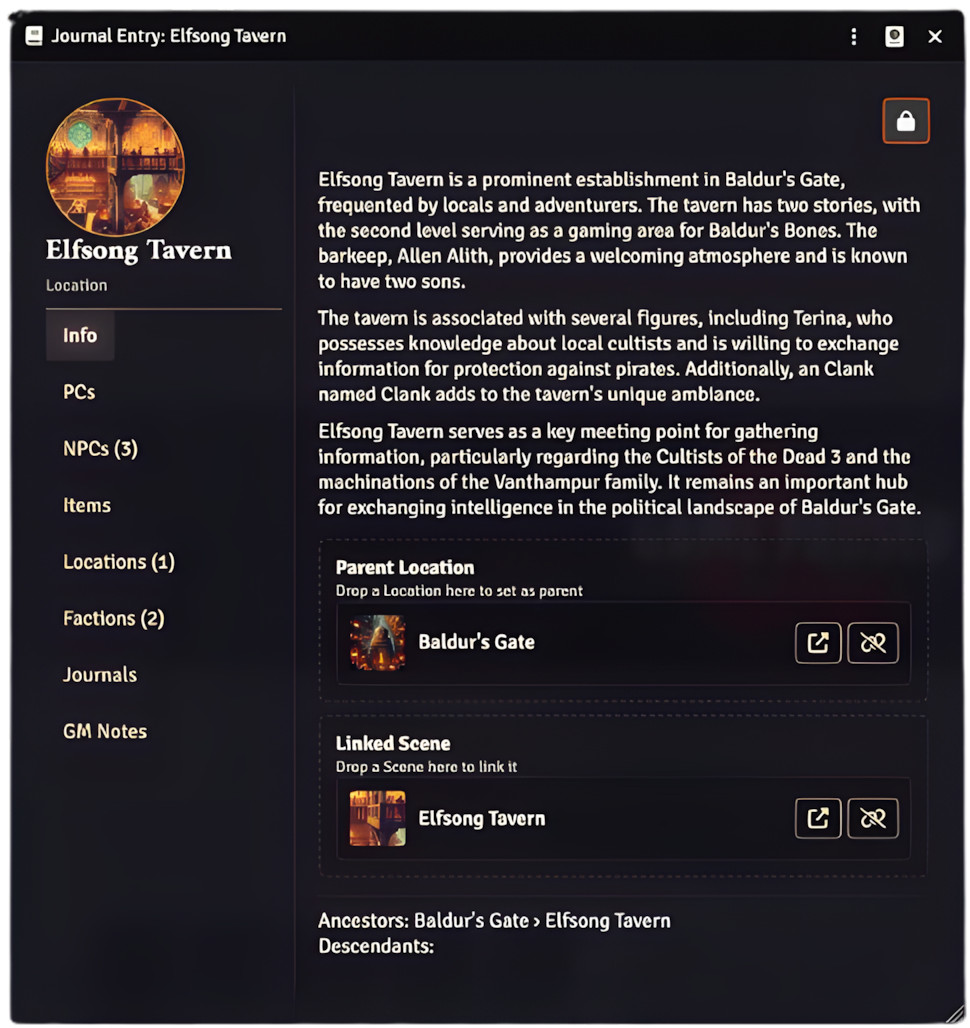
All sheets include:
- GM Notes tab: Private notes visible only to GMs with rich text editing
- Drag‑and‑drop linking: Drop any custom sheet, Journal entry, or Journal page, onto another to create bidirectional links
- Real-time sync: Link/unlink actions automatically create/delete Link records in Archivist
- Structural hierarchy: Uses the Location
parent_idchain to build parent/child relationships - Associative links: Non‑hierarchical relations between locations for cross‑reference
Available in Game Settings → Module Settings → Archivist Sync:
- API Key (world): Your Archivist API key (obfuscated in the UI for security)
- Allow GM private journal context in chat (world): When enabled, GM chat requests include private journal context during retrieval; non-GM requests never include it.
- Run World Setup Again (menu): Reset initialization and relaunch the setup wizard
- Projection: Sidecar Only (world): When enabled, never modify core system data fields; store descriptions only in sidecar journals.
The module communicates with the Archivist API:
- Base URL:
https://api.myarchivist.ai/v1 - Auth Header:
x-api-key: <YOUR_API_KEY> - Supported Operations:
- Characters, Items, Locations, Factions: CREATE, READ, UPDATE, DELETE
- Links: CREATE, READ, DELETE (bidirectional sync between sheets)
- Sessions (Recaps): READ, UPDATE (title/summary only; no create/delete)
- Ask (RAG Chat): POST to
/askwith streaming support
Examples (representative; bodies vary by type):
// Create Character
{
  "character_name": "Elowen",
  "description": "...markdown...",
  "image": "https://...",
  "campaign_id": "<id>"
}
// Ask (RAG chat)
{
"campaign_id": "<id>",
"messages": [
{ "role": "user", "content": "Who is the duke?" }
],
"stream": true,
"gm_permissions": false
}- Foundry VTT: v13 (minimum 13.341; verified 13.346)
- Game Systems: System-agnostic with built-in adapters for common systems
- The API key is stored as a world-scoped setting and obfuscated in the UI.
- Real‑Time Sync and the "Sync with Archivist" button execute only on GM clients.
- The sidebar chat is available to all users once the world is configured and initialized.
- GM chat requests can include private journal context during retrieval when the GM setting is enabled; non-GM requests always send
gm_permissions: false. - All requests use HTTPS endpoints with CORS-safe headers and exponential backoff on
429and network failures.
- “Chat not available”: Ensure API key is set, a campaign is selected, and the world has been initialized via the setup wizard.
- “Rate limited (429)”: The module automatically retries with exponential backoff and jitter; wait and retry if necessary.
- “CORS error”: Your server must allow browser requests from your Foundry origin for API routes.
- “Images missing”: Only https image URLs are sent to Archivist; local file paths are ignored for API writes.
- Install Node.js 18.x or 20.x (or use
.nvmrcwithnvm use) - Install dependencies:
npm install
This project uses ESLint and Prettier for code quality and formatting:
# Check for linting issues
npm run lint

# Auto-fix formatting issues
npm run lint:fixGitHub Actions automatically runs on all pushes and pull requests:
- Linting: Checks code style and catches common errors
- Validation: Ensures module.json is valid and required files exist
- Files:
scripts/modules/projection/adapter-registry.jsscripts/modules/projection/slot-resolver.jsscripts/modules/projection/merge.js
- Runtime API:
window.ARCHIVIST_SYNC.projection()→ returns resolver withpickDescriptionSlot(doc)andprojectDescription(doc, html)
See CONTRIBUTING.md for more details.
archivist-sync/
├── module.json
├── package.json                             # Dependencies and scripts
├── .eslintrc.json                           # ESLint configuration
├── .prettierrc.json                         # Prettier configuration
├── scripts/
│   ├── archivist-sync.js                    # Module bootstrap (sidebar tab, availability, RTS listeners, hub, setup)
│   ├── modules/
│   │   ├── config.js                        # Constants and setting keys
│   │   ├── settings-manager.js              # Registers settings and availability checks
│   │   ├── journal-manager.js               # Journal entry creation and updates
│   │   ├── utils.js                         # Utility functions (HTML/Markdown conversion, etc.)
│   │   ├── links/
│   │   │   ├── helpers.js                   # Sheet link helpers (flags + bidirectional updates)
│   │   │   └── indexer.js                   # In‑memory link index (fast lookups from local flags)
│   │   ├── sheets/
│   │   │   └── page-sheet-v2.js             # DocumentSheetV2 custom sheets (Entry/PC/NPC/Item/Location/Faction/Recap)
│   │   ├── toc/
│   │   │   └── toc-window.js                # Archivist Hub window (ApplicationV2)
│   │   ├── reconcile/
│   │   │   └── reconcile-service.js         # Full sync reconciliation service
│   │   └── adapters/
│   │       └── system-adapter.js            # System-specific field adapters
│   ├── services/
│   │   └── archivist-api.js                 # API client with throttling and retries
│   ├── dialogs/
│   │   ├── world-setup-dialog.js            # Guided setup wizard
│   │   └── ask-chat-window.js               # Sidebar chat UI logic
│   └── sidebar/
│       ├── ask-chat-tab.js                  # Sidebar tab registration
│       └── ask-chat-sidebar-tab.js          # Sidebar chat component
├── templates/                               # Handlebars templates (sheets, hub, dialogs)
└── styles/archivist-sync.css
MIT
- Issues: Report bugs or feature requests on the GitHub Issues page
- Documentation: Visit developers.myarchivist.ai for API reference
Please see CONTRIBUTING.md for detailed contribution guidelines, including:
- Development setup
- Code style requirements
- Pre-commit checklist
- Pull request process
Remember to update module.json URLs (url, manifest, download, bugs) to point to your repository and releases.