



A tool for managing git lifecycle hooks with ✨ gleam! Pre commit, Pre push and more!

gleam add --dev cactusBun, Deno & Nodejs are all supported!
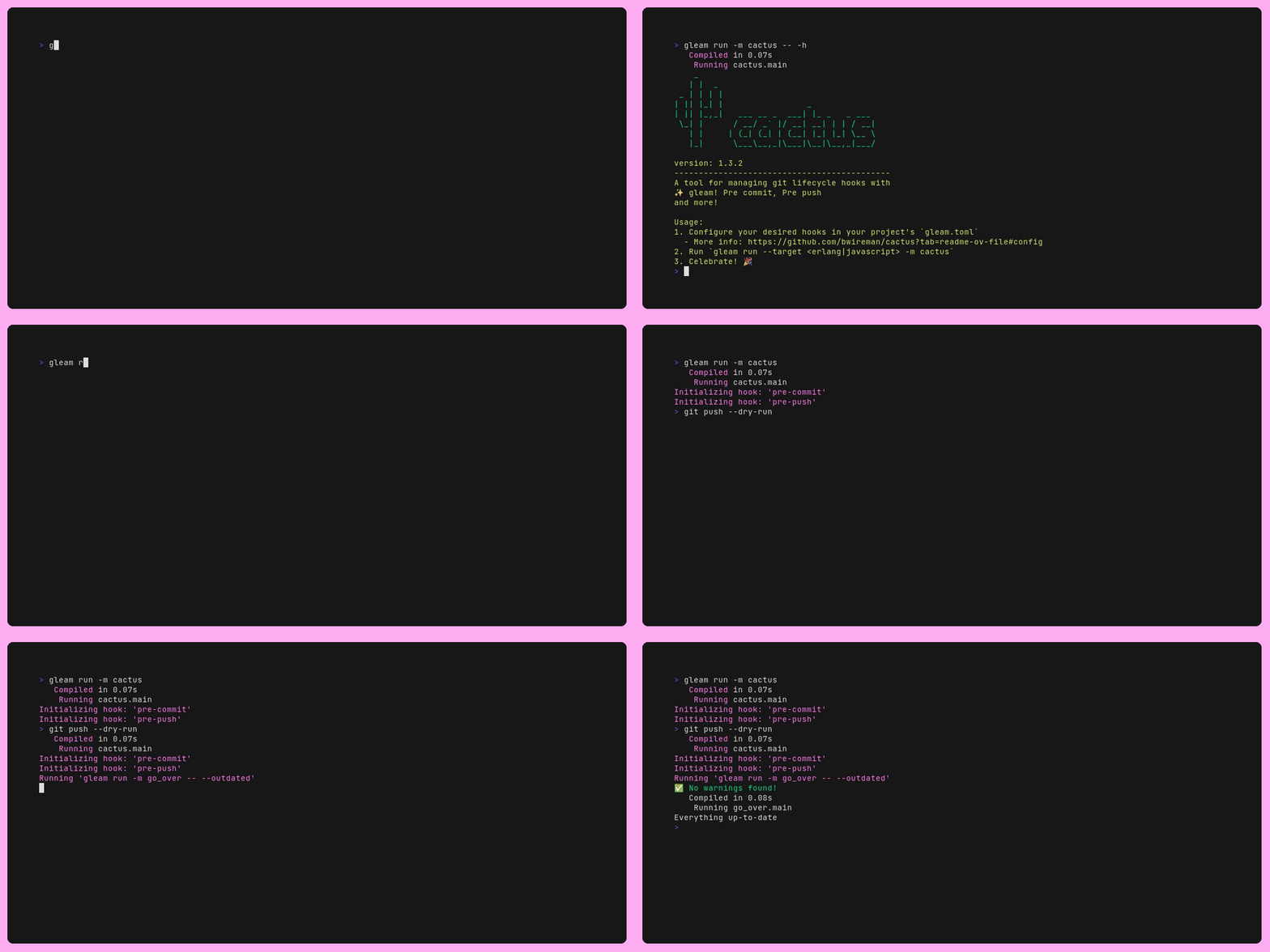
FIRST configure hooks in gleam.toml, then initialize them:
# Erlang target
gleam run --target erlang -m cactus

# JavaScript target (pick one runtime)
gleam run --target javascript --runtime nodejs -m cactus
gleam run --target javascript --runtime bun -m cactus
gleam run --target javascript --runtime deno -m cactus
The --target and --runtime flags you pass here are baked into the
generated hook scripts under .git/hooks/. Use the same target/runtime your
project builds with, since hooks invoke gleam run -m cactus -- <hook-name>.
| Command | Description |
|---|---|
init (default) |
Initialize hooks for the current OS (gleam vs gleam.exe) |
unix-init |
Force Unix-style hook scripts |
windows-init |
Force Windows-style hook scripts (gleam.exe) |
help |
Show usage |
clean |
Remove cactus-generated hook scripts from .git/hooks/ |
<hook-name> |
Run a hook's actions (e.g. pre-commit) |
Pass global flags before the command:
gleam run -m cactus -- --verbose --dry-run init
gleam run -m cactus -- --config path/to/gleam.toml initSettings that can be added to your project's gleam.toml:
[cactus]
# Re-initialize hooks on every hook run (default: false)
always_init = false

[cactus.pre-commit]
# Default files_scope for all actions in this hook (default: "all")
files_scope = "staged"
# stop on first failure (default) or run all actions and fail at end
on_failure = "stop"
# Skip the entire hook when CI=true (see "skip_env" below)
skip_env = "CI=true"

actions = [
    # command: required — binary path, gleam module, or gleam subcommand name
    # kind: "module" (default), "sub_command", or "binary"
    # args: extra arguments (default: [])
    # files: paths/extensions/globs that trigger the action (default: [] = always run)
    # files_scope: "staged" | "all" | "unstaged" — overrides hook default
    # cwd: working directory for the action (default: project root)
    # skip_env: skip when NAME=value — see "skip_env" below
    # env: { KEY = "value" } — extra environment variables

    { command = "format", kind = "sub_command", args = ["--check"], files = [".gleam"], files_scope = "staged" },
    { command = "./scripts/test.sh", kind = "binary" },
    { command = "go_over", kind = "module" },
]An action runs when any watched pattern matches any file in the chosen
files_scope:
- Extension suffixes — entries starting with
.(e.g..gleammatchessrc/foo.gleam) - Exact paths — e.g.
src/foo.gleamor./src/foo.gleam - Glob patterns — e.g.
src/**/*.gleam(see limitations in CHANGELOG)
An empty files list means the action always runs.
| Value | Git commands used |
|---|---|
staged |
git diff --cached --name-only |
unstaged |
git diff --name-only + untracked files |
all |
union of staged and unstaged (default when unset) |
For pre-commit hooks, files_scope = "staged" is recommended so linters only
run when relevant staged files change.
Skip a hook or individual action when an environment variable equals a specific value. Useful when CI runs the same checks separately and you do not want hooks to duplicate work (or fail) in the pipeline.
Syntax — NAME=value (only the first = separates name from value, so the
value may contain =):
[cactus.pre-push]
skip_env = "CI=true"   # skip every action when CI=true
actions = [
  { command = "./scripts/test.sh", kind = "binary" },
  {
    command = "format",
    kind = "sub_command",
    args = ["--check"],
    skip_env = "SKIP_HOOKS=1",
  },
]
Matching — the env var must match exactly (case-sensitive). Unset vars never match.
Example skip_env |
Skips when… |
|---|---|
CI=true |
CI is set to true |
SKIP_HOOKS=1 |
SKIP_HOOKS is set to 1 |
CI=1 |
CI is set to 1 (not true) |
Most CI providers set CI=true. Use that unless your pipeline uses a different
value.
Hook vs action — a hook-level skip_env applies to every action in that
hook. An action without its own skip_env inherits the hook default. Set
skip_env on a single action to skip only that step.
Use --verbose to see when hooks or actions are skipped.
When cwd is set on an action, the command runs in that directory. File
filtering (files / files_scope) only considers paths under that
directory (relative to the repository root). Use this for monorepo packages:
{ command = "gleam test", kind = "binary", cwd = "packages/foo", files = [".gleam"], files_scope = "staged" }The pre-commit and pre-merge-commit hooks stash unstaged and untracked
changes before running actions, then restore them afterward. This keeps
formatters/linters from seeing dirty working-tree state.
- Stashes are tagged with the message
cactus-pre-commit - Only cactus-tagged stashes are popped automatically
- If you already have unrelated stashes, cactus will not stash and prints a warning when the working tree is still dirty — commit or stash manually first
Client-side (typical local use):
applypatch-msg, commit-msg, post-checkout, post-commit, post-merge,
post-rewrite, pre-applypatch, pre-auto-gc, pre-commit,
pre-merge-commit, prepare-commit-msg, pre-push, pre-rebase, test
Server-side (remote/git server — rarely needed locally):
fsmonitor-watchman, post-update, pre-receive, push-to-checkout, update
Git hook scripts are shell scripts (#!/bin/sh). On Windows they require Git
Bash or another sh-compatible environment bundled with Git for Windows. Native
cmd/PowerShell hooks are not generated.
Use windows-init or let init detect the platform to write gleam.exe in
hook scripts.
| Problem | Fix |
|---|---|
| Hooks not running | Run gleam run -m cactus from project root; ensure .git/hooks/<name> exists and is executable |
| Wrong gleam/runtime in hook | Re-run init with correct --target and --runtime; choices are embedded in hook scripts |
| Action skipped unexpectedly | Check files, files_scope, and skip_env; use --verbose |
| Stash pop conflict after pre-commit | Run git stash list, resolve conflicts, git stash drop the cactus-pre-commit entry if needed |
| Not in a git repo | Initialize git first: git init |
--config path not found |
Pass absolute or relative path to a valid gleam.toml |
| Stash skipped warning during hook | An existing git stash blocked cactus from stashing; commit or stash manually so actions see a clean tree |
| Stash not restored after pre-commit | Check git stash list; cactus errors if the top stash is not cactus-pre-commit |