

A Flutter app (Android / iOS / Web) that tells you the best days to go ant collecting. It downloads the weather at your location and estimates the likelihood that queen ants are undertaking their nuptial (mating) flights near you — today and for the next week. When the percentage is high, it's time to get outside and look for ants in your local area!
- Web app: https://nuptialflight.app/
- Source: https://github.com/bradrushworth/nuptialflight
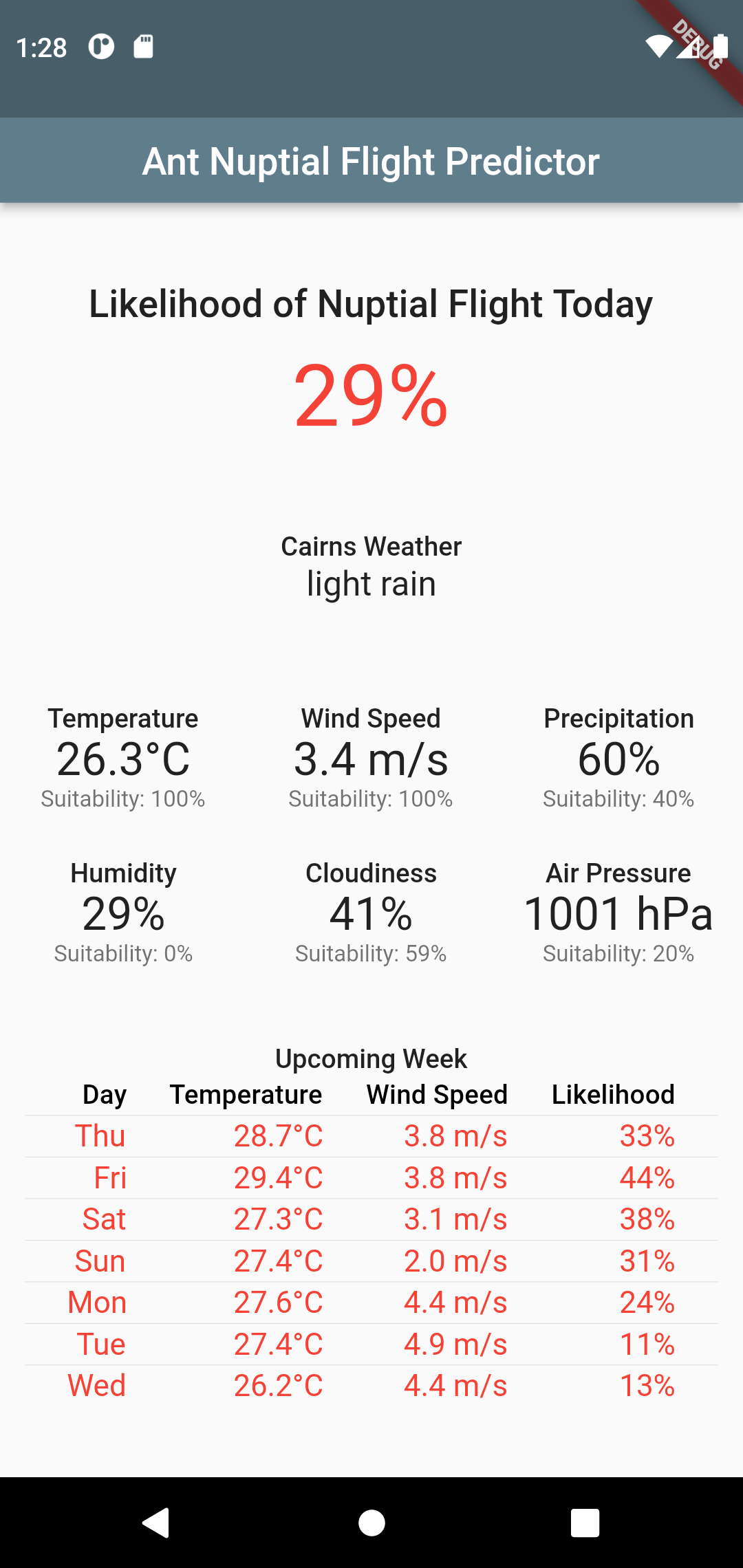
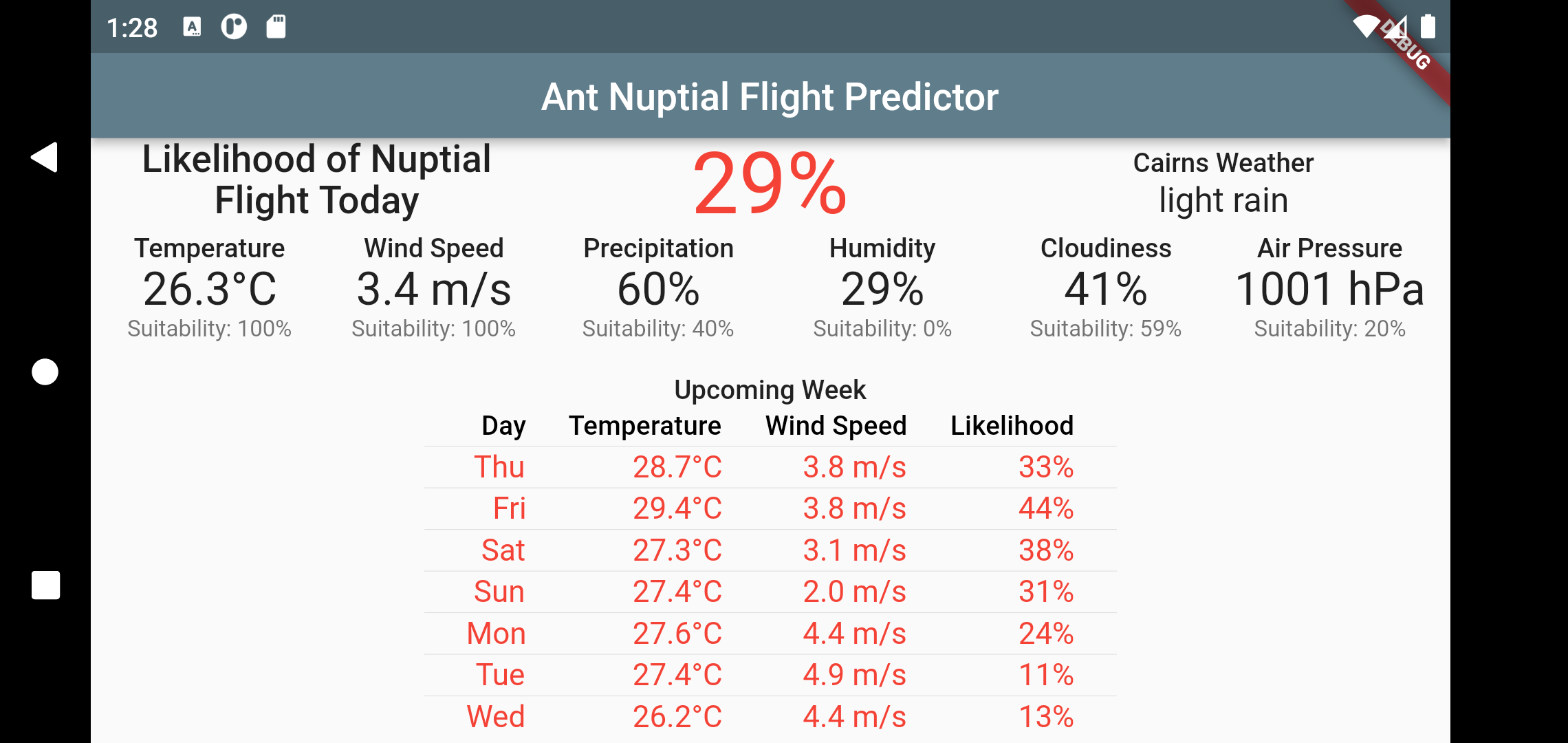
- Daily & hourly flight forecasts — a colour-coded percentage (red/amber/green) for each of the next 7 days and for each hour of the current day, showing when conditions are right for queens to fly.
- Location-aware — uses your device GPS (or last-known position) to fetch local weather. You can also pick a place with the built-in Google Places search.
- Weather-driven model — the forecast is computed from current + historical weather (temperature, humidity, wind, pressure, rain) using a trained Random-Forest model (see The Science below).
- Crowd-sourced reports — users can report a nuptial flight they observed. Reports are stored in a backend database (ArangoDB) and shown back to other users nearby ("X flights reported near you"). Each report is tagged with an anonymous install id (a random UUID generated once per install, stored locally via shared_preferences; see lib/controller/install_id.dart) so bursty or abusive reports can be de-duplicated without tracking the device or user.
- Per-size seasonal likelihood — the main screen shows, under the date and weather line, whether a flight is likely today and which queen-size class (small/medium/large) is most likely right now, using a data-derived seasonal prior (different size classes peak in different months), so keepers hunting a specific species get species-appropriate timing.
- Background updates & notifications — a background-fetch task periodically recomputes the percentage and can post a notification when the local flight chance is high, or when nearby users report a flight.
- Home-screen widget (Android) — a glanceable widget showing today's flight percentage, updated by the background task.
- Map view — an interactive map (OpenStreetMap tiles via
flutter_map) where you can explore weather layers and reported sightings. - Light / dark theme — follows the system theme.
- Device-preview — in debug (non-release) web builds,
device_preview_pluslets you inspect layouts across device sizes.
- On launch,
main()initialises Flutter, sets up the home widget, and shows the app. Background services are started after the first frame (see First-load performance). _loadData()resolves the user's position:- fast passive
getLastKnownPosition(), falling back to an active GPS fix only when no cached position exists; - or a location chosen via the Google Places picker.
- fast passive
WeatherFetchercalls OpenWeatherMap for that position (One Call API 4.0 timeline endpoints, plus the 2.5 current-weather API for the place name):- the 48-hour hourly forecast,
- the daily forecast — one request that also reaches 2 days into the
past, so the antecedent ("lead-up") weather is collected for model
training at no extra API cost (
daily[0]always remains the local today), - the flight day's own hourly history.
Nuptialsscores the weather with two Random-Forest models (nuptialDailyPercentageModel,nuptialHourlyPercentageModel) to produce the daily and hourly flight percentages.ReportApiloads nearby user-reported flights and persists reports through the scoped REST service, which owns database access.- The UI renders the percentages, a 7-day list, an hourly breakdown, and the map.
API keys required (see Getting Started): an OpenWeatherMap key for weather, a Google Maps key for Places search, and an NF app key for the reporting API. Database credentials remain on the server.
Ant queens mate on the wing in mass "nuptial flights" that are triggered by specific weather windows (warm, humid, calm, often after rain). The app originally encoded rules derived from the literature:
- Weather conditions during nuptial flight of Manica rubida
- The spatial distribution and environmental triggers of ant mating flights
- Weather Conditions During Nuptial Flights of Four European Ant Species
Newer versions of the app replace hand-written rules with data-science models —
Random-Forest classifiers trained on user-contributed sighting/weather data
(see the training notebooks lib/models/*.ipynb). The trained forests are
bundled as sklite-JSON assets (assets/final_model.json,
assets/hour_model.json) and scored at runtime by the hand-written
tree-walker lib/models/forest_model.dart (sklearn predict_proba
parity ~1e-14, verified by test/production_model_parity_test.dart).
The generated scoring trees expect features in a fixed order that matches the
training notebooks (lib/models/*.ipynb). The call sites in
lib/controller/nuptials.dart pass exactly these:
| Model | Asset | Inputs (in order) |
|---|---|---|
| Daily | assets/final_model.json (28) |
lat, lon, hemisphere, sin_doy, cos_doy, temp(day), wind, rain(pop), humid, cloud, press, dewPoint, dew_dep, popNext1, popNext2, uvi, windGust, rainMm, daylength, moonSin, moonCos, + 7 lead-up features |
| Hourly | assets/hour_model.json (22) |
lat, lon, hemisphere, sin_doy, cos_doy, temp, wind, humid, press, dewPoint, dew_dep, uvi, windGust, solar_sin, solar_cos, + 7 lead-up features |
The 7 lead-up features (lib/controller/leadup_features.dart) describe the
two days before the scored day — previous-day rain amounts, 24 h pressure
and temperature change, days-since-rain, a warm-dry-after-rain flag, and a
coverage flag — computed at runtime from the same weather request that
serves the forecast. The hourly model uses the cyclical local solar
hour rather than UTC. The hourly model is still trained without rain and
cloud; popNext1/popNext2 are forecast precipitation probability, not
antecedent rain. If you retrain a model with a different feature set/order,
update the call site in nuptials.dart and the model tests
(test/nuptials_test.dart, test/hourly_test.dart, test/model_test.dart)
to match.
A retraining effort against the live flights DB (212k rows, ~4.8% positives)
found that the old production training config's ccp_alpha=0.0008 pruned
every tree to a single leaf under that class imbalance (AUC 0.500 — the
model predicted the base rate). The currently shipped models (48 trees,
256 leaf nodes, class_weight='balanced_subsample') use 21 daily / 14
hourly features (daily AUC 0.654, hourly AUC 0.670) and are scored by the
JSON tree-walker lib/models/forest_model.dart. The app also now records
the antecedent ("lead-up") weather before each report into a dedicated
database collection — the named next accuracy lever — so future retrains
can use features like days-since-rain and pressure trend
(docs/database_schema.md). Full history, metrics, and limitations are in
docs/model_training_findings.md.
- Flutter SDK (the project pins
sdk: '>=3.9.2 <4.0.0'). - An OpenWeatherMap API key (free tier) — https://home.openweathermap.org/api_keys
- A Google Maps API key (for the Places location picker).
- (Optional) a NuptialFlight API endpoint + app key for crowd-sourced reports.
- Clone and fetch dependencies:
git clone https://github.com/bradrushworth/nuptialflight.git cd nuptialflight flutter pub get - Create
assets/.envwith your keys, e.g.:(The exact variable names live inOPENWEATHERMAP_API_KEY=<your openweathermap key> GOOGLE_API_KEY=<your google maps key> NF_API_URL=https://api.bitbot.com.au/nuptialflight/v1 NF_API_KEY=<scoped app key>
lib/controller/weather_fetcher.dartandlib/controller/report_api.dart— keep them in sync with the code. MissingNF_API_KEYdisables reporting and flight lookups gracefully. Never put anARANGO_*credential into this bundled client asset. The API app key is extractable; database credentials belong only on the server.assets/.envremains gitignored. See reporting API transition for client behavior and compatibility policy.) - Run:
flutter run            # current platform
flutter run -d chrome # web
The following commands are used for packaging (run from the project root):
# Regenerate launcher/adaptive icons
flutter pub run flutter_launcher_icons:main

# Build an Android App Bundle for Play Store submission
flutter --no-color build appbundle

# (Legacy) sign the app widget automation step
flutter pub run flutter_automation --android-signflutter pub upgrade --major-versions # conservative major bumps
# or
flutter pub upgrade # latest within constraintsAfter upgrading, verify with flutter analyze (the project currently has
0 errors; a couple of pre-existing deprecated_member_use info-hints
are known and out of scope).
The first page shows a spinner until location + weather are fetched. To keep that fast, the startup path avoids blocking work:
initializeService()(background-fetch config + notification channels) runs afterrunApp()viaunawaited(...), so it never delays the first frame.- The notification-permission prompt is not awaited in
_loadData()— it is fired withunawaited(...)so the location/weather network calls start immediately. _getLocation()does a fast passivegetLastKnownPosition()first and only falls back to an active GPS fix when no cached position exists. This avoids fetching the OpenWeatherMap endpoints twice on every launch.- The active GPS fix uses a 10-second
timeLimit(was 30s) so a first launch with no cached position cannot hang for half a minute.
OpenWeatherMap responses are now cached in shared_preferences (keyed by rounded
lat/lon, so a real move invalidates the cache) with per-endpoint TTLs: 30 min for
current/forecast, 24 h for reverse geocoding, 30 days for historical. Repeat
launches and the 15-min background fetch reuse a fresh-enough response, cutting
paid OWM API calls.
lib/
  main.dart                # App entry, MyHomePage UI, load/weather flow
  utils.dart               # Shared helpers
  controller/
    weather_fetcher.dart   # OpenWeatherMap One Call 4.0 calls + location +
                           #   lead-up split + response cache
    scoring.dart           # Length-safe model scoring helpers
    nuptials.dart          # Random-Forest scoring of weather -> percentages
    flight_index.dart      # Ant Flight Index (percentiles, bands, odds)
    services.dart          # Background-fetch + notifications + widget updates
    report_api.dart          # Reporting facade + injectable REST ApiClient
    screenshots_*.dart     # Screenshot/device-preview plumbing (mobile vs web)
    widgets_*.dart         # Platform widget glue (mobile vs web)
  models/
    forest_model.dart      # RandomForest predict_proba walker (reads JSON assets)
    *.ipynb                # Training notebooks (Random Forest)
  responses/               # JSON response model classes (OWM, geocoding)
  view/                    # Home-screen cards, charts, report sheet, map page
assets/
  .env                     # API keys (not committed)
  final_model.json         # Bundled daily model (sklite JSON, 48-tree RF)
  hour_model.json          # Bundled hourly model (sklite JSON, 48-tree RF)
  flight_stats.json        # Score percentiles + calibration table
scripts/                   # flight_stats_pipeline.py, backfill_leadup.py, store/
docs/                      # Training findings, DB schema, map shading notes
test/                      # Unit/widget tests (flutter test)
Contributing with an AI coding agent (or just want the deep context)? Start with AGENTS.md.
Code originally forked from https://github.com/ashgarg143/AppWidgetFlutter
Thanks for the Ant Icon by Vladyslav Severyn on Iconscout.