
Home Assistant Integration for reading data from ELGAMA GAMA300 electricity meter (GAMA100 not tested, but possibly supported too) via RS485-TCP Gateway
- Get most of live values from meter
- Add energy sensors for integration with energy usage
- Tracks daily / total energy consumption
- Warnings for frequency, voltage and load, with limits you can edit
- Identify meter manufacturer and model
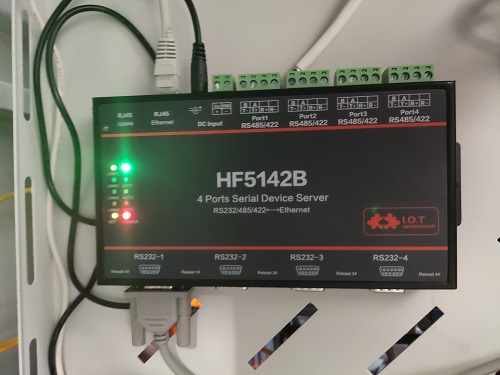
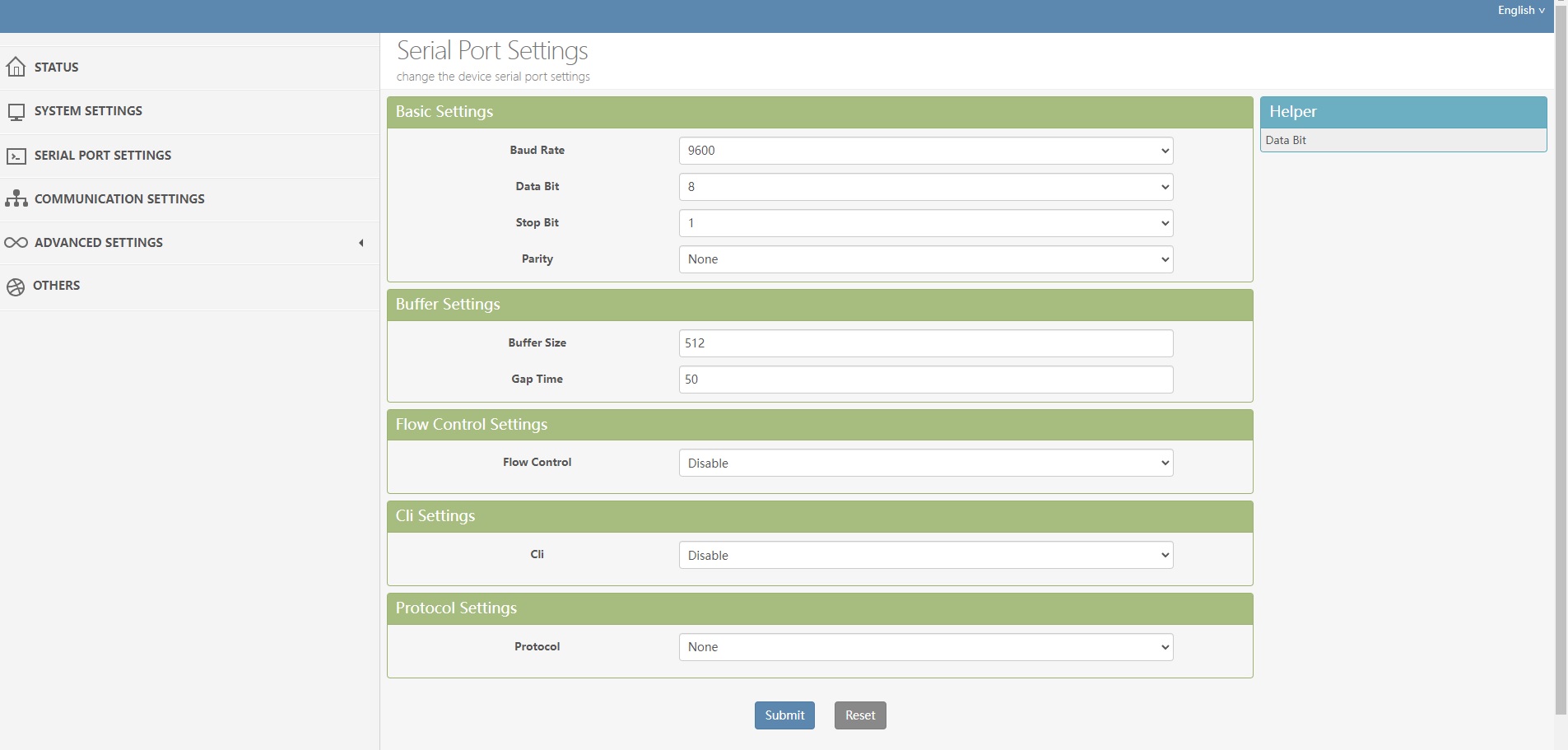
First your meter must support RS485 interface (check your meter manual or model number to ensure your meter support it, but also you can try to connect optical reader to gateway). To connect meter to HA you need any RS485->TCP gateway (I've used HI-FLYING HF5142B, coz prefer wires, but you can use any other or try to connect it with esp32 / 8266 with RS485 converter bridging it to TCP socket). On gateway side you should configure TCP server to forward data from RS485 port, it should be tcp server without authorization, you can choose any port to listen.

- Baud rate: 9600
- Data bit: 8
- Stop bit: 1
- Parity: None
After connecting meter you need to add home-assistant-gama-300-dlms-meter integration using HACS to your HA. In you HA go to Main Menu -> HACS -> Integrations, in top right corner press 3 dots and click to "Custom Repositories". Add repository https://github.com/astraliens/home-assistant-gama-300-dlms-meter and category Integration. After this step close modal add repository window and press "Explore & Download Repositories" blue button at the bottom right corner of screen and search for Gama 300 DLMS Meter integration. Press on it and in right bottom corner of screen press "Download" button.
After this you can simply add it like regular integration, specifiying IP and port of gateway and your meter serial number (you can find it on meter itself). In several seconds integration get data from meter, create all found sensors and will update them constantly.
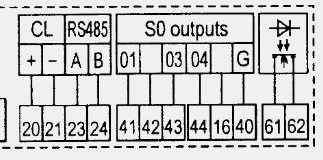
Pinout of meter shown on photo:
Poll interval: Settings -> Devices & services -> Gama 300 DLMS Meter -> Configure. Live values are read every 3 seconds by default, you can set that from 3 seconds up to 1 hour. Diagnostic values (model, firmware and so on) are read every 10 minutes, from 1 minute up to 1 day.
Gateway address: Reconfigure on the same integration entry. Put in the new IP or port. The device, sensor names and history stay. Serial number belongs to the meter you added and cannot be edited here; a different meter is a separate entry.
On the device page, under Configuration, there are limits. Saving one applies immediately. Nothing is written to the meter.
- Frequency min / max
- Voltage min / max with hysteresis
- Grid outage
- Max power L1 / L2 / L3 / with hysteresis
- Frequency problem, Voltage problem, Grid outage
- L1 / L2 / L3 overload, Total power overload. Power is compared by absolute value, so export over the limit counts too.
If values go out of the limits - sensors goes to "Problem" state
You can add Sum Li Active power+ (QI+QIV) Time integral 1 Rate 0 sensor to your energy consumption monitoring to calculate your overall spents
Many thanks to Gurux for Python library implementation which used in this integration to retrieve data from meter
You can say thanks by donating for buying pizza at:
