
Play Nikon raw video clips on a Mac in real time. IINA RAW is an unofficial fork of IINA 1.5.1 for Apple Silicon Macs.



Get IINA RAW from the latest release
(file: IINA-RAW-1.5.1-raw.1-arm64.dmg). The app is ad-hoc signed and not notarized, so macOS
blocks the first launch. The install steps and the fix are in the
main README. Install it only if
you trust the source. You can also build it yourself.
- 🎞️ Real-time playback of R3D NE (
.R3D, Nikon ZR) clips. N-RAW (.NEV) is tested only with a rewrapped copy. The app links an FFmpeg 9.0.2 build that has thetico_rawdecoder. - 🖼️ Finder thumbnails for these clips.
- 👀 A Quick Look preview (space bar) that plays the clip.
What is tested and what is not: see the status table.
- It is not affiliated with and not endorsed by the IINA project. Do not report problems with this fork to the IINA project.
- It is a separate app: its own name, bundle id (
com.alperkaganavci.iina-raw) and settings. It does not change stock IINA. It opens only.R3Dand.NEVfiles. - It has no auto-update. The IINA updater is turned off, so it can never replace the app with stock IINA. New versions come as new GitHub releases.
- This fork lives on the branch
iina-raw. How to build and install it: see alperkaganavci/nikon-raw-playback (build/README.md). - Licence: GPL-3.0, the same as IINA (see
LICENSE). The text below is the unchanged README of IINA.

IINA is the modern video player for macOS.
Website · Releases · Telegram Group

- Based on mpv, which provides the best decoding capacity on macOS
- Designed with modern versions of macOS (11.0+) in mind
- All the features you need for video and music: subtitles, playlists, chapters…and much, much more!
- Force Touch, picture-in-picture and advanced Touch Bar support
- Customizable user interface including multiple color schemes and on screen controller (OSC) layout positioning
- Standalone Music Mode designed for audio files
- Video thumbnails
- Online subtitle searching and intelligent local subtitle matching
- Unlimited playback history
- Convenient and interactive settings for video/audio filters
- Fully customizable keyboard, mouse, trackpad, and gesture controls
- mpv configuration files and script system for advanced users
- Command line tool and browser extensions provided
- In active development
You can get IINA through several sources. For the latest stable and beta releases, visit the GitHub release page or the IINA official website. If you want to try out the latest features and improvements before they are officially released, you can download the nightly builds from our Nightly Download Page.
Important
Nightly builds are generated by GitHub automatically for every commits, which might be buggy and unusable. If you find a bug, please follow the contributing section and file an issue.
IINA uses mpv for media playback. To build IINA, you can either fetch copies of these libraries we have already built (using the instructions below) or build them yourself by skipping to these instructions.
- Download pre-compiled libraries by running
./other/download_libs.shTip
- By default the shell script downloads universal binaries. You can download arch-specific binaries using
--arch <ARCH>(universal,arm64orx86_64) - Files are downloaded in parallel (5 concurrent downloads by default). You can change this using
--parallel <N>(from 1 to...) - If you want to build an older IINA version you must change
DYLIBS_DOWNLOAD_PATHin the script to download the corresponding dylibs. For example,https://iina.io/dylibs/1.2.0/universal/fileList.txt.
-
Open iina.xcodeproj in the latest public version of Xcode. IINA may not build if you use any other version.
-
Build the project.
-
Build your own copy of mpv. You can use our official build scripts to build mpv and all other dependencies.
-
Run
other/parse_doc.rb. This script will fetch the latest mpv documentation and generateMPVOption.swift,MPVCommand.swiftandMPVProperty.swift. Copy them fromother/toiina/, replacing the current files. This is only needed when updating libmpv. Note that if the API changes, the player source code may also need to be changed. -
Link the yt-dlp dependency to deps/executable
mkdir -p deps/executable
ln -s $(which yt-dlp) deps/executable/youtube-dl
-
Open
iina.xcodeprojin the latest public version of Xcode. IINA may not build if you use any other version. -
Remove all references to
.dylibfiles from the Frameworks group in the sidebar and add all the.dylibfiles indeps/libto that group by clicking "Add Files to iina..." in the context menu. -
Add all the imported
.dylibfiles into the "Copy Dylibs" phase under "Build Phases" tab of the iina target. -
Make sure the necessary
.dylibfiles are present in the "Link Binary With Libraries" phase under "Build Phases". Xcode should have already added all dylibs under this section. -
Build the project.
IINA is always looking for contributions, whether it's through bug reports, code, or new translations.
-
If you find a bug in IINA, or would like to suggest a new feature or enhancement, it'd be nice if you could search your problem first; while we don't mind duplicates, keeping issues unique helps us save time and consolidates effort. If you can't find your issue, feel free to file a new one.
-
If you're looking to contribute code, please read CONTRIBUTING.md — it has information on IINA's process for handling contributions, and tips on how the code is structured to make your work easier.
-
If you'd like to translate IINA to your language, please visit IINA's instance of Crowdin. You can create an account for free and start translating. Please do not send a pull request to this repo directly, Crowdin will automatically sync new translations with our repo. If you want to translate IINA into a new language that is currently not on the list, feel free to open an issue.
- Online Media (
iina/plugin-online-media) - Enhances online streaming and downloading. - OpenSubtitles (
iina/plugin-opensub) - Search and download subtitles. - User Scripts (
iina/plugin-userscript) - Run custom JavaScript snippets.
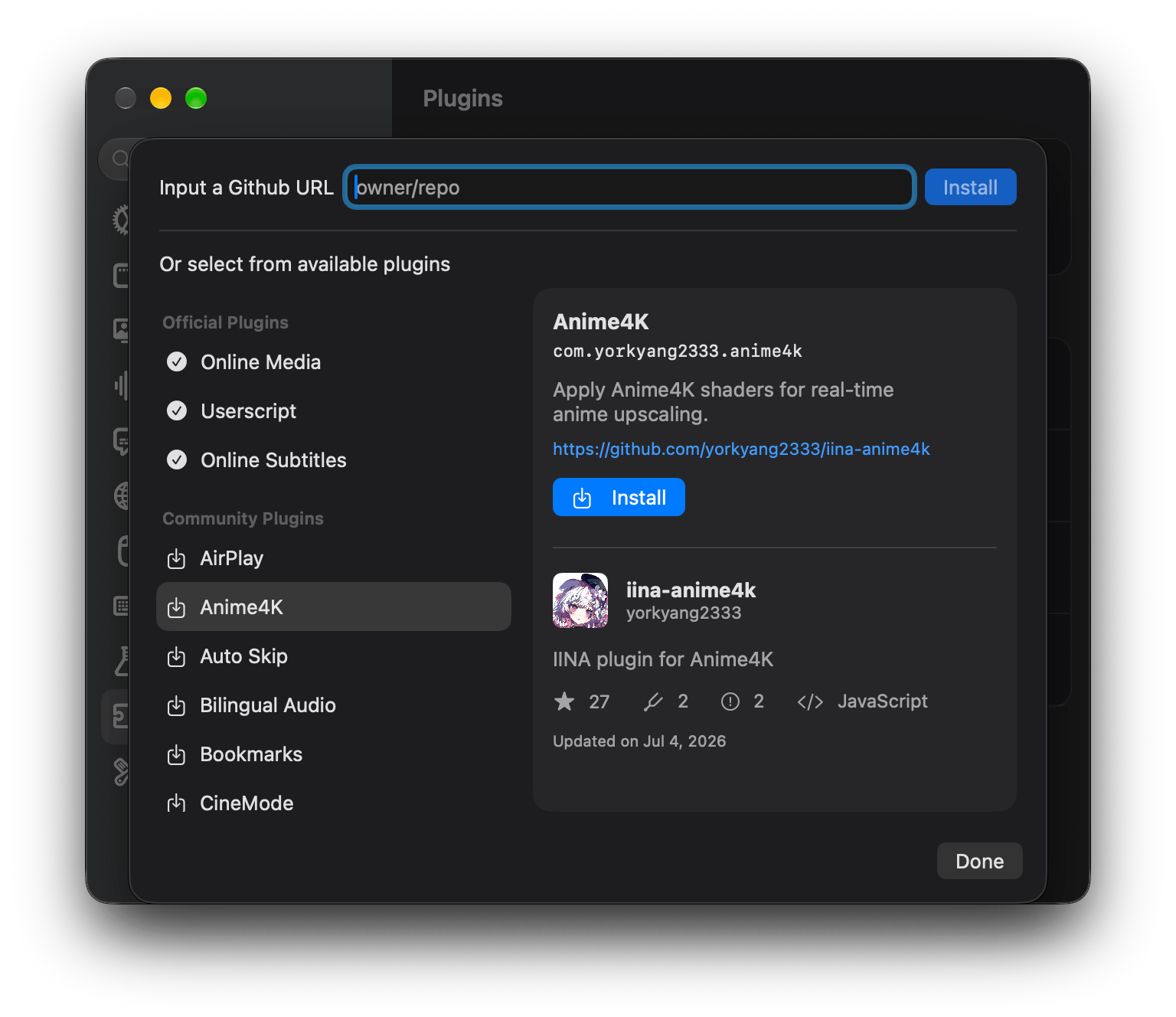
Community plugins can be browsed and installed directly from the plugin store in IINA's Settings → Plugins. The list is maintained in plugins.json.
💡 Want to list your plugin?
Open a pull request that adds an entry to
plugins.json, keeping the list sorted alphabetically byname:{ "name": "My Plugin", "url": "https://github.com/username/iina-my-plugin", "desc": "A short, one-sentence description of what the plugin does.", "id": "com.username.my-plugin" }
idmust match theidentifierin your plugin'sInfo.json. Once merged, your plugin will show up in the in-app plugin store.Looking to build one? Check out the plugin documentation to learn how they work.