


Set of commandline tools for interaction with AbraFlexi server


Obtain record data from AbraFlexi
Usage:
fbget -eevidence-name -iRowID [-u] [-cpath] [column names to show]
-p path to custom config file -u show record URL
Example:
~$ fbget -v -u -c /etc/abraflexi/localhost-client.json -e adresar -i 666 kod nazev
https://localhost:5434/c/spoje_net_s_r_o_/adresar/666&detail=custom:kod,nazev
{
"external-ids": [
"ext:subreg:36699",
"ext:ipex:58487"
],
"id": "666",
"kod": "VITEX",
"nazev": "V\u00edt\u011bzslav Dvo\u0159\u00e1k",
"kontakty": [
{
"id": "2371"
}
]
}Insert or update record data in AbraFlexi
Usage:
fbput -eevidence -iRowID [-cpath] [-u] [--colum-name=value] [--colum-name2=value2] ...
-p path to custom config file -u show record URL
Example:
fbput.php --evidence adresar -i 333 -u --nazev=Zmeneno
https://demo.abraflexi.eu:5434/c/demo/adresar/333
{"winstrom":{"@version":"1.0","success":"true","stats":{"created":"0","updated":"1","deleted":"0","skipped":"0","failed":"0"},"results":[{"id":"333","request-id":"333","ref":"

Copy one AbraFlexi company to another AbraFlexi
Usage:
fbcp https://user:password@abraflexi.source.cz:5434/c/firma_a_s_ https://user:password@abraflexi.destination.cz:5434/c/firma_a_s_ [production]
Use production parameter to keep EET, Auto Sending Mails and WebHooks enabled in restored company.
Example:
fbcp https://lgn:pwd@company.abraflexi.eu:5434/c/company_name https://lgn2:pwd2@vitexsoftware.abraflexi.eu:5434/c/company_name
04/14/18 13:57:18 `FlexiPeeHP\Company`  ⓘ saving backup
04/14/18 13:57:25 `FlexiPeeHP\Company`  ❁ backup saved
04/14/18 13:57:26 `FlexiPeeHP\Company`  ⓘ Remove company before restore
04/14/18 13:57:27 `FlexiPeeHP\Company`  ☠ JSON Decoder: Syntax error
04/14/18 13:57:27 `FlexiPeeHP\Company`  ⚙ ok
04/14/18 13:57:27 `FlexiPeeHP\Company`  ❁ restore begin
04/14/18 13:57:58 `FlexiPeeHP\Company`  ❁ backup restored
    fbnc  new_company_name
    fbnc  https://user:password@abraflexi.source.cz:5434/c/nova_firma_a_s_
    fbdc company_to_delete
    fbdc https://user:password@abraflexi.source.cz:5434/c/smazat_firma_a_s_
{
    "ABRAFLEXI_URL": "https:\/\/demo.abraflexi.eu:5434",
    "ABRAFLEXI_LOGIN": "winstrom",
    "ABRAFLEXI_PASSWORD": "winstrom",
    "ABRAFLEXI_COMPANY": "demo"
}
Default config file location is /etc/abraflexi/client.json ( also provided by abraflexi-client-config debian package )
Drop all webHooks
fbwhwipe [custom config file]
Register new webhook in AbraFlexi
fbwh http://webhook.processor/url [xml|json] [custom/config.json]
abraflexi-fake-address --config=../tests/client.json -i 10create 10 fake address
Count time of several operations speed upon given company/database. The benchmark always prepares required test records (bank account, cash register, pricelist) before running.
Options:
- -c - number of cycles
- -d - delay in seconds between each operation
- -o - output file path (default: RESULT_FILE env or stdout)
- -e - path to .env configuration file
- -v - show version and exit
abraflexi-benchmark -c 10 -d 1The quickest way to run the benchmark against the instance configured in .env:
make benchmark| Variable | Default | Description |
|---|---|---|
ABRAFLEXI_URL |
— | AbraFlexi server URL |
ABRAFLEXI_LOGIN |
— | Login username |
ABRAFLEXI_PASSWORD |
— | Login password |
ABRAFLEXI_COMPANY |
— | Company code |
ABRAFLEXI_BANK |
BANKOVNÍ ÚČET |
Bank account code used for bank-move tests |
ABRAFLEXI_BANK_DOCTYPE |
STAND |
Bank document type code (typDokl); must exist in the target company |
The JSON report output conforms to the MultiFlexi report schema:
{
    "producer": "abraflexi-benchmark",
    "status": "success",
    "timestamp": "2026-02-27T15:44:59+01:00",
    "message": "Benchmark completed: 10 cycles with 1s delay",
    "metrics": {
        "pass_10_address_read": "0.123",
        "pass_10_address_write": "0.456",
        "cycles": 10,
        "delay": 1
    }
}
Simulates realistic customer payment behaviour in AbraFlexi bank evidence. Intended for continuous integration testing of the reminder and matcher pipeline on a test company without affecting real customers.
abraflexi-payment-simulatorAssign one of the following AbraFlexi labels to a customer to control their simulated behaviour:
| Label | Behaviour |
|---|---|
SIM_REGULAR |
Pays the exact invoice amount every run (default when no label set) |
SIM_LATE_DOUBLE |
Skips one cycle; pays all outstanding invoices when ≥ 2 are unpaid |
SIM_OVER_PAYER |
Pays 1–50 CZK more than owed (creates overpayment) |
SIM_UNDER_PAYER |
Pays 1–50 CZK less than owed (leaves a remainder) |
SIM_TYPO_VARSYM |
Pays the correct amount but with a mangled variable symbol (one digit missing or extra) |
SIM_NON_PAYER |
Never pays (triggers reminder escalation → NEPLATIC → ODPOJENO) |
| Variable | Default | Description |
|---|---|---|
ABRAFLEXI_URL |
— | AbraFlexi server URL |
ABRAFLEXI_LOGIN |
— | Login username |
ABRAFLEXI_PASSWORD |
— | Login password |
ABRAFLEXI_COMPANY |
— | Company code |
ABRAFLEXI_BANK |
— | Bank account code for simulated payments (required) |
ABRAFLEXI_BANK_DOCTYPE |
STANDARD |
Document type code (typDokl) |
RESULT_FILE |
php://stdout |
Path to write JSON result report |
EASE_LOGGER |
console|syslog |
Log output target |
{
    "exitcode": 0,
    "status": "success",
    "timestamp": "2026-06-24T10:00:00+02:00",
    "message": "Created: 4 payments, Skipped: 1 (NON_PAYER/LATE), Errors: 0",
    "metrics": { "created": 4, "skipped": 1, "errors": 0 },
    "payments": [
        { "invoice": "FV-2026-0042", "profile": "REGULAR", "amount": 1200.0, "varSym": "20260042", "action": "payment_created" },
        { "invoice": "FV-2026-0043", "profile": "TYPO_VARSYM", "amount": 800.0, "varSym": "2026043", "action": "payment_created" },
        { "invoice": "FV-2026-0044", "profile": "NON_PAYER", "action": "skipped" }
    ]
}Register the app in MultiFlexi and create an hourly runtemplate via the CLI:
# Register the app (done once after package installation)
multiflexi-cli app:import multiflexi/payment_simulator.multiflexi.app.json

# Create the runtemplate (replace company slug and config values)
multiflexi-cli run-template:create \
  --name "Payment Simulator – spoje_net_s_r_o_" \
  --app_uuid "55dcc221-b5d0-4656-95e6-e8b5e41ca92a" \
  --company "spoje_net_s_r_o_" \
  --cron "0 * * * *" \
  --active true \
--config ABRAFLEXI_BANK=RB1328660Generate or renew HTTPS certificate for AbraFlexi server.
abraflexi-certbot
The tool reads AbraFlexi connection details from the standard config file
(/etc/abraflexi/client.json) and uploads the Let's Encrypt certificate
via the AbraFlexi REST API endpoint /certificate.json.
The certificate must be obtained and renewed by Certbot
(Let's Encrypt). The tool expects the certificate files to be present in
/etc/letsencrypt/live/<domain>/.
The updater appends the matching trusted root CA from the system CA bundle, which AbraFlexi requires, and does not write the private key to the working directory. It exits with an error if the chain, RSA key, or upload is invalid.
AbraFlexi only supports RSA private keys. Since 2024, Let's Encrypt issues ECDSA (EC) keys by default. Uploading an EC certificate results in the error:
BCECPrivateKey cannot be cast to RSAPrivateCrtKey
You must explicitly configure Certbot to use an RSA key for the certificate used by AbraFlexi.
Edit the renewal configuration file for your domain:
/etc/letsencrypt/renewal/<your-domain>.conf
Add or update the following lines in the [renewalparams] section:
[renewalparams]
key_type = rsa
rsa_key_size = 4096
Example (/etc/letsencrypt/renewal/abraflexi.example.com.conf):
# renew_before_expiry = 30 days
version = 2.9.0
archive_dir = /etc/letsencrypt/archive/abraflexi.example.com
cert = /etc/letsencrypt/live/abraflexi.example.com/cert.pem
privkey = /etc/letsencrypt/live/abraflexi.example.com/privkey.pem
chain = /etc/letsencrypt/live/abraflexi.example.com/chain.pem
fullchain = /etc/letsencrypt/live/abraflexi.example.com/fullchain.pem

[renewalparams]
authenticator = standalone
key_type = rsa
rsa_key_size = 4096
After editing the file, force a renewal to immediately generate an RSA certificate:
certbot renew --cert-name <your-domain> --force-renewalVerify the key type before running abraflexi-certbot:
openssl pkey -in /etc/letsencrypt/live/<your-domain>/privkey.pem -text -noout | head -3
# Expected output: RSA Private-Key (not EC Private-Key)To automatically upload the certificate to AbraFlexi after each renewal,
create a deploy hook at /etc/letsencrypt/renewal-hooks/deploy/abraflexi.sh:
#!/bin/bash
abraflexi-certbot
chmod +x /etc/letsencrypt/renewal-hooks/deploy/abraflexi.shCertbot will execute this script automatically after every successful renewal.
Tools for AbraFlexi is ready for run as MultiFlexi application. See the full list of ready-to-run applications within the MultiFlexi platform on the application list page.

There is repository for Debian/Ubuntu Linux distributions:
sudo apt install lsb-release wget apt-transport-https bzip2

wget -qO- https://repo.vitexsoftware.com/keyring.gpg | sudo tee /etc/apt/trusted.gpg.d/vitexsoftware.gpg
echo "deb [signed-by=/etc/apt/trusted.gpg.d/vitexsoftware.gpg]  https://repo.vitexsoftware.com  $(lsb_release -sc) main" | sudo tee /etc/apt/sources.list.d/vitexsoftware.list
sudo apt update

sudo apt install abraflexi-tools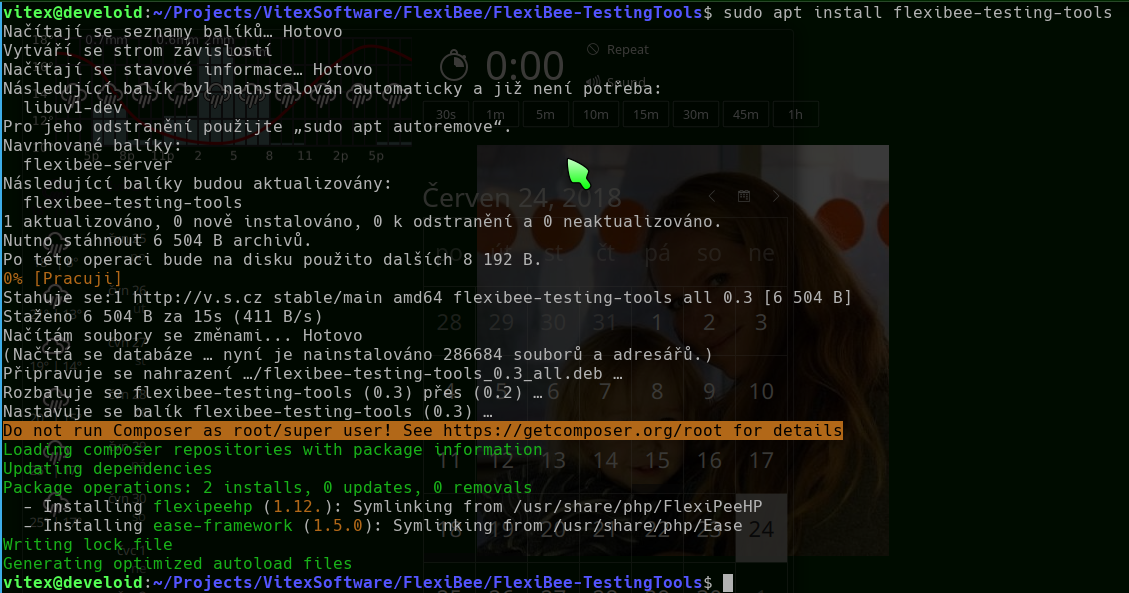
We use:
- PHP Language
- PHP AbraFlexi - Library for Interaction with AbraFlexi
- Ease Core - Glue & Tool Set