A program that allows to control money expenses.
To run this program, you need to download the following installations to your PC:
After downloading the programs, you need to run the ControlExpense.exe file located on the path ControlExpense->ControlExpense->bin->Debug->net6.0. After launching the program, you need to log in or sign up in the application.
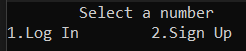
By entering the appropriate numbers and pressing the 'Enter' key, you can navigate in the program menu.
If the user is not registered before, it is necessary to sign up. The password must contain at least 8 characters. If the registration is successful, the following menu will appear:

In the main menu, there is an opportunity to choose points of creation of expenses or review of existing expenses. When choosing the first item, you need to create an expense and enter all characteristics of the expense.
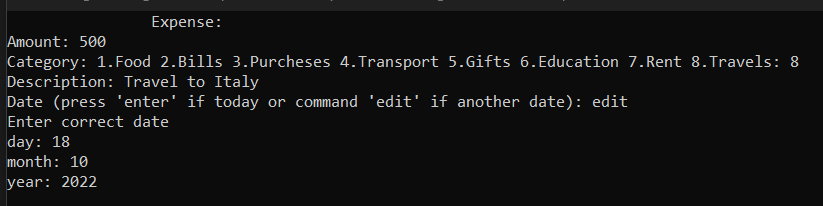
When choosing a date, you can enter a specific date or today's date. After that, you can view all available expenses in the second item of the main menu.
When choosing to view expenses, we get to the menu for choosing the view: by categories, by time, clearing all data.

When choosing by category, you need to select a certain category. After that, the appropriate expanse appear.

When choosing to view a category by time, statistics of expenses for a day, month, year appear.

You can see that the statistics for the day are empty, because the date of recording the expense was the day after the fact of the expense. After selecting the "Clear all data" item, user data is cleared.