nimble-anyjump is a plugin that performs tag jump, file open, and URL open in the browser according to character strings on the cursor and character strings of the cursor line.
This plugin corresponds to the tag of the file name generated by the --extra=+f option of ctags.
When using ctags it is recommended to use the --extra=+f option.
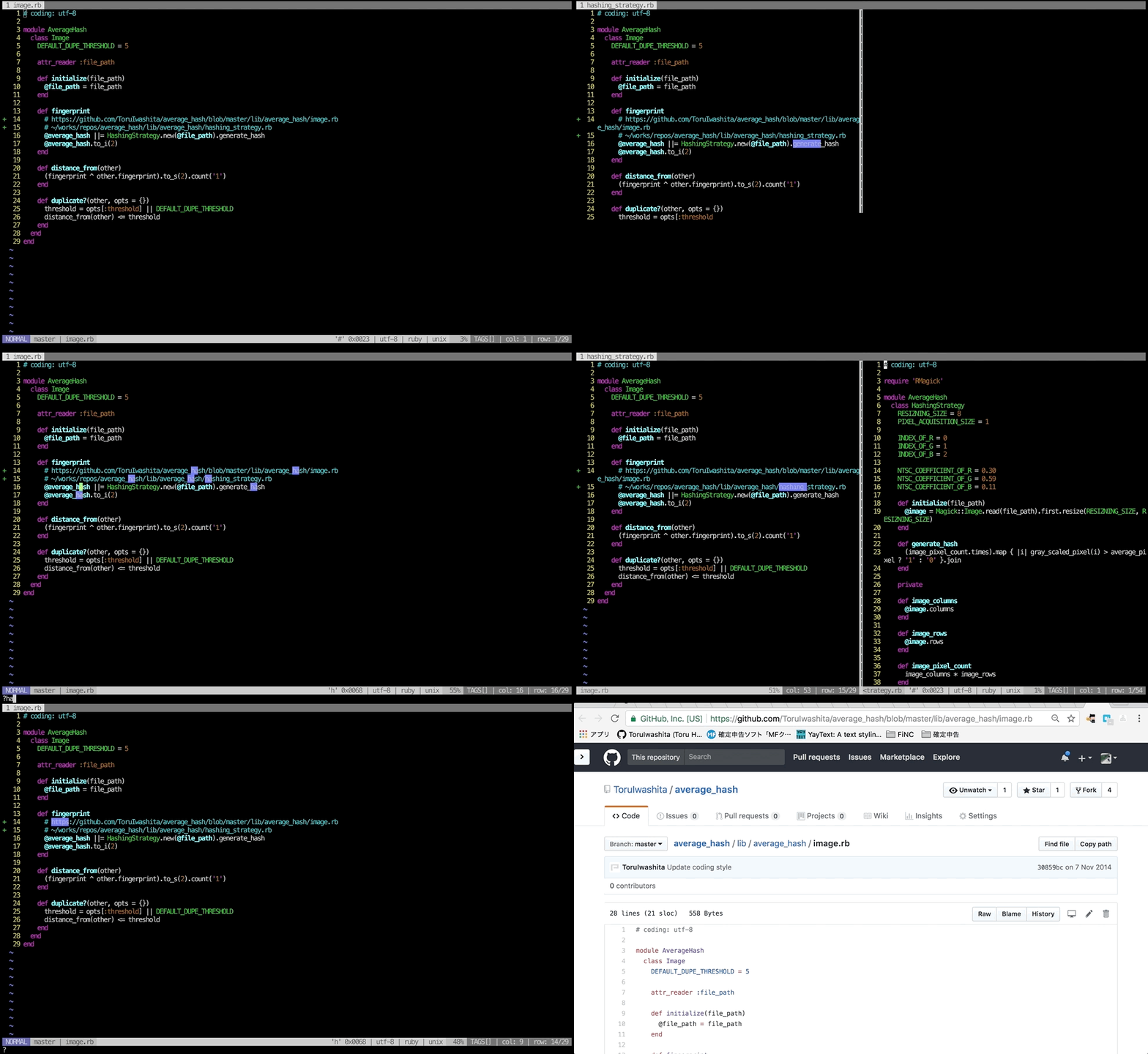
If the character string on the cursor is a tag, tag jump is performed. If it is a file path, the file is opened. If there is a URL on the cursor line when tag jump or file open is not applicable, the URL is opened in the browser.
※ The feature of opening the current URL works only with macOS and some linux environments.
When a plurality of tag candidates are present, the tags are displayed in a list. Other operations are the same as NimbleAnyjump.
Execute NimbleAnyjump for range-specified character string.
Execute NimbleTAnyjump for range-specified character string.
Setting example
nmap <leader>l <Plug>(nimble-anyjump)
nmap <leader>L <Plug>(nimble-t-anyjump)
vmap <leader>l <Plug>(nimble-anyjump-range)
vmap <leader>L <Plug>(nimble-t-anyjump-range)
It has the same behavior as the NimbleAnyjump command.
It has the same behavior as the NimbleTAnyjump command.
It has the same behavior as the NimbleAnyjumpRange command.
It has the same behavior as the NimbleTAnyjumpRange command.
How to display the file when performing tag jump or file open.
vertical: Open a window in vertical split.horizontal: Open a window in horizontal split.tab: Open in a new tab.
Default: g:nimble_anyjump_output_style = 'vertical'
Display position of the cursor when performing tag jump or file open.
zt: Show the cursor line at the top of the window.zz: Show the cursor line at the center of the window.zb: Show the cursor line at the end of the window.
Default: g:nimble_anyjump_after_jump = 'zz'