This project implements an AI-based virtual mouse using computer vision and hand tracking. The system uses a webcam to detect hand gestures and translates them into mouse movements and clicks, enabling hands-free control of the computer.
Watch the video below to see the AI Virtual Mouse in action: also uploaded in youtube
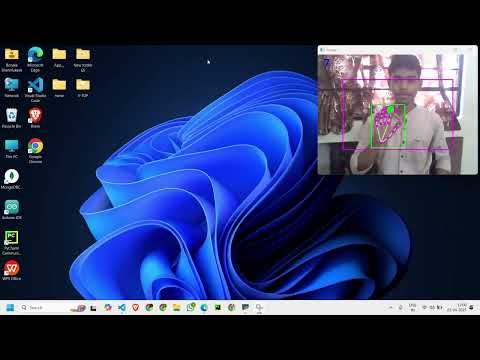
- Hand Tracking: Detects and tracks hand landmarks using the Mediapipe library.
- Mouse Movement: Moves the mouse cursor based on the position of the index finger.
- Click Detection: Simulates mouse clicks when specific gestures are detected.
- Smooth Movement: Implements smoothening to reduce jitter in cursor movement.
- Real-Time Performance: Displays the webcam feed with real-time hand tracking and gesture recognition.
- Python 3.8.0 or higher
- Libraries:
opencv-pythonmediapipenumpyautopy
-
Clone the repository or download the project files.
-
Install the required Python libraries using the
requirements.txtfile:pip install -r requirements.txt
This will install the following libraries with their specific versions:
opencv-python==4.5.5.64mediapipe==0.9.1.0numpy==1.21.6autopy==4.0.0
Please go with the Following command lines:
pip install opencv-contrib-python
pip install opencv-contrib-python
pip install opencv-python mediapipe numpy autopy
-
Ensure your webcam is connected and functional.
- Run the
AiVirtualMouseProject.pyscript:python AiVirtualMouseProject.py
- The webcam feed will open, and the system will start detecting your hand gestures.
- Use the following gestures to control the mouse:
- Move Cursor: Raise only the index finger and move it to control the cursor.
- Left Click: Raise both the index and middle fingers, and bring them close together to simulate a click.
- Press the
qkey to exit the program.
AiVirtualMouseProject.py: Main script for the virtual mouse functionality.HandTrackingModule.py: Module for hand detection and gesture recognition.requirements.txt: File containing the required libraries and their versions.ReadMe: Documentation for the project.
- Hand Detection: The
HandTrackingModuleuses Mediapipe to detect hand landmarks in the webcam feed. - Gesture Recognition: The system identifies which fingers are raised using the
fingersUpmethod. - Mouse Control:
- The index finger's position is mapped to the screen coordinates to move the cursor.
- The distance between the index and middle fingers is calculated to detect clicks.
- Smoothening: Cursor movement is smoothened using a weighted average to reduce jitter.
- Camera Not Detected: Ensure your webcam is connected and accessible. Check the
cv2.VideoCaptureindex (0 or 1) in the code. - Dependencies Missing: Install the required libraries using
pip install -r requirements.txt. - Performance Issues: Reduce the webcam resolution or frame rate for better performance.
- Add support for right-click and drag gestures.
- Enhance accuracy and robustness of hand tracking.
- Implement multi-hand support for additional gestures.
This project is open-source and available for educational and personal use.