

See the Markdown file behind the wait.
Live filenames and configurable process summaries for remark.
Documentation · Getting started · Presets · Terminal demos · Plugin & options
- Native Remark integration. One synchronous transformer that leaves Markdown, trees, messages, and exit status intact.
- Output that fits your workflow. File, compact, and summary modes, with presets for CI and interactive terminals.
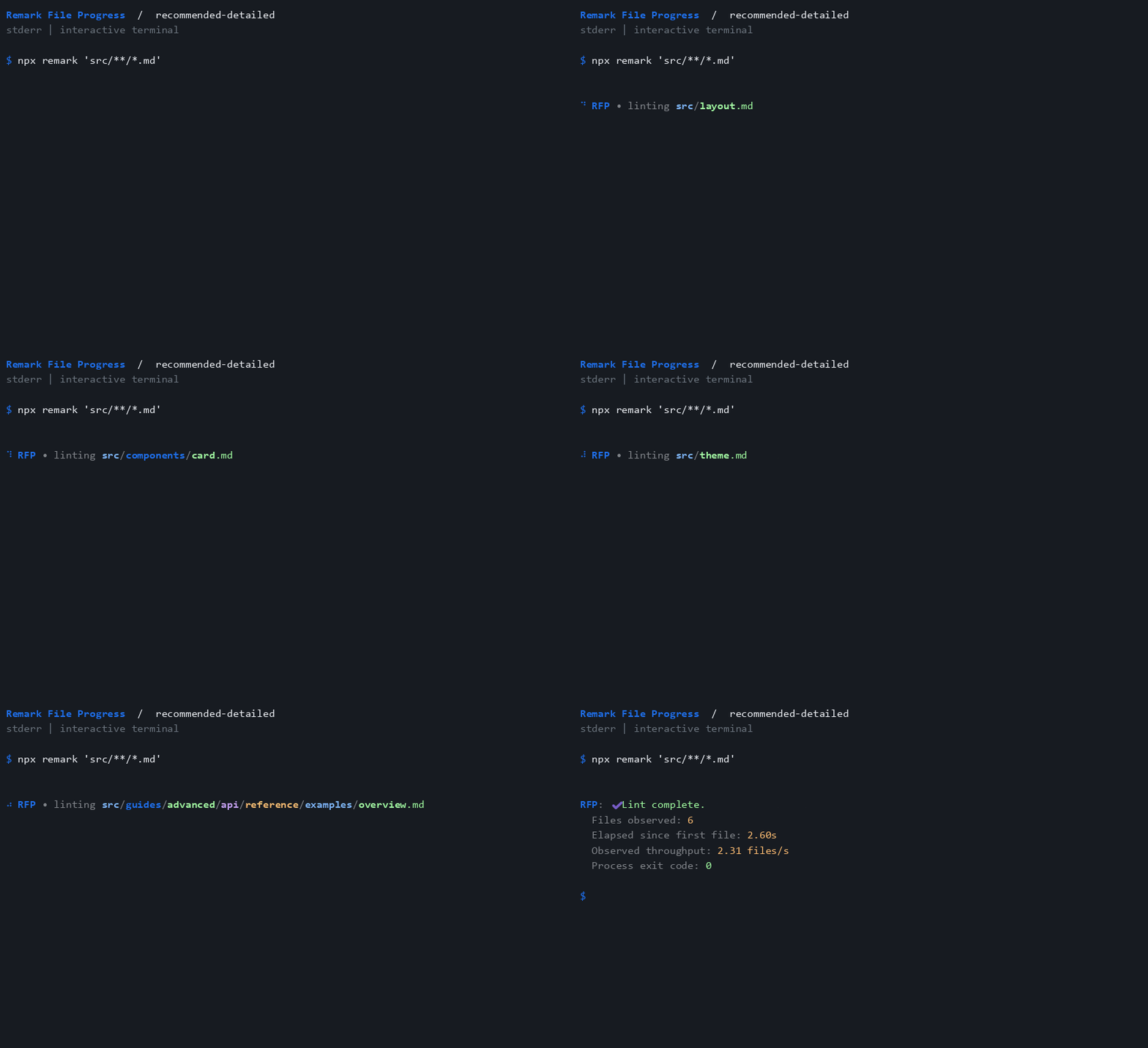
- Useful process summaries. Observed file counts, elapsed time, throughput, and exit-code appearance.
- Your terminal, your preferences. Progress updates in place, with colored paths, spinner frames, marks, messages, streams, and display thresholds.
- Typed and portable. ESM and CommonJS exports, TypeScript declarations, and seven configuration subpaths.
Watch the detailed process summary
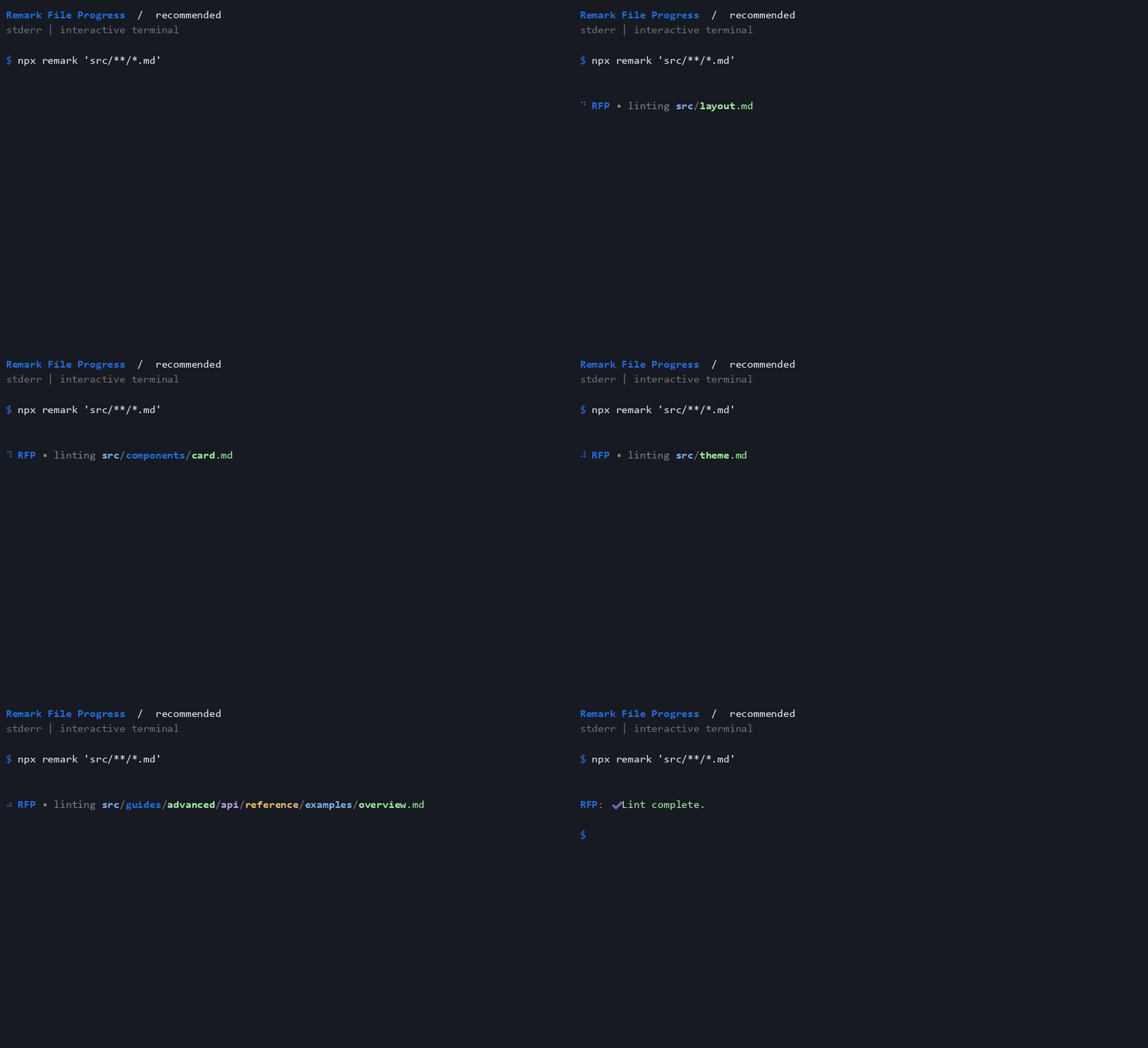
Explore every preset and option demo. These reproducible recordings use the actual display controller; their timings illustrate process metrics.
Install the plugin and remark CLI in your project:
npm install --save-dev remark-cli remark-lint-file-progressTo test a local checkout before a release, build a tarball:
git clone https://github.com/Nick2bad4u/remark-lint-file-progress.git
cd remark-lint-file-progress
npm ci
npm pack
In your consumer project, install remark-cli and the generated tarball using its actual path:
npm install --save-dev remark-cli /path/to/remark-lint-file-progress-1.0.1.tgzUse a native preset in your remark configuration:
import recommended from "remark-lint-file-progress/configs/recommended";

export default recommended;
Or customize progress alongside your existing shared config (version 2.0.0 already includes it; unified merges the repeated registration):
import shared from "remark-config-nick2bad4u";
import progress from "remark-lint-file-progress";

export default {
 plugins: [shared, [progress, { detailedSuccess: true }]],
};
npx remark README.md --frail --no-stdoutThe callable plugin also works with remark().use(progress, options). Pass false to disable it; omitted options, true, and null use the defaults.
All display options preserve the Stylelint/ESLint progress names and defaults.
| Preset | Best for | Behavior |
|---|---|---|
| 🟢 recommended | Follow each Markdown file | Show each file using the default display options. |
| 🔵 recommended-ci | Keep CI logs quiet | Hide all plugin output when CI is exactly true. |
| 🟣 recommended-ci-detailed | Keep a summary in CI | Hide live output in CI while retaining the detailed process summary. |
| 🟡 recommended-compact | Show activity without paths | Show generic activity without filenames; redirected output announces it once. |
| 🟠 recommended-detailed | See process-wide metrics | Show filenames and the detailed process summary. |
| 🩷 recommended-summary-only | Read the final summary | Show only the final process summary. |
| 🟦 recommended-tty | Respect redirected output | Show output only when stderr is an interactive terminal. |
Node.js 22+, unified 11, VFile 6, remark 15, remark-cli 12, and remark-lint 10. The plugin exports ESM and CommonJS with declarations; CommonJS consumers dynamically import the ESM-only remark host.
Each transformer execution records one event, including repeat processing of one VFile. Progress goes to stderr by default, preserving Markdown and JSON tree output on stdout. Reporters normally share stderr with progress; hide progress when consuming that stream as machine-readable output.
Summaries measure observed events over the process lifetime, without inferred problem counts or per-file completion times. Windows terminal output preserves Unicode and colors through Node's console-aware streams.
Interactive terminals reuse the previous progress block when stream activity and terminal geometry allow it. Redirected output uses complete lines. Embedders using raw descriptor writes should use summary-only mode or disable progress. Read compatibility and troubleshooting for the precise output boundaries.
- Setup guide and API reference.
- Remark Inspector, ESLint Inspector, and Stylelint Inspector.
- ESLint File Progress, Stylelint File Progress, and ESLint Typefest.
- Shared remark config, releases, and changelog.
- Issues, support, and security policy.
See contributing for development and verification, and NOTICE for attribution.