For Godot 4.6 (4.3+ compatible)
Note
Using the latest version of Godot is recommended.
If getting stuck on a gray screen, see Main Menu Setup.
This template has a main menu, options menus, pause menu, credits, scene loader, extra tools, and an example game scene.
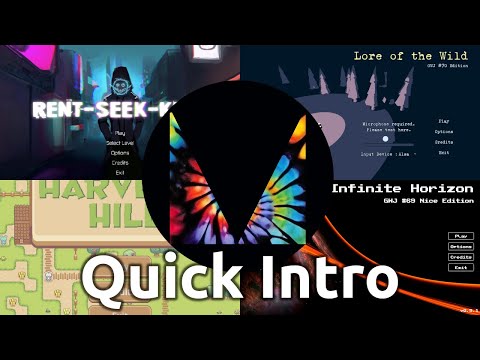


Setup menus and accessibility features in about 15 minutes.
The template can be the start of a new project, or plug into an existing one. It is game agnostic (2D or 3D) and can work with multiple target resolutions, up to 4k and down to 640x360. It's meant to cover the needs for a typical game jam, while remaining scalable and extensible enough to support commercial games.
The base/ folder holds the core components of the menus application.
- Main Menu
- Options Menus
- Pause Menu
- Credits
- Loading Screen
- Opening Scene
- Persistent Settings
- Simple Config Interface
- Extensible Overlay Menus
- Keyboard/Mouse Support
- Gamepad Support
- UI Sound Controller
- Background Music Controller
- Credits Reader (Markdown File Parser)
- Global State Management (Basic Saving/Loading)
- Global Config Autoload
The extras/ folder holds components that extend the core application.
The examples/ folder contains an example project using inherited scenes from the base/ and extras/.
- Game Scene
- Level Class & 3 Levels
- Tutorial Windows & 3 Tutorial Messages
- Win & Lose Windows
- Master Options Menu
- End Credits
- Main Menu w/ Animations
- Opening w/ Godot Logo
- Game and Level State Management
Users that want a minimal set of features can try Maaack's Minimal Game Template or other options from the plugin suite.
This package is available as both a template and a plugin, meaning it can be used to start a new project, or added to an existing project.

When starting a new project:
- Go to the
Asset Library Projectstab. - Search for "Maaack's Game Template".
- Click on the result to open the template details.
- Click to Download.
- Give the project a new name and destination.
- Click to Install & Edit.
- Continue with the Basic Setup
When editing an existing project:
- Go to the
AssetLibtab. - Search for "Maaack's Game Template Plugin".
- Click on the result to open the plugin details.
- Click to Download.
- Check that contents are getting installed to
addons/and there are no conflicts. - Click to Install.
- Reload the project (you may see errors before you do this).
- Enable the plugin from the Project Settings > Plugins tab.
- If it's enabled for the first time, the setup wizard will start.
- Close the window behind it and complete the setup wizard.
- Continue with the Basic Setup
- Download the latest release version from GitHub.
- Extract the contents of the archive.
- Move the
addons/maaacks_game_templatefolder into your project'saddons/folder. - Open/Reload the project.
- Enable the plugin from the Project Settings > Plugins tab.
- If it's enabled for the first time, the setup wizard will start.
- Close the window behind it and complete the setup wizard.
- Continue with the Basic Setup
Basic Setup is done through the Setup Wizard at Project > Tools > Run Maaack's Game Template Setup....
As part of setup, example scenes are copied out of /addons/ into a desired folder (project root by default). These can be edited to fit requirements.
Main Menu Setup
Options Menu Setup
Game Scene Setup
Updating Credits
Blending Music
Adding UI Sound Effects
Loading Scenes
Input Icon Mapping
Joypad Inputs
Game Saving
How Parts Work
Moving Files
Uploading to itch.io
Build and Publish Your Game Using CICD
Automatic Updating
Exhibiting Your Game
| Baking Godium | Spud Customs | Rent Seek Kill |
|---|---|---|
 |
 |
 |
| Play on itch.io | Find on Steam | Play on itch.io |
Join the Discord server and share your work with others. It's also a space for getting or giving feedback, and asking for help.
Attribution
License
Godot Asset Library - Template
Godot Asset Library - Plugin


