This program allows you to use any joystick to directly control the Train Sim World (5/6) or Train Simulator Classic game. This is NOT a raildriver compatibility layer, rather it interfaces directly with the game.
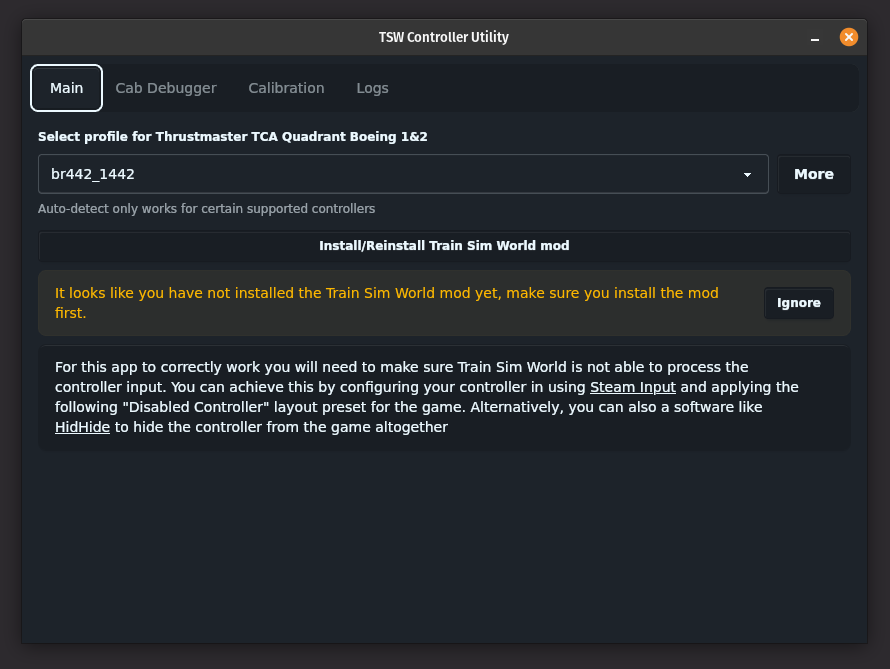
You can select a profile for each controller allowing for a complex multi controller set-up with different active profiles.
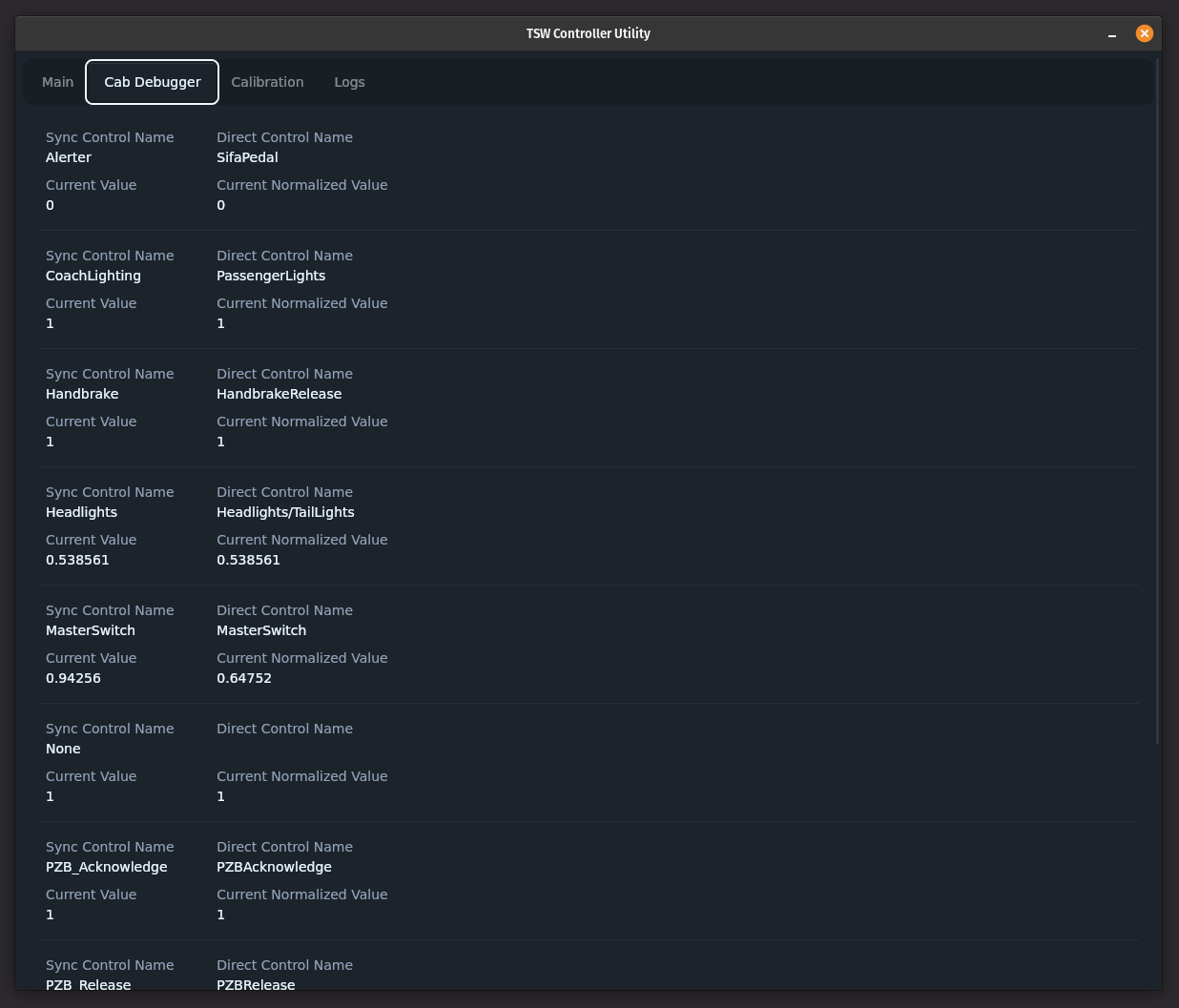
The cab debugger gives a real time status of the current in-game locomotive as the in game controls are changing. This is useful for configuring new train profiles and checking the relevant values.
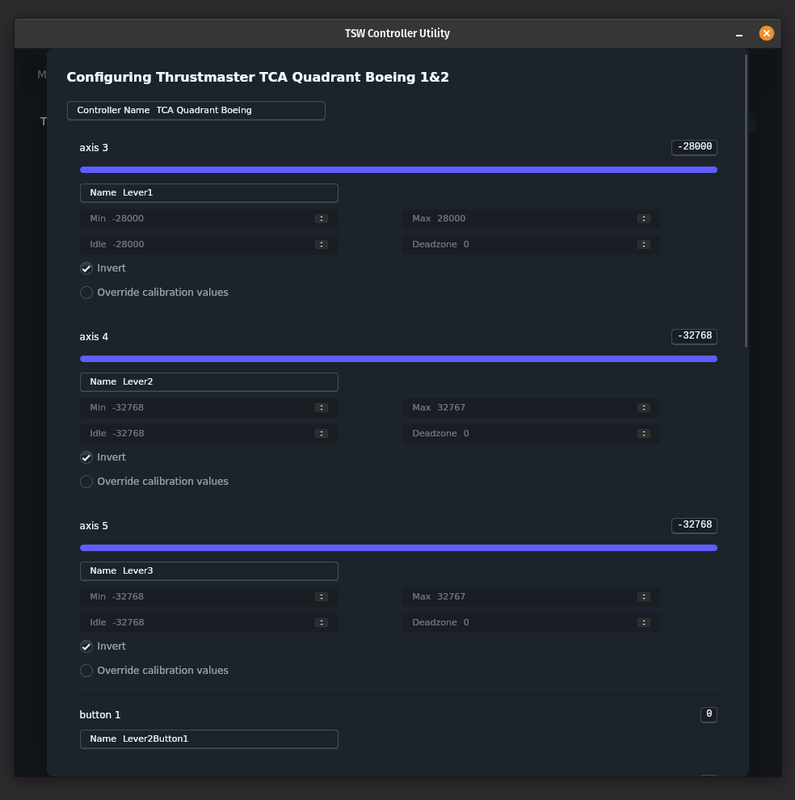
The new 1.0.0 version also brings a completely overhauled visual calibration mode making it easier than ever to calibrate and configure existing or new controllers
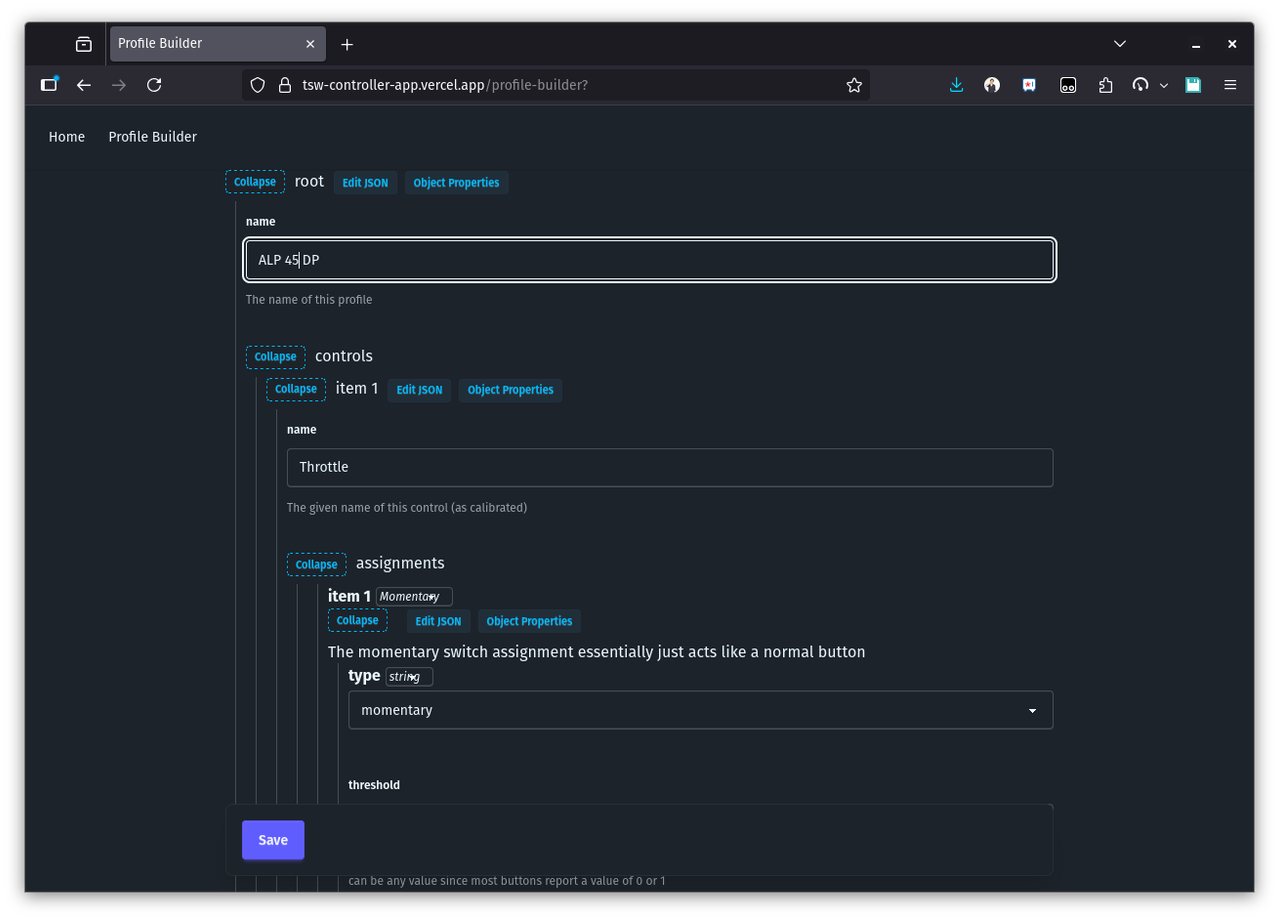
A graphical profile builder is now available online to help with configuring new profiles if you are not comfortable creating the JSON profiles
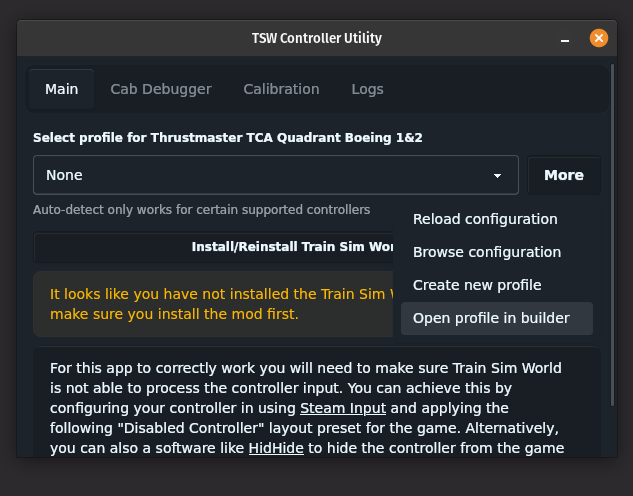
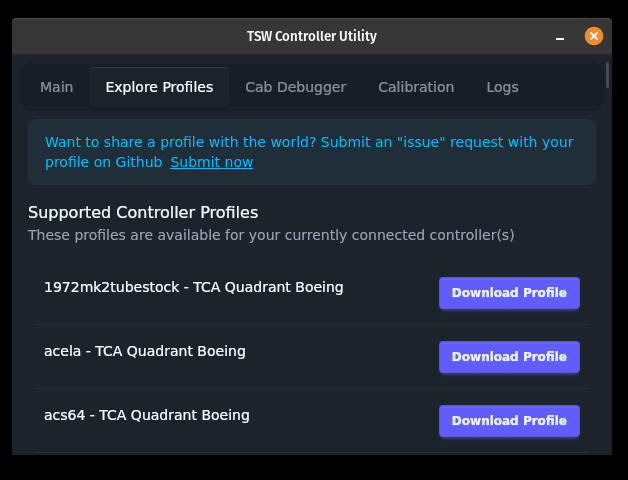
You can submit profiles for other users to use and download right from the app
You can find some demos below:
To install the mod and program just head to the releases page and download the latest installer for your platform. Once you launch the app you will just need to use the "Install mod" action to install the latest mod into Train Sim World or Train Simulator Classic game.
You can also manually install if you alread have your own UE4SS installed and want to use your existing installation. To do so you will need to download the respective binary for you platform as well as the UE4SS mod and manually place the mod files into the UE4SS directory.
You can also manually install the Train Simulator Classic mod. To do so you will need to download the respective binary for you platform as well as the TSC mod and manually place the mod files in the game directory.
Note linux users
SDL2 and Webkit2 4.1 are required for this app to work and will need to be installed.
For Arch users On Arch based systems it is recommended to use SDL3 in favor of SDL2 (see this article). You will have to get both the SDL3 and SDL2-compat packages. SDL3 and SDL2-compat are in the 'extra' package repository and can be installed with pacman
sudo pacman -S sdl3 sdl2-compat
For Ubuntu users On Ubuntu/Debian you can install it using apt
sudo apt install -y libsdl2-2.0-0 libwebkit2gtk-4.1-0
If you feel like contributing I will happily accept contributions! Some useful contributions would be
- Train configuration improvements.
- Controller SDL mappings and calibrations
- New loco configs
Documentation
Profile Builder
Profile Examples
Forum Discussion
Reddit Discussion
TrainSimCommunity Post