


Raspberry Pi kernel driver for Onsemi AR0822, an 8 MP rolling shutter 1/1.8" back side illuminated CMOS sensor.
- 2-lane and 4-lane MIPI CSI-2 (up to 960 Mbps/lane)
- 10-bit and 12-bit RAW output
- 3840×2160 @ 40 fps (full resolution)
- 1920×1080 @ 120 fps (2×2 binning)
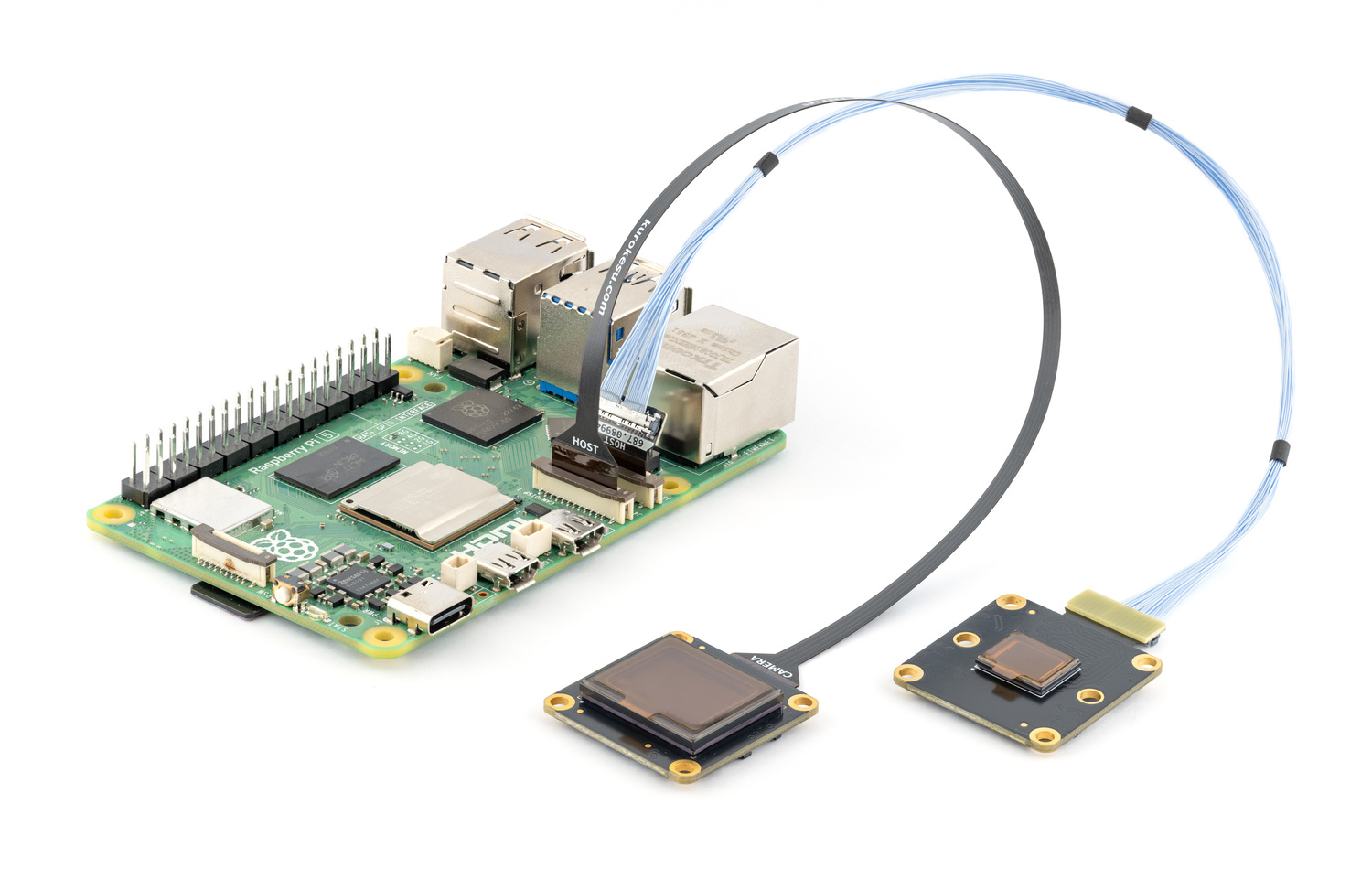
AR0822 camera modules are available at kurokesu.com
Note
This driver supports an experimental eHDR mode, modeled after IMX708
implementation, by exposing the standard V4L2_CID_WIDE_DYNAMIC_RANGE control.
Read more in eHDR (experimental).
Connect camera to CSI port with Pi powered off.
Update OS and reboot:
sudo apt update && sudo apt full-upgrade -y
sudo reboot
Important
If driver or camera stack was previously built from source, run one-time cleanup before first apt install. See migrating from a source install.
Enable Kurokesu apt archive (skip if already enabled):
curl -fsSLO https://apt.kurokesu.com/setup.sh
sudo sh setup.sh
Install driver and camera stack:
sudo apt update
sudo apt install -y ar0822-rpi-dkms rpicam-apps
With archive enabled, apt resolves Kurokesu rpicam-apps and libcamera forks with AR0822 support as updates to stock packages. Later updates arrive with regular apt upgrade.
Edit boot configuration:
sudo nano /boot/firmware/config.txtMake two changes:
- Find
camera_auto_detectnear the top and set it to0:
camera_auto_detect=0- Add
dtoverlay=ar0822under the[all]section at the bottom of the file:
[all]
dtoverlay=ar0822
If camera is connected to cam0 port, use dtoverlay=ar0822,cam0 instead. See cam0.
Save and exit.
config.txt changes take effect after reboot:
sudo rebootVerify camera is detected:
rpicam-hello --list-camerasExpected output (varies by lane configuration):
Available cameras
-----------------
0 : ar0822 [3840x2160 12-bit GRBG] (/base/axi/pcie@1000120000/rp1/i2c@88000/ar0822@10)
    Modes: 'SGRBG10_CSI2P' : 1920x1080 [120.15 fps - (0, 0)/3840x2160 crop]
                             3840x2160 [40.03 fps - (0, 0)/3840x2160 crop]
           'SGRBG12_CSI2P' : 1920x1080 [120.21 fps - (0, 0)/3840x2160 crop]
                             3840x2160 [33.89 fps - (0, 0)/3840x2160 crop]
Start live preview:
rpicam-hello -t 0On headless systems, capture a still image instead:
rpicam-still -o test.jpgar0822 overlay supports comma-separated options to override defaults:
| option | description | default |
|---|---|---|
cam0 |
Use cam0 port instead of cam1 | cam1 |
4lane |
Use 4-lane MIPI CSI-2 (if wired) | 2 lanes |
If camera is connected to cam0 port, append ,cam0:
dtoverlay=ar0822,cam0To enable 4-lane MIPI CSI-2, append ,4lane:
dtoverlay=ar0822,4laneWarning
Before using 4lane, confirm your camera port actually supports 4-lane MIPI CSI. Not all Raspberry Pi models and carrier boards provide 4-lane MIPI CSI on both ports.
Tip
Options can be combined. Example (cam0, 4-lane):
dtoverlay=ar0822,cam0,4laneAR0822 features an on-sensor HDR mode that expands dynamic range up to 120 dB by combining three exposures within sensor using the MEC algorithm. To reduce bandwidth requirements, linearized 20-bit HDR signal is companded to a 12-bit output.
Important
libcamera pipeline is designed for linear image data from sensor. Kurokesu's fork HDR implementation is experimental. Companded data may show color shifts due to compression.
Due to exposure range limitations, running at maximum fps with current PIXCLK configuration reduces maximum exposure drastically.
For instance, running 4K @ 30 fps results in maximum exposure T1 ≈ 10.26 ms, while running 4K @ 28.8 fps results in T1 ≈ 30.4 ms (right at internal delay buffer limit).
Consider reducing framerate slightly when larger exposure range is desired. This will be addressed in future driver revisions.
eHDR mode is enabled by appending --hdr to rpicam commands.
rpicam-hello --list-cameras --hdrAvailable cameras
-----------------
0 : ar0822 [3840x2160 12-bit GRBG] (/base/axi/pcie@1000120000/rp1/i2c@88000/ar0822@10)
Modes: 'SGRBG12_CSI2P' : 1920x1080 [48.04 fps - (0, 0)/3840x2160 crop]
3840x2160 [30.01 fps - (0, 0)/3840x2160 crop]
Install required tools:
sudo apt install -y git
sudo apt install -y --no-install-recommends dkms
Clone this repository:
cd ~
git clone https://github.com/Kurokesu/ar0822-rpi-driver.git
cd ar0822-rpi-driver/
If driver was installed from apt archive previously, remove it first:
sudo apt remove ar0822-rpi-dkmsRun setup script:
sudo ./setup.shCamera stack, boot configuration and verification follow Install. Skip ar0822-rpi-dkms there, only rpicam-apps is needed. To build libcamera and rpicam-apps from source as well, see libcamera/BUILDING.md.
One-time cleanup before first apt install.
Remove ar0822 driver modules installed by setup.sh:
dkms status | grep ar0822 | cut -d, -f1 | sort -u | xargs -rI{} sudo dkms remove {} --allSource-built libcamera and rpicam-apps install to /usr/local and shadow packaged binaries. Remove them:
Warning
Command below deletes everything under /usr/local with libcamera, rpicam or libpisp in its name, including custom scripts or files named after them.
sudo find /usr/local -depth \( -name '*libcamera*' -o -name '*rpicam*' -o -name '*libpisp*' \) -exec rm -rf {} +Cleanup complete. Continue with install steps.
- Will Whang for imx585-v4l2-driver, used as basis for structuring this driver.
- Sasha Shturma's Raspberry Pi CM4 carrier with Hi-Res MIPI Display project. Install script adapted from cm4-panel-jdi-lt070me05000.