Configuring Metrics
Tips to configure metrics.
When configuring sources it is helpful if the name describes both the source type and the location. For instance, if you use an artefact stored in a GitLab pipeline job, give it the name:
results.json (on GitLab)
In our example, the metric would look like below.
!
For some metrics, like the failed CI-jobs, there is only a field that can be used to ignore branches. If you want the metric to only include something, instead of ignoring you can apply the following regex.
^(?!main).*$
Below is an example of what this would look like when you want the metric to only display the main branch.
!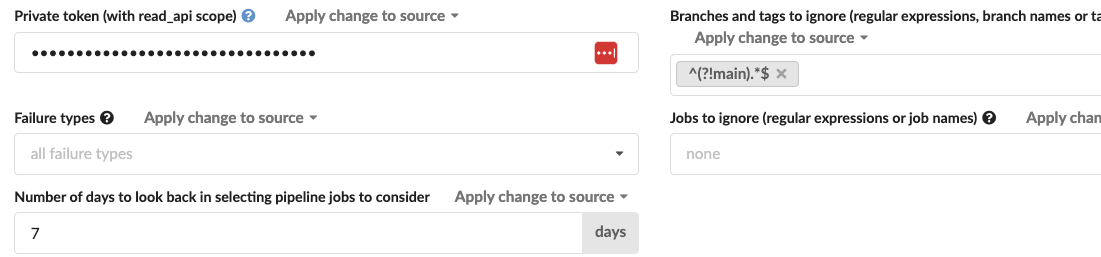
Example of set filters.
!
More info on this can be found on Regular Expressions.info.!