OxAuth Certification
In order to certify, some modifications must be made to the configuration.
The trustedClient and includeClaimsInIdToken fields must be initialized to true.
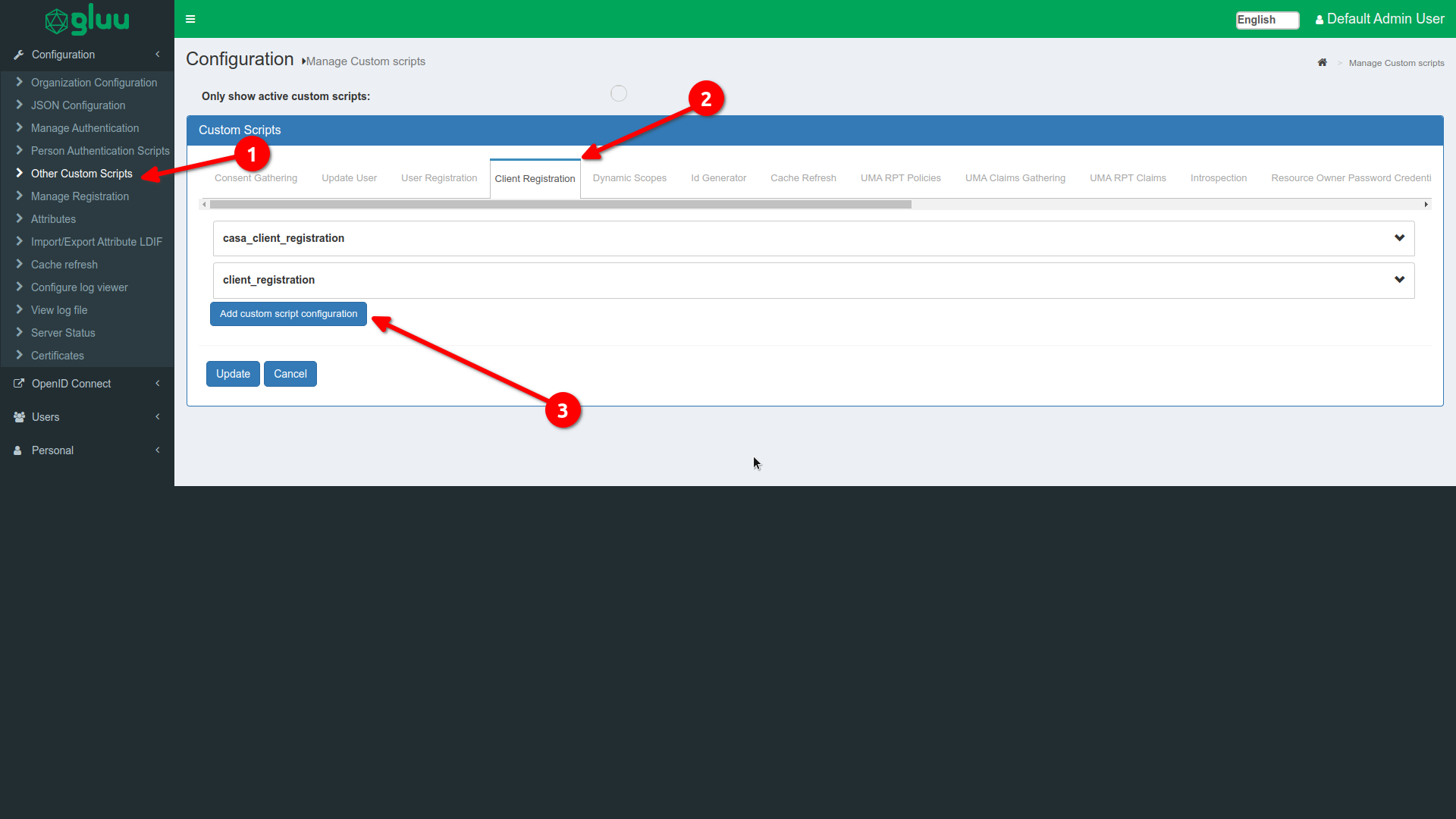
Be sure to activate the custom script, as it says in point 4.
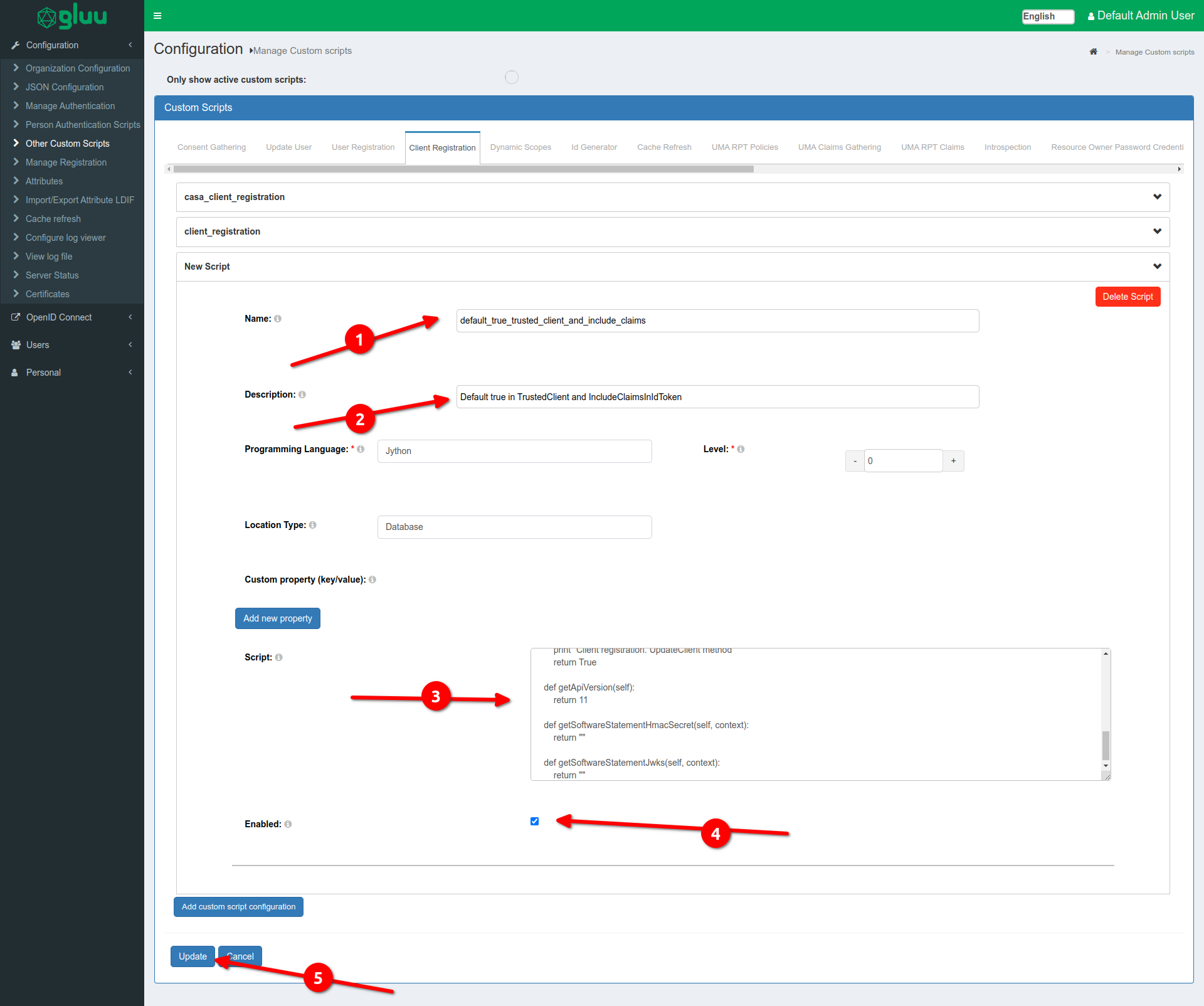
This is the custom script to add.
from org.gluu.model.custom.script.type.client import ClientRegistrationType
import java

class ClientRegistration(ClientRegistrationType):

    def __init__(self, currentTimeMillis):
        self.currentTimeMillis = currentTimeMillis

    def init(self, customScript, configurationAttributes):
        print "Client registration. Initialization"
        print "Client registration. Initialized successfully"
        return True

    def destroy(self, configurationAttributes):
        print "Client registration. Destroy"
        print "Client registration. Destroyed successfully"
        return True

    def createClient(self, registerRequest, client, configurationAttributes):
        print "Client registration. CreateClient method"
        client.setTrustedClient(True);
        client.setIncludeClaimsInIdToken(True);
        print "Client registration. Set True in TrustedClient and IncludeClaimsInIdToken"
        return True

    def updateClient(self, registerRequest, client, configurationAttributes):
        print "Client registration. UpdateClient method"
        return True

    def getApiVersion(self):
        return 11

    def getSoftwareStatementHmacSecret(self, context):
        return ""

    def getSoftwareStatementJwks(self, context):
        return ""
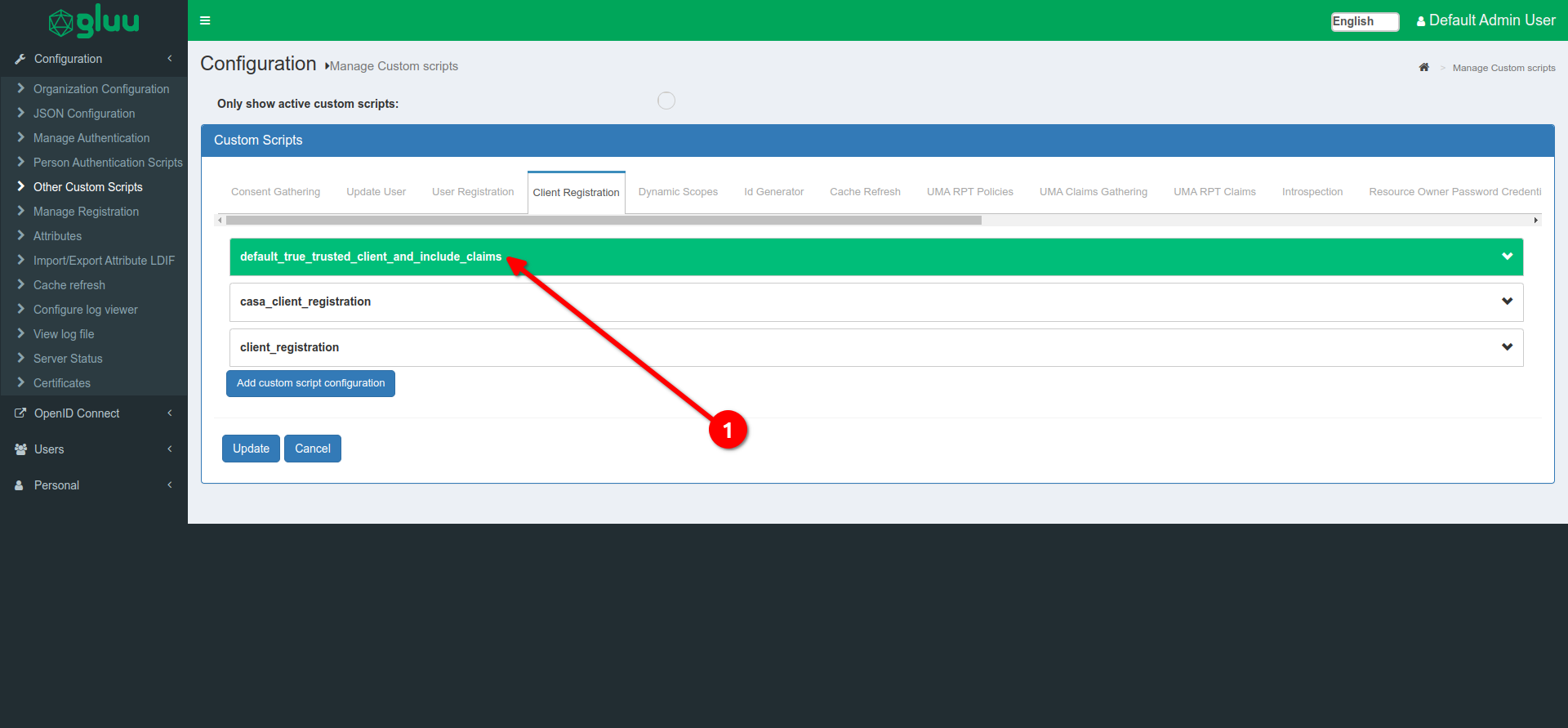
Once added, it should look like the following image.
A test person must be created for use in certification testing.
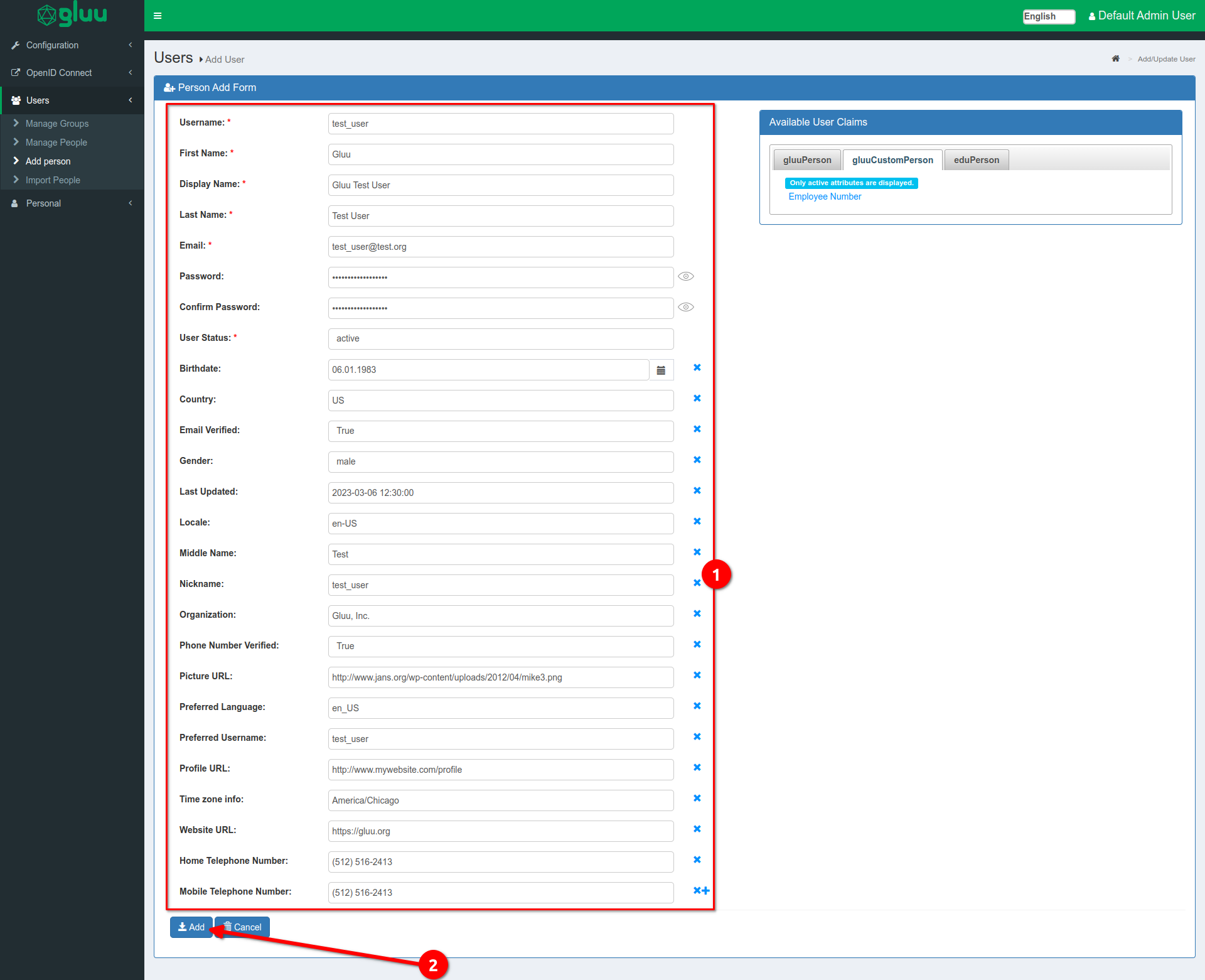
Data to be entered:
Username:                   test_user
First Name:                 Gluu
Display Name:               Gluu Test User
Last Name:                  Test User
Email:                      test_user@test.org
Password:                   test_user_password
Confirm Password:           test_user_password
User Status:                active
Birthdate:                  06.01.1983
Country:                    US
Email Verified:             True
Gender:                     male
Last Updated:               2023-03-06 12:30:00
Locale:                     en-US
Middle Name:                Test
Nickname:                   test_user
Organization:               Gluu, Inc.
Phone Number Verified:      True
Picture URL:                http://www.jans.org/wp-content/uploads/2012/04/mike3.png
Preferred Language:         en_US
Preferred Username:         test_user
Profile URL:                http://www.mywebsite.com/profile
Time zone info:             America/Chicago
Website URL:                https://gluu.org
Home Telephone:             (512) 516-2413
Mobile Telephone Number:    (512) 516-2413
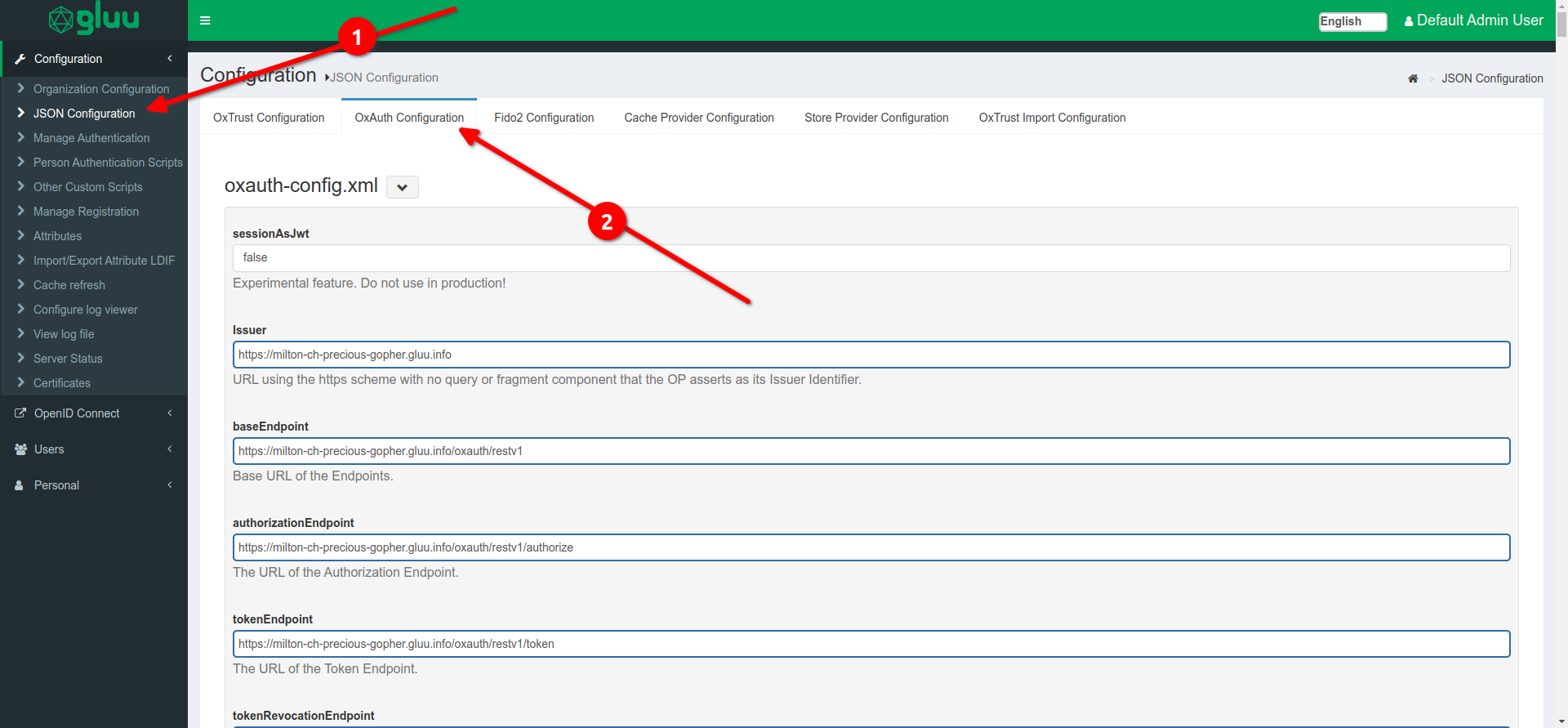
To configure OxAuth you must go to this section as shown in the image:
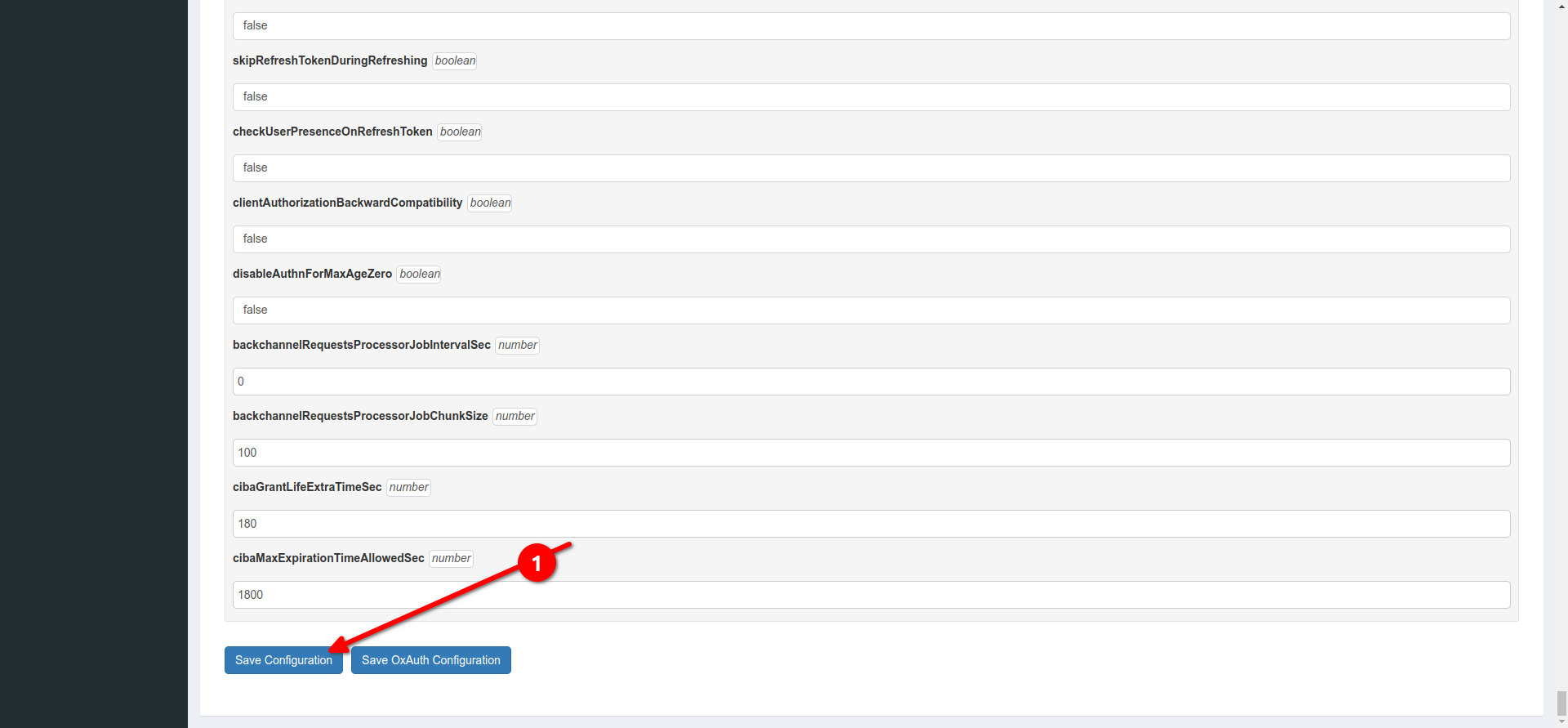
And when you finish your configuration, proceed to save your changes by clicking on the Save Configuration button:
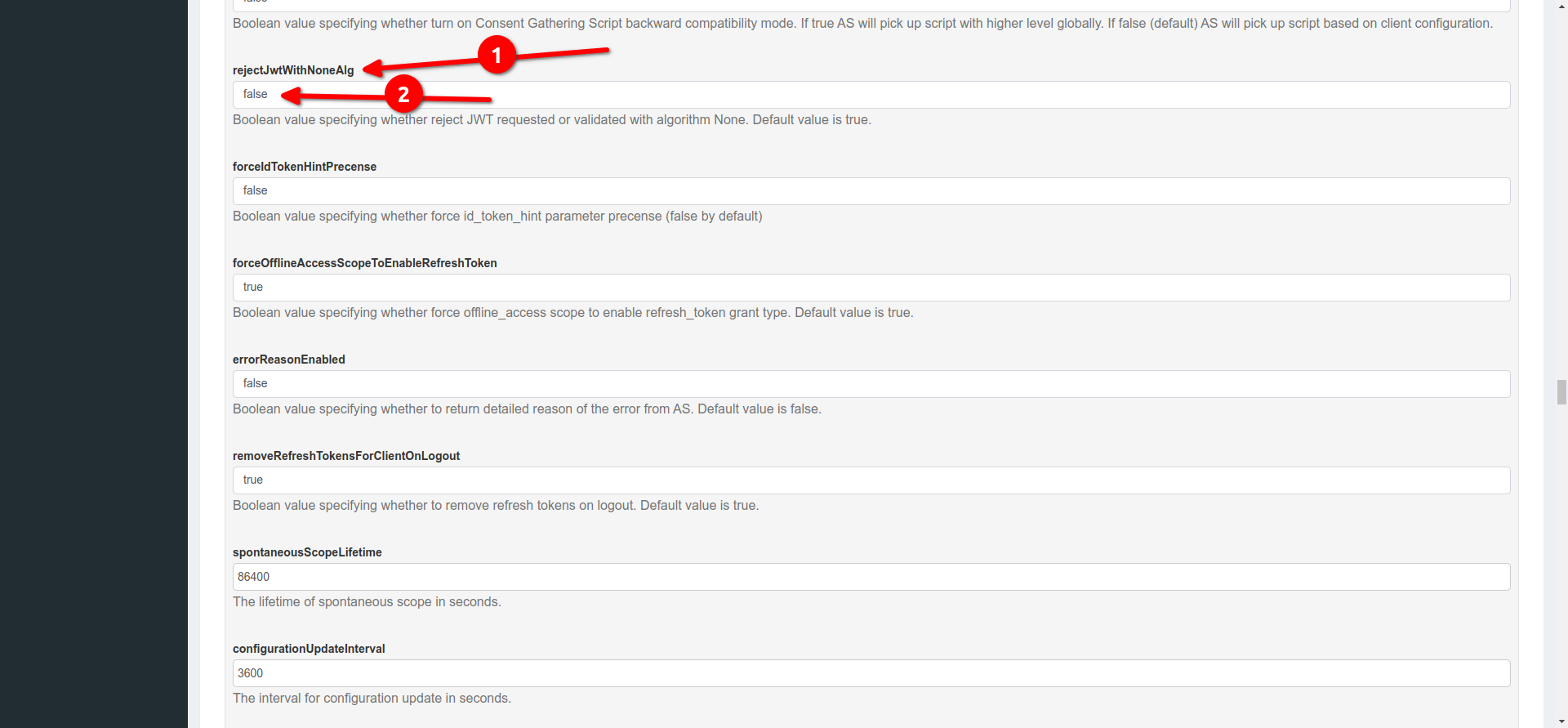
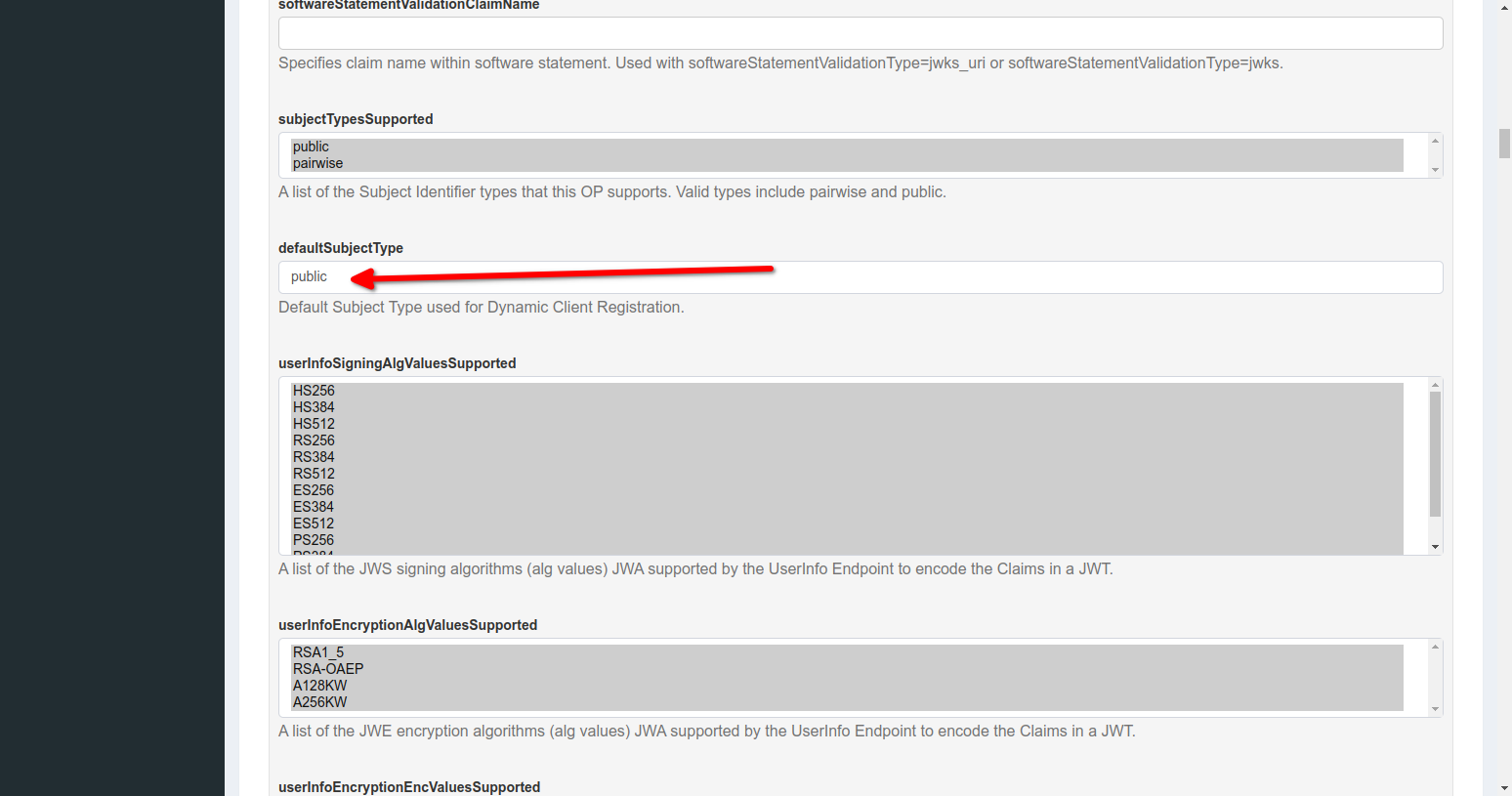
IMPORTANT NOTE: This configuration should only be applied for the test case: Dynamic OP (oidcc-dynamic-certification-test-plan) -> oidcc-ensure-redirect-uri-in-authorization-request.
To enable a default scope, you must search for the scope and set the Default scope field to true and
update by pressing the Update button, as shown in the following image:
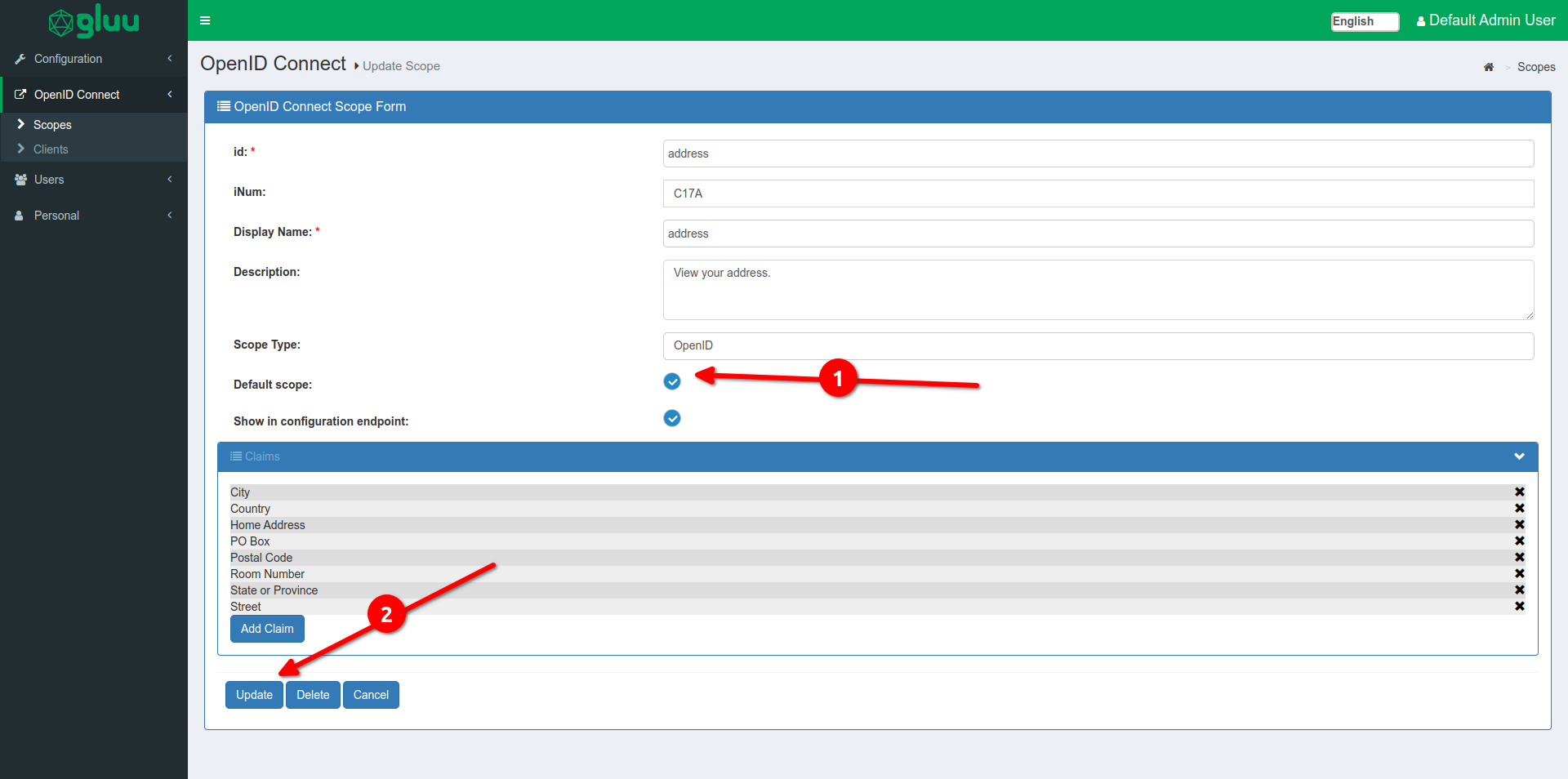
The scopes that must be enabled by default are:
profileemailaddressphone
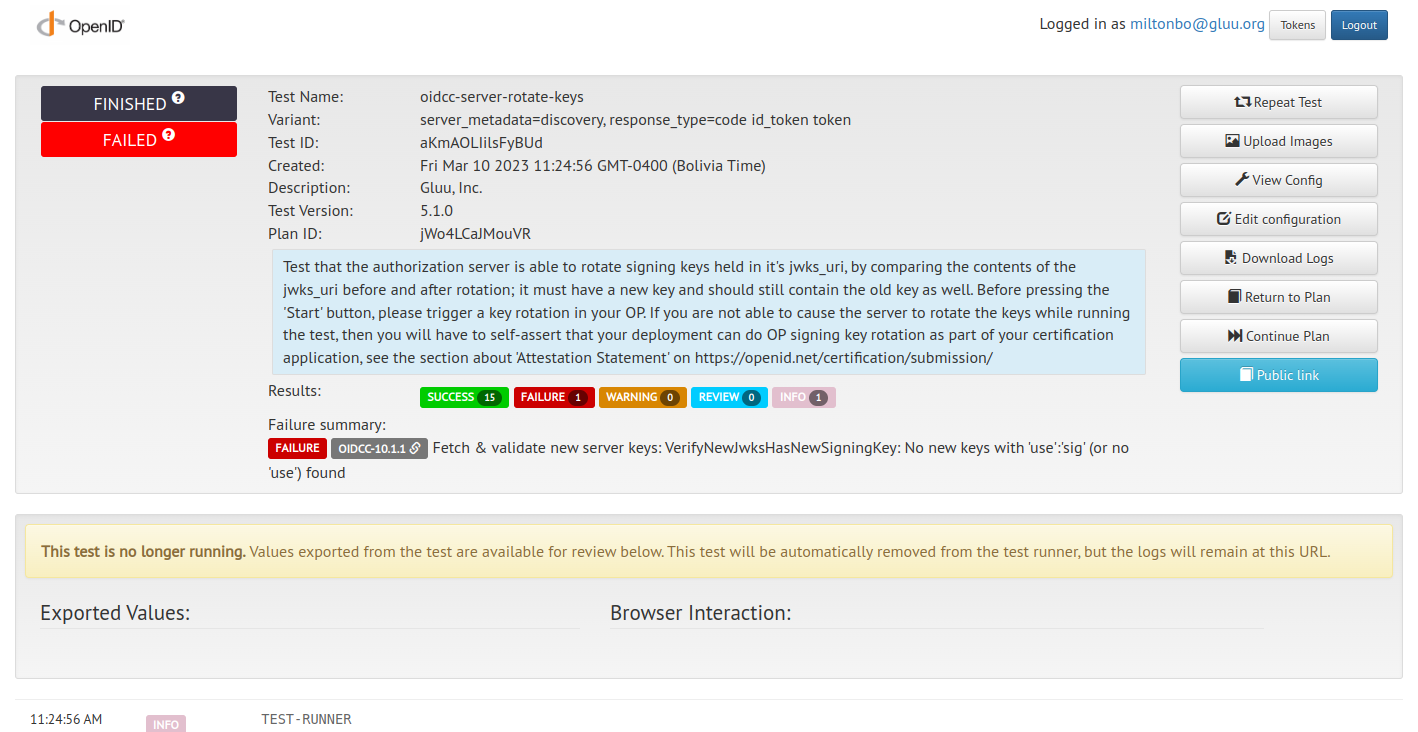
To rotate the keys you can use the following script: Key Regeneration Script
During this certification process, the following issues were found:
- Change response status 200 (Ok) by 201 (Created) for Client Registration
- The birthdate does not contain the correct format
- When trying to get a claims name, oxAuth does not return it
- Error in nonce validation
- Fix: kid not found when checking the JWT
- Fix: Client registration error when sector identifier is bad
- Fix: Error in authorization endpoint when request_uri is passed with JWT and contains response_mode: form_post
- Fix: Change invalid_claims_redirect_uri to invalid_client_metadata when registering a client with initiate_login_uri
The profiles that were certified were:
- Basic OP: https://www.certification.openid.net/plan-detail.html?plan=V3cZ2tZoAuSUh&public=true
- Implicit OP: https://www.certification.openid.net/plan-detail.html?plan=jeoOfTtRrT6Uu&public=true
- Hybrid OP: https://www.certification.openid.net/plan-detail.html?plan=f5feyFV9Ioe5Z&public=true
- Config OP: https://www.certification.openid.net/plan-detail.html?plan=Dw9MtuUnhTMEr&public=true
- Dynamic OP: https://www.certification.openid.net/plan-detail.html?plan=jWo4LCaJMouVR&public=true
- Form Post OP:
- 3rd Party-Init OP: https://www.certification.openid.net/plan-detail.html?plan=h7vmfQWBeWomS&public=true