English | 中文



📸 Preview
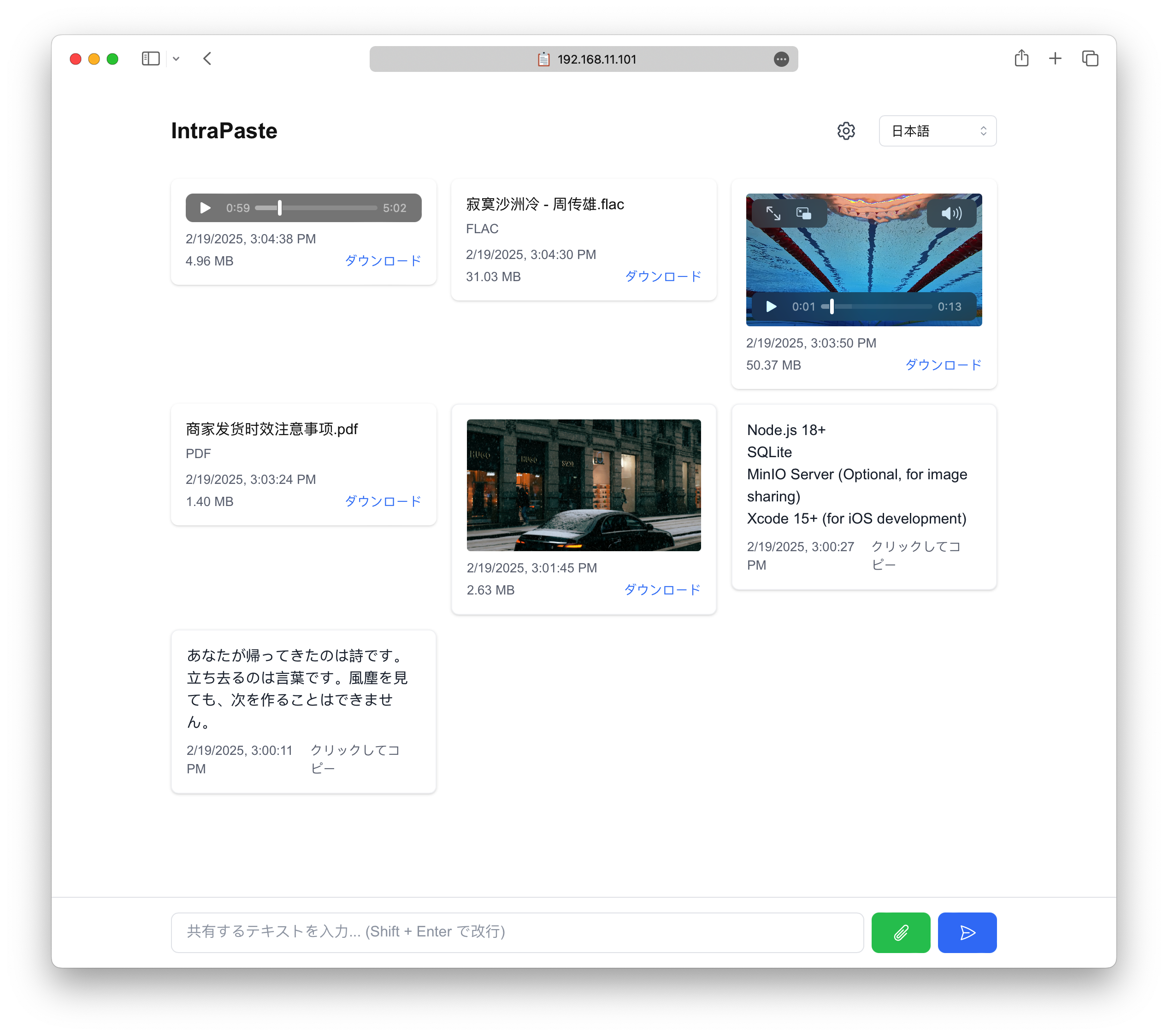
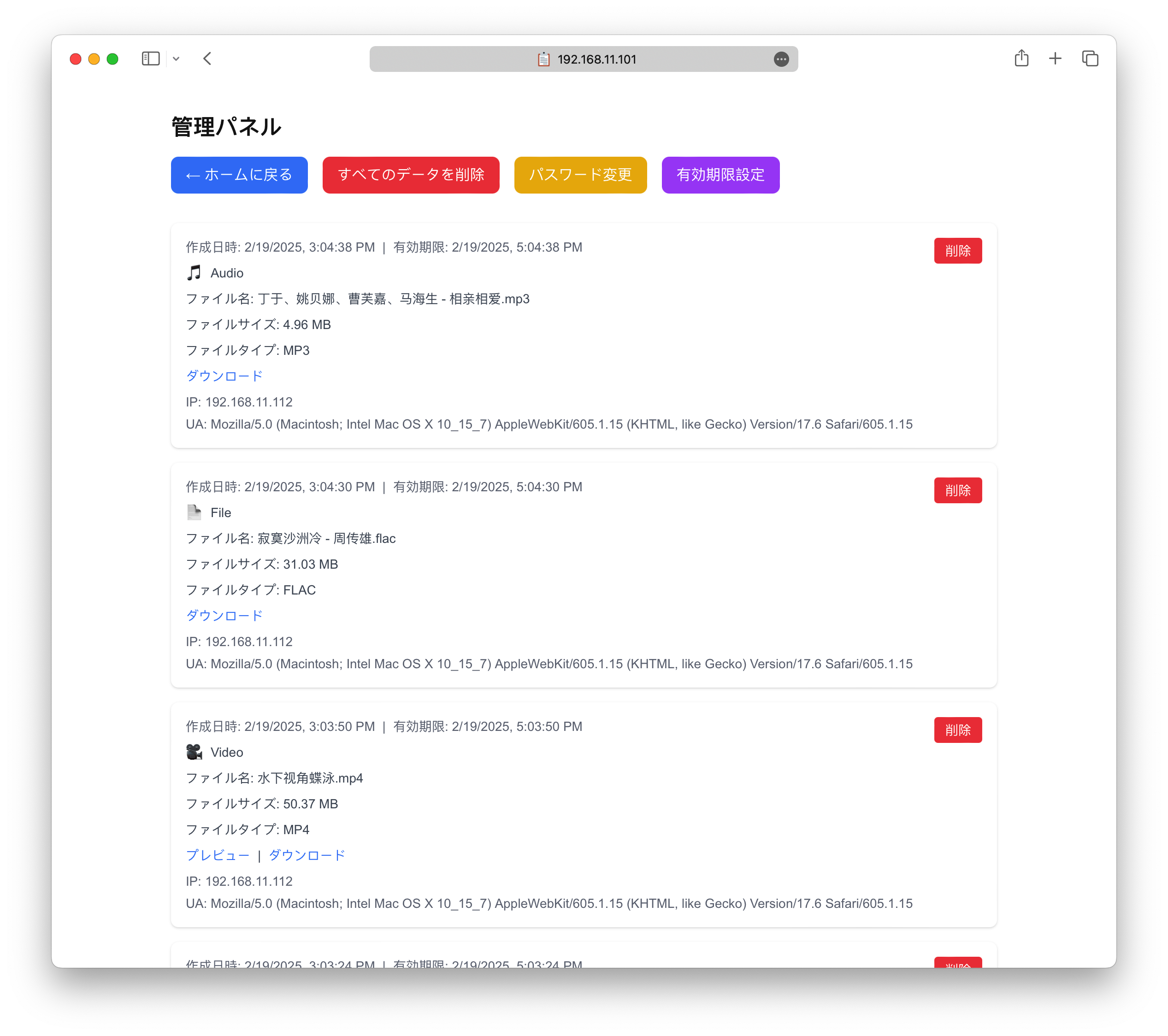
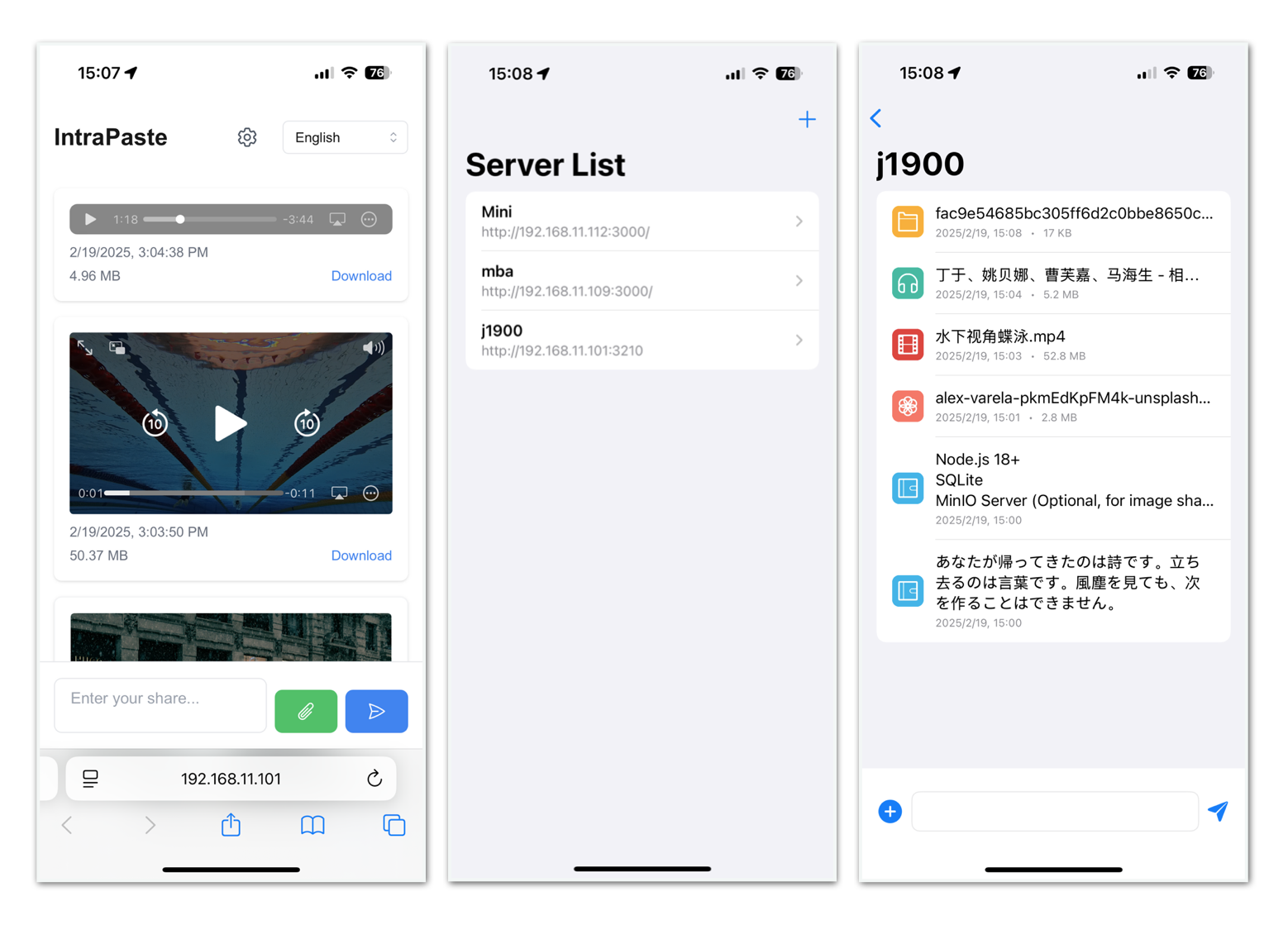
IntraPaste is a simple and efficient temporary content sharing service that supports text and image sharing. All content will be automatically cleaned up after a specified time to keep the system clean.
⚠️ Security Notice: It is recommended to deploy this service within an intranet environment rather than exposing it to the public internet. This helps prevent potential information leaks and malicious usage.
- AirDrop is limited to Apple devices only
- Requires both devices to have Bluetooth and WiFi enabled
- Needs manual device discovery and acceptance
- IntraPaste works across any platform with a web browser
- No device pairing or discovery needed
- Instant access through web interface
- LocalSend requires app installation on all devices
- Needs device discovery process
- IntraPaste works directly in browser - no app needed
- Access content instantly via URL
- Perfect for quick text sharing with one-click copy
- Universal Access: Works on any device with a web browser
- No Installation: Zero setup for end users
- Instant Sharing: Just paste and share URL
- Text Optimized: One-click copy for text content
- Intranet Focused: Secure sharing within your network
- Cross-Platform: Share between any devices/OS
- Simple Setup: Single deployment serves entire network
- 📱 iOS Client
- Native iOS app with SwiftUI (Download)
- Multiple server management
- Dark mode support
- Media preview & download
- 🌍 Internationalization
- Multiple language support
- Available in: English, 简体中文, 繁體中文, 日本語, Français, 한국어, Deutsch
- Easy language switching
- 📝 Text Sharing
- Multi-line text support
- Click to copy
- Shift + Enter for new line
- 📸 Media Sharing (Optional)
- Requires S3-compatible storage setup
- Image preview & zoom
- Video playback (mp4, webm, mov)
- Audio playback (mp3, wav, ogg, etc.)
- General file upload support
- One-click download
- 🎨 UI/UX
- Light/Dark theme
- Fully responsive design
- Clean and intuitive interface
- Upload progress indication
- 👨💼 Admin Features
- Admin dashboard
- Content management
- Password management
- Upload settings
- 🧹 System Features
- Auto cleanup expired content
- Optional file storage with S3-compatible services
- Rate limiting
- System logging
- File type validation
- Upload size limits (1GB max)
- Next.js 15 - React Framework
- React 19 - UI Library
- Prisma - Database ORM
- TailwindCSS - CSS Framework
- TypeScript - Type System
- AWS S3 / MinIO - S3-Compatible Object Storage (Optional)
- PM2 - Process Manager
- SwiftUI - iOS UI Framework
- Docker - Containerization
- Create a
docker-compose.ymlfile:
services:
  app:
    image: ghcr.io/faichou/intrapaste:latest
    ports:
      - "3210:3210"
    environment:
      # Optional: Set initial admin password (default: admin)
      # ADMIN_PASSWORD: your-secure-password
      # Optional: S3-compatible storage for media sharing
      # Uncomment and configure the following if you want to enable media uploads
      # Without S3 configuration, the system will operate in text-only mode
      # S3_ENDPOINT: http://your-s3-server:9000
      # S3_PUBLIC_URL: ""
      # S3_REGION: auto
      # S3_ACCESS_KEY: your-access-key
      # S3_SECRET_KEY: your-secret-key
      # S3_BUCKET: intrapaste
    volumes:
      - ./prisma:/app/prisma:rw
      - ./logs:/app/logs:rw
    healthcheck:
      test: ["CMD-SHELL", "wget --no-verbose --tries=1 --spider http://localhost:3210/api/health || exit 1"]
      interval: 30s
      timeout: 30s
      retries: 3
      start_period: 10s
restart: always- Start the service:
docker compose up -dThat's it! The service will automatically:
- Initialize the database and run migrations
- Start the application in text-only mode
- Access the service:
- Web UI: http://localhost:3210
- Admin Management: http://localhost:3210/admin (default password: admin, or your configured
ADMIN_PASSWORD)
⚠️ For security reasons, please change the default password immediately after first login, or setADMIN_PASSWORDenvironment variable before first run.
To enable image/video/file sharing, you need an S3-compatible storage service. Uncomment and configure the S3 environment variables in your docker-compose.yml:
environment:
  S3_ENDPOINT: http://your-s3-server:9000
  S3_PUBLIC_URL: ""
  S3_REGION: auto
  S3_ACCESS_KEY: your-access-key
  S3_SECRET_KEY: your-secret-key
  S3_BUCKET: intrapaste
You can run MinIO (S3-compatible) locally using Docker:
docker run -d \
  --name minio \
  -p 9000:9000 \
  -p 9001:9001 \
  -e "MINIO_ROOT_USER=minioadmin" \
  -e "MINIO_ROOT_PASSWORD=minioadmin" \
  minio/minio server /data --console-address ":9001"
Then configure your docker-compose.yml:
environment:
  S3_ENDPOINT: http://192.168.2.100:9000  # Replace with your server IP
  S3_PUBLIC_URL: ""
  S3_REGION: auto
  S3_ACCESS_KEY: minioadmin
  S3_SECRET_KEY: minioadmin
S3_BUCKET: intrapaste- Node.js 18+
- SQLite
- S3-Compatible Storage (Optional, for image sharing)
- Xcode 15+ (for iOS development)
- Install dependencies
npm install- Configure environment variables
cp .env.example .env
# Edit .env with your settings- Initialize database
npx prisma generate
npx prisma migrate deploy- Build and start with PM2
npm run build
pm2 start ecosystem.config.js- Run S3-Compatible Storage (e.g., MinIO)
# Using Docker
docker run -p 9000:9000 -p 9002:9001 minio/minio server /data --console-address ":9001"- Bucket Creation
The system will automatically create a bucket named intrapaste and set appropriate access policies.
- Open iOS project
cd ios/IntraPaste
open IntraPaste.xcodeproj- Build and run
- Select your target device/simulator
- Press Cmd+R or click the Run button
- The app requires iOS 17.0 or later
When deploying IntraPaste behind an nginx reverse proxy, special attention must be paid to the /api/sse endpoint configuration. This endpoint uses Server-Sent Events (SSE) for real-time updates, which requires specific nginx settings to function correctly.
⚠️ Important: For the/api/sseendpoint, you must setproxy_cache offandproxy_buffering off. These settings are critical for SSE to work properly, as buffering and caching can break the streaming connection.
Example nginx configuration:
server {
    listen 80;
    server_name example.com;
    return 301 https://$host$request_uri;
}

server {
    listen 443 ssl http2;
    server_name example.com;

    ssl_certificate     /etc/nginx/ssl/example.crt;
    ssl_certificate_key /etc/nginx/ssl/example.key;

    proxy_http_version 1.1;
    proxy_set_header Connection "";

    proxy_set_header Host $host;
    proxy_set_header X-Real-IP $remote_addr;
    proxy_set_header X-Forwarded-For $proxy_add_x_forwarded_for;
    proxy_set_header X-Forwarded-Proto $scheme;

    location /api/sse {
        proxy_pass http://127.0.0.1:3210;
        proxy_buffering off;
        proxy_cache off;
        chunked_transfer_encoding on;
        proxy_read_timeout 24h;
        proxy_send_timeout 24h;
    }
    location / {
        proxy_pass http://127.0.0.1:3210;
    }
}
Key configuration points:
proxy_buffering off: Disables response buffering, allowing SSE events to be sent immediately to the clientproxy_cache off: Prevents caching of SSE responses, ensuring real-time data deliveryproxy_read_timeout 24handproxy_send_timeout 24h: Extends timeout values to support long-lived SSE connectionsproxy_http_version 1.1andConnection '': Required for HTTP/1.1 keep-alive connections used by SSE
app/page.tsx- Main pagecomponents/- React componentslib/- Utility functionsprisma/- Database modelsios/- iOS native appViews/- SwiftUI viewsServices/- API and server managementModels/- Data models
- Maximum file size: 1GB
- Supported video formats: mp4, webm, mov
- Supported audio formats: mp3, wav, ogg, m4a, webm, aac
- Rate limiting: Configurable upload limits per IP
- File type validation for security