First of all thanks for checking out the repo:
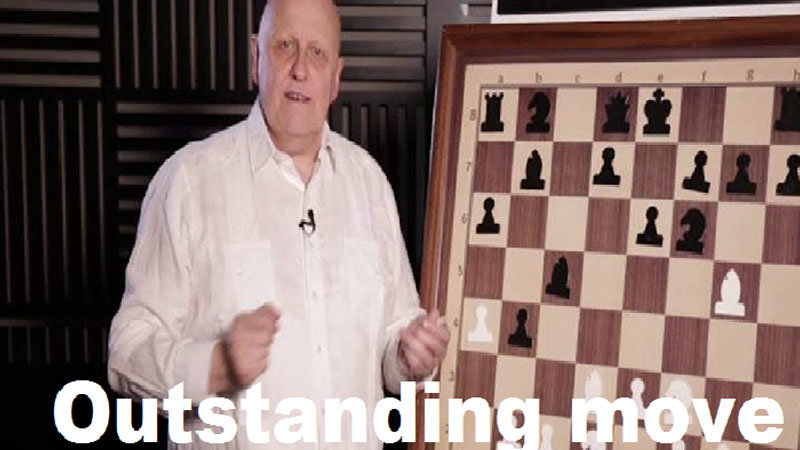

Agent will selfplay | PVC | PVP with board assist
What does it really do:
- Play chess vs Stockfish or {{your engine here}} save games to pgn and use for training
- Save game data and use for training network.
- Visualize training loss and allows for automated re-training cycles
- move suggestion based on board position
modded conv2D & Data generator/pgn parcer from git https://github.com/geohot/twitchchess
- Added more feeback and colorized console, added more exceptions and feedback in waiting.
- curbed learning rate for larger datasets (adam was getting spikey on batches)
- built in replies from PyQt5 and a game posting function
- built log for saving to TrainingGames/ and post()
- Randomized first move in selfplay for training sets. commented out original
- debugged UI a bit
The interface is still a bit buggy but:
- games will automatically save as pgn in ./TrainingGames
- new game will rest the board
- selfplay will do its thing for you
- You should be able to make moves then activate the agent on the board position (err when node not found)
human play will give both shell and html feedack
- while the program is exploing leaves any input will cause a break
- must wait until your turn to ff
- new game resets board without posting game
MAKE SURE: you need to make a folder called TrainingGames in the root directory for game dumps and for generating training set. Or edit to your liking in grandmaster.py
TODO:
- selftrain set
- add policy condition(make utility move) for tie values, in lategame the bot plays safe. wheres the aggro?
- remove hacky pickling and integrate the variables for (state,round/lastmove) into attribute of class methods
CNN config
- added LR to optimizer and batch sheduler.
- learning rate spiking due to adam batching need to control and reduce learning rate on the larger than 5million example sets -25m example set failed to find global min. gradent decent is a possability even though adam is more efficient
- Improved validation and testing. Right now if tests high and preforms lower. retraining by playing will decrease global min but very slowly (retrain every 100 games against model)
ENVIROMENT: (this had to use cuda 11.2 with RTX 3090) Python=3.7
#check versioning

nvcc --version

#Working ENV

nvcc: NVIDIA (R) Cuda compiler driver
Copyright (c) 2005-2020 NVIDIA Corporation
Built on Mon_Nov_30_19:15:10_Pacific_Standard_Time_2020
Cuda compilation tools, release 11.2, V11.2.67
Build cuda_11.2.r11.2/compiler.29373293_0

## torch version install (for cuda 11.*)

conda install pytorch torchvision torchaudio cudatoolkit=11.0 -c pytorch

# with PIP

pip install torch===1.7.1+cu110 torchvision===0.8.2+cu110 torchaudio===0.7.2 -f https://download.pytorch.org/whl/torch_stable.html
git clone https://github.com/Encryptic1/GrandmasterFLEX.git
Install dependancies:
pip install -r requirements.txt
Building the data (required):
You will have to build your own training sets as .npz they are too big to upload to github. Comment if you needa large batch and ill try to get them to you.
Start by grabbing your favorite GM games from https://www.pgnmentor.com/files.html you will need alot of them to get any sort of capable AI
you will have to click on generate training set once you have entered the number of examples to use (defult 10M). The QTwindow will freeze but the shell will report progress (this may take a while depending on your inputs for size)
Running the application for (generating dataset/playing/using model/UI)
cd ./GrandmaserFLEX
python grandmaster.py
Running a training session
- (~ 3mim/ epoch @10M examples. Device: CUDA RTX 3090)
- you will have to install visdom and initialize it in another shell. This is used to output the win probability and the training loss (there are messages embeded to remind you upon init)
python train.py
be sure to use the mane of the training set you either generated or want to use in line 26 train.py the name will be associated with the number of examples contained in the .npz
dat = np.load("processed/dataset_**********_EX.npz")
You may also want to adjust the batch size and learning rate accordingly in lines 88 & 90 train.py
88 train_loader = torch.utils.data.DataLoader(chess_dataset, batch_size=1024, shuffle=True)
90 optimizer = optim.Adam(model.parameters(),lr=0.0001)
- if batch size = 2048 then Learning rate = 0.0001 (best results ive had, smooth loss curve)
- if batch size = 1024 then Learning rate = 0.00001
- if batch size = 512 then Learning rate = 0.000001 (not recommended)
- if batch size = 256 then Learning rate = 0.0000001 (Very not recommended)
A greater batch size will yeild a faster train and a better global minimum you just need the VRAM. Ive had the best results with batch_size=2048 @ Learning_Rate=0.0001 on 30 Epochs training on 10Million examples.
Visdom and Shell:
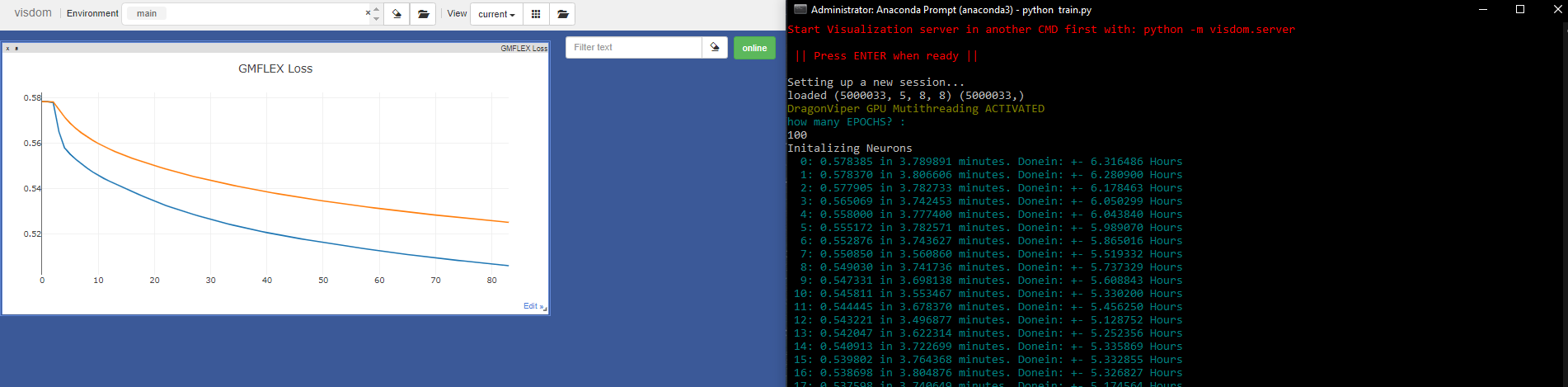 you will be prompted to enter the number of epochs you want to use in a non decimal int() dtype. The training will commense and you will see "GrandmasterFlex Trained" when finished.
Playing the Model:
python grandmaster.py
- Click on the peice you want to move and then the square you want to move it to.
- Click on make move for the AI to make the move for the respective side(B or W turn)