
The AI-native email inbox you'll enjoy using.
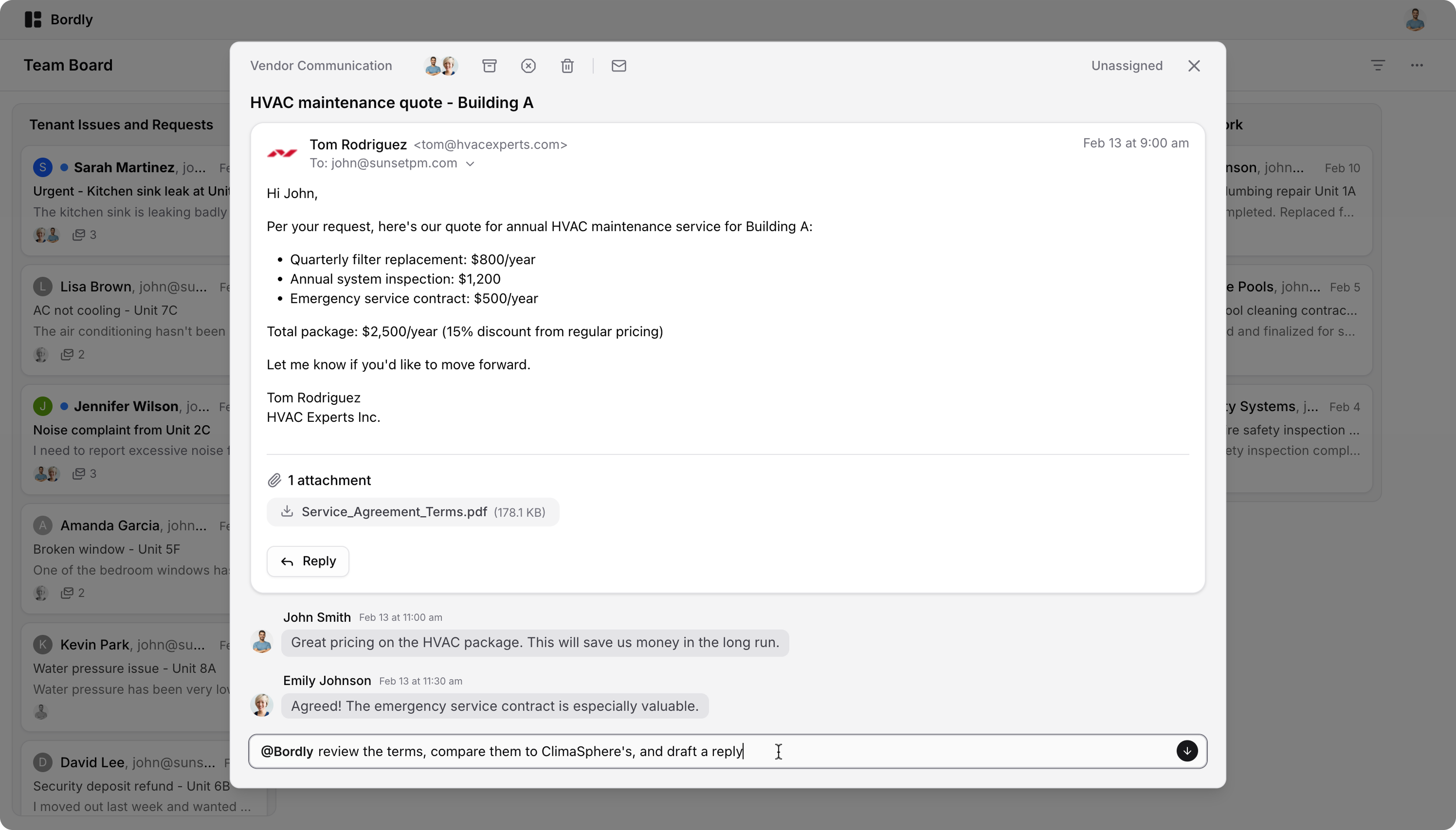
Bordly is an email client that reimagines your inbox as a collaborative board. It blends powerful AI automation with an intuitive UI, enabling truly agentic assistance for you and your team.
- ✅ Free & open – Completely open-source, no hidden features
- 🦾 AI-native – Smart AI assistant with infinite memory
- 📬 Unified inbox – Connect all your email accounts in one place
- 🙌 Collaborative – Work together on emails with your team
- 🔒 Privacy-focused – Built-in email tracking blocker
- 🎨 Beautiful design – Clean and intuitive board-based interface
- 🚀 Blazing fast – Smooth experience with instant UX
- 🛠️ Customizable - Developer-friendly and extensible

- Frontend: React, TanStack Router, TailwindCSS, Shadcn UI, Tiptap, Vite
- Backend: Node.js, Fastify, tRPC, Mastra, MikroORM, Pg Boss
- Data: Google OAuth, PostgreSQL, LanceDB (vectors), AWS S3 (or compatible)
- LLM: Any provider, OpenAI (embeddings)
- Development: TypeScript, Devbox (Nix), Nginx, Biome, Mkcert
git clone https://github.com/BemiHQ/Bordly.git
cd Bordly# Install Devbox and initialize environment
make init
# Start required services (PostgreSQL, MinIO, Nginx)
make up-servicesCopy and customize the .env files:
cp backend/.env.example backend/.env
cp frontend/.env.example frontend/.env
Add to /etc/hosts for local development:
127.0.0.1	bordly.dev
127.0.0.1	api.bordly.dev
# Install all dependencies
make install

# Create database and run migrations
make create# Start both frontend and backend
make upOpen https://bordly.dev in your browser.
Bordly provides a comprehensive set of make commands for development:
make up              # Start the full application
make up-backend      # Start backend only
make up-frontend     # Start frontend only
make up-services     # Start PostgreSQL, MinIO, and Nginx
make down-services   # Stop all services
make ps # List running servicesmake create # Create database and run migrations
make migrate # Run migrations
make rollback # Rollback last migration
make add-migration # Create new migration (use NAME=migration_name)
make reset # Drop and recreate database
make recreate # Reset database and run migrationsmake check # Format, lint, and type-check the entire codebase
make format # Format code with Biome
make test # Run testsmake sh # Open a shell in the Devbox environment
make console # Open Node.js REPL consoleDistributed under the AGPL-3.0 License. If you need to modify and distribute the code, please release it to contribute back to the open-source community.