For any feature request Ping me on linkedIn 👇
Follow me on linkedin for more interesting projects
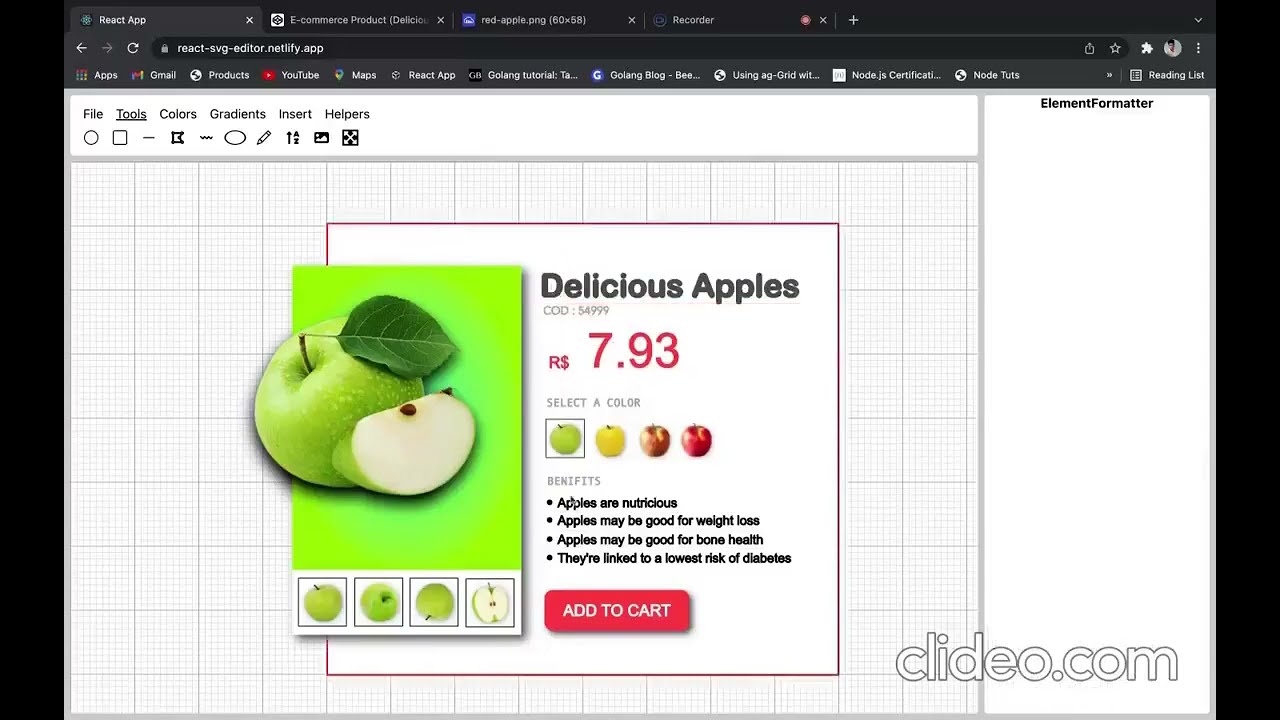
- React Svg Editor is a powerful design tool that helps you to create anything: websites, applications, logos, and much more.
- Built for Web, React Svg Editor helps you create, share, test, and ship better designs from start to finish.
- Whether it’s consolidating tools or simplifying workflows React Svg Editor makes the design process faster, more efficient, and fun while keeping everyone on the same page.
- Multiple tools provided to design layouts.
- Gradient creator provided to create and use beautiful gradients within the project.
- Theming made easy, select and save colours in palettes and use them throughout in the project, didn't liked a color, change it, it will automatically be applied to all the elements in which it was used.
- Tool like clipart search, illustration search also provided.
- Transform shapes easily, manipulate various properties like height, width, border color, background color etc.
- over 8 css filters available.
- Divide large projects into small parts , design them in separate pages of a project.
- Export your project as svg or json.
- Improt the json file again
- Effects like outline , box-shadow also available.
- Everything is saved locally , don't need internet to work
- Pointer helpers are also provided to help place your shape in a perfect position.
- click on create new file on header
- select tool
- click on canvas to add shape
- the sidebar on right contains all the properties, manipulate them from there.
- for multipoints shapes like line, polygon, path use right click to end the path.
- press ctrl key and drag the shape to scale.
- press shift key and drag the shape to rotate.
- Click on file then on pages to add more pages.
- Click on file and then on save to save your project.
- Click on gradient , gradient creation tool will open up for you.
- Click on color , to add colors to palette.
- Click on Insert, clipart search tool will open up for you.
- The most complex project That I made is React Svg Editor, It's a in Browser Svg Design Tool has many use cases like Logo Designer, PPT, Ui/UX Design tool, have inbuilt components to search and user cliparts across your projects and other tools for adding effects like gradients, filters, shadows etc.
- It includes shapes like Circle, Rectangle, ellipse, Text, Line, Ployline, Polygon, Pencil, Image etc, you can just open this app and start designing whatever u like, all designs will be saved in In Browser Database called IndexedDB.
- You can also group two shapes together and thus create a component like Product Card, Navigation bar, Quotes etc and reuse them across your designs, For adding group shape I had to start the project again from scratch brcause I was using Linear traversal by storing shapes in an array to render shapes, But with groups it was not possible so I had to store elements in a map and render them using Depth First Traversal algorithm of trees.
- You can also add multiple pages to your design project and later run it like a power point presentation. -The project is made using React.js and Redux and language used is Typescript.