







"In fact, I've actually triggered buffer overflows by just entering my real name."
-- A.
Augur is a blazing fast IDA headless plugin that extracts strings and related pseudocode from a binary file. It stores pseudocode of functions that reference strings in an organized directory tree.
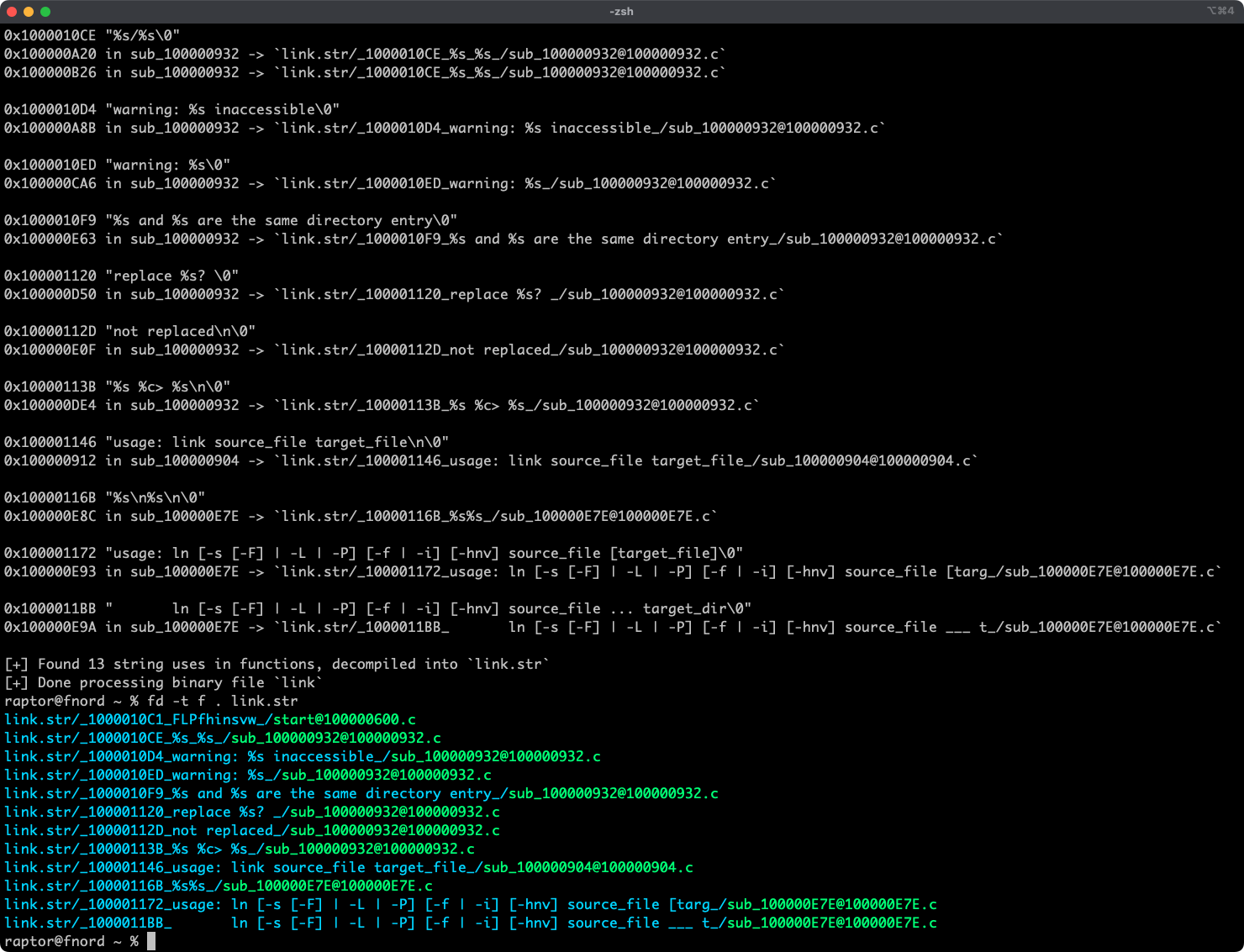
- Blazing fast, headless user experience courtesy of IDA 9.x and idalib-rs Rust bindings.
- Support for binary targets for any architecture implemented by IDA's Hex-Rays decompiler.
- Decompilation feature based on the
decompile_to_fileAPI exported by haruspex. - Pseudocode of each function that references a specific string is stored in a separate directory.
- https://hex-rays.com/blog/streamlining-vulnerability-research-idalib-rust-bindings
- https://hnsecurity.it/blog/streamlining-vulnerability-research-with-ida-pro-and-rust
- https://github.com/0xdea/rhabdomancer
- https://github.com/0xdea/haruspex
- https://docs.hex-rays.com/release-notes/9_0#headless-processing-with-idalib
- https://github.com/idalib-rs/idalib
The easiest way to get the latest release is via crates.io:
- Download, install, and configure IDA (see https://hex-rays.com/ida-pro).
- Install LLVM/Clang (see https://rust-lang.github.io/rust-bindgen/requirements.html).
- On Linux/macOS, install as follows:
On Windows, instead, use the following commands:
export IDADIR=/path/to/ida # if not set, the build script will check common locations
cargo install augur
$env:LIBCLANG_PATH="\path\to\clang+llvm\bin"
$env:PATH="\path\to\ida;$env:PATH"
$env:IDADIR="\path\to\ida" # if not set, the build script will check common locations
cargo install augur
Alternatively, you can build from source:
- Download, install, and configure IDA (see https://hex-rays.com/ida-pro).
- Install LLVM/Clang (see https://rust-lang.github.io/rust-bindgen/requirements.html).
- On Linux/macOS, compile as follows:
On Windows, instead, use the following commands:
git clone --depth 1 https://github.com/0xdea/augur
cd augur
export IDADIR=/path/to/ida # if not set, the build script will check common locations
cargo build --release
git clone --depth 1 https://github.com/0xdea/augur
cd augur
$env:LIBCLANG_PATH="\path\to\clang+llvm\bin"
$env:PATH="\path\to\ida;$env:PATH"
$env:IDADIR="\path\to\ida" # if not set, the build script will check common locations
cargo build --release
- Make sure IDA is properly configured with a valid license.
- Make sure the
IDADIRenvironment variable is set if your IDA installation is in a non-standard location. - Run as follows:
augur <binary_file>
- Find the extracted pseudocode of each decompiled function in the
binary_file.strdirectory, organized by string:vim <binary_file>.str code <binary_file>.str
Only the latest IDA release is officially supported, but older versions may work as well. The following table summarizes the latest compatible release for each IDA version:
| IDA version | Latest compatible release |
|---|---|
| v9.0.241217 | v0.2.3 |
| v9.1.250226 | v0.6.2 |
| v9.2.250908 | v0.7.5 |
| v9.3.260213 | v0.8.1 |
| v9.3.260327 | v0.9.0 |
| v9.3.260421 | v0.9.3 |
| v9.4.260714 | current release |
Note
Check the idalib-rs documentation for additional information.
This project's development has been supported by the following organizations:
- HN Security
- Hex-Rays via their Contributor Program
- Integrate with oneiromancer.
- Allow users to choose to process string cross-references even if the decompiler is unavailable.
- Consider integrating proptest to complement unit testing.
- Implement functionality similar to https://github.com/joxeankoret/idamagicstrings.