 Appwrite
Benchmarking Appwrite on ARM #1041

Replies: 4 comments 1 reply

-
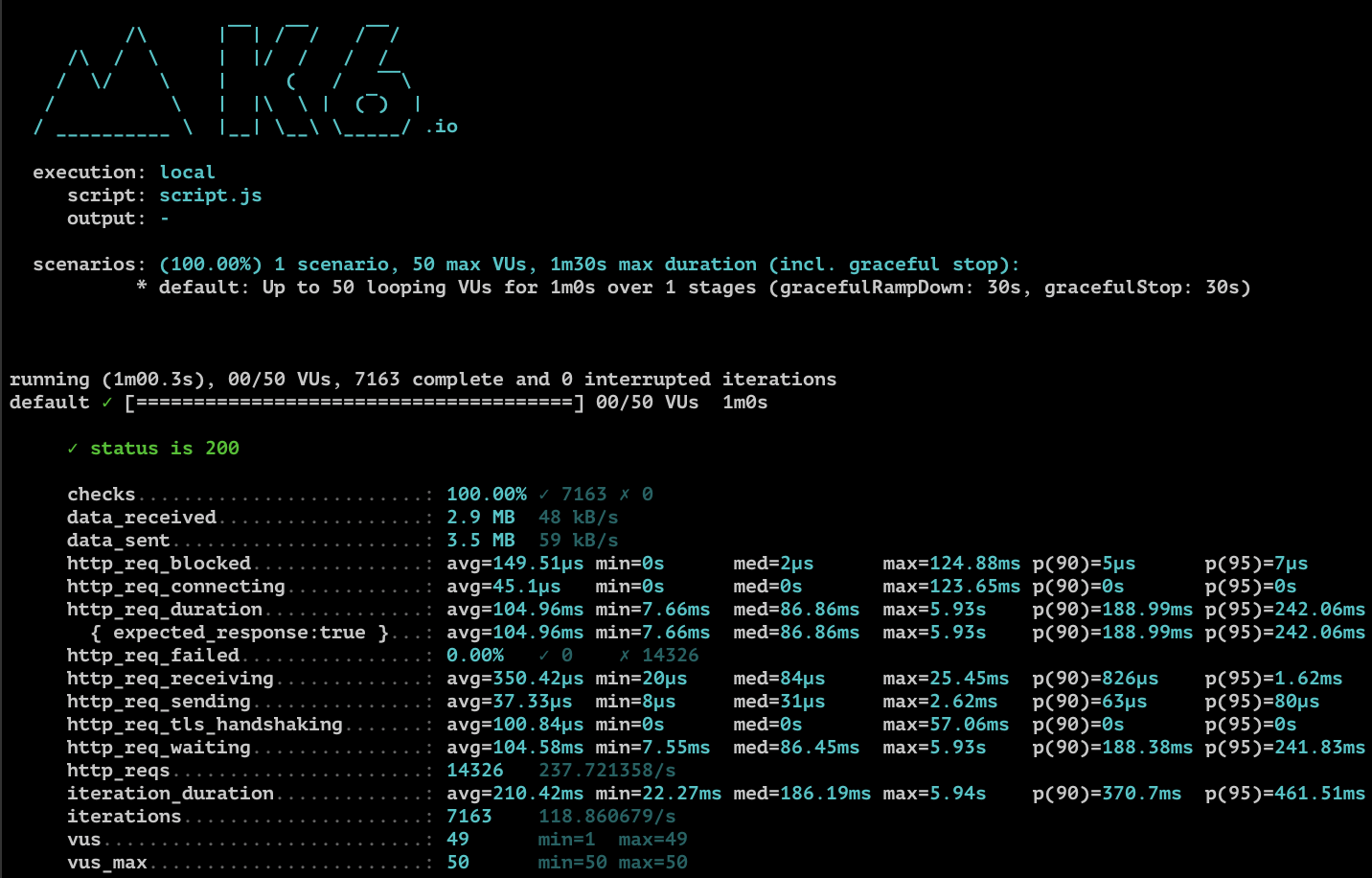
k6 Stress TestNote: I had issues setting up the certificate for this instance (see below), so I'm running ARM Server DetailsDevice: Pine Rockpro64
Memory: 4GB LPDDR4 Notes:
|
Beta Was this translation helpful? Give feedback.

-
|
If LetsEncrypt's ACME servers can't reach your SBC on ports 80/443, then you can't get an SSL cert signed. However, those errors remind me of this relevant issue on my to-do list: #1025 |
Beta Was this translation helpful? Give feedback.

-
|
|
Beta Was this translation helpful? Give feedback.

-
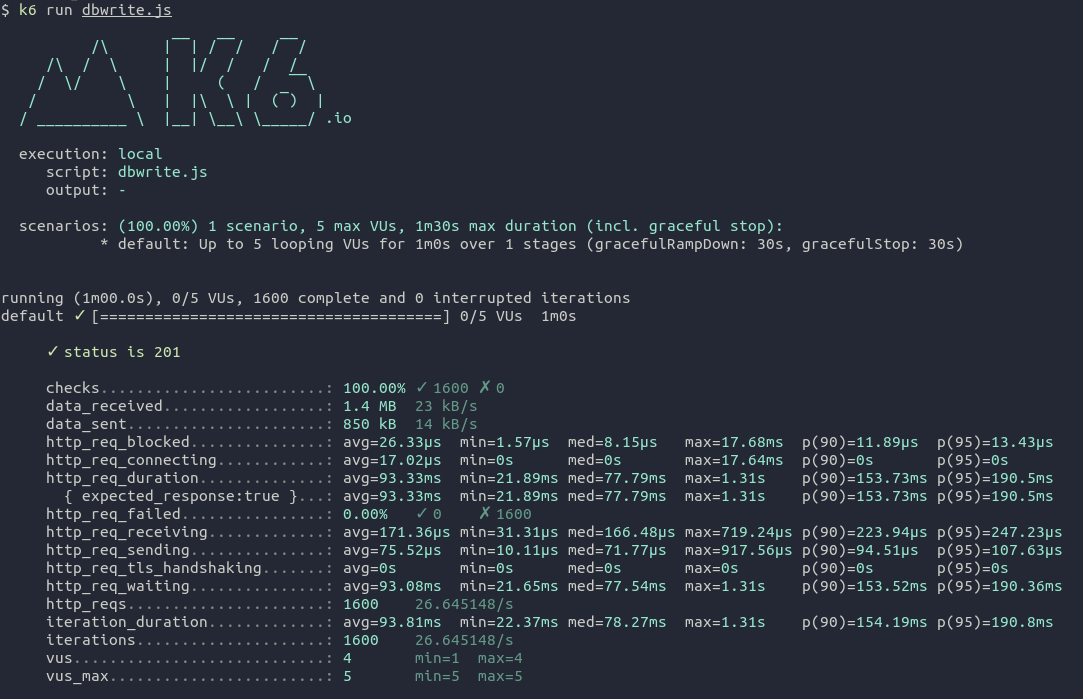
Writing documents to DB (~1600 written)
Device: Raspberry Pi 4 Model B, 2GB RAM dbwrite.jshttps://gist.github.com/kodumbeats/60e94e7d3a031f6084e7999288998ad6 |
Beta Was this translation helpful? Give feedback.
-
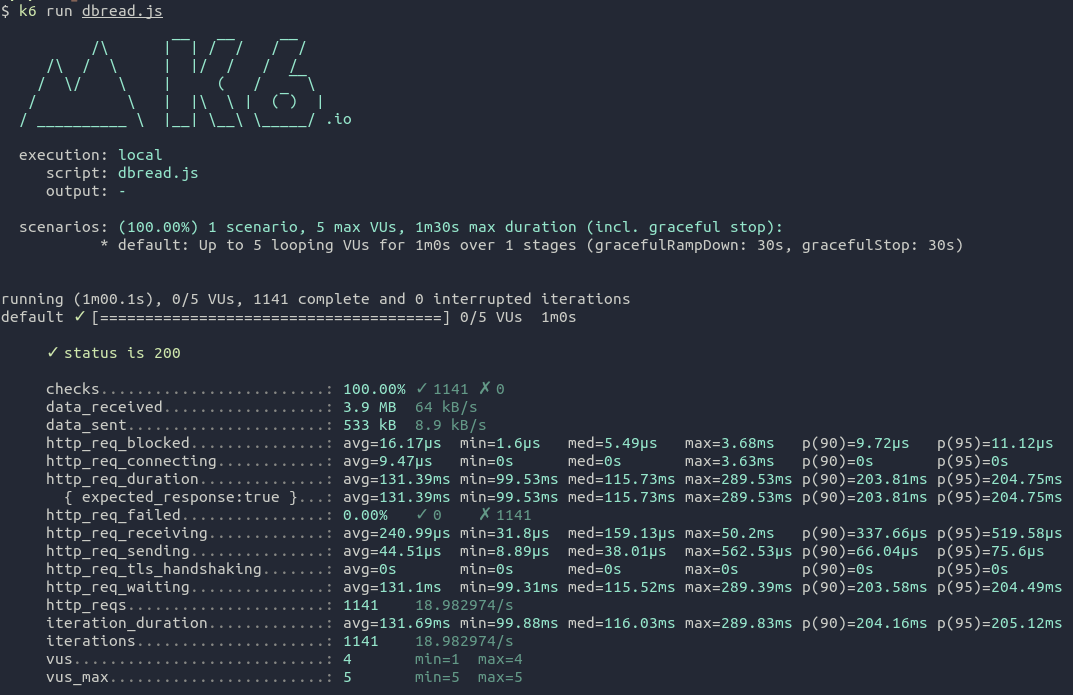
Fetching a list of 1600 documents
Device: Raspberry Pi 4 Model B, 2GB RAM dbread.jshttps://gist.github.com/kodumbeats/33a07e1c2e87e4c86e945c903d440fb8 |
Beta Was this translation helpful? Give feedback.


Uh oh!
There was an error while loading. Please reload this page.
-
With the upcoming
0.8.0release, Appwrite will support ARM CPUs, and we're curious to see how it performs on the wide variety of ARM devices out there. As a self-hosting advocate, I'm especially excited to run Appwrite on the Raspberry Pi!If you have a Raspberry Pi laying around (or five, like I do), try setting up Appwrite on the
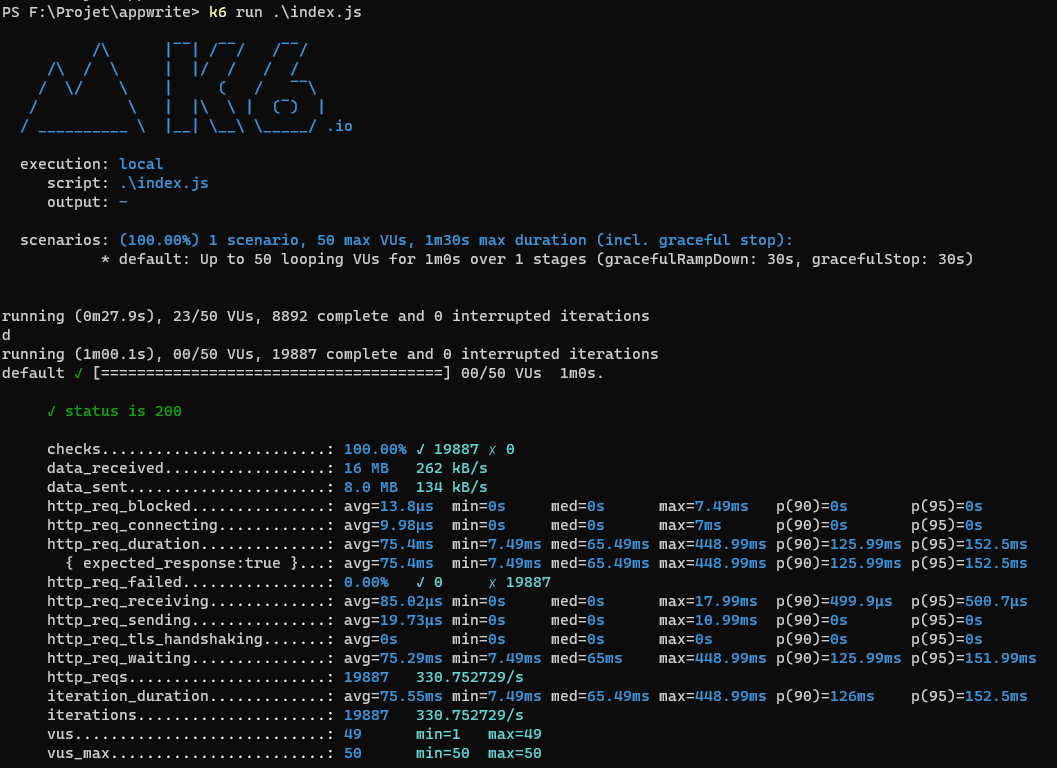
feat-465-add-arm-supportbranch ofappwrite/appwrite. I've written a tutorial on how I deployed Appwrite to a Raspberry Pi 4, and I'd love to see what kinds of benchmarks you're able to generate.We have enjoyed benchmarking with the open-source tool k6, and I've included a brief benchmarking script in my tutorial to test against the database health endpoint. If you've generated benchmarks, please share the details (CPU, memory, disk, endpoints, etc)!
Beta Was this translation helpful? Give feedback.
All reactions