简体中文 · How it works · Known limitations
Vendor-neutral Agent Skill for constructing test data against a backend and, when the request is a case-material job, writing the values back as executable preconditions.
What write-back looks like:
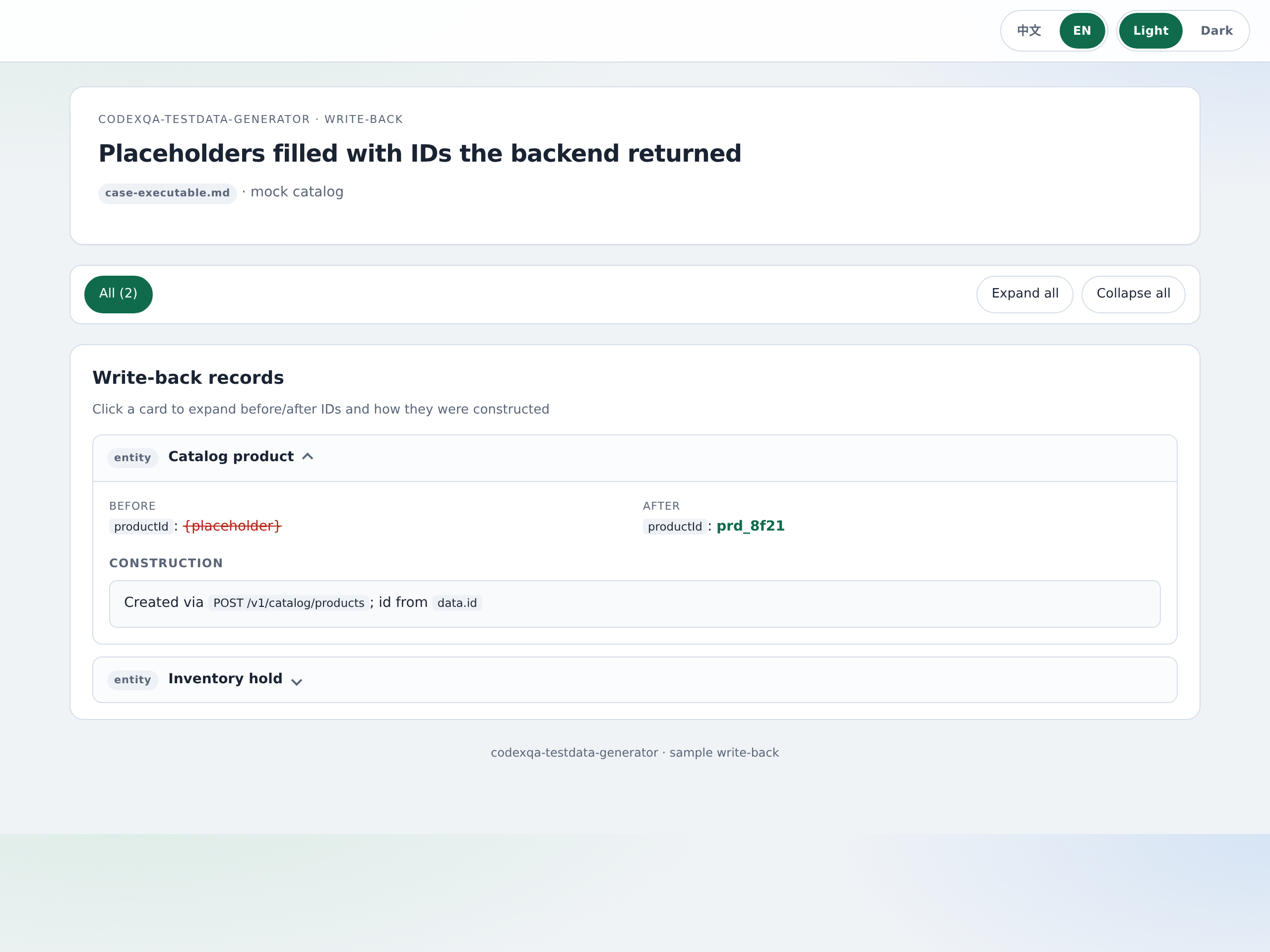
It does not invent business IDs. "Construct succeeded" means the backend returned an ID, not that one appeared in the chat. It also does not author test cases from a PRD — that is the sibling codexqa-testcase-generator skill.
Not application source. This skill does not clone a repo or infer table names from code/. It talks to a backend (or the bundled mock) with materials you already have:
| Job | Bring |
|---|---|
| One-shot construct ("create a catalog product named Northwind Standard") | A natural-language request, plus any core IDs you already have (productId, userId, …) |
| Case materials / write-back | At least one case (file, paste, planId, or URL). A PRD helps; cases are mandatory |
| Ad-hoc script from APIs | An API source: OpenAPI directory, planId, or serviceId |
| New domain slot | A domain name and a non-empty OpenAPI directory |
Optional workspace context (testdata/context.json) can supply planId, business_line, or serviceId. Missing prerequisite materials stop the run; the skill will not guess endpoints or invent IDs from source code.
- One-shot construct — domain slot, then a published tool, then a discovered API, then a generated script.
- Case materials — parse cases, construct what they need, write business fields into
case-executable.md(nonodecommands or mock ports). - New domain — scaffold a slot from OpenAPI (
slot-scaffolder/).
Company platforms are adapters. Local files and the bundled mock work with no extra infrastructure. Default DATA_BUILD_API_BASE is the mock on port 8765 — a successful demo ID is not evidence that anything landed in a real system. See KNOWN_LIMITATIONS.md.
codexqa-testdata-generator/         # install folder (same as the source directory)
├── SKILL.md                 # required entry
├── HOW_IT_WORKS.md          # why + operator appendix (humans; not loaded by the agent)
├── HOW_IT_WORKS.zh-CN.md
├── KNOWN_LIMITATIONS.md     # observed failure cases and boundaries
├── KNOWN_LIMITATIONS.zh-CN.md
├── README.zh-CN.md
├── INSTALL.md               # npx skills add, plus optional zip unpack paths
├── scripts/                 # adapters + search + pack + slot discovery
├── references/              # workflow, planner, templates
├── assets/                  # config.example.yaml
├── slots/                   # catalog / distribution examples
└── slot-scaffolder/         # generate a new domain slot from OpenAPI
New company scene: drop a skill under slots/ (or add one workspace.slot_roots line). Search, OpenAPI index, and case-pipeline bind share that list. Keyword search reads slot.yaml description (else the SKILL.md description) — put domain nouns such as catalog / distributor there.
npx skills add openqa-cn/codexqa --skill codexqa-testdata-generatorStart a new agent session. The installer copies this directory into the host skills folder (Cursor, Claude Code, Codex, OpenClaw).
From a local checkout you can still pack and unzip — see INSTALL.md. Do not omit SKILL.md from the zip root folder.
- Node 22+
npm installfor typescript/@types/node only; runtime is Node stdlib
cd codexqa-testdata-generator
mkdir -p testdata
cp assets/config.example.yaml testdata/config.yaml

node slots/mock_server.ts --port 8765

node scripts/search_data_build.ts \
  --keywords catalog \
  --query "create a catalog product" \
  --registry-key "catalog-product::create" \
  --json

node slots/catalog/scripts/executors/create_product.ts
Config lookup: $DATA_BUILD_CONFIG → ./testdata/config.yaml → ~/.testdata/config.yaml.
Contracts: references/adapters.md.
| Adapter | Local default | HTTP replacement |
|---|---|---|
skill_marketplace |
Scan slots/ + workspace.slot_roots |
Search / install |
tool_registry |
Local tool JSON + scripts | Query / execute / publish |
api_catalog |
Slot assets/openapi/ (+ optional extra dirs) |
Service / operation catalog |
experience_store |
Local JSON + token similarity | Fetch / report / feedback |
auth |
DATA_BUILD_TOKEN |
OAuth2 / OIDC token URL |
data_store |
Optional DATABASE_DSN (SELECT only) |
Read-only SQL gateway |
config_store |
YAML / env | Config service |
feature_flags |
No-op | Experiment platform |
doc_source |
Local file or public URL | Document service |
case_writeback |
Write case-executable.md |
Case platform |
workspace_context |
./testdata/context.json |
Test-plan service |
See slots/SLOT_SPEC.md. A slot under slots/ is discovered automatically. If it lives elsewhere:
workspace:
  slot_roots:
    - /opt/company/data-slots
node slot-scaffolder/scripts/scaffold_slot.ts \
--domain payments \
--openapi ./my-openapi \
--output ./slots/payments
# implement executor stubs, add scenes in slot.yaml, then:
node scripts/sync_slot.ts --dir ./slots/payments- Help me create a standard catalog product named Northwind Standard
- Prepare test data for this case file and write it back as preconditions
- Write a data-construction script from the test-plan change APIs
- Scaffold an invoice domain slot from this OpenAPI directory
Put existing IDs in the request. If no enterprise gateway is configured, have the Agent use the local mock first.
Apache License 2.0. See LICENSE.