Remote Debugging
Connect the Visual Studio Code debugger to your apps running on Azure App Service on Linux. The debugger works the same as when it's connected to a local Node.js process - including the use of Breakpoints and Logpoints.
Currently, only Node.js apps on Linux are supported.
This feature is still in development and requires a setting be updated to expose the functionality. To turn it on, open settings and search for "remote debugging". Find "App Service: Enable Remote Debugging and check the box to turn it on.
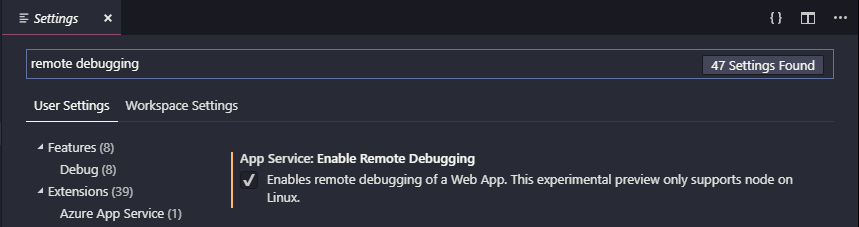
Once enabled, your Node.js apps that are deploy to Linux will have a context menu to "Start Remote Debugging."
Once your app is deployed, right-click the app in the App Service explorer and select "Start Remote Debugging." This process requires that the app be restarted with the debugger enabled - you'll be prompted to confirm the restart.

Once restarted, Visual Studio Code will connect to the app's debugging port via an SSH tunnel. It may take a little time to establish the connection. Once connected, Visual Studio Code will switch into debugging mode and work the same as it does when debugging an app locally.

When you're ready to end your remote debugging session, disconnect from the debugger as you would normally and confirm that you want to restart the app.