여러 머신러닝 라이브러리를 간단하고 사용하기 편리하게 만들어서 생산성을 높이는 라이브러리
(데이터 전처리, 모델 성능 비교, hyperparameter tuning 등의 여러가지 과정을 쉽게 수행)
참고 - PyCaret
import pandas as pd
from sklearn.model_selection import train_test_split
from pycaret.classification import *


df = pd.read_csv('train.csv')
X_train, X_test = train_test_split(df, test_size=0.1, shuffle=True, stratify=y, random_state=42)
X_test = pd.DataFrame(X_test, columns=df.columns)
dia_clf = setup(data=X_test, target="class", train_size=0.8, ignore_features=['id'], normalize=True, session_id=42)
best = compare_models(sort="Accuracy")
기존의 diabetes 등의 내장 data 외에 다른 데이터에 적용해보았음 (data의 크기가 커서 1/10해서 사용)
setup에서는
- target이 되는 label을 지정
- cross validation을 위한 train, test split ratio 지정
- 불필요한 feature 무시
- 정규화(defalut는 z-score)
- random seed 설정
등의 초기 세팅을 진행
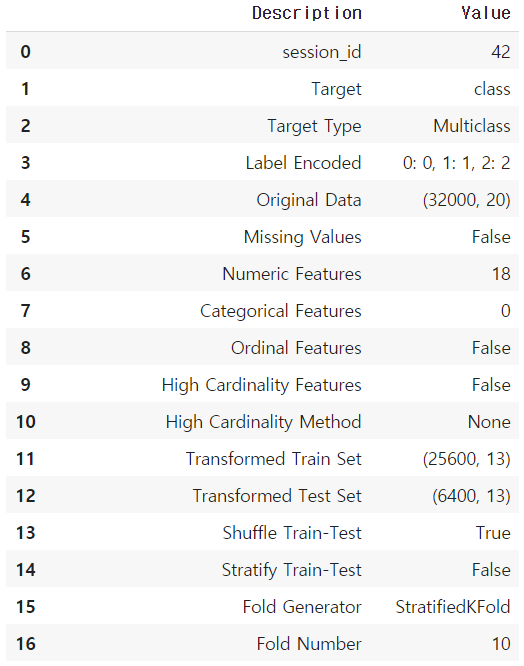
모델을 구성함에 있어서 여러 요소들을 한번에 볼 수 있음
compare_models
여러 모델들의 성능을 비교할 수 있음 (성능 지표에 따라 정렬가능)
지표들은 다음과 같음
- Classification: Accuracy, AUC, Recall, Precision, F1, Kappa, MCC (defalut - Accuracy)
- Regression: MAE, MSE, RMSE, R2, RMSLE, MAPE (defalut - R2)
cross validation의 defalut fold값은 10
n_select, include, exclude 등의 parameter를 통해 특정 분류기의 결과만 볼 수 있음
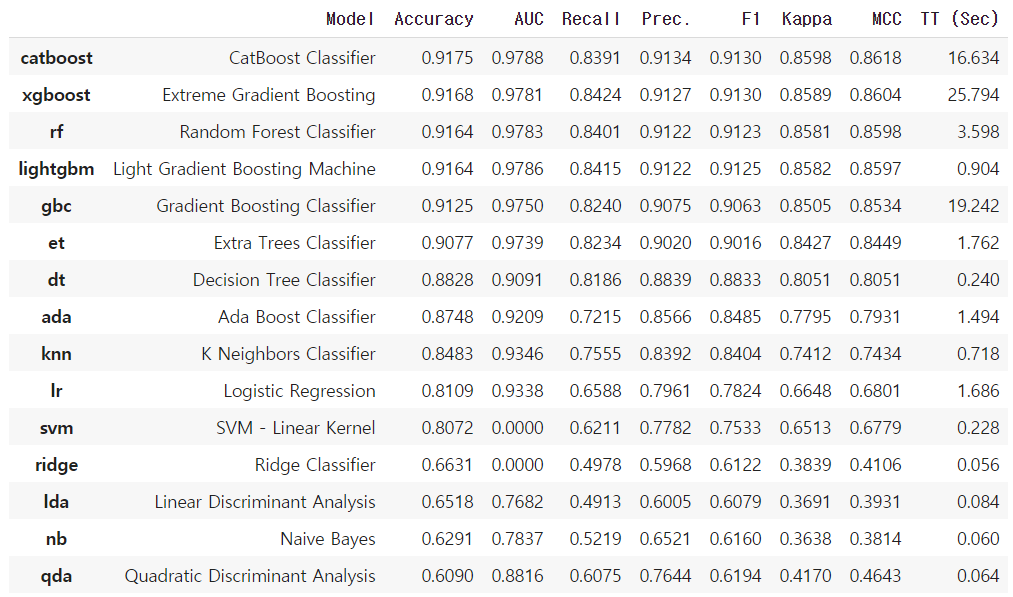
다음과 같이 여러 지표에 대한 값과 학습에 소요된 시간까지 나오기 때문에 모델을 선정할 때 굉장히 유용
xgboost = create_model('xgboost', max_depth = 10)

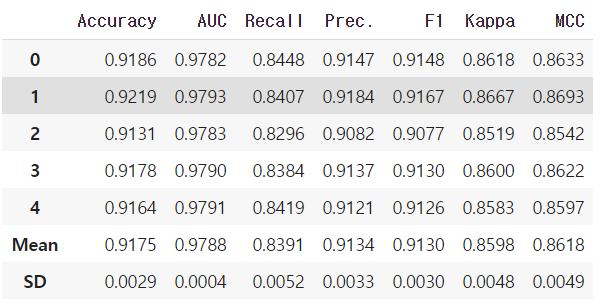
catboost = create_model('catboost', fold=5)
위와 같은 방식으로 쉽게 모델 생성가능 (parameter tuning 전)
tuned_catboost = tune_model(catboost, fold=5, early_stopping_max_iters=30)

# Decision Tree
# dt = create_model('dt')

# tuned_dt = tune_model(dt, n_iter = 50)

# 분류문제의 defalut는 Accuray 이므로 AUC에 최적화시킬 경우
# tuned_dt = tune_model(dt, optimize = 'AUC')

# params = {"max_depth": np.random.randint(1, (len(data.columns)*.85),20),
#          "max_features": np.random.randint(1, len(data.columns),20),
#          "min_samples_leaf": [2,3,4,5,6],
#          "criterion": ["gini", "entropy"]
#          }
# tuned_dt_custom = tune_model(dt, custom_grid = params)
parameter tuning 역시 위와 같이 간편하게 진행이 가능하며 기존의 다른 tuning 방식과 같이 직접 parameter의 범위를 지정해주는 것도 가능
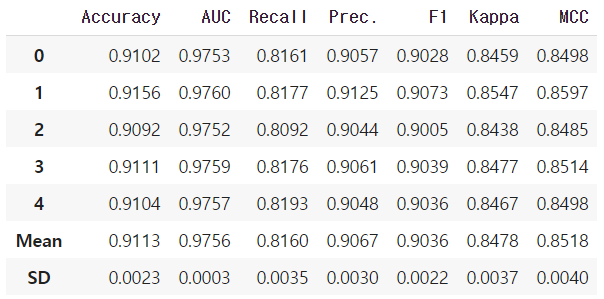
parameter tuning 후 오히려 성능이 하락한 것으로 보아 이런 경우는 정밀한 tuning이 요구됨
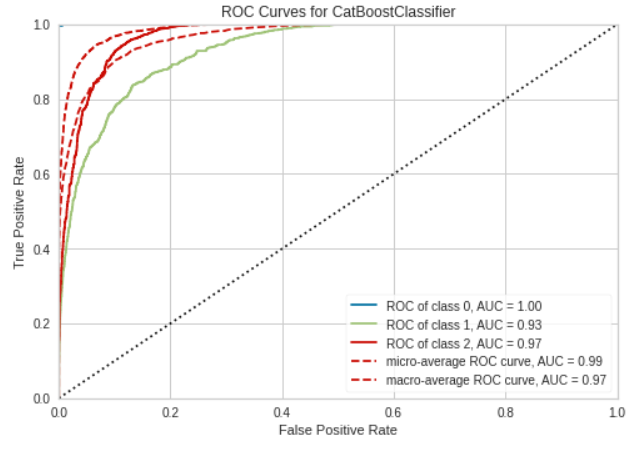
plot_model(estimator = tuned_catboost)
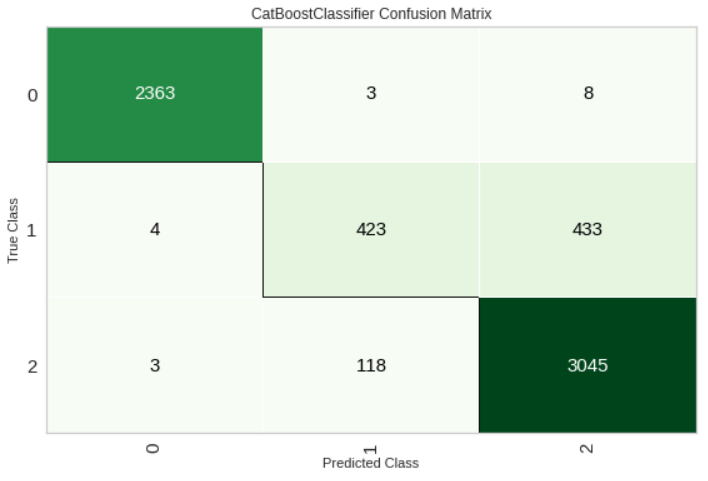
plot_model(estimator = tuned_catboost, plot = 'confusion_matrix')
모델의 AUC, Confusion matrix에 대한 시각화
plot_model(estimator = tuned_catboost, plot="feature")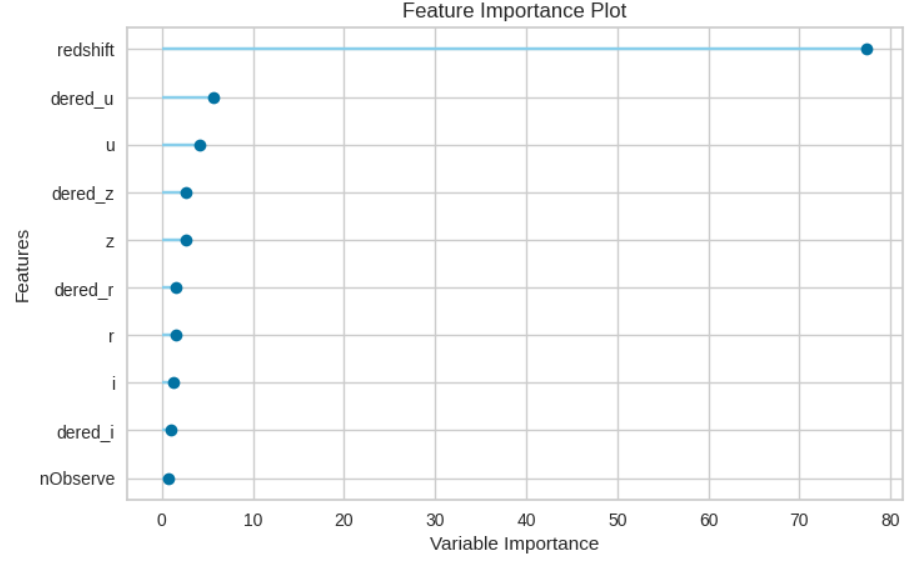
feature importance 시각화
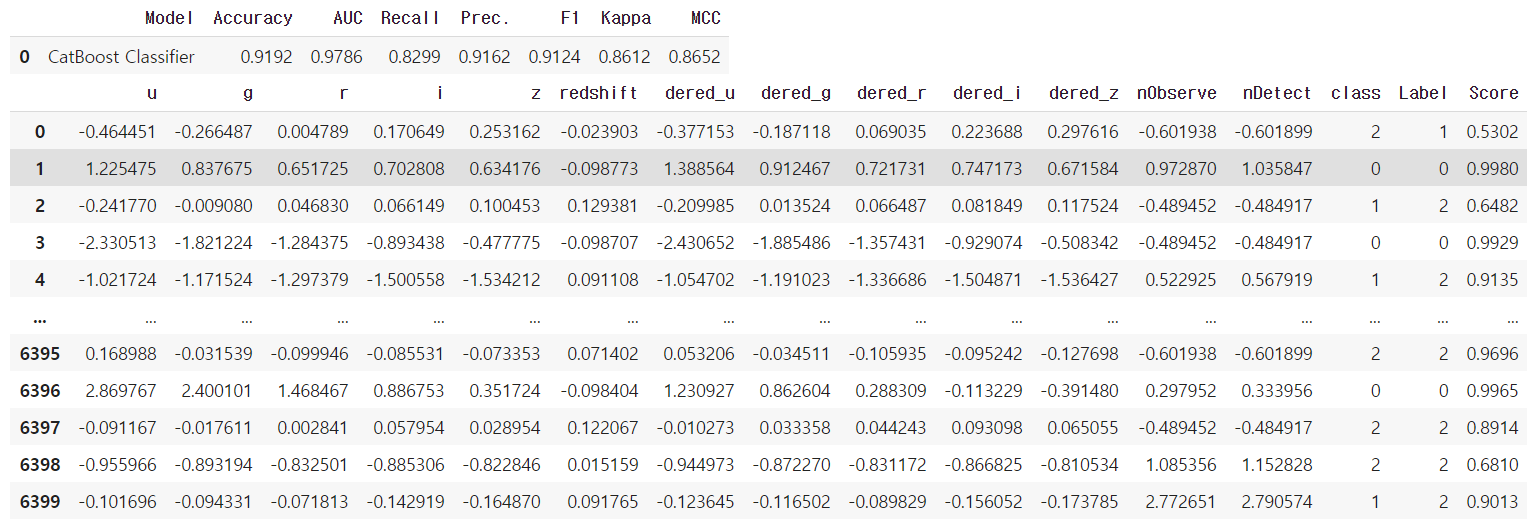
predict_model(tuned_catboost)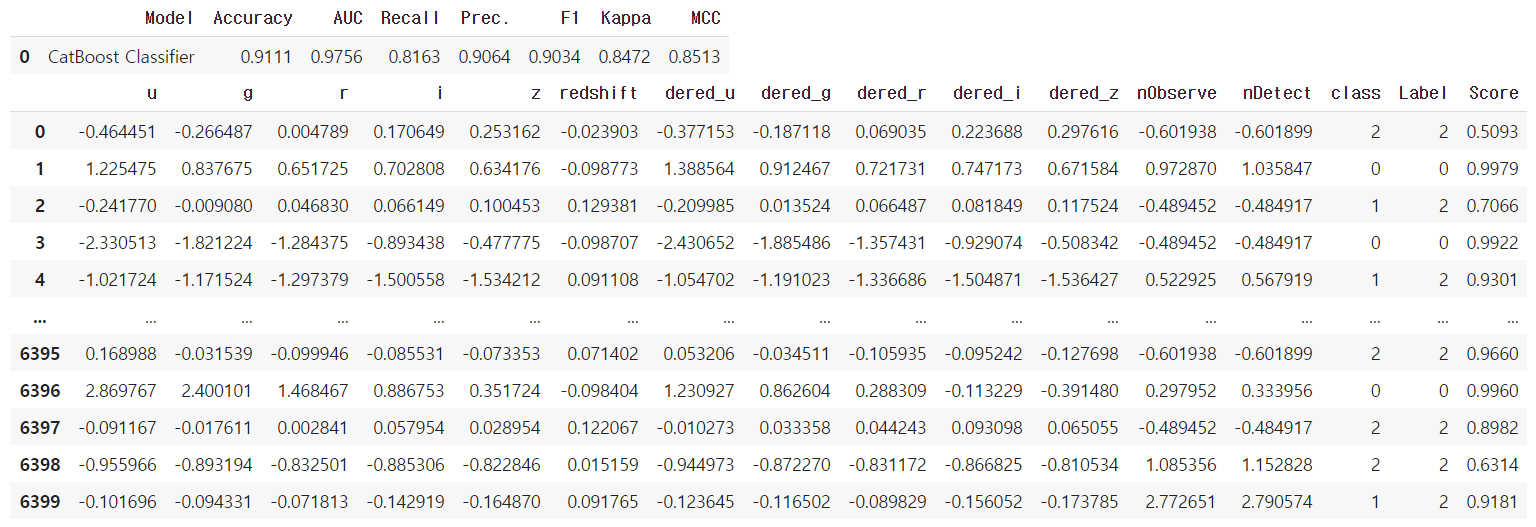 holdout(test) dataset에 대한 예측
final_catboost = finalize_model(tuned_catboost)
predict_model(final_catboost)
전체 dataset에 대해 학습을 진행한 후 holdout(test) dataset에 대한 예측
save_model(tuned_catboost, 'tuned_catboost')
saved_model = load_model('tuned_catboost')
pickle 형태로 모델을 저장하고 로드
