Fix Formatting: Guide Presentations Body Text in HfLA Dark Blue, 14pt Arial #116

Description

Overview
#113 Sub issue for fixing the formatting of the body text of all slides in each presentation
Action Items
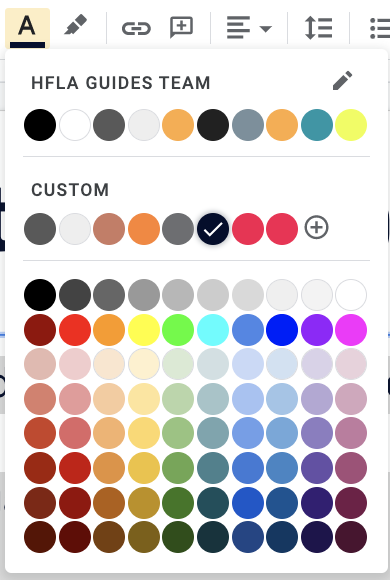
In all Gather Examples presentations, put main text in the HfLA dark blue (#030d2d), Arial size 14 font where possible (please note exceptions in the comments below with link to the slide)
- Part 2
- Part 3
- Part 4
- Part 5
Resources
Instructions
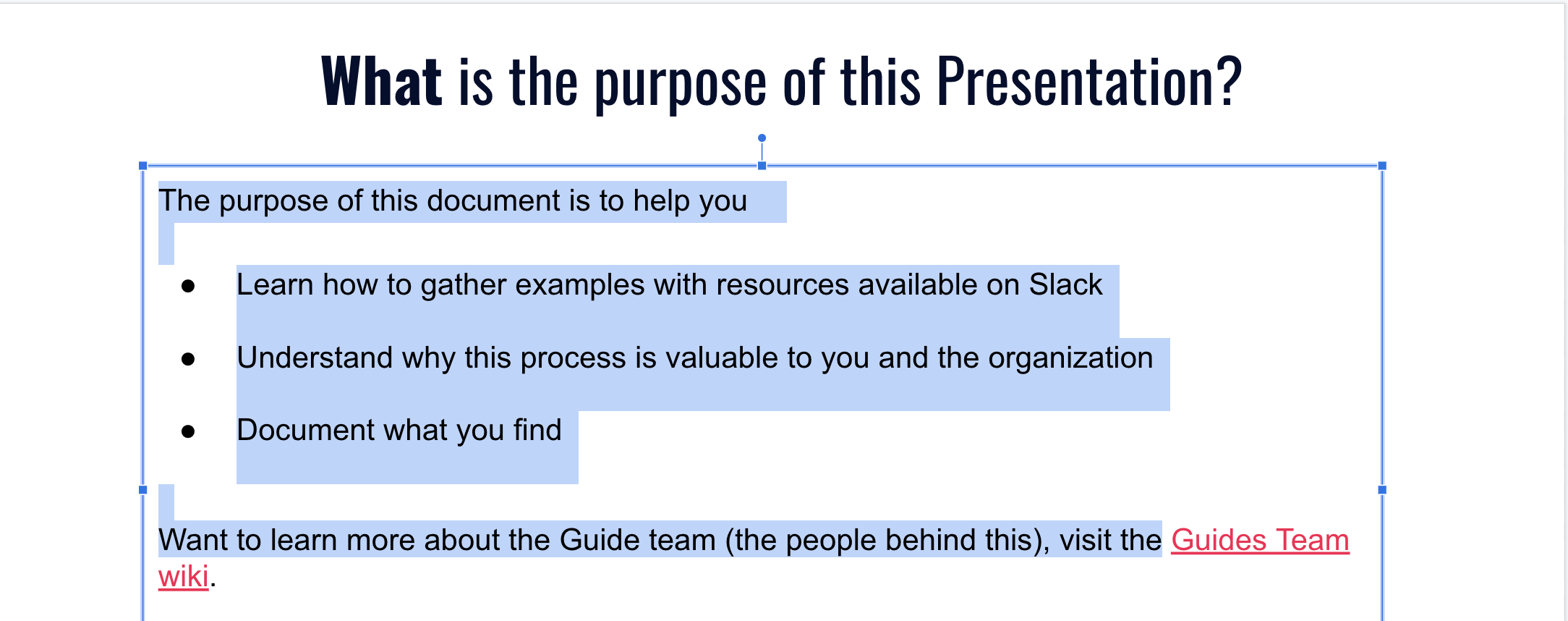
- Highlight all black body text within a slide. If the text is in another color, do not change it to dark blue. See the example here:
- In the toolbar at the top, find the (1) font, (2) font size, and (3) font color.
- If it isn't already, change the font to Arial and the size to 14. If the text will not fit on the slide at size 14, keep it at a smaller size and make a note with the slide number in the comments of this issue.

Change the font color to the custom Hack for LA Blue. In the options for text colors, it should be right before the HfLA red. In the screenshot below it has the white checkmark on it.