Terraform has community supported modules for creating Infrastructure in various Public Cloud Providers. AWS community has extensively worked on creating useful modules. So if anyone wants to create Infrastructure in AWS they can search for modules in terraform-aws-modules in GitHub to create the Infrastructure.
One of the most used services in AWS Cloud is Amazon Elastic Kubernetes Service (Amazon EKS) and we can make use of the Terraform AWS EKS module to create EKS Cluster.
This module comes up with required Infra configuration for and does not need much tweak to create the EKS Cluster.
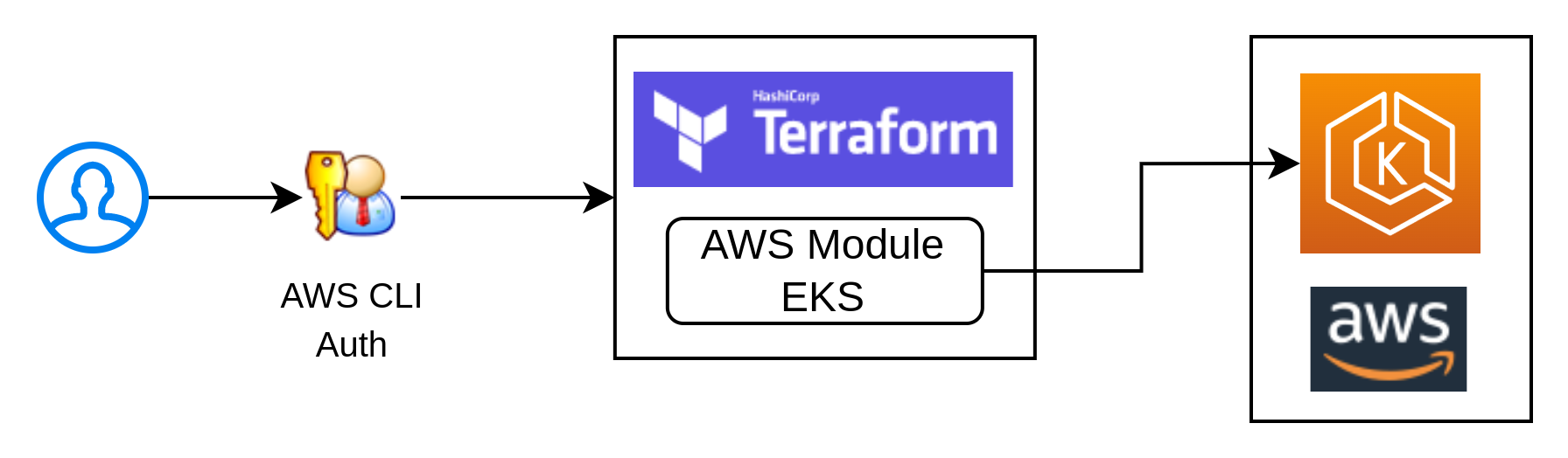
Using this module we can start the EKS Cluster creation in just 3 steps.
For example: Here are the simple steps to create EKS Cluster with self managed nodes
- Step 1: Clone the Terraform EKS repo from here
- Step 2: Go to
examples/self_managed_node_group - Step 3: Run below
terraformcommands to create EKS Cluster in AWS Cloud
terraform init
terraform plan
terraform apply
Once the terraform apply is completed successfully, it will show a set of terraform output values containing the details of the newly created cluster.
Run the below command to update the users kubeconfig file to start using the cluster
aws eks update-kubeconfig --name ex-self-managed-node-group
This command will update the details Cluster context and user sections in ~/.kube/config file.
In the next blog, we will see how to start using the Cluster and what are components created as part of Amazon EKS Cluster Terraform Code.
User needs to have,
- An AWS account and Latest AWS CLI with credentials configured in the workstation.
- If you don't use AWS CLI version
2.7and above, there will be an error inaws-authresource while creatingcore-dns - Good understanding of Kubernetes and how things work in Kubernetes.
- Reading the Amazon EKS documentation and Terraform module documentation for further customizations.