WindowTop Settings
#248

Replies: 1 comment

-
|
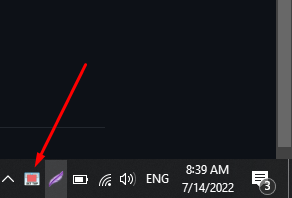
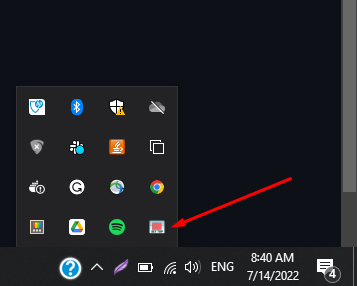
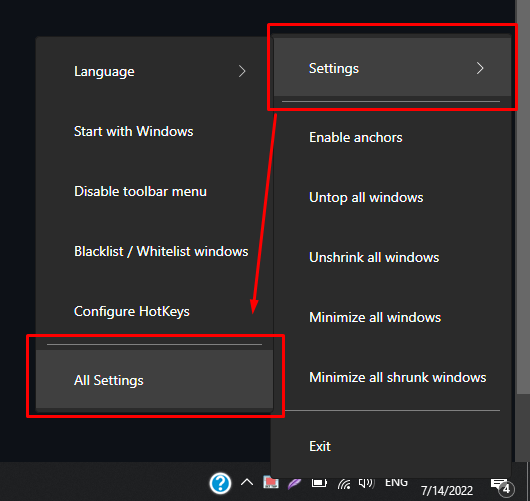
Hi @codeszhal Or if is not there, click on the arrow and then you should find it: After you found it, click on the icon. It will open the quick start settings window that you showed. Thanks for your confirmation that it helps you to increase your productivity! |
Beta Was this translation helpful? Give feedback.
0 replies
Sign up for free
to join this conversation on GitHub.
Already have an account?
Sign in to comment


Uh oh!
There was an error while loading. Please reload this page.
Uh oh!
There was an error while loading. Please reload this page.
-
First I say thank you for this great software. You have increased my productivity.

Actually I am used to using this program for less than two months. I have preconfigured the shotcut in the beginning and it helps me a lot. Now I want to view and edit the shortcut again in WindowTop settings window like the first time I did it. I have looked in the Windows Search button and it just show me the exe files to open the program. I have looked in the folder location when the app is installed and I still can't find it. Where I can find the WindowTop setting like I did it in the beginning?
Beta Was this translation helpful? Give feedback.
All reactions