AnchorGPT (also known as GPT Anchor) is a Chrome Extension that helps you navigate long ChatGPT conversations effortlessly.
It detects all user messages on chat.openai.com or chatgpt.com, anchors them, and provides a floating sidebar to jump instantly to any message.
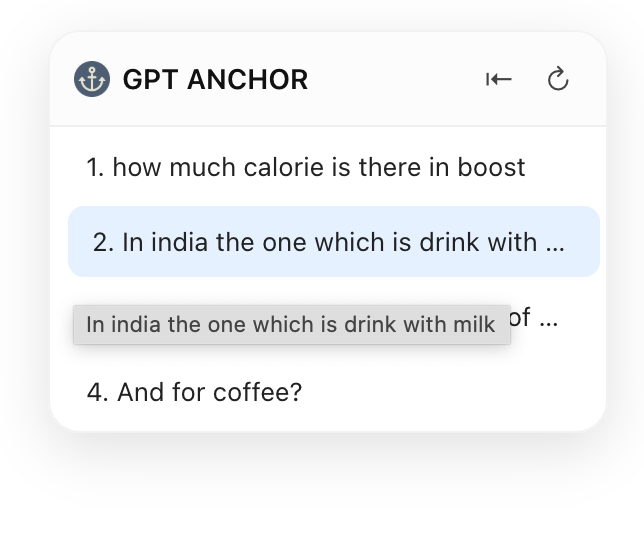
- 🧩 Automatically scans all user messages on ChatGPT.
- ⚡️ Displays a collapsible floating navigator on the right side.
- 🔖 Click any message snippet to scroll smoothly to that message.
- 🔁 Refresh button to re-scan chats when new messages appear.
- 📌 Clean, modern, minimal UI with smart collapse/expand toggle.
- 🎯 Works only on https://chatgpt.com to avoid interfering with other sites.
- manifest.json — Chrome extension configuration.
- content.js — Injected script that builds and manages the chat navigator.
- styles.css — Modern styling for the floating sidebar.
- popup.html — Placeholder for the extension popup (optional).
- icons/fav.png — The extension’s favicon and navigator icon.
- Clone or download this repository to your local system.
- Open Chrome and go to →
chrome://extensions. - Turn on Developer mode (top right).
- Click “Load unpacked”.
- Select the folder where this extension’s files are located (the root containing
manifest.json). - The extension should now appear in your toolbar!
- Navigate to https://chatgpt.com.
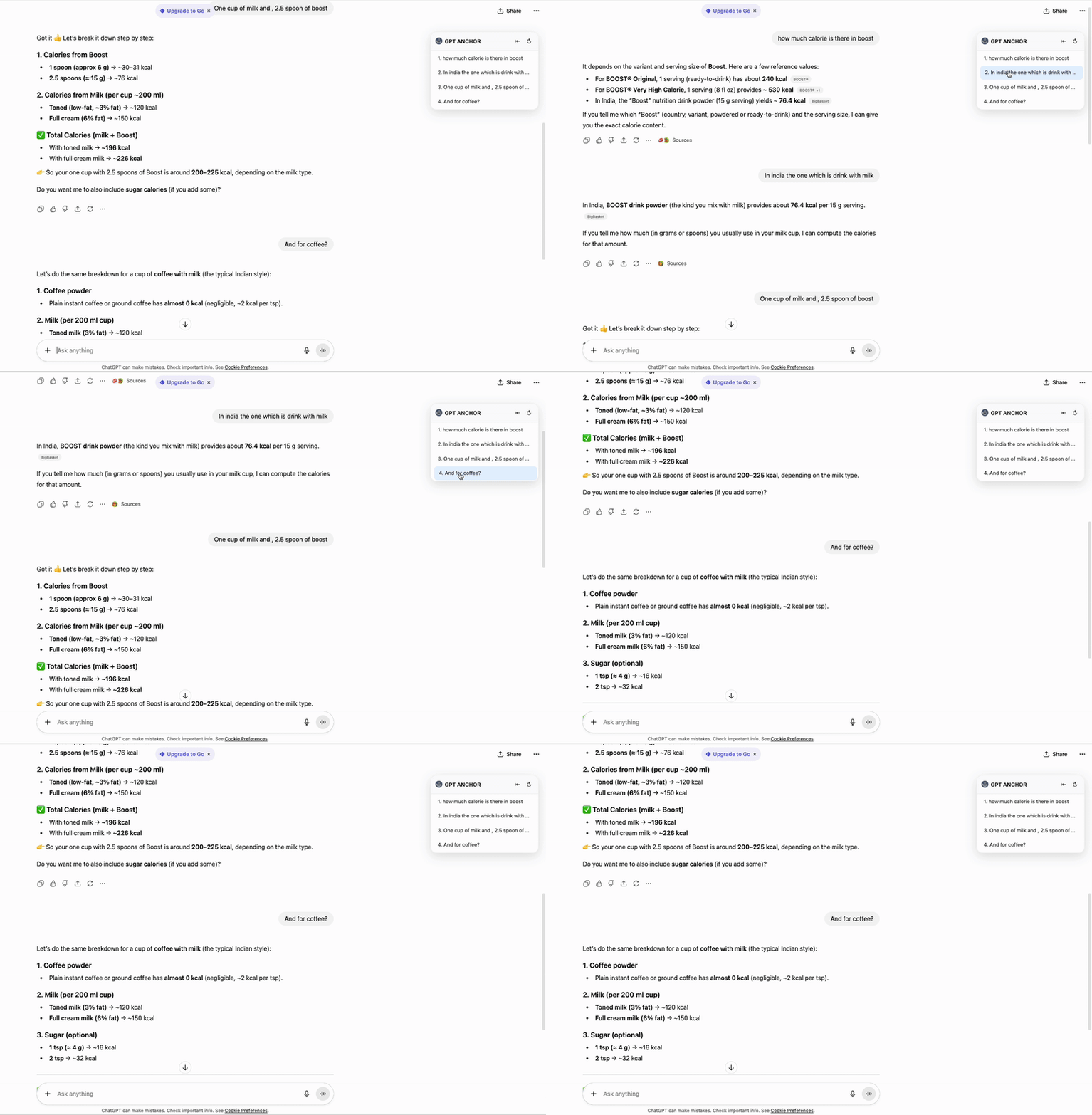
- Wait a moment — the AnchorGPT sidebar will appear on the right side of your screen.
- The sidebar will list all your user messages (not AI replies).
- Click on any message snippet — the page will scroll smoothly to that message.
- Use:
- ↻ (Refresh) → Re-scan for new messages.
- ⇤ / ⇥ (Collapse / Expand) → Hide or show the navigator sidebar.
- Currently supports only chatgpt.com domain.
- Requires a page refresh when Chrome updates the extension.
- Only anchors user messages, not system or AI responses.
“Anchor your chats. Navigate smarter.” – AnchorGPT