Table of Contents
-
About The Project
-
Getting Started
## About The Project
[](https://postimg.cc/JypP3fFF)
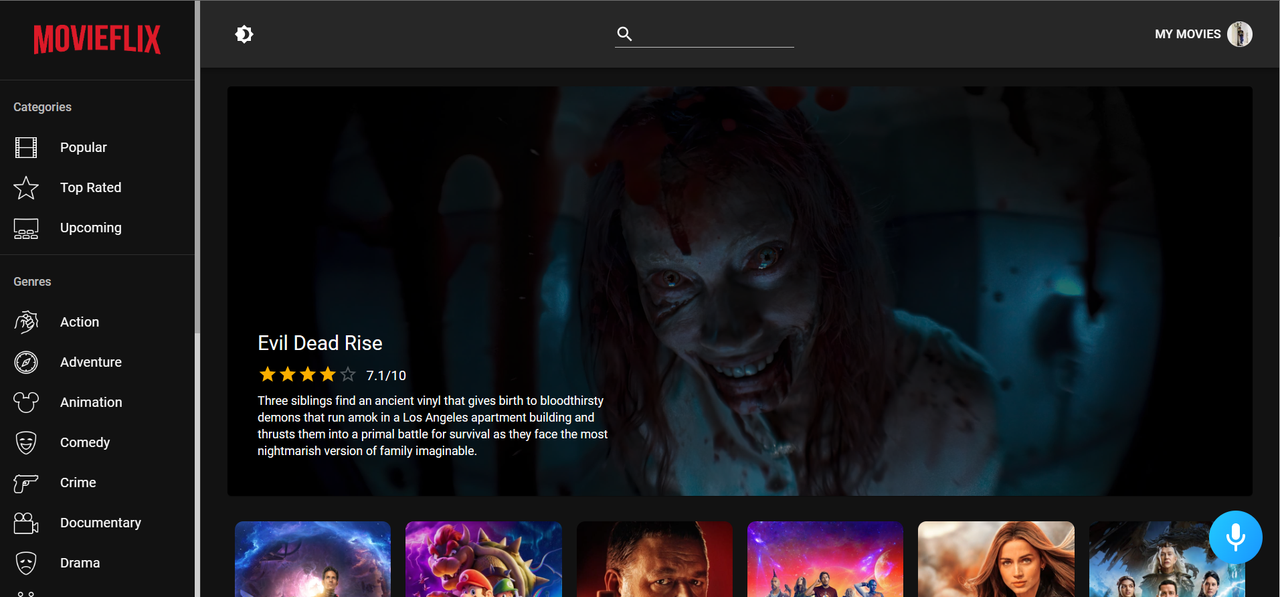
Movieflix combines the desire to unleash powerful creativity with the industry's most advanced JavaScript tools including React.js, Redux, Material UI, Alan AI, and more.
Features include:
* user authentication,
* light and dark mode,
* API calls with axios and Redux,
* actors and movie details page,
* watchlist and list of favorite movies,
* movie search functionality,
* Alan AI voice functionality and many more.
Alan works as an in-app voice assistant for the Movieflix project.
(back to top)
## Getting Started
To get a local copy up and running follow these simple steps.
### Prerequisites
List of things you need to use and how to install them:
* npm
```sh
npm install npm@latest -g
```
### Installation
Setup:
1. Get a free TMDB API Key at [https://www.themoviedb.org/](https://www.themoviedb.org/).
2. Clone the repo:
```sh
https://github.com/Amitiscoder/movieflix.git
```
3. Install NPM packages:
```sh
npm install
```
4. Create your `.env` file as it is instructed in `.env.example`.
5. Enter your TMDB API key in your `.env`.
```sh
REACT_APP_TMDB_KEY=
```
(back to top)
## Usage
For a full demonstration of all the functionalities of this phenomenal web application check out this [demo site](https://movieflixe.netlify.app/).
_For more detailes regarding TMDB API calls, please refer to the [Documentation](https://developers.themoviedb.org/3/getting-started/introduction)._
See the [open issues](https://github.com/Amitiscoder/movieflix/issues) for a full list of proposed features (and known issues).
(back to top)

](https://postimg.cc/JypP3fFF)